
Indledning
Tak for købetasing the HORI Nintendo Switch Wireless HORIPAD (Zelda). This controller is officially licensed by Nintendo and designed to enhance your gaming experience on the Nintendo Switch. This manual provides essential information for setting up, operating, and maintaining your new controller. Please read it thoroughly before use and keep it for future reference.
Produktegenskaber
- Bluetooth wireless connectivity with a 32-foot range.
- Built-in rechargeable lithium-ion battery offering up to 15 hours of playtime per charge.
- Lightweight and ergonomic design for comfortable extended play sessions.
- Equipped with accelerometer and gyroscope for full-motion control.
- Officially Licensed by Nintendo, ensuring compatibility and quality.
Pakkens indhold
- HORI Nintendo Switch Wireless HORIPAD (Zelda) Controller
- USB-C ladekabel
- Instruktionsmanual
Controller layout
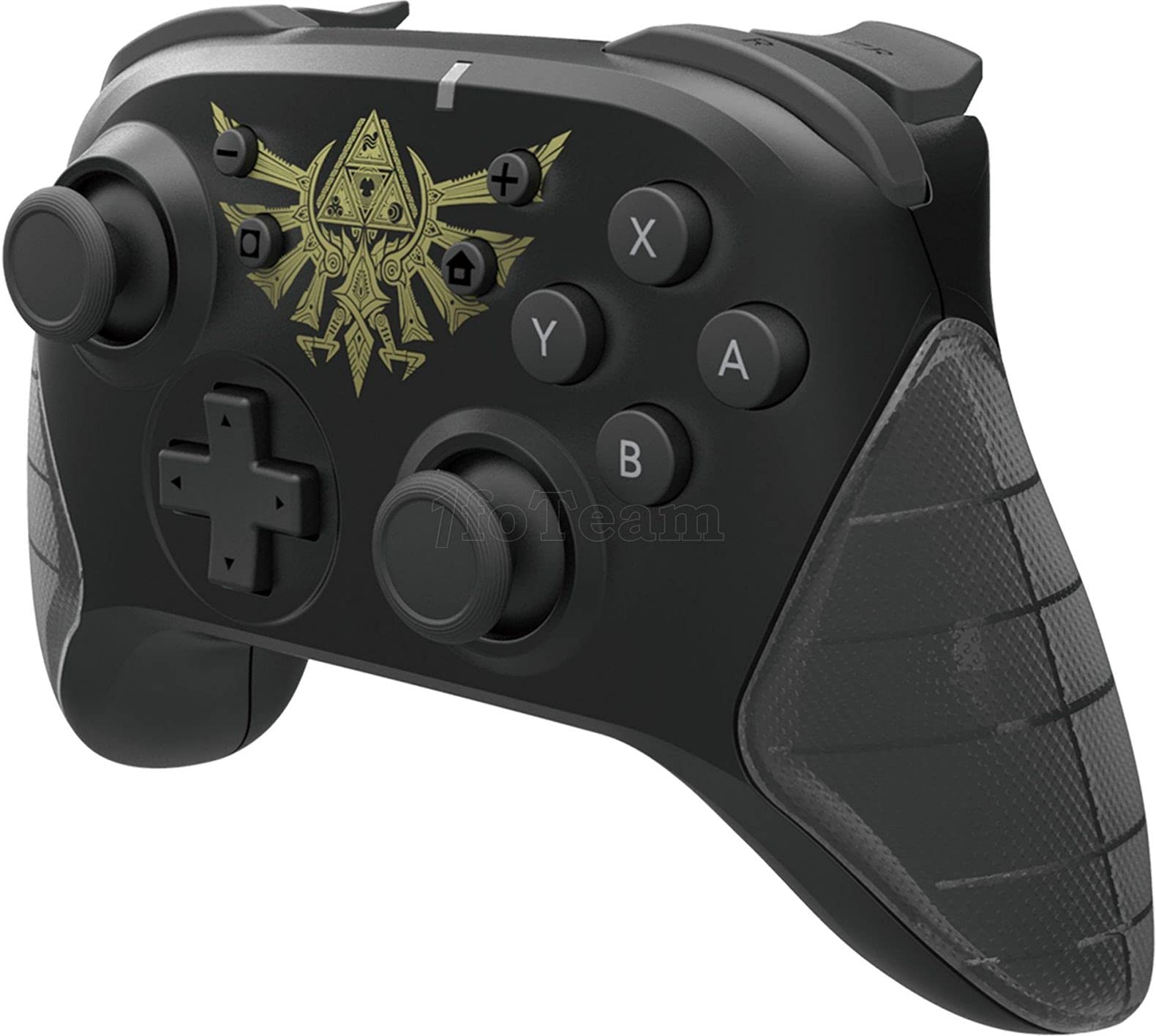
Figur 1: Forside view of the HORI Nintendo Switch Wireless HORIPAD (Zelda) controller, featuring the Triforce emblem.

Figur 2: Side view of the HORI Nintendo Switch Wireless HORIPAD (Zelda) controller, showing shoulder buttons and ergonomic grip.
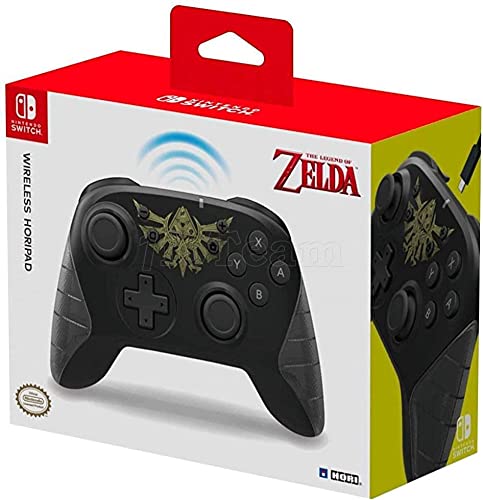
Figur 3: Tilbage view of the HORI Nintendo Switch Wireless HORIPAD (Zelda) controller, showing the USB-C charging port.
The controller features standard Nintendo Switch button layouts, including two analog sticks, a D-pad, A/B/X/Y buttons, L/R/ZL/ZR shoulder buttons, and Home/Capture/Plus/Minus buttons. The USB-C charging port is located on the top edge of the controller.
Opsætning
Parring med Nintendo Switch
- Sørg for, at din Nintendo Switch-konsol er tændt og opdateret til den nyeste systemsoftware.
- Vælg HOME-menuen 'Kontrollører', så 'Skift greb/orden'.
- On the HORI Wireless HORIPAD, press and hold the SYNC knap (located on the top edge, next to the USB-C port) for a few seconds until the Player LED lights begin to flash.
- Once the controller is successfully paired, the Player LED corresponding to its player number will remain lit.
- Tryk på En knap på controlleren for at bekræfte og afslutte parringsskærmen.
Opladning af controlleren
The HORI Wireless HORIPAD features a built-in rechargeable battery. To charge:
- Connect the included USB-C charging cable to the USB-C port on the top of the controller.
- Connect the other end of the USB-C cable to a USB power source (e.g., Nintendo Switch Dock, USB wall adapter, computer USB port).
- The charging indicator LED on the controller will illuminate during charging and turn off when fully charged. A full charge typically takes approximately 2-3 hours and provides up to 15 hours of playtime.
Betjeningsvejledning
Grundlæggende kontrol
- Tænd: Tryk på knappen Hjem.
- Sluk: Hold the Home button for several seconds until the controller powers down, or disconnect it from the Switch.
- Bevægelse: Use the Left Analog Stick or D-pad.
- Kamera/sigte: Use the Right Analog Stick.
- Handlingsknapper: A-, B-, X- og Y-knapper til handlinger i spillet.
- Skulderknapper: L, R, ZL, ZR for various in-game functions.
- Systemknapper: Plus (+) for options, Minus (-) for menu, Home for HOME Menu, Capture for screenshots/video clips.
Bevægelseskontrol
The controller supports motion controls via its built-in accelerometer and gyroscope. These functions are automatically enabled for compatible games. Ensure the controller is held steadily for accurate motion input.
Opretholdelse
- Rensning: Brug en blød, tør klud til at rengøre controlleren. Brug ikke flydende rengøringsmidler eller opløsningsmidler.
- Opbevaring: Opbevar controlleren et køligt, tørt sted væk fra direkte sollys og ekstreme temperaturer.
- Batteripleje: For at forlænge batteriets levetid bør du undgå at aflade batteriet helt ofte. Oplad controlleren regelmæssigt, selvom den ikke er i konstant brug.
- Undgå påvirkning: Tab ikke controlleren eller udsæt den for kraftige stød, da dette kan beskadige de interne komponenter.
Fejlfinding
- Controlleren forbinder ikke:
- Sørg for, at controlleren er opladet.
- Verify the Nintendo Switch is updated to the latest system software.
- Attempt to re-pair the controller following the 'Pairing with Nintendo Switch' steps.
- Move closer to the Nintendo Switch console to ensure you are within the 32-foot Bluetooth range.
- Kontroller for eventuelle trådløse interferenser fra andre enheder.
- Knapper eller styrepinde reagerer ikke:
- Sørg for, at controlleren er korrekt tilsluttet og opladet.
- Genstart Nintendo Switch-konsollen.
- Test the controller in a different game or application to determine if the issue is game-specific.
- Kort batterilevetid:
- Sørg for, at controlleren er fuldt opladet før brug.
- Batteriets ydeevne kan forringes over tid ved omfattende brug.
Specifikationer
| Mærke | HORI |
| Modelnavn | Trådløs HORIPAD |
| Kompatible enheder | Nintendo Switch |
| Controller type | Gamepad |
| Forbindelsesteknologi | USB, Trådløs (Bluetooth) |
| Yderligere funktioner | Ergonomic, Wireless, Accelerometer, Gyroscope |
| Knap Antal | 15 |
| Strømkilde | Batteridrevet (genopladeligt lithium-ion) |
| Varens vægt | 305 gram |
| Emnedimensioner | 3.15 x 7.01 x 5.71 tommer |
| Farve | Black (Zelda design) |
Garanti og support
For warranty information and customer support, please refer to the official HORI webwebstedet eller kontakt din forhandler. Gem din købsbevis i tilfælde af garantikrav.