
Indledning
The StarTech.com HDMI Audio Extractor (HD2A) allows you to extract and convert the audio from an HDMI signal to 3.5mm stereo audio. This device is ideal for connecting HDMI source devices, such as Blu-ray players or computers, to external speakers or headphones that use a 3.5mm audio jack, while simultaneously passing the video signal through to an HDMI display. It supports resolutions up to 1080p and is HDCP compliant.
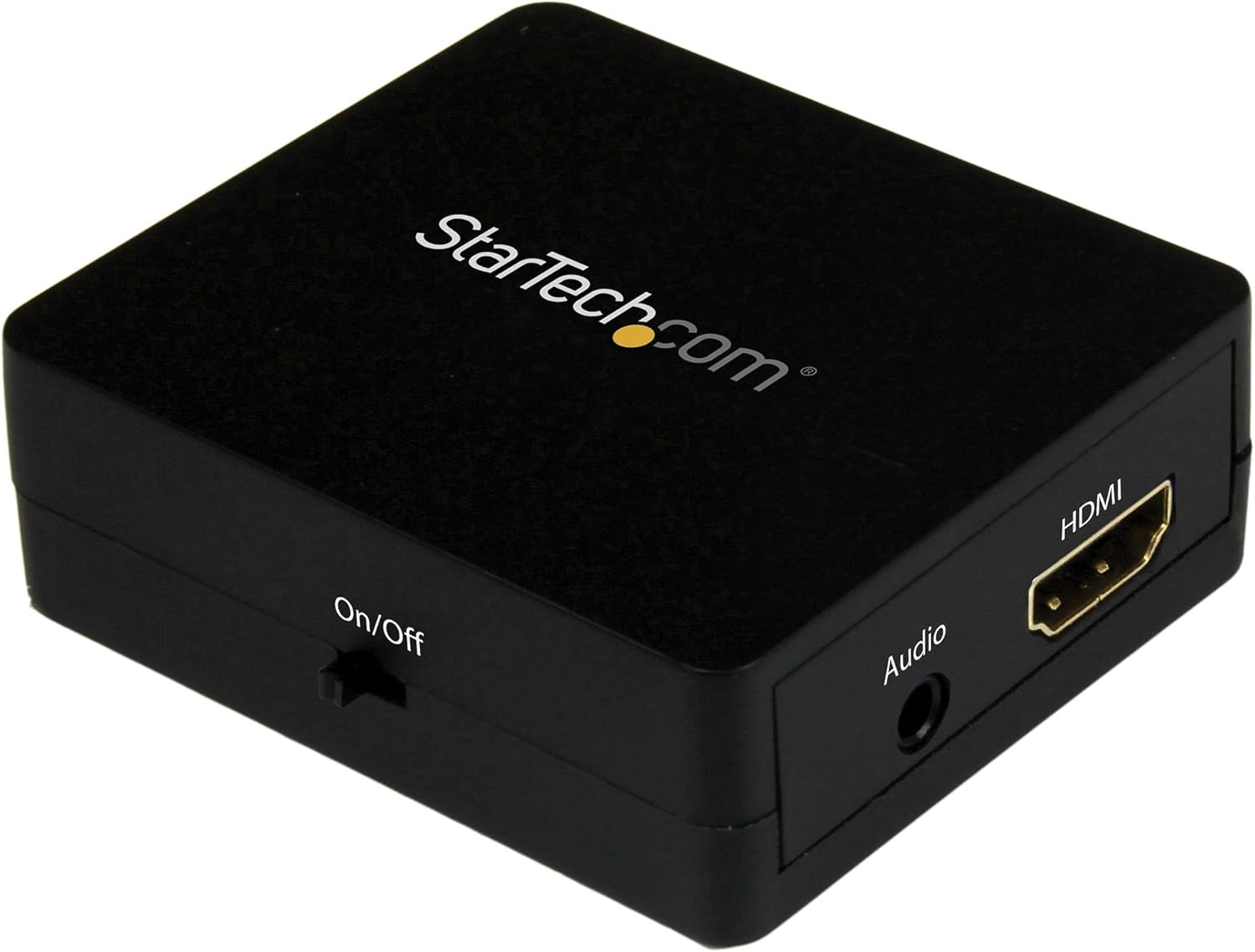
Image: The StarTech.com HDMI Audio Extractor (HD2A) unit, showcasing its compact design and various ports for connectivity.
Pakkens indhold
- 1x HDMI Audio Extractor (HD2A)
- 1x USB-strømkabel
- 1x Toslink Adapter
Opsætning
Follow these steps to set up your HDMI Audio Extractor:
- Tilslut HDMI-kilde: Connect an HDMI cable from your source device (e.g., Blu-ray player, computer, game console) to the HDMI-IN porten på lydekstraktoren.
- Tilslut HDMI-skærm (valgfrit): If you wish to pass the video signal to a display, connect an HDMI cable from the HDMI OUT port on the audio extractor to your TV or monitor.
- Tilslut lydudgang: Tilslut et 3.5 mm lydkabel fra 3.5 mm lydudgang port on the extractor to your stereo speakers, headphones, or audio receiver.
- Tilslut strøm: Connect the included USB power cable to the USB-strøm port on the extractor and then to a USB power source (e.g., a USB wall adapter, computer USB port). Ensure the power source provides sufficient power for stable operation.
- Tænd enheder: Power on your HDMI source device, display (if connected), and audio output device.
Note: The device requires external power via the USB cable for operation.
Betjeningsvejledning
Once all connections are made and devices are powered on, the HDMI Audio Extractor will automatically detect the HDMI input and begin extracting the audio. The video signal will be passed through to the HDMI output (if connected).
- Ensure your source device is outputting audio via HDMI.
- Adjust the volume on your connected audio output device (speakers, headphones) as needed.
- The extractor supports 2.1 stereo audio output through the 3.5mm port.
Opretholdelse
To ensure the longevity and optimal performance of your HDMI Audio Extractor, follow these maintenance guidelines:
- Hold enheden ren ved at tørre den af med en blød, tør klud. Undgå at bruge skrappe kemikalier eller slibende rengøringsmidler.
- Opbevar enheden et køligt, tørt sted væk fra direkte sollys og ekstreme temperaturer.
- Undgå at udsætte enheden for fugt eller væsker.
- Do not attempt to disassemble or modify the device, as this will void the warranty and could cause damage.
Fejlfinding
If you encounter issues with your HDMI Audio Extractor, refer to the following troubleshooting steps:
- Ingen lydoutput:
- Ensure all cables (HDMI input, 3.5mm audio, USB power) are securely connected.
- Verify that your audio output device (speakers, headphones) is powered on and its volume is adjusted.
- Check the audio settings on your HDMI source device to ensure audio is being sent via HDMI.
- Try a different 3.5mm audio cable or audio output device to rule out faulty components.
- No Video Output (if connected to a display):
- Ensure the HDMI cable from the extractor's HDMI OUT to your display is properly connected.
- Verify your display is set to the correct HDMI input.
- Test HDMI-kablerne direkte mellem kilden og skærmen for at bekræfte, at de fungerer.
- Buzzing Sound from Audio Output:
- A buzzing sound can sometimes occur if the HDMI input source is turned off while the extractor remains powered. Ensure the HDMI source is active when using the extractor.
- Ensure the USB power cable is connected to a stable power source.
- Try connecting the USB power cable to a different USB port or power adapter.
- Intermitterende lyd/video:
- Kontroller alle kabelforbindelser for løse forbindelser.
- Ensure the USB power supply is stable and sufficient.
- Try using shorter, high-quality HDMI cables.
Specifikationer
| Model | HD2A |
| Mærke | StarTech.com |
| Interface Type | HDMI |
| Lydudgang | 3.5mm Stereo (2.1 Channel) |
| Max opløsning | 1080p |
| HDCP-kompatibel | Ja |
| Dimensioner (L x B) | 2.01 cm L x 1.61 cm B |
| Materiale | Plast |
| Vægt | 0.04 kilo |
| Inkluderede komponenter | HDMI audio extractor, USB power cable, Toslink adapter |
Garanti og support
StarTech.com provides a warranty for this product. For specific warranty terms and conditions, please refer to the warranty information included with your purchase or visit the official StarTech.com webwebsted.
For technical support, product drivers, manuals, and frequently asked questions, please visit the StarTech.com-support webwebsted eller kontakt deres kundeservice direkte.