
Bluestone Automatic Wrist Blood Pressure Monitor User Manual
Model: 80-5103
1. Introduktion
Thank you for choosing the Bluestone Automatic Wrist Blood Pressure Monitor. This device is designed to provide quick and accurate measurements of your systolic and diastolic blood pressure, as well as your pulse rate. Regular monitoring can help you track your heart health over time. Please read this manual thoroughly before using the device to ensure correct operation and accurate results.
2. Sikkerhedsoplysninger
- Denne enhed er kun beregnet til hjemmebrug for voksne. Kontakt din læge for fortolkning af blodtryksmålinger.
- Brug ikke denne enhed på spædbørn, børn eller personer, der ikke kan give deres samtykke.
- Undgå at foretage målinger i et køretøj i bevægelse eller under fysisk aktivitet.
- Do not self-diagnose or self-medicate based on the measurement results. Always consult a healthcare professional.
- Hold enheden væk fra stærke elektromagnetiske felter.
- Do not disassemble or attempt to repair the device. Contact customer support if issues arise.
3. Produktet er slutview
The Bluestone Automatic Wrist Blood Pressure Monitor is a compact and portable device designed for ease of use. It features a large LCD screen for clear readings and a memory function to store past measurements.
3.1 Komponenter
- Wrist Blood Pressure Monitor with integrated cuff
- Opbevaringskasse
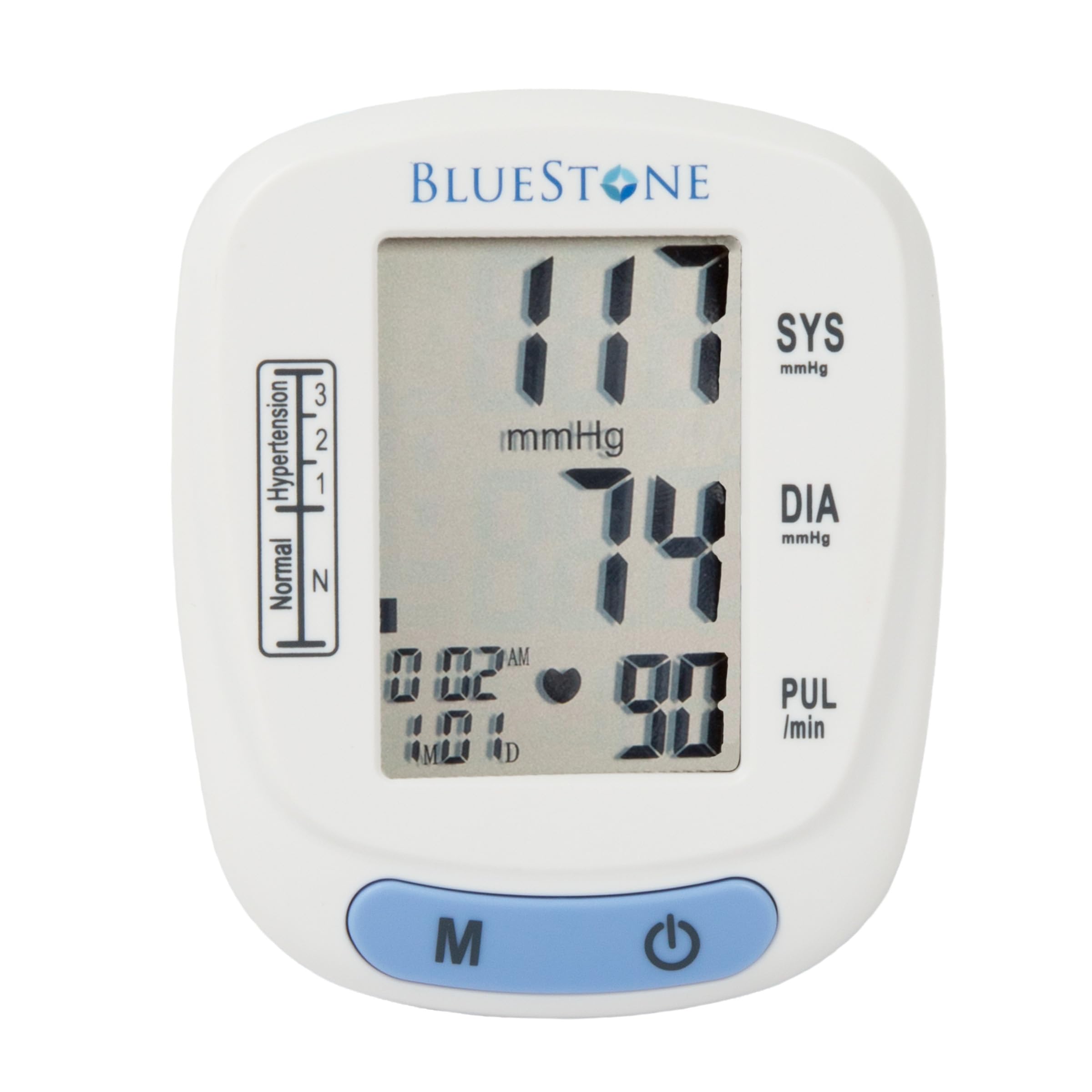
Image 3.1: Bluestone Automatic Wrist Blood Pressure Monitor on a user's wrist.
3.2 Enhedsfunktioner

Image 3.2: Labeled diagram highlighting the monitor's display elements and buttons.
- Stor LCD-skærm: Displays systolic, diastolic, pulse, date, and time.
- Blood Pressure Level Bar: Indicates blood pressure classification (Normal, Hypertension levels 1, 2, 3).
- Hukommelsesknap (M): Accesses stored readings.
- On/Off knap: Tænder og slukker enheden og starter målinger.
- Adjustable Cuff: Designed to fit wrists up to 10 inches in circumference.
4. Opsætning
4.1 Batteriinstallation
- Åbn batteridækslet på bagsiden af skærmen.
- Isæt to AAA-batterier (medfølger ikke), og sørg for at polariteten (+/-) vender korrekt.
- Luk batterirummets dæksel forsvarligt.
4.2 Cuff Placement
- Fjern alt stramt tøj fra dit håndled.
- Place the monitor on your left wrist with the display facing upwards. The cuff should be positioned approximately 1-2 cm above your wrist joint.
- Fasten the cuff snugly around your wrist. Ensure it is not too tight or too loose.
- Rest your arm on a table or flat surface so that the monitor is at the same level as your heart. Keep your palm open and relaxed.
5. Betjeningsvejledning
5.1 Tage en måling
- Ensure the cuff is correctly placed on your wrist and your arm is positioned at heart level.
- Press the On/Off button to power on the device. The display will show all symbols briefly, then '00'.
- The cuff will automatically inflate, and the measurement will begin. Remain still and silent during the measurement.
- Once the measurement is complete, the systolic pressure, diastolic pressure, and pulse rate will be displayed on the screen. The device will automatically store this reading.
- Press the On/Off button again to turn off the device, or it will automatically shut off after approximately one minute of inactivity.
5.2 Fortolkning af resultater
The monitor displays your systolic (SYS) and diastolic (DIA) blood pressure in mmHg, and your pulse (PUL) in beats per minute. The blood pressure level bar on the left side of the display indicates your reading's classification according to World Health Organization (WHO) guidelines:
- Normal: Optimal blood pressure.
- Hypertension (Levels 1, 2, 3): Indicates elevated blood pressure. Consult a healthcare professional for advice.

Image 5.1: Monitor displaying a sample reading and highlighting key features.
6. Hukommelsesfunktion
The monitor can store up to 120 measurements with date and time stamps, allowing you to track your blood pressure trends.
6.1 Storing Readings
Each successful measurement is automatically stored in the device's memory.
6.2 Recalling Readings
- Tryk på knappen 'M' (hukommelse), mens enheden er slukket.
- Den seneste aflæsning vises først.
- Press the 'M' button repeatedly to scroll through previous measurements.
- To exit memory mode, press the On/Off button or wait for the device to automatically shut off.
7. Vedligeholdelse
7.1 Rengøring
- Tør monitoren og manchetten af med en blød, tør klud.
- Brug ikke slibende rengøringsmidler, og nedsænk ikke enheden i vand.
7.2 Opbevaring
- Store the monitor in its included protective case when not in use.
- Opbevar enheden et køligt, tørt sted, væk fra direkte sollys og ekstreme temperaturer.
- Hvis enheden ikke skal bruges i længere tid, skal batterierne fjernes for at forhindre lækage.

Image 7.1: Monitor stored in its protective case.
8. Fejlfinding
| Problem | Mulig årsag | Løsning |
|---|---|---|
| Ingen skærm, når den er tændt | Batterierne er døde eller isat forkert. | Udskift batterierne med nye AAA-batterier, og sørg for at polariteten vender korrekt. |
| Fejlmeddelelse (f.eks. 'Err') | Movement during measurement, improper cuff placement, or device malfunction. | Remain still and silent. Re-apply cuff correctly. If error persists, contact support. |
| Inkonsekvente aflæsninger | Forkert kropsholdning, tale under måling eller nylig fysisk aktivitet. | Ensure proper technique (see Section 5.1). Take measurements at the same time each day. |
9. Specifikationer

Image 9.1: Dimensions of the Bluestone Blood Pressure Monitor.
| Feature | Detalje |
|---|---|
| Modelnummer | 80-5103 |
| Produktdimensioner | 3 cm L x 2.5 cm B x 2.5 cm T |
| Varens vægt | 8.3 ounce |
| Manchet omkreds | Fits up to 10" wrists |
| Strømkilde | 2 x AAA batterier (medfølger ikke) |
| Display Type | Digital LCD |
| Hukommelseskapacitet | Up to 120 readings with date/time stamp |
10. Garanti og support
Bluestone products are manufactured with quality and care. For warranty information or technical support, please refer to the contact details provided with your purchase documentation or visit the official Bluestone webwebsted. Gem venligst din købsbevis i tilfælde af garantikrav.