
1. Introduktion
This manual provides essential information for the safe and efficient use of your Volteck LED Desk Lamp, Model 46189. Please read these instructions carefully before operating the product and retain them for future reference.
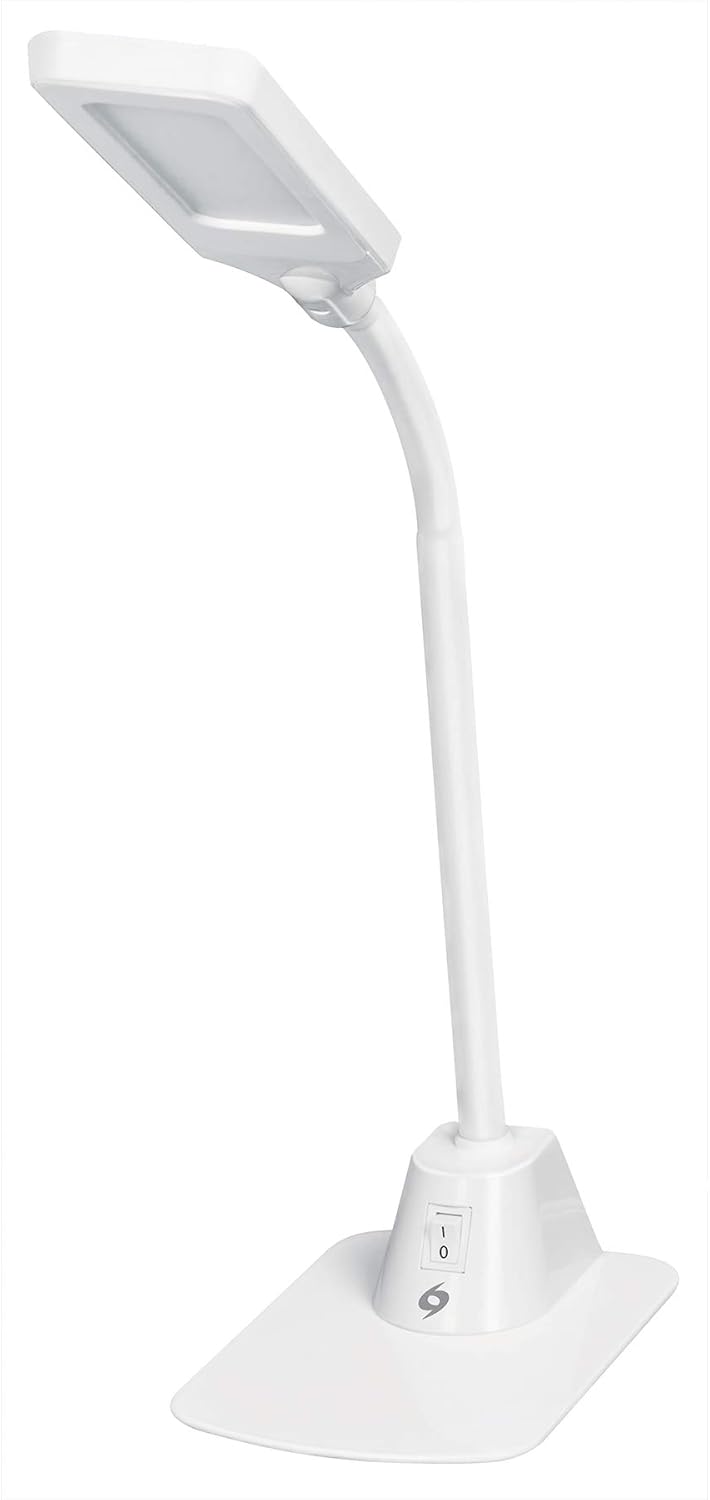
Figure 1: Volteck LED Desk Lamp
2. Produktet er slutview
The Volteck LED Desk Lamp (Model 46189) is designed to provide efficient and adjustable lighting for various tasks. It features a flexible neck and a stable base for versatile positioning.
2.1 Komponenter

Figur 2: Lamp Komponenter
- Acrylic Screen: The light-emitting head of the lamp.
- Silicone Body: The flexible neck allowing for angle adjustments.
- Tænd/sluk-knap: Located on the base for power control.
- Steel Base: Giver stabilitet til lamp.
3. Opsætningsvejledning
- Pakker ud: Tag forsigtigt alle komponenter ud af emballagen. Sørg for, at alle dele er til stede og ubeskadigede.
- Position: Placer lamp on a stable, flat surface such as a desk or table.
- Tilslut strøm: Insert the power plug into a standard 120V AC electrical outlet.
4. Betjeningsvejledning
The Volteck LED Desk Lamp is simple to operate:
- Tænd/sluk: Find tænd/sluk-knappen på l'enamp's base. Press the switch to turn the lamp til eller fra.
- Juster lysvinkel: Gently bend the flexible silicone neck to direct the light to your desired position.

Figure 3: Operating the On/Off Switch

Figure 4: Adjusting the Lamp Vinkel
5. Vedligeholdelse
To ensure the longevity and optimal performance of your Volteck LED Desk Lampfølg disse vedligeholdelsesretningslinjer:
- Rensning: Afbryd lamp fra strømkilden før rengøring. Brug en blød, tør klud til at tørre l'et afamp's surfaces. Do not use abrasive cleaners or solvents.
- Opbevaring: Når den ikke er i brug i længere perioder, skal den opbevaresamp på et køligt, tørt sted.
- LED lyskilde: LED-lyskilden er integreret og kan ikke udskiftes af brugeren.
6. Fejlfinding
If you encounter issues with your Volteck LED Desk Lamp, se følgende almindelige problemer og løsninger:
| Problem | Mulig årsag | Løsning |
|---|---|---|
| Lamp tændes ikke. | Ingen strømforsyning. | Ensure the power plug is securely inserted into a working electrical outlet. Check if the outlet has power. |
| Lyse flimrer. | Ustabil strømforbindelse. | Check the power connection. Try plugging into a different outlet. |
| Lamp er ustabil. | Ujævn overflade. | Placer lamp på en flad og stabil overflade. |
7. Specifikationer

Figur 5: Lamp Dimensioner
| Feature | Detalje |
|---|---|
| Modelnummer | 46189 |
| Varenummer | LES-100L |
| Mærke | Volteck |
| Lyskildetype | LED |
| Wattage | 5 watt |
| Voltage | 120 volt |
| Farve | Hvid |
| Finish Type | Poleret |
| Monteringstype | Bordplade |
| Varens vægt | 1.1 kilo (2.41 pund) |
| Dimensioner (ca.) | Height: 65 cm (25.6 in), Base Width: 17 cm (6.7 in), Base Depth: 12 cm (4.7 in) |
| Vandmodstandsniveau | Vandtæt |
| Batterier påkrævet | Ingen |
8. Sikkerhedsoplysninger
- Skil ikke lamp. Der er ingen dele indeni, der kan repareres af brugeren.
- Behold lamp væk fra vand eller overdreven fugt.
- Sørg for at lamp placeres på et stabilt underlag for at forhindre væltning.
- Se ikke direkte ind i LED-lyskilden i længere tid ad gangen.
- Tag stikket ud af lamp during electrical storms or when not in use for long periods.
9. Garanti og support
For warranty information or technical support, please refer to the documentation included with your purchase or contact Volteck customer service. Keep your purchase receipt for warranty claims.