
Indledning
Thank you for choosing the Baseus Encok W02 True Wireless Bluetooth Earbuds. This manual provides essential information for the proper setup, operation, and maintenance of your new earbuds. Please read it thoroughly before use to ensure optimal performance and longevity of the product.
Produkt overview
The Baseus Encok W02 earbuds offer a true wireless audio experience with advanced features designed for comfort and superior sound quality. They are equipped with touch controls and noise cancellation technology.
Nøglefunktioner:
- True Wireless Stereo (TWS): Enjoy a completely wireless audio experience with independent left and right earbuds.
- Komfortabel pasform: Designed with three silicone ear tips for a secure and comfortable in-ear fit, reducing strain during extended use.
- Overlegen lydkvalitet: Multi-channel components and precise technology deliver excellent audio performance.
- Touch Control: Intuitive touch-sensitive surfaces for managing music playback and calls.
- Støjreduktion: Integrated noise cancellation feature for an immersive listening experience.
- Fleksibel brug: Use both earbuds for stereo sound or a single earbud independently.
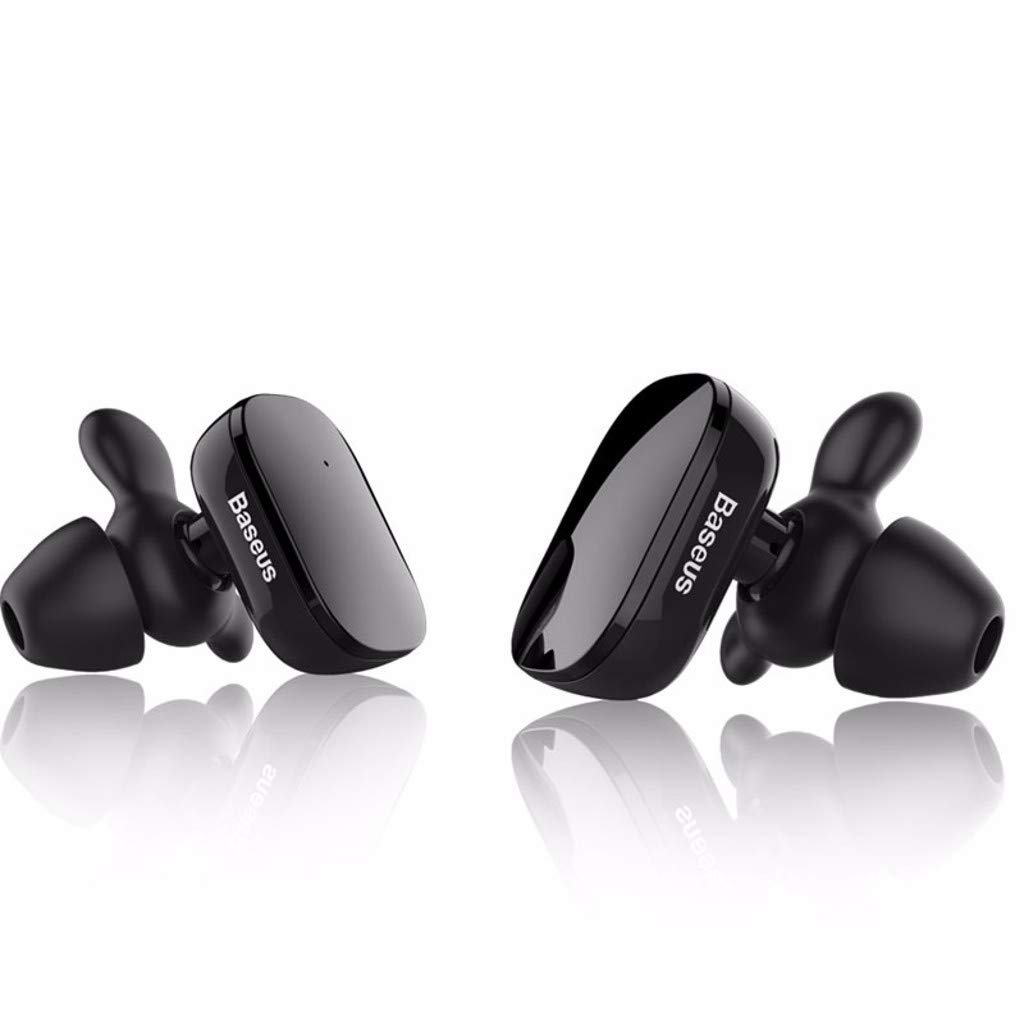
Image: The Baseus Encok W02 True Wireless Bluetooth Earbuds in white, showcasinderes ergonomiske design og kompakte formfaktor.

Billede: En eksploderet view illustrating the internal multi-channel components of the Baseus Encok W02 earbud, contributing to its sound quality.
Opsætning
1. Udpakning og indledende inspektion
Når du åbner pakken, skal du sørge for, at alle komponenter er til stede:
- Baseus Encok W02 True Wireless Bluetooth Earbuds (Left and Right)
- Opladningsetui
- USB opladningskabel
- Multiple sizes of Silicone Ear Tips
- Brugervejledning (dette dokument)
2. Opladning af øretelefonerne
Oplad ørepropperne og opladningsetuiet helt inden første brug.
- Placer ørepropperne i opladningsetuiet. Sørg for, at de er korrekt isat.
- Tilslut opladningsetuiet til en strømkilde ved hjælp af det medfølgende USB-kabel.
- The indicator lights on the case and/or earbuds will show the charging status. Refer to the LED indicator section for details.
- En fuld opladning tager cirka 1.5 timer.

Image: Black Baseus Encok W02 earbuds placed within their compact charging case, ready for charging or storage.
3. Parring med en Bluetooth-enhed
Følg disse trin for at parre dine ørepropper med din smartphone eller anden Bluetooth-aktiveret enhed:
- Sørg for, at ørepropperne er opladet og taget ud af opladningsetuiet. De vil automatisk gå i parringstilstand.
- Gå til Bluetooth-indstillinger på din enhed, og aktiver Bluetooth.
- Søg efter available devices. You should see "Baseus Encok W02" or a similar name appear in the list.
- Select the earbuds from the list to connect. Once connected, a voice prompt will confirm successful pairing.
- Hvis parringen mislykkes, skal du slukke øretelefonerne, deaktivere Bluetooth på din enhed og gentage trinnene.
The earbuds support simultaneous connection to one mobile phone, and each earbud can also be used independently.
Betjeningsvejledning
The Baseus Encok W02 earbuds feature intuitive touch controls for easy management of audio and calls.
Tænd/sluk
- Tænd: Remove the earbuds from the charging case. They will automatically power on. Alternatively, press and hold the touch area on both earbuds for approximately 3 seconds.
- Sluk: Place the earbuds back into the charging case. They will automatically power off. Alternatively, press and hold the touch area on both earbuds for approximately 5 seconds.
Musikafspilning
- Afspil/pause: Tryk én gang på berøringsområdet på begge øretelefoner.
- Næste nummer: Dobbelttryk på berøringsområdet på den højre øreprop.
- Forrige nummer: Dobbelttryk på berøringsområdet på den venstre øreprop.
Opkaldsstyring
- Besvar/afslut opkald: Tryk én gang på berøringsområdet på begge øretelefoner.
- Afvis opkald: Press and hold the touch area on either earbud for approximately 2 seconds.
Stemmeassistent
- Aktiver stemmeassistent: Tryk tre gange på berøringsområdet på begge øretelefoner.
Brug af enkelt ørepropper
Either earbud can be used independently. Simply remove one earbud from the charging case, and it will automatically connect to the last paired device. The other earbud can remain in the case or be powered off.
Opretholdelse
Proper maintenance ensures the longevity and optimal performance of your Baseus Encok W02 earbuds.
Rensning
- Rengør regelmæssigt ørepropperne, især ørepropperne og opladningskontakterne, med en blød, tør og fnugfri klud.
- Brug ikke slibende rengøringsmidler, alkohol eller kemiske opløsningsmidler.
- Fjern ørepropperne, og rengør dem separat med mild sæbe og vand, hvis det er nødvendigt. Sørg for, at de er helt tørre, før du sætter dem på igen.
Opbevaring
- Når ørepropperne ikke er i brug, skal de altid opbevares i deres opladningsetuier for at beskytte dem mod støv, snavs og fysisk skade.
- Opbevar opladningsetuiet og ørepropperne et køligt, tørt sted, væk fra direkte sollys og ekstreme temperaturer.
Batteripleje
- Avoid fully discharging the battery frequently. Charge the earbuds when the battery is low.
- If storing for an extended period, charge the earbuds and case to about 50% every few months to prevent deep discharge.
Fejlfinding
If you encounter issues with your Baseus Encok W02 earbuds, refer to the following common solutions:
| Problem | Mulig årsag | Løsning |
|---|---|---|
| Øretelefoner parres ikke med enheden. | Bluetooth is off; earbuds are out of range; earbuds not in pairing mode; interference. | Ensure Bluetooth is enabled on your device. Place earbuds closer to the device (within 10m). Power cycle earbuds and device. Forget the device in Bluetooth settings and re-pair. |
| Ingen lyd fra den ene eller begge ørepropper. | Earbuds not connected; low battery; volume too low; earbud blocked. | Check Bluetooth connection. Charge earbuds. Increase device volume. Clean earbud mesh. Try re-pairing both earbuds. |
| Øretelefonerne oplader ikke. | Poor contact with charging pins; faulty cable/charger; charging case low on battery. | Ensure earbuds are correctly seated in the case. Clean charging contacts on earbuds and case. Try a different USB cable or power adapter. Charge the charging case. |
| Berøringsknapper reagerer ikke. | Earbuds are wet; software glitch; dirty touch surface. | Ensure earbuds are dry. Power cycle the earbuds. Clean the touch surface. |
Factory Reset (if applicable)
If issues persist, a factory reset may resolve them. (Note: Specific reset instructions are not provided in the product data. Typically, this involves holding a button on the case or earbuds for an extended period while they are in the case. Refer to the manufacturer's official support for precise steps if needed.)
Specifikationer
Detailed technical specifications for the Baseus Encok W02 True Wireless Bluetooth Earbuds:
| Feature | Specifikation |
|---|---|
| Mærke | Baseus |
| Model | Encok W02 (NGW02-01) |
| Farveindstillinger | Sort, hvid |
| Slidstype | In-ear (Bud) |
| Materiale | Silicone, ABS+, TPE+ |
| Forbindelse | Trådløs (Bluetooth) |
| Bluetooth version | 4.2 |
| Transmissionsafstand | Op til 10 meter |
| Mikrofon | Ja |
| Støjkontrol | Aktiv støjreduktion |
| Kontroltype | Touch-kontrol, stemmekontrol |
| Kablet kontrol | Ikke understøttet |
| Følsomhed | 105 ± 5dB |
| Frekvensrespons | 20 - 20,000 Hz (20 - 20 kHz) |
| Batterikapacitet | 2 x 60 mAh, 3.7V (Earbuds) |
| Opladningstid | Ca. 1.5 timer |
| Taletid | Ca. 5 timer |
| Afspilningstid | Ca. 3 timer |
| Standby tid | Ca. 120 timer |
| Vandmodstand | Ikke vandafvisende |
| Kompatible enheder | Mobiltelefoner |
Garanti og support
Baseus products are designed and manufactured to the highest quality standards. For information regarding warranty coverage, terms, and conditions, please refer to the warranty card included with your product or visit the official Baseus webwebsted.
For technical support, troubleshooting assistance beyond this manual, or to inquire about replacement parts, please contact Baseus customer service through their official channels. Keep your purchase receipt as proof of purchase for warranty claims.