
1. Produktet er slutview
AsReader 1D Barcode Sled/Dock/Modular-Type er et ultrakompakt og holdbart tilbehør designet til at forbedre stregkodescanningsfunktionerne på kompatible iOS-enheder. Dets slanke og stilfulde design gør den velegnet til forskellige miljøer, herunder detailhandel, sundhedspleje og lager. Enheden har en integreret 1D-stregkodescanner og er fremstillet af TPU og polycarbonat for holdbarhed.
Nøglefunktionerne inkluderer en praktisk magnetisk batterioplader, der oplader slæden og den tilsluttede telefon samtidig, og et royaltyfrit Software Development Kit (SDK) til applikationsudvikling.
2. Funktioner
- Unikt, slankt, stilfuldt og holdbart design: Kompakt og robust konstruktion for nem bærbarhed og langvarig brug.
- Praktisk magnetisk batterioplader: Tillader samtidig opladning af slæden og den tilsluttede iOS-enhed.
- Royaltyfri SDK: Et softwareudviklingssæt er tilgængeligt gratis til udvikling af brugerdefinerede applikationer.
- Ambidextrous design: Knapper på hver side muliggør komfortabel brug for både venstre- og højrehåndede.
3. Kompatible enheder
AsReader 1D-stregkodeslæden er kompatibel med følgende Apple iOS-enheder:
- iPhone 5, iPhone 5s
- iPhone 6s, iPhone 6s Plus
- iPhone 7, iPhone 7 Plus
- iPhone 8, iPhone 8 Plus
- iPhone SE
- iPod touch 5. generation
- iPod touch 6. generation
- iPad mini 1, iPad mini 2, iPad mini 3
Bemærk: Sørg for at vælge den korrekte farve på coveret (sort eller hvid) og den specifikke model af din iPhone/iPad/iPod, når du køber enheden, for at sikre korrekt pasform.
4. Opsætning
Følg disse trin for at konfigurere din AsReader 1D-stregkodeslæde med din kompatible iOS-enhed:
- Udpak komponenter: Tag forsigtigt AsReader-slæden, beskyttelsesetui og eventuelt andet tilbehør ud af emballagen.
- Indsæt iOS-enhed i etuiet: Placer din iPhone eller iPod Touch i det medfølgende beskyttelsesetui. Sørg for, at den sidder ordentligt fast, og at alle knapper og porte er tilgængelige.
- Vedhæft AsReader-slæde: Juster AsReader-slæden med åbningen bag på beskyttelsesetui. Skub forsigtigt slæden på plads, indtil den klikker sikkert. Slædens Lightning-stik skal gå i indgreb med din iOS-enheds Lightning-port.
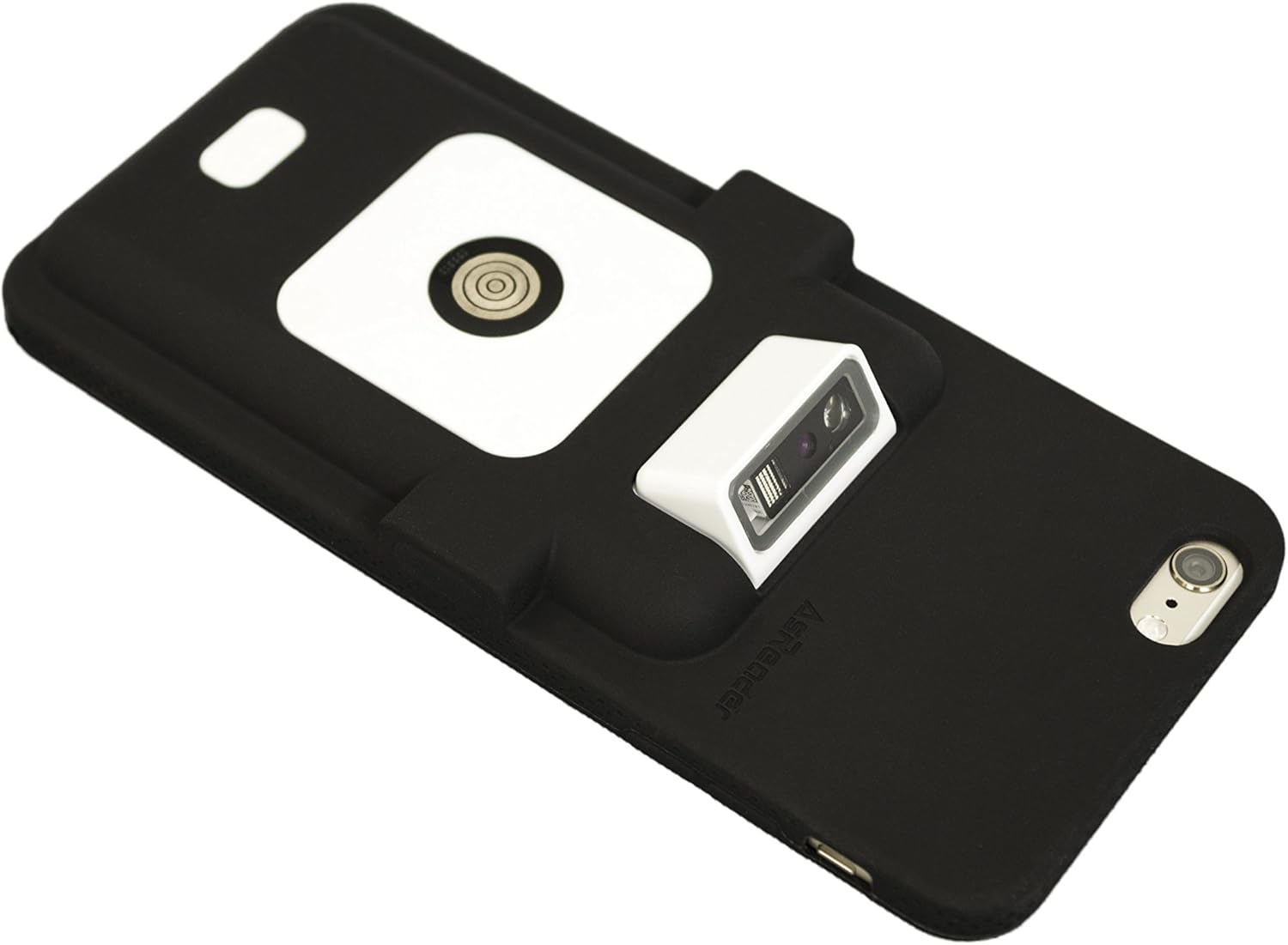
Figur 4.1: Samlet AsReader-slæde med iPhone i sort etui. Dette billede viser AsReader 1D-stregkodeslæden sikkert fastgjort til en iPhone, som er placeret i et sort beskyttelsesetui. Stregkodescannermodulet er synligt øverst på slæden.
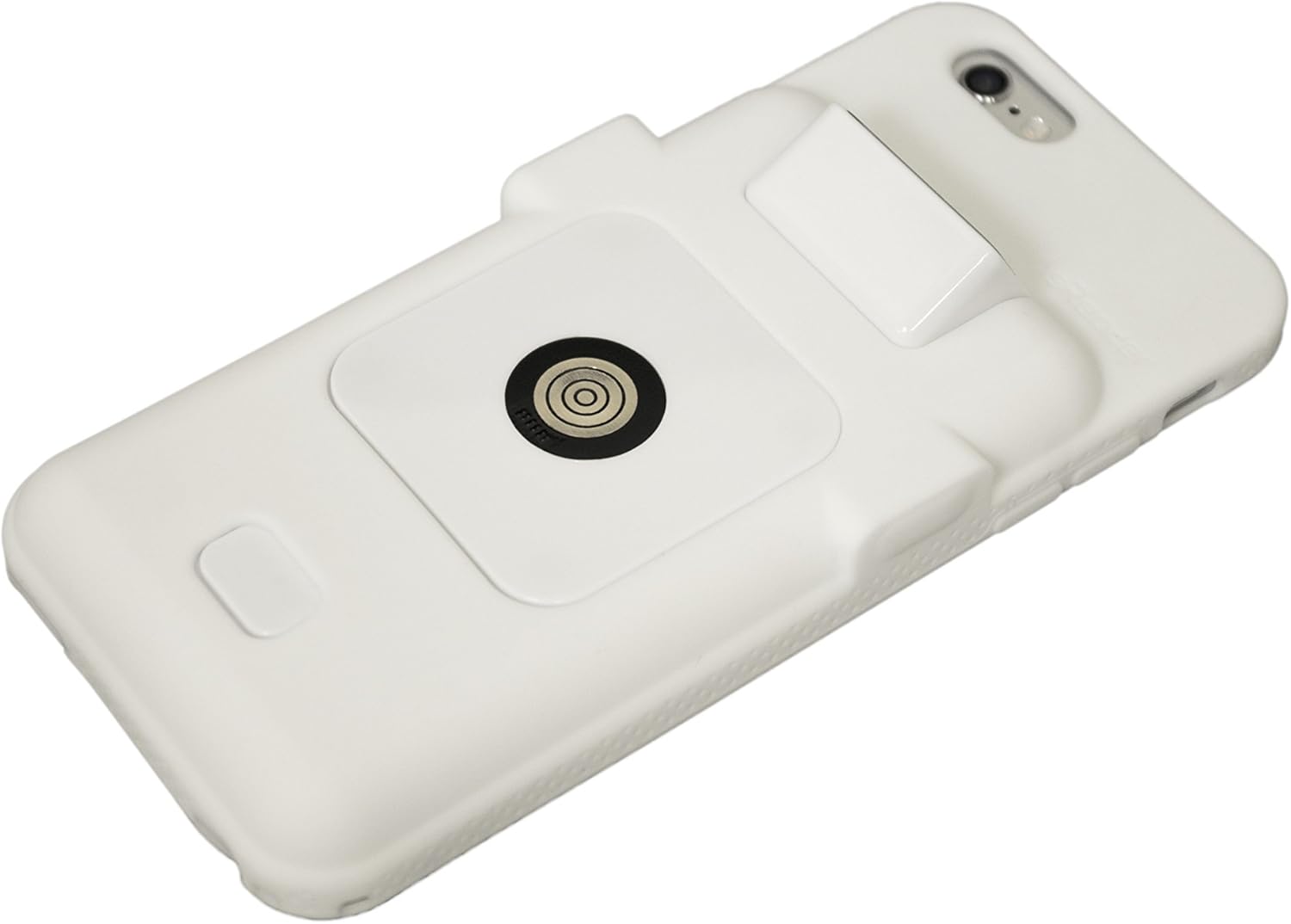
Figur 4.2: Samlet AsReader-slæde med iPhone i hvidt etui. Dette billede viser AsReader 1D-stregkodeslæden fastgjort til en iPhone, som er pakket ind i et hvidt beskyttelsesetui. Scannermodulet er tydeligt synligt.
- Indledende opkrævning: Tilslut den magnetiske batterioplader til AsReader-slæden. Sørg for, at både slæden og din iOS-enhed begynder at oplade. Det anbefales at oplade den fuldt ud inden første brug.
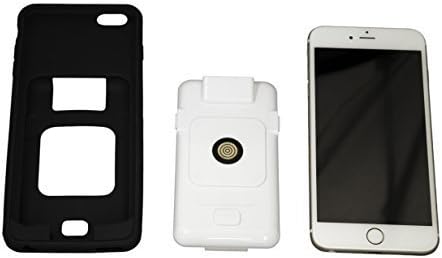
Figur 4.3: AsReader-komponenter. Dette billede viser de tre hovedkomponenter i AsReader-systemet: et sort beskyttelsesetui til iPhone, det hvide AsReader 1D-stregkodemodul og en iPhone. Disse komponenter vises separat før samling.
5. Betjeningsvejledning
Sådan betjener du din AsReader 1D stregkodeslæde:
- Tænd: AsReader-slæden tændes automatisk, når den er tilsluttet en kompatibel iOS-enhed og har tilstrækkeligt batteri.
- Start applikation: Åbn en kompatibel stregkodescanningsapplikation på din iOS-enhed. Hvis du udvikler din egen applikation, skal du bruge det medfølgende royaltyfri SDK.
- Scan stregkode: Ret scannervinduet på AsReader-slæden mod den 1D-stregkode, du vil scanne. Tryk på en af sideknapperne (placeret på hver side af slæden) for at aktivere scanneren. Enheden vil udsende en scanningsstråle.
- Bekræftelse: En vellykket scanning indikeres typisk af et hørbart bip og/eller visuel feedback i scanningsapplikationen.
AsReader er designet med knapper på begge sider, hvilket giver komfortabel betjening, uanset om du er venstre- eller højrehåndet.
6. Vedligeholdelse
Korrekt vedligeholdelse sikrer din AsReader-enheds levetid og optimale ydeevne:
- Rensning: Brug en blød, fnugfri klud lidt dampRengør med vand eller et mildt, ikke-slibende rengøringsmiddel for at tørre ydersiden af slæden og kabinettet af. Undgå skrappe kemikalier eller slibende materialer. Sprøjt ikke væsker direkte på enheden.
- Scannervindue: Hold scannervinduet rent og fri for støv eller snavs for at sikre nøjagtig stregkodeaflæsning. Brug en linserengøringsklud om nødvendigt.
- Batteripleje: Enheden bruger et litium-ion-batteri. For optimal batterilevetid skal du undgå ekstreme temperaturer og opbevare enheden delvist opladet, hvis den ikke bruges i længere perioder.
- Opbevaring: Opbevar AsReader et køligt, tørt sted væk fra direkte sollys og ekstreme temperaturer.
7. Fejlfinding
Hvis du støder på problemer med din AsReader 1D-stregkodeslæde, kan du se følgende almindelige problemer og løsninger:
| Problem | Mulig årsag | Løsning |
|---|---|---|
| Enheden scanner ikke stregkoder | Lavt batteri; Scannervindue snavset; Forkert stregkodetype; Programproblem; Slæde ikke korrekt tilsluttet. | Oplad enheden; Rengør scannervinduet; Sørg for, at stregkoden er 1D; Genstart scanningsprogrammet; Sæt slæden i iOS-enheden igen. |
| Enheden oplader ikke | Magnetisk oplader ikke korrekt tilsluttet; Beskadiget kabel/oplader; Defekt batteri. | Sørg for, at den magnetiske oplader er korrekt fastgjort; Prøv et andet opladningskabel/adapter; Kontakt support, hvis der er mistanke om, at batteriet er defekt. |
| Slæde genkendes ikke af iOS-enhed | Løs forbindelse; softwareproblem med iOS-enheden; firmwareproblem med Sled. | Fjern og monter slæden igen; Genstart din iOS-enhed; Tjek AsReader webwebsted for firmwareopdateringer eller kontakt support. |
8. Specifikationer
| Specifikation | Detalje |
|---|---|
| Modelnummer | ASR-010D-V2 |
| Dimensioner (L x B x H) | 141.9 x 64.4 x 17.8 mm (5.59" x 2.54" x 0.70") |
| Vægt | Ca. 90 gram (uden iPhone eller iPod Touch) |
| Scanner type | 1D-stregkode (CCD lineær billedsensor 1,500 pixel) |
| Læsevinkel | Hældning: ±65°, Rulning: ±25°, Skæv bevægelse: ±50° |
| Materiale | TPU og polycarbonat |
| Strømkilde | Batteridrevet (1 lithium-ion-batteri inkluderet) |
| Forbindelse | Lightning stik |
| Fabrikant | Asterisk, Inc. |
9. Garanti og support
For information om produktgaranti henvises til garantikortet, der fulgte med dit køb, eller besøg den officielle AsReader. webwebsted. For teknisk support, forespørgsler om softwareudviklingssæt (SDK) eller yderligere assistance, kontakt venligst AsReader kundesupport via deres officielle kanaler.
Det royaltyfrie SDK er tilgængeligt for at hjælpe udviklere med at integrere AsReaders funktionalitet i brugerdefinerede applikationer og leverer omfattende værktøjer og dokumentation.