
1. Introduktion
This manual provides instructions for the proper use and care of your DeltaTrak 11047 Digital Lollipop Min/Max Probe Thermometer. This device is designed for accurate temperature measurement in various applications, featuring a digital display and Min/Max temperature recording capabilities.
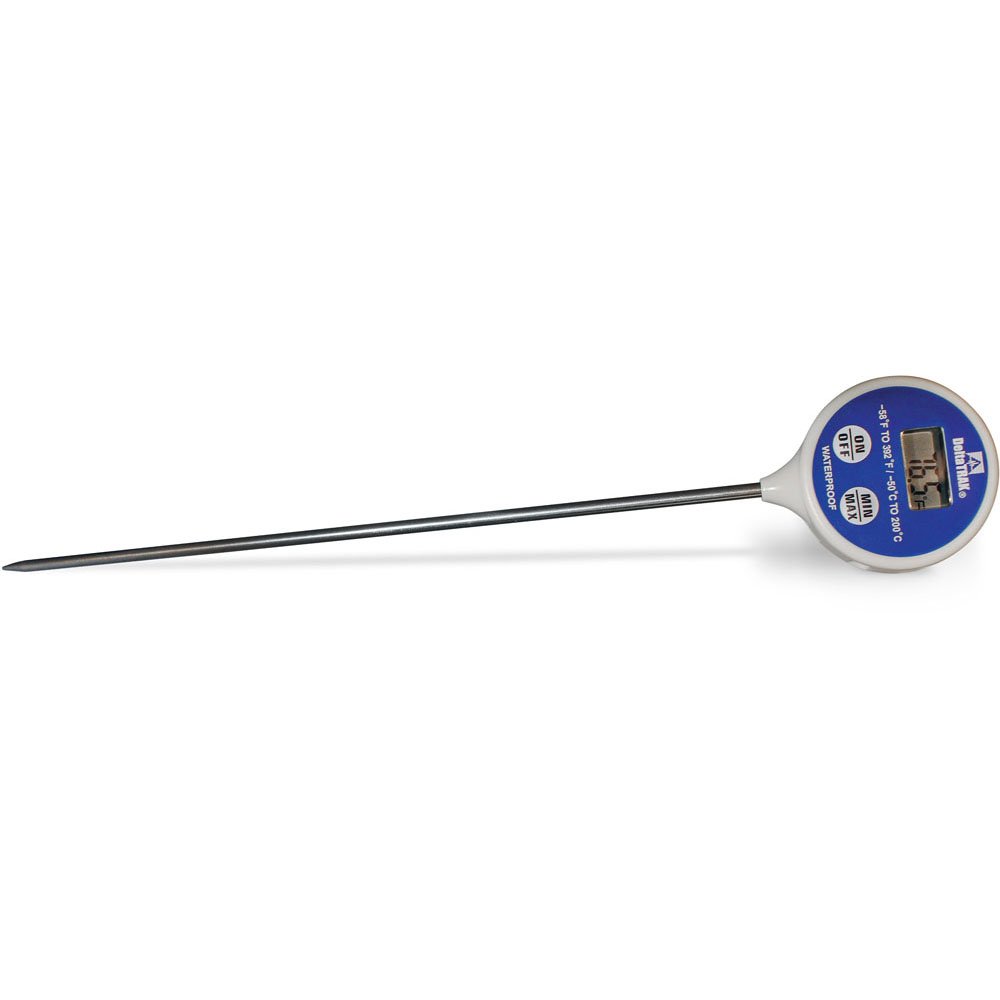
Figur 1: DeltaTrak 11047 Digital Lollipop Min/Max Probe Thermometer. This image shows the thermometer with its digital display and probe.
2. Sikkerhedsoplysninger
Please read all safety instructions before using the thermometer to ensure safe operation and prevent damage to the device or injury to yourself.
- Do not expose the thermometer to extreme temperatures outside its specified operating range.
- Do not immerse the main body of the thermometer in water or other liquids. The probe is designed for immersion, but the display unit is not waterproof.
- Opbevares utilgængeligt for børn.
- Do not attempt to disassemble or modify the thermometer. This will void the warranty and may cause damage.
- Bortskaf batterier i henhold til lokale regler.
3. Opsætning
3.1. Batteriinstallation
The DeltaTrak 11047 thermometer requires batteries for operation (not included). Follow these steps to install them:
- Find batteridækslet på bagsiden af termometeret.
- Use a small screwdriver or coin to open the battery compartment.
- Insert the required batteries, ensuring correct polarity (+ and -). Refer to the markings inside the compartment.
- Sæt dækslet til batterirummet på igen, og fastgør det godt.
3.2. Første opstart
Efter isætning af batterier skal du trykke på ON/OFF button to power on the device. The display will show the current temperature.
4. Betjeningsvejledning
4.1. Temperaturmåling
- Sørg for, at termometret er tændt.
- Insert the stainless steel probe into the substance or environment you wish to measure. Ensure the probe tip is fully immersed or positioned correctly for accurate readings.
- Wait for the temperature reading on the digital display to stabilize. This usually takes a few seconds.
4.2. Min./maks. temperaturfunktion
The thermometer can record the minimum and maximum temperatures measured during a session.
- Tryk på MIN / MAX button once to display the maximum temperature recorded since the last reset.
- Tryk på MIN / MAX button a second time to display the minimum temperature recorded.
- Tryk på MIN / MAX button a third time to return to the current temperature display.
- To reset the Min/Max values, press and hold the MIN / MAX button for approximately 3 seconds while in Min or Max display mode.
4.3. Valg af enhed (°C/°F)
Sådan skifter du mellem Celsius (°C) og Fahrenheit (°F):
- Find ° C / ° F button, usually found near the display or battery compartment.
- Press this button to toggle between the two temperature units.
5. Vedligeholdelse
5.1. Rensning
As per product care instructions, the thermometer should be cleaned by wiping it. Use a damp cloth with mild soap or a sanitizing wipe to clean the probe and the body of the thermometer. Do not use abrasive cleaners or immerse the main unit in water.
5.2. Opbevaring
When not in use, store the thermometer in a clean, dry place at room temperature. Ensure the probe is clean and dry before storage. The thermometer often comes with a protective sheath for the probe; use this to prevent damage.
5.3. Udskiftning af batteri
If the display becomes dim or the thermometer stops functioning, it may be time to replace the batteries. Follow the battery installation steps in Section 3.1.
6. Fejlfinding
| Problem | Mulig årsag | Løsning |
|---|---|---|
| Intet display eller svagt display | Døde eller lave batterier; forkert batteriinstallation. | Udskift batterierne, og sørg for korrekt polaritet. |
| Unøjagtige aflæsninger | Probe not fully immersed; probe damaged; thermometer outside operating range. | Ensure probe is correctly positioned; check for visible damage; use within specified temperature range. |
| Termometeret tænder ikke | Batteries not installed; power button malfunction. | Install or replace batteries; if problem persists, contact support. |
7. Specifikationer
- Mærke: DeltaTrak
- Modelnummer: 11047
- UPC: 700779110473
- Ydermateriale: Glass (Note: This likely refers to the display or a component, the probe is typically stainless steel)
- Specifikation opfyldt: NIST
- Varens vægt: 36.3 g
- Pakkedimensioner: 26.8 x 5.41 x 2.79 cm
- Inkluderede komponenter: Termometer
- Produktplejeinstruktioner: Tør Clean
- Batterier: Ikke inkluderet
8. Garanti og support
8.1. Garantioplysninger
DeltaTrak products are manufactured to high-quality standards. For specific warranty details regarding your DeltaTrak 11047 thermometer, please refer to the warranty card included with your purchase or visit the official DeltaTrak webwebsted. Behold din købskvittering som købsbevis i tilfælde af garantikrav.
8.2. Kundesupport
If you encounter any issues not covered in this manual or require further assistance, please contact DeltaTrak customer support. Contact information can typically be found on the product packaging or the official DeltaTrak webwebsted.
For mere information, besøg: www.deltatrak.com