
1. Introduktion
This manual provides essential instructions for the safe and efficient operation, setup, and maintenance of your Fellowes Powershred 60Cs Cross-Cut Shredder. This shredder is designed for personal and home office use, capable of shredding paper and credit cards.
The Fellowes Powershred 60Cs features SafeSense Technology, which automatically stops shredding when hands touch the paper opening, enhancing user safety. It can shred up to 10 sheets of paper per pass into 5/32" x 2" cross-cut particles, offering Security Level 3.

Billede 1.1: Forside view of the Fellowes Powershred 60Cs Cross-Cut Shredder, showcasing its compact design and the shred bin window.
2. Vigtige sikkerhedsoplysninger
- Læs alle instruktioner før brug.
- Hold børn og kæledyr væk fra makuleringsmaskinen.
- Keep loose clothing, jewelry, hair, and other foreign objects away from the shredder opening.
- Stik ikke hænder eller fingre ind i papirindgangen.
- Unplug the shredder when not in use or before cleaning.
- Brug ikke aerosolprodukter i nærheden af makuleringsmaskinen.
- Do not shred metal objects, wet paper, or adhesive materials.
3. Opsætning
- Pak makulatoren ud: Carefully remove the shredder from its packaging. Ensure all components are present.
- Placering: Placer makulatoren på en plan, stabil overflade. Sørg for, at der er tilstrækkelig plads omkring enheden til ventilation og betjening.
- Tilslut strøm: Plug the power cord into a standard electrical outlet. The shredder is now ready for use.
4. Betjeningsvejledning
4.1 Basic Paper Shredding
- Tænd: Locate the control switch on the top of the shredder. Set it to the "ON" (I) position.
- Indsæt papir: Insert up to 10 sheets of paper straight into the paper entry slot. The shredder will automatically start and stop.
- Kontinuerlig drift: The shredder can operate continuously for up to 6 minutes. After this period, allow a 20-minute cool-down period before resuming operation to prevent overheating.
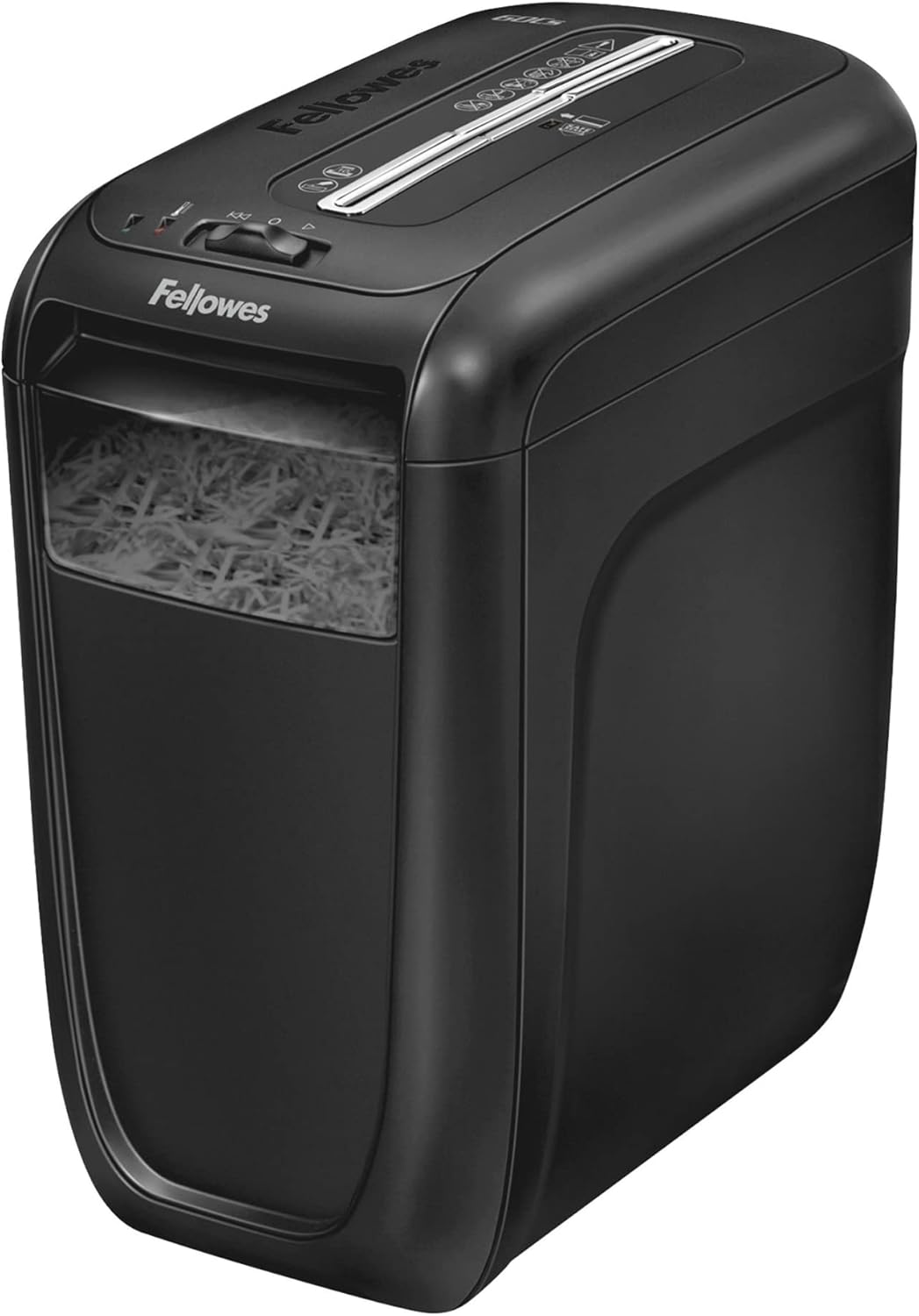
Image 4.1: A hand inserting a stack of paper into the shredder's feed slot for destruction.
4.2 Shredding Credit Cards
- Insert one credit card at a time into the center of the paper entry slot.
- The shredder will automatically detect and shred the card.
4.3 SafeSense Technology
The Fellowes Powershred 60Cs is equipped with SafeSense Technology. This feature automatically detects when hands touch the paper entry area and immediately stops the shredding process, providing an added layer of safety.

Image 4.2: A hand hovering over the shredder's paper entry, demonstrating the SafeSense technology which pauses operation for safety.
5. Vedligeholdelse
5.1 Emptying the Shredder Bin
- Sluk: Turn the shredder off and unplug it from the power outlet.
- Remove Shredder Head: Lift the shredder head off the waste bin.
- Tomt indhold: Dispose of the shredded material from the bin.
- Udskift hoved: Place the shredder head back securely onto the waste bin.
- Tilslut strøm igen: Sæt stikket til makulatoren tilbage i stikkontakten.

Image 5.1: A user lifting the top section of the shredder to access and empty the waste bin filled with shredded paper.
5.2 Smøring af makulatoren
Regular oiling is crucial for maintaining the shredder's performance and extending its lifespan. Oil the shredder after every 30 minutes of accumulated shredding or at least twice a month. Use only vegetable-based shredder oil in a non-aerosol container.
- Apply a thin line of shredder oil across the paper entry slot.
- Set the shredder to the "ON" (I) position and feed a few sheets of paper through to distribute the oil.
6. Fejlfinding
| Problem | Mulig årsag | Løsning |
|---|---|---|
| Makulatoren starter ikke. | Not plugged in; power switch off; shredder head not seated correctly; SafeSense activated. | Ensure power cord is securely plugged in. Turn power switch to "ON" (I). Re-seat shredder head. Remove hands from paper entry. |
| Papirstop. | Too much paper inserted; paper not inserted straight. | Switch to "REVERSE" (R) to clear the jam. If necessary, unplug, remove shredder head, and carefully clear paper. Do not exceed 10 sheets per pass. |
| Makulatoren stopper under drift. | Overheat protection activated; bin full; SafeSense activated. | Allow 20 minutes for cool-down. Empty the shredder bin. Remove hands from paper entry. |
7. Specifikationer
- Model: 4606001
- Makuleringstype: Cross-Cut
- Makuleringsstørrelse: 5/32" x 2" (4mm x 50mm)
- Sikkerhedsniveau: P-3
- Arkkapacitet: 10 ark (20lb bond-papir)
- Strimler: Paper, Credit Cards, Staples, Small Paper Clips
- Køretid: 6 minutter til / 20 minutter fra
- Beholderkapacitet: 6 gallons (22.7 liter)
- Dimensioner (H x B x D): 16" x 9.25" x 14.63" (40.64 cm x 23.5 cm x 37.16 cm)
- Vægt: 15.66 lbs (7.1 kg)
- Sikkerhedsfunktioner: SafeSense-teknologi
8. Garanti og support
For warranty information and customer support, please refer to the warranty card included with your product or visit the official Fellowes website. You can also contact Fellowes customer service for assistance with product operation, troubleshooting, or parts replacement.
Fellowes Contact Information:
Visit Fellowes Support Page