
Hello Kitty KT2035P
Hello Kitty KT2035P personlig cd-afspiller brugermanual
Model: KT2035P
Indledning
This manual provides detailed instructions for the setup, operation, and maintenance of your Hello Kitty KT2035P Personal CD Player. Please read this manual thoroughly before using the device to ensure proper function and longevity.
Produkt overview

Figur 1: Forside view of the Hello Kitty KT2035P Personal CD Player with included earbuds connected.
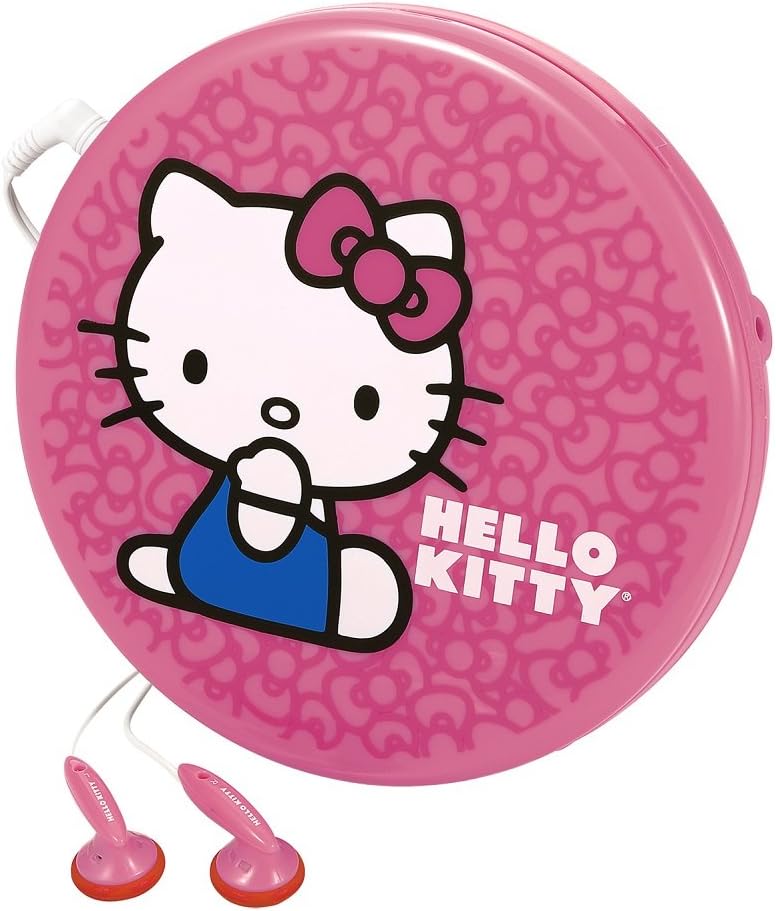
Figur 2: Side view of the Hello Kitty KT2035P Personal CD Player, showing the compact design and earbud connection.
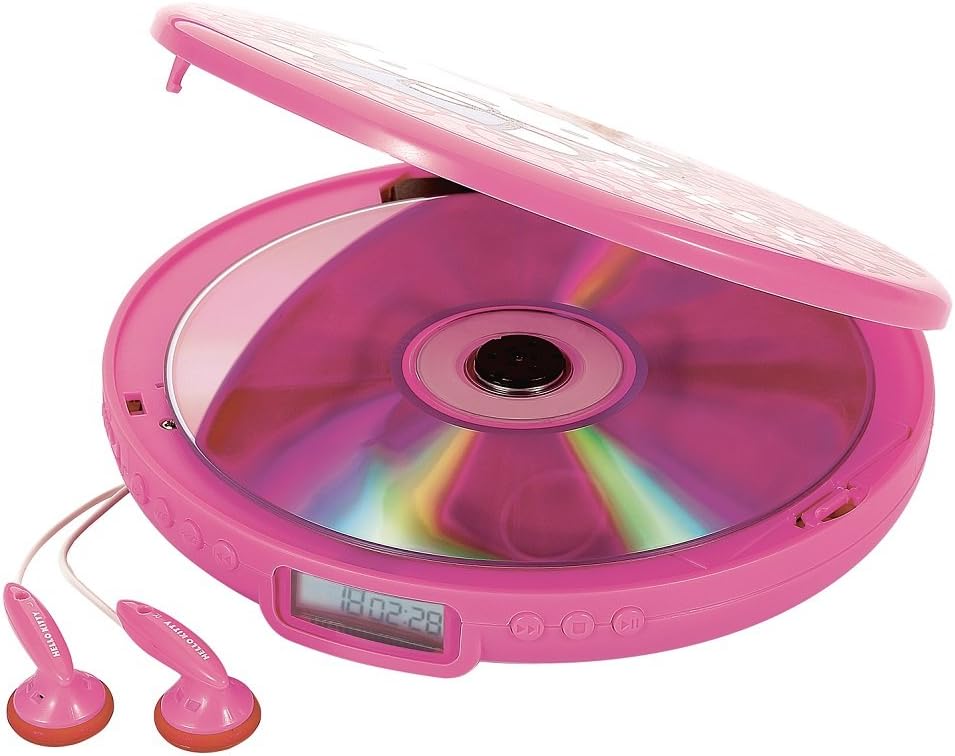
Figure 3: The Hello Kitty KT2035P Personal CD Player with its lid open, revealing a compact disc placed inside the disc tray.
Opsætning
1. Batteriinstallation
- Find batterirummet på undersiden af cd-afspilleren.
- Åbn batterirummets dæksel.
- Insert two (2) AA alkaline batteries (not included), ensuring correct polarity (+/-) as indicated inside the compartment.
- Luk batterirummets dæksel forsvarligt.
2. Tilslutning af øretelefoner
- Insert the 3.5mm jack of the included stereo earbuds into the headphone port on the side of the CD player.
- Sørg for, at forbindelsen er fast.
3. Tænd/sluk
- For at tænde skal du trykke på AFSPIL/PAUSE knap.
- For at slukke skal du trykke på STOP button twice, or the unit will automatically power off after a period of inactivity.
Betjeningsvejledning
1. Loading a CD
- Gently lift the lid of the CD player.
- Place a CD (CD-R/RW compatible) onto the center spindle with the label side facing up.
- Press the CD down gently until it clicks into place.
- Luk låget forsvarligt.
2. Grundlæggende afspilningskontroller
- AFSPIL/PAUSE (►/−−): Press once to start playback. Press again to pause. Press again to resume.
- STOP (■): Press once to stop playback. Press twice to power off the unit.
- SKIP/SEARCH FORWARD (►►): Press once to skip to the next track. Press and hold to fast-forward within a track.
- SKIP/SEARCH BACK (◄◄): Press once to skip to the beginning of the current track. Press twice to skip to the previous track. Press and hold to fast-rewind within a track.
3. Repeat Functions
- Tryk på MODE button (or equivalent, refer to device markings) repeatedly to cycle through repeat modes:
- GENTAG 1: Repeats the current track.
- GENTAG ALT: Repeats all tracks on the CD.
- RANDOM/SHUFFLE: Plays tracks in a random order.
- INTRO: Plays the first few seconds of each track.
4. Programmable Memory
The CD player allows you to program a sequence of tracks to play in a specific order.
- I STOP-tilstand skal du trykke på PROGRAM button (or equivalent).
- Brug SKIP/SØG buttons to select the desired track number.
- Tryk på PROGRAM button again to confirm and add the track to the program list.
- Repeat steps 2-3 for all desired tracks.
- Tryk på SPIL knappen for at starte afspilningen af den programmerede sekvens.
5. Anti-Skip Protection
The Hello Kitty KT2035P features 60-second anti-skip protection, which buffers audio data to prevent interruptions during minor bumps or shakes. This feature is automatically active during playback.
6. Basforstærkning
Activate the Bass Boost function (if available, typically a switch or button labeled BASS or BBS) to enhance low-frequency audio output for a richer sound experience.
7. Line-Out Jack Usage
The line-out jack allows you to connect the CD player to external speakers or an amplifier. Use a standard 3.5mm audio cable (not included) to connect the line-out jack on the CD player to the auxiliary input of your external audio system.
Opretholdelse
1. Cleaning the CD Player
- Tør enhedens yderside af med en blød, tør klud.
- Brug ikke slibende rengøringsmidler, voks eller opløsningsmidler.
- For the lens, use a specialized CD lens cleaner disc or a soft, lint-free cloth specifically designed for optical lenses.
2. Batteripleje
- Fjern batterierne, hvis enheden ikke skal bruges i længere tid, for at forhindre lækage.
- Bland ikke gamle og nye batterier eller forskellige typer batterier.
- Bortskaf brugte batterier ansvarligt i henhold til lokale regler.
Fejlfinding
| Problem | Mulig årsag | Løsning |
|---|---|---|
| Enheden tænder ikke. | Batterierne er døde eller isat forkert. | Udskift batterierne med nye, og sørg for korrekt polaritet. |
| CD'en afspiller ikke. | CD is dirty, scratched, or inserted incorrectly. Lid is not closed. | Clean the CD. Ensure the CD is placed correctly with the label side up. Close the lid firmly. |
| Lydspring eller forvrængning. | CD is dirty or scratched. Unit is subjected to excessive vibration. | Clean the CD. Ensure the unit is on a stable surface or minimize movement. Anti-skip protection has limits. |
| Ingen lyd fra ørepropper. | Earbuds not properly connected. Volume too low. Faulty earbuds. | Ensure earbuds are fully plugged in. Increase volume. Test with another pair of earbuds. |
Specifikationer
- Modelnummer: FBA_KT2035P
- Mærke: Hej Kitty
- Compatible Disc Formats: CD, CD-R/RW
- Anti-Spring beskyttelse: 60 sekunder
- Strømkilde: 2 x AA batterier (medfølger ikke)
- Lydudgang: 3.5mm Headphone Jack, 3.5mm Line-out Jack
- Særlige funktioner: Programmable Memory, Bass Boost, Intro/Random Play, Repeat 1 or All
- Dimensioner: 14.22 x 2.54 x 14.22 cm (ca. 5.6 x 1 x 5.6 tommer)
- Vægt: 226.8 g (ca. 0.5 lbs)
Garanti og support
Warranty information for the Hello Kitty KT2035P Personal CD Player is typically provided at the point of purchase or included with the product packaging. Please refer to these documents for details regarding warranty coverage and terms.
For technical support or further assistance, please contact the retailer or manufacturer's customer service department using the contact information provided with your purchase.
Ask a question about this manual
Ask about setup, troubleshooting, compatibility, parts, safety, or missing instructions. Manuals+ will review the question and use this page’s manual context to help answer it.