
1. Introduktion
The Netatmo NTH01-DE-EC Smart Thermostat allows you to control your home's heating system remotely via a smartphone, tablet, or computer. Designed for ease of use and energy efficiency, this thermostat helps optimize your energy consumption and maintain a comfortable indoor climate. It is compatible with most individual boilers and can replace existing wired or wireless thermostats.

Image: The Netatmo NTH01-DE-EC Smart Thermostat displaying a temperature of 19°C.
2. Pakkens indhold
Før du starter installationen, skal du kontrollere, at alle komponenter er til stede i din pakke:
- Netatmo Smart Thermostat Unit
- Relay (wired unit for boiler connection)
- Mobile stand + Wall plate
- Boiler adapter
- Netadapter
- Monteringsplade
- Colored adhesive strips (for customization)
- Skruer og vægpropper
- 3 AAA batteries (pre-installed or included)
- Brugermanual

Billede: En omfattende view of all items included in the Netatmo Smart Thermostat package, laid out for inspection.
3. Opsætning og installation
Installation of the Netatmo Smart Thermostat involves two main steps: wiring the Relay to your heating system and setting up the Netatmo Energy app.
3.1. Relay Wiring
The Relay connects directly to your boiler. This process may require basic electrical knowledge. If you are unsure, consult a qualified electrician.
- Sluk: Ensure the main power supply to your heating system is switched off at the circuit breaker before proceeding.
- Identificér ledninger: Locate the existing thermostat wiring or the boiler's thermostat connection points. The Netatmo Relay is designed to replace most standard wired or wireless thermostats.
- Connect Relay: Follow the specific wiring diagrams provided in the detailed installation guide (often found within the Netatmo app or on the official Netatmo support website) to connect the Relay to your boiler. The Relay typically requires a 250V wired connection.
- Monter relæ: Secure the Relay in a suitable location, usually near the boiler.
- Gendan strøm: Når alle forbindelser er sikre, skal du genoprette strømmen til dit varmesystem.
3.2. Placering af termostat
The main thermostat unit communicates wirelessly with the Relay. It can be placed on its mobile stand in any room or mounted on a wall.
- Optimal placering: Choose a central location in your main living area, away from direct sunlight, drafts, or heat sources (e.g., radiators, lamps), som kan påvirke temperaturaflæsningerne.
- Vægmontering: Use the provided wall plate, screws, and plugs to securely mount the thermostat unit at an appropriate height (typically 1.5 meters from the floor).

Image: The Netatmo Smart Thermostat mounted on a wall, demonstrating a typical installation.
3.3. App-opsætning og forbindelse
The Netatmo Energy app is essential for controlling and configuring your thermostat.
- Download app: Download the Netatmo Energy app from your smartphone's app store (available for iOS and Android).
- Opret konto: Open the app and follow the on-screen instructions to create a Netatmo account or log in if you already have one.
- Pair Thermostat: The app will guide you through the process of pairing your Smart Thermostat with the Relay and connecting it to your home Wi-Fi network. Ensure your Wi-Fi network is active and within range.
- Indledende kalibrering: The thermostat may undergo an initial calibration period to learn your home's thermal inertia.
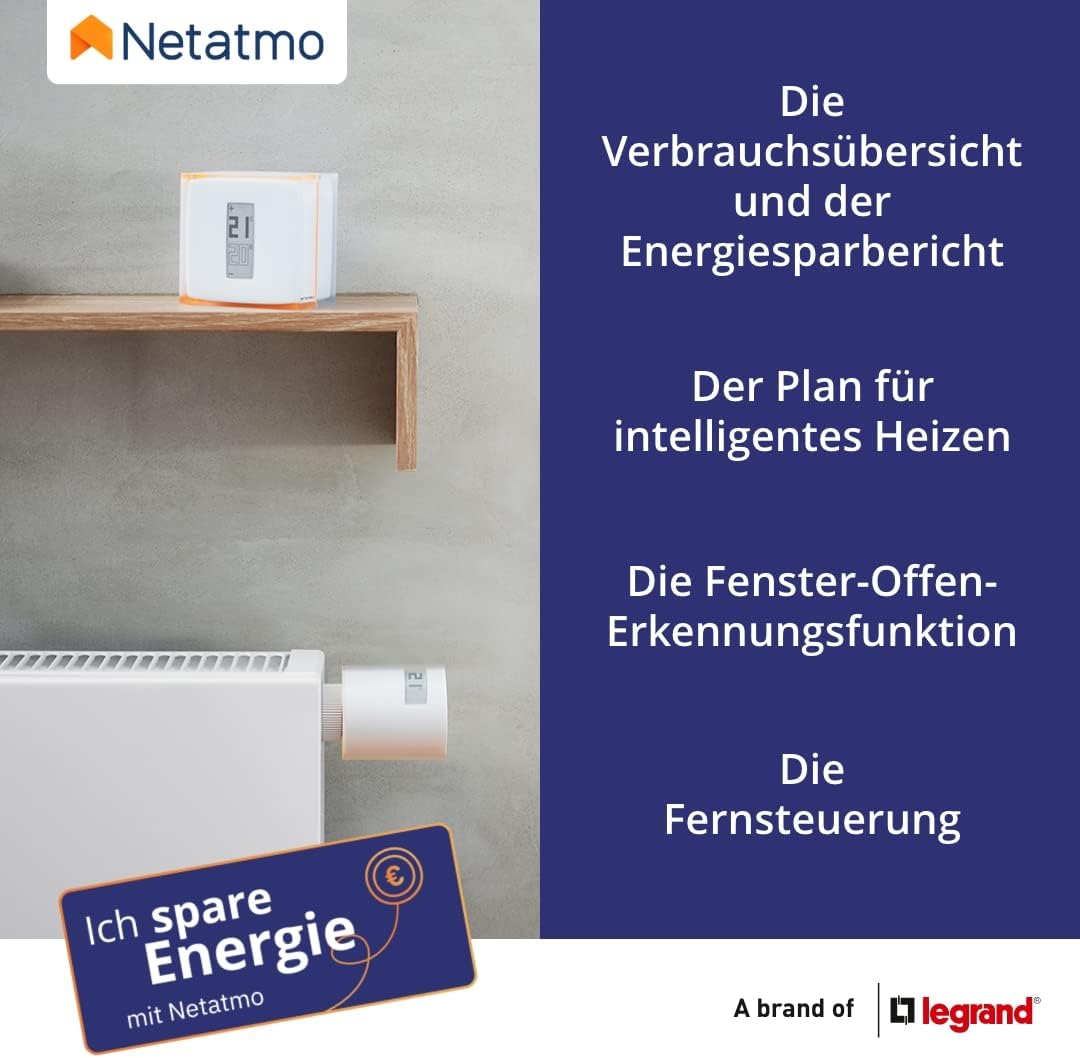
Image: The Netatmo Energy app interface, demonstrating temperature control and energy usage graphs, along with compatibility logos for Apple Home, Google Home, and Amazon Alexa.
4. Betjeningsvejledning
The Netatmo Smart Thermostat offers both manual and app-based control options.
4.1. Manuel kontrol
You can adjust the temperature directly on the thermostat unit:
- Forøg temperatur: Press the '+' button on the thermostat.
- Sænk temperaturen: Press the '-' button on the thermostat.
- Manual adjustments made on the thermostat will temporarily override the programmed schedule. The duration of this override can often be configured in the app.
4.2. App Control (Scheduling and Remote Access)
The Netatmo Energy app provides comprehensive control over your heating system:
- Fjernjustering af temperatur: Change the set temperature from anywhere using your smartphone.
- Opvarmningsplan: Create and customize detailed heating schedules for each day of the week, optimizing comfort and energy savings.
- Away/Frost-Guard Modes: Activate specific modes when you are away from home to save energy while protecting your pipes from freezing.
- Energirapporter: Access monthly energy consumption reports and personalized advice to further reduce your energy usage.

Image: The Netatmo Energy app displaying a customizable heating schedule, allowing users to program temperatures for different times and days.
4.3. Smarte funktioner
- Automatisk tilpasningsfunktion: The thermostat learns your home's thermal characteristics and the outdoor temperature to ensure the desired temperature is reached at the scheduled time.
- Registrering af åbent vindue: If an open window is detected, the thermostat automatically turns off the heating in that area to prevent energy waste.
- Kompatibilitet: The Netatmo Smart Thermostat works with Apple HomeKit, Google Home, and Amazon Alexa for voice control and integration into smart home ecosystems.

Image: Visual representation of Netatmo's smart features, including energy reports, intelligent heating plans, open window detection, and remote control.
5. Vedligeholdelse
5.1. Udskiftning af batteri
The Netatmo Smart Thermostat is powered by 3 AAA alkaline batteries. The app will notify you when the battery level is low.
- Gently remove the thermostat unit from its wall plate or mobile stand.
- Åbn batterirummet på bagsiden af enheden.
- Replace the old batteries with 3 new AAA alkaline batteries, ensuring correct polarity.
- Luk batterirummet, og sæt termostatenheden på igen.
5.2. Rensning
To clean the thermostat, use a soft, dry cloth. Avoid using abrasive cleaners, solvents, or spray cleaners directly on the device.
6. Fejlfinding
If you encounter issues with your Netatmo Smart Thermostat, consider the following:
- Ingen skærm/strøm: Check the batteries. Ensure they are correctly inserted and have sufficient charge.
- Ingen opvarmning: Verify that the Relay is properly connected to the boiler and has power. Check the thermostat's schedule and current mode in the app. Ensure your boiler is functioning correctly.
- Forbindelsesproblemer: Ensure your home Wi-Fi network is active and the Relay is within range. Try restarting your Wi-Fi router and the Netatmo Relay (by briefly disconnecting and reconnecting its power). If issues persist, try re-pairing the thermostat via the app's setup process.
- Unøjagtige temperaturmålinger: Ensure the thermostat is not exposed to direct sunlight, drafts, or other heat sources. If consistently inaccurate, a calibration offset can sometimes be adjusted in the app settings.
- Appen reagerer ikke: Close and reopen the Netatmo Energy app. Ensure your smartphone has an active internet connection.
For further assistance, refer to the Netatmo support webwebsted eller kontakt kundeservice.
7. Specifikationer
| Feature | Specifikation |
|---|---|
| Modelnummer | NTH01-DE-EC |
| Dimensioner (termostat) | 7 x 5 x 7 cm |
| Vægt | 400 gram |
| Strømforsyning (termostat) | 3 x AAA alkaliske batterier (inkluderet) |
| Power Supply (Relay) | Wired, 250 Volts |
| Forbindelse | Wi-Fi |
| Display Type | LCD |
| Farve | White, Orange |
| Kompatibilitet | iOS, Android, Apple HomeKit, Google Home, Amazon Alexa |
| Særlige funktioner | Portable, Open Window Detection, Auto-Adapt, Remote Control |
8. Garanti og support
Netatmo products typically come with a limited warranty. Please refer to the warranty card included in your product packaging or visit the official Netatmo webwebstedet for detaljerede garantivilkår og -betingelser, der er specifikke for din region.
For technical support, frequently asked questions, and additional resources, please visit the Netatmo support page: