
1. Introduktion
This manual provides comprehensive instructions for the installation, operation, and maintenance of the ANVIZ EP300 Fingerprint Time Attendance System. The EP300 is a biometric time clock designed for efficient employee time tracking, featuring a TI Stellaris 32-Bit High Speed CPU, stable and reliable performance, and a unique low power consumption design. It supports 2000 fingerprints and stores up to 50,000 records.
The device offers multiple verification methods including fingerprint, ID+fingerprint, ID+password, and fingerprint+password. It supports USB Device & Host, TCP/IP connectivity, and can be powered via USB or DC 5V. Key features include 8 customizable time and attendance states and a 6-digit work code function.
2. Produktet er slutview
2.1 Nøglefunktioner
- TI Stellaris 32-Bit High Speed CPU for stable and reliable operation.
- Unique low power consumption design.
- Unique Fingerprint Positioning Design for accurate scans.
- Capacity for 2000 fingerprints and 50,000 transaction records.
- Connectivity options: USB Device & Host, TCP/IP.
- Power options: USB or DC 5V.
- 8 customizable Time & Attendance states.
- 6-digit Work Code feature for job cost calculation.
- Multiple display and software language support.
- Fast fingerprint scan in less than 0.5 seconds.
- Optional high capacity 1100mAH Lithium battery backup for ultra-long standby time up to 6 hours.
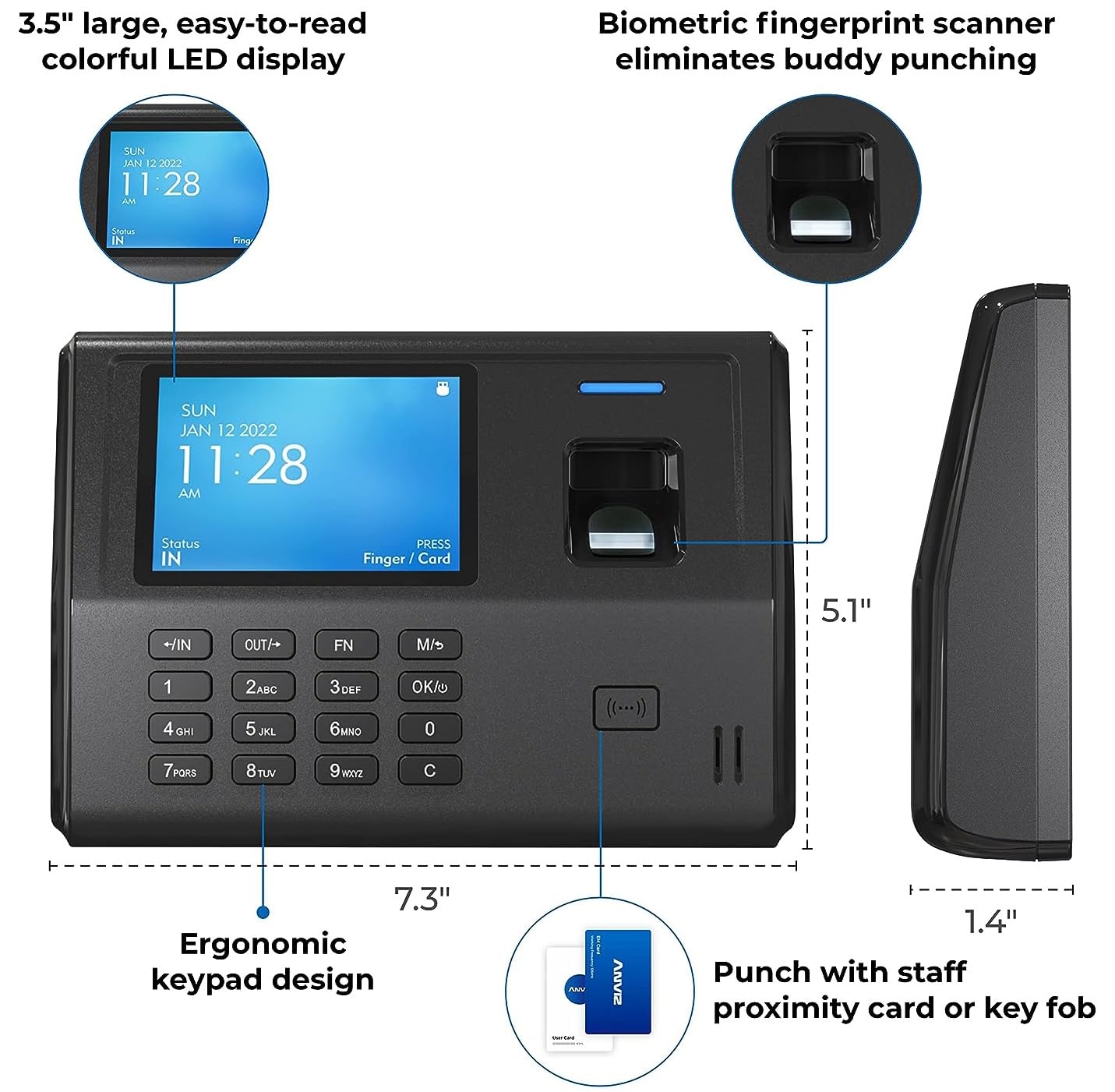
- 3.5" large, easy-to-read colorful LED display.
- Ergonomic keypad design.
2.2 Enhedskomponenter
The ANVIZ EP300 features a compact design with an integrated fingerprint scanner, a color display, and a numeric keypad for user interaction.

Billede 2.2.1: Front view of the ANVIZ EP300 Fingerprint Time Attendance System, showing the color display, fingerprint scanner, and keypad.
Billede 2.2.2: Diagram illustrating the dimensions (7.3" width, 5.1" height, 1.4" depth) and key features of the ANVIZ EP300, including the 3.5" LED display, biometric fingerprint scanner, ergonomic keypad, and proximity card reader.
3. Opsætning og installation
The ANVIZ EP300 is designed for quick and easy setup, requiring no complex software installation or network configurations for basic operation.
3.1 Montering af enheden
The device comes with a mounting bracket for wall installation. Ensure the mounting location is secure and provides easy access for users.
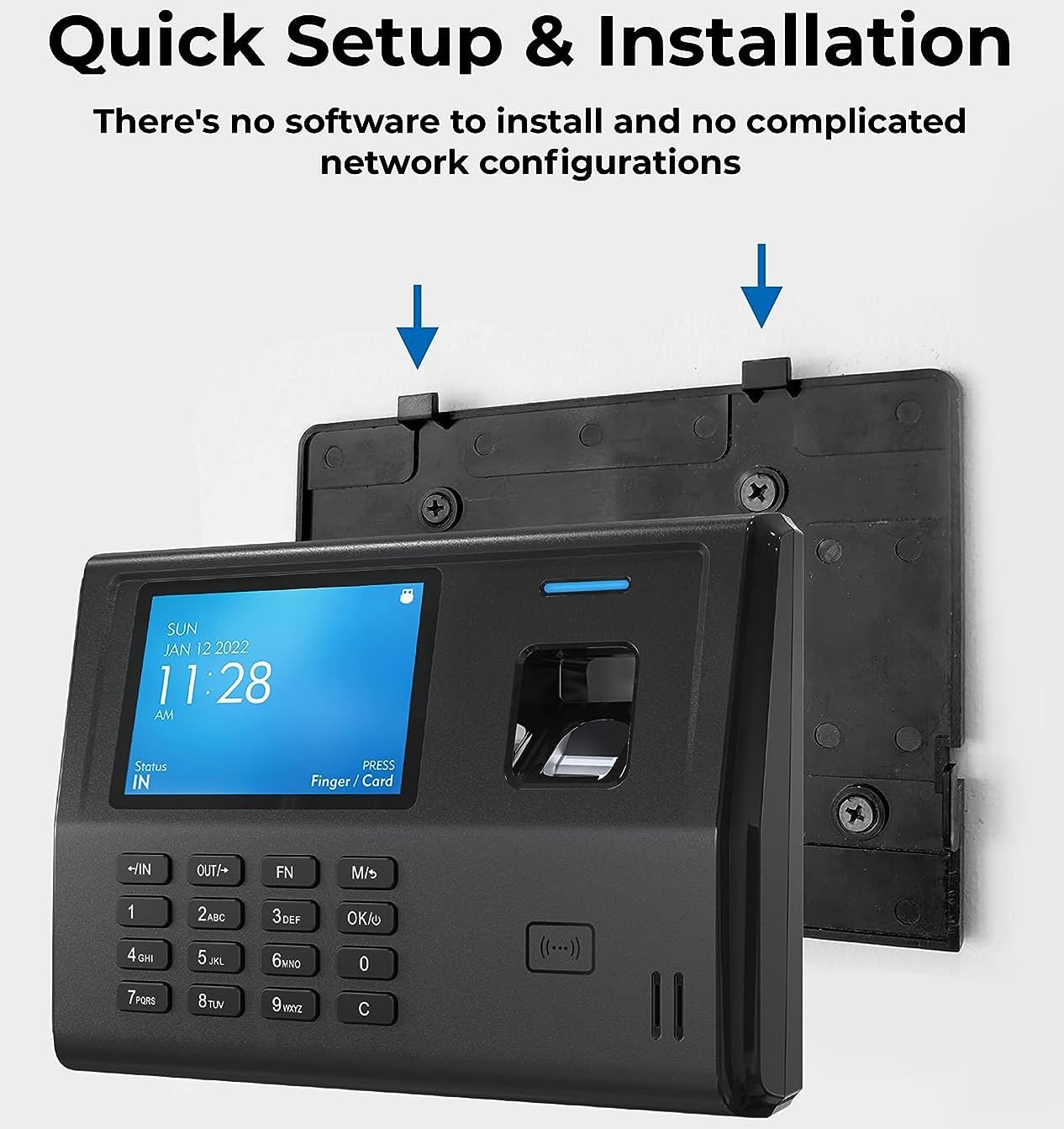
Billede 3.1.1: Illustration showing the ANVIZ EP300 device being mounted onto a wall bracket, highlighting the quick setup and installation process without complex software or network configurations.
3.2 Tænd
Connect the device to a power source using the provided DC 5V adapter or via a USB connection. The device will power on automatically.
3.3 Indledende konfiguration
- Upon first power-on, the device may prompt for initial date and time settings. Follow the on-screen instructions.
- Access the administrator menu to enroll new users. This typically involves registering fingerprints, ID numbers, and optionally passwords or proximity cards.
- Configure basic time and attendance parameters such as work shifts, holidays, and attendance states as needed.
4. Betjeningsvejledning
4.1 Employee Clock-In/Out
Employees can clock in or out using their registered fingerprint or a proximity card. The device's biometric fingerprint scanner ensures accurate identification, eliminating "buddy punching."

Billede 4.1.1: The ANVIZ EP300 display showing the current time and date, with an instruction to "Press Finger / Card" for clocking in or out.
- Fingeraftryksbekræftelse: Place a registered finger firmly on the fingerprint sensor. The device will confirm the successful scan.
- Card Verification: Present a registered proximity card to the card reader area on the device.
- Work Code: If configured, employees may be prompted to enter a 6-digit work code after verification to specify job tasks or departments.
4.2 Managing Shifts and Attendance States
The EP300 supports up to 16 customizable time and attendance states and can display schedules for multiple shifts, including overnight shifts.
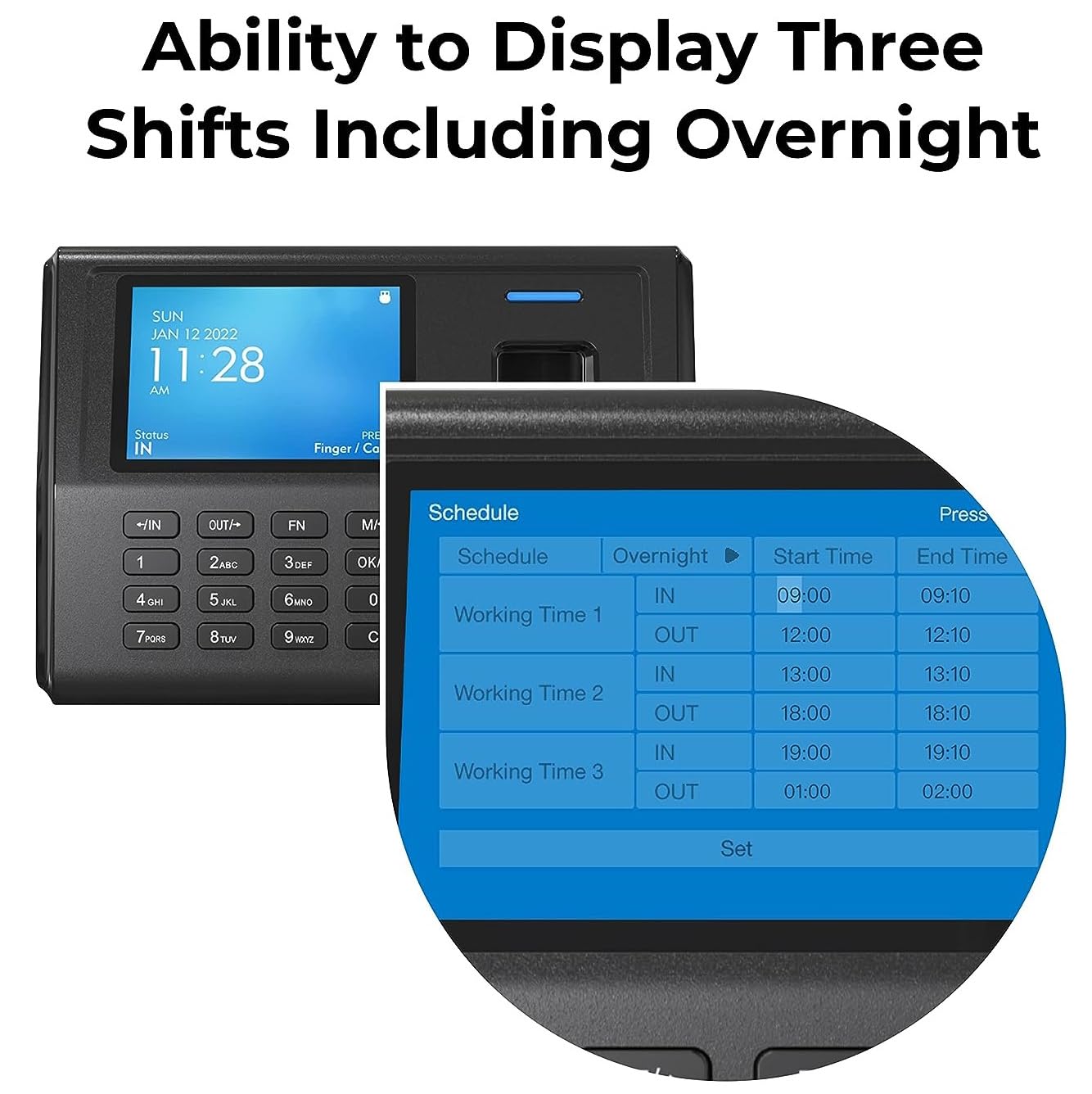
Billede 4.2.1: The ANVIZ EP300 display showing a detailed shift schedule, including "Overnight," "Start Time," and "End Time" for multiple working periods.
4.3 Data Transfer and Reporting
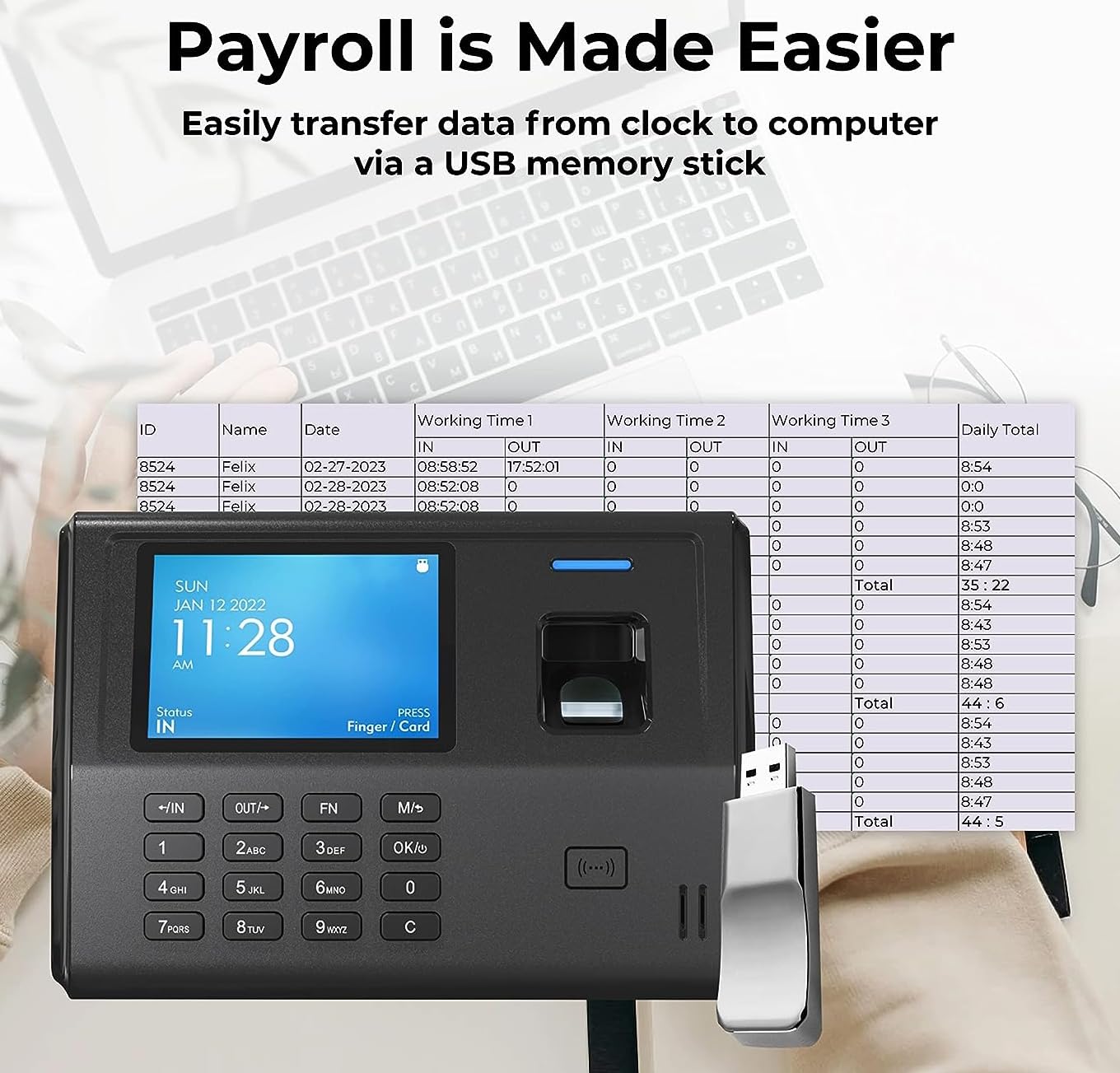
Attendance data can be easily transferred from the device to a computer using a USB memory stick. This eliminates the need for traditional paper time cards and simplifies payroll processing.

Billede 4.3.1: Comparison showing the ANVIZ EP300 as a modern alternative to traditional paper time cards, emphasizing the elimination of paper waste.
Billede 4.3.2: The ANVIZ EP300 connected to a USB memory stick, with a computer screen in the background displaying payroll data, illustrating easy data transfer for payroll processing.
ANVIZ provides software, such as CrossChex Standard, to manage devices, attendance data, and generate reports. This software allows for synchronization of system time, downloading records, quick analysis, and fixing attendance issues.

Billede 4.3.3: Screenshot of the ANVIZ CrossChex Standard software dashboard, showing device status, attendance status, credentials breakdown (fingerprint, card, password), and shortcut menus for system time synchronization, record download, quick analysis, and attendance correction.
5. Vedligeholdelse
To ensure the longevity and optimal performance of your ANVIZ EP300, follow these general maintenance guidelines:
- Rensning: Regularly wipe the device's screen and fingerprint sensor with a soft, dry, lint-free cloth. Avoid using abrasive cleaners or solvents.
- Miljø: Operate the device in a clean, dry environment, away from direct sunlight, extreme temperatures, and excessive dust or moisture. The device is designed for indoor use.
- Strømforsyning: Use only the original or a compatible DC 5V power adapter.
- Firmwareopdateringer: Periodically check the ANVIZ official website for any available firmware updates to ensure the device operates with the latest features and security enhancements.
- Data backup: Regularly back up attendance records to a computer or external storage device to prevent data loss.
6. Fejlfinding
This section addresses common issues you might encounter with the ANVIZ EP300.
| Problem | Mulig årsag | Løsning |
|---|---|---|
| Enheden tænder ikke. | No power, faulty adapter, or loose connection. | Check power cable connection. Ensure the power adapter is functioning. Try a different power outlet. |
| Fingeraftryk ikke genkendt. | Finger not placed correctly, dirty sensor, or unregistered fingerprint. | Ensure finger is clean and dry. Place the entire pad of the finger firmly on the sensor. If issue persists, re-enroll the fingerprint. Clean the sensor with a soft cloth. |
| Dataoverførsel via USB mislykkes. | Defekt USB-drev, forkert file format, or device not recognizing USB. | Ensure the USB drive is formatted correctly (FAT32 recommended). Try a different USB drive. Ensure the USB drive is inserted firmly into the USB Host port. |
| Difficulty with software setup/reports. | Lack of familiarity with the software, complex configurations. | Refer to the dedicated software manual or online tutorials for ANVIZ CrossChex Standard. Consider using ANVIZ AIM Lite software if available, as some users find it more user-friendly for basic reporting. |
| Enheden fryser eller reagerer ikke. | Midlertidig softwarefejl. | Perform a soft reset by disconnecting and reconnecting the power. If the issue persists, consult ANVIZ support. |
7. Specifikationer
| Feature | Detalje |
|---|---|
| Modelnummer | VA201410EP300 (EP300) |
| CPU | TI Stellaris 32-Bit High Speed CPU |
| Fingeraftrykskapacitet | 2000 |
| Rekordkapacitet | 50,000 |
| Vise | 3.5" Colorful LED Digital Display |
| Forbindelse | USB Device & Host, TCP/IP |
| Strømkilde | DC 5V (Corded Electric), Power Over USB |
| Valgfrit batteri | 1100mAH Lithium battery backup (up to 6 hours standby) |
| Dimensioner (L x B x H) | 7.28 x 5.12 x 1.38 tommer |
| Vægt | 2.65 pund |
| Materiale | Plast |
| Indendørs/Udendørs brug | Indendørs |
| Farve | Sort |
| Første ledige dato | 2. november 2013 |
8. Garantioplysninger
Specific warranty details for the ANVIZ EP300 are not provided in the product information. Please refer to the official ANVIZ webwebstedet eller kontakt din forhandler for detaljerede garantivilkår.
9. Support og kontakt
For further assistance, technical support, or inquiries regarding the ANVIZ EP300, please contact ANVIZ directly or visit their official webwebsted.
You can find more information about ANVIZ products and potentially support resources by visiting the ANVIZ Store on Amazon.
Note: Some users have reported challenges with direct phone support. Online resources and email support may be available.