
1. Introduktion
This user manual provides comprehensive instructions for the safe and efficient use of your Sharp LC-60LE660 60-Inch Aquos 1080p 120Hz Smart LED TV. Please read this manual thoroughly before operating the television and retain it for future reference. This television combines a 60-inch full HD display with Smart TV capabilities, offering a high-quality viewing experience and access to various online services.
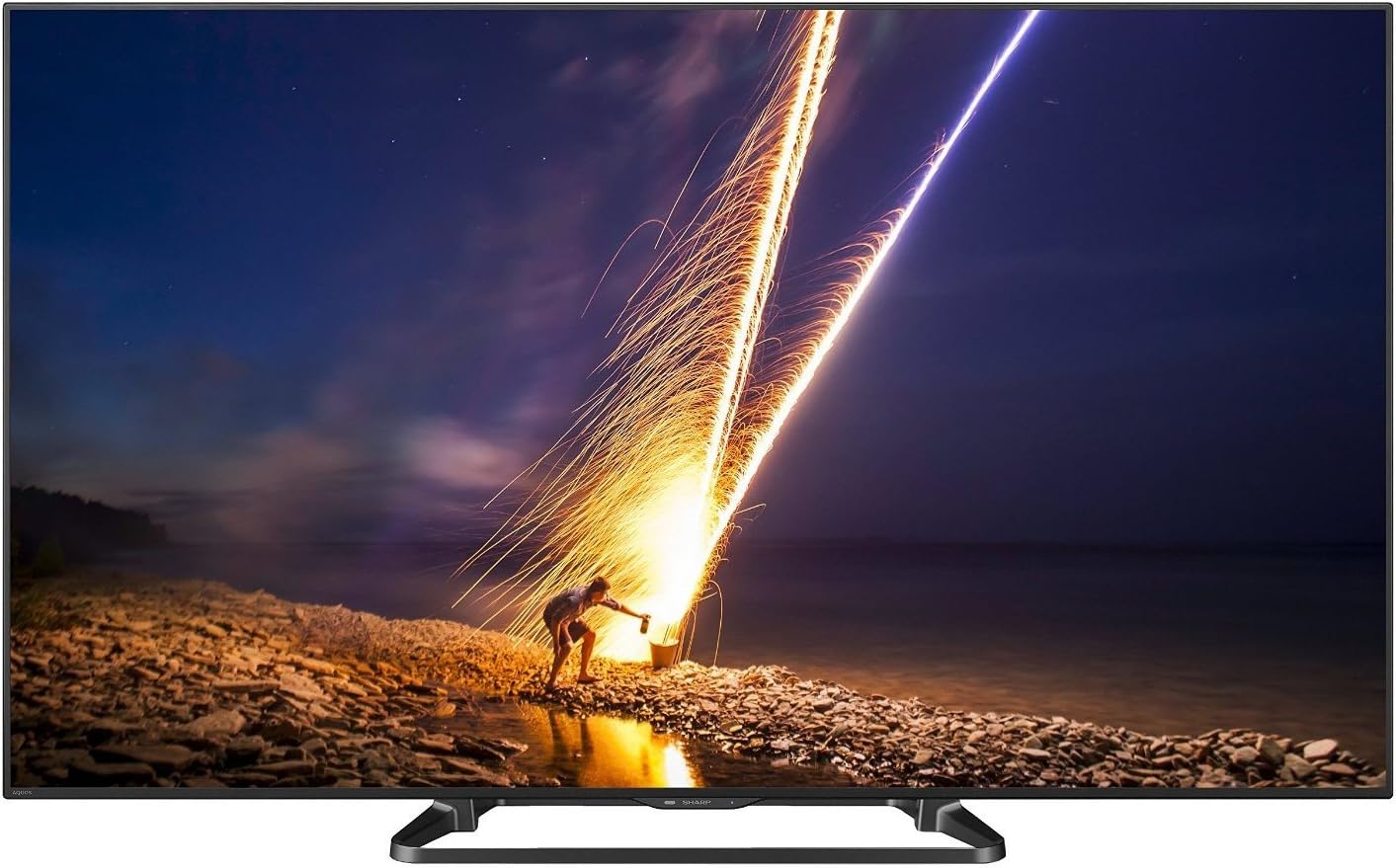
Figur 1: Forside view of the Sharp LC-60LE660 Smart LED TV.
2. Vigtige sikkerhedsoplysninger
Please observe the following safety precautions to prevent damage to the television and ensure personal safety.
- Placering: Ensure the television is placed on a stable, level surface or securely mounted to a wall according to manufacturer's instructions. Avoid placing it in direct sunlight or near heat sources.
- Ventilation: Bloker ikke ventilationsåbningerne. Sørg for tilstrækkelig plads omkring fjernsynet til korrekt luftgennemstrømning for at forhindre overophedning.
- Strømforsyning: Connect the power cord to an appropriate AC outlet. Do not overload power outlets.
- Væskeeksponering: Keep the television away from water and moisture. Do not expose it to rain or splashes.
- Rensning: Tag stikket ud af fjernsynet før rengøring. Brug en blød, tør klud. Brug ikke flydende rengøringsmidler eller sprayrengøringsmidler.
- Service: Forsøg ikke selv at servicere dette produkt. Overlad al service til kvalificeret servicepersonale.
Legal Disclaimer: Must be at least 18 & over to purchase. Purchased items will require a direct signature at the time of delivery.
3. Hvad er der i æsken
Verify that all items are present upon unpacking your Sharp LC-60LE660 TV:
- Sharp LC-60LE660 60-Inch Aquos 1080p 120Hz Smart LED TV
- Universal fjernbetjening
- Strømledning
- Brugervejledning (dette dokument)
- Stand Assembly (if applicable)
4. Opsætning
4.1. Fysisk placering og dimensioner
Before setting up your television, consider its dimensions and ensure adequate space for ventilation and viewing. The television weighs approximately 54.2 pounds.
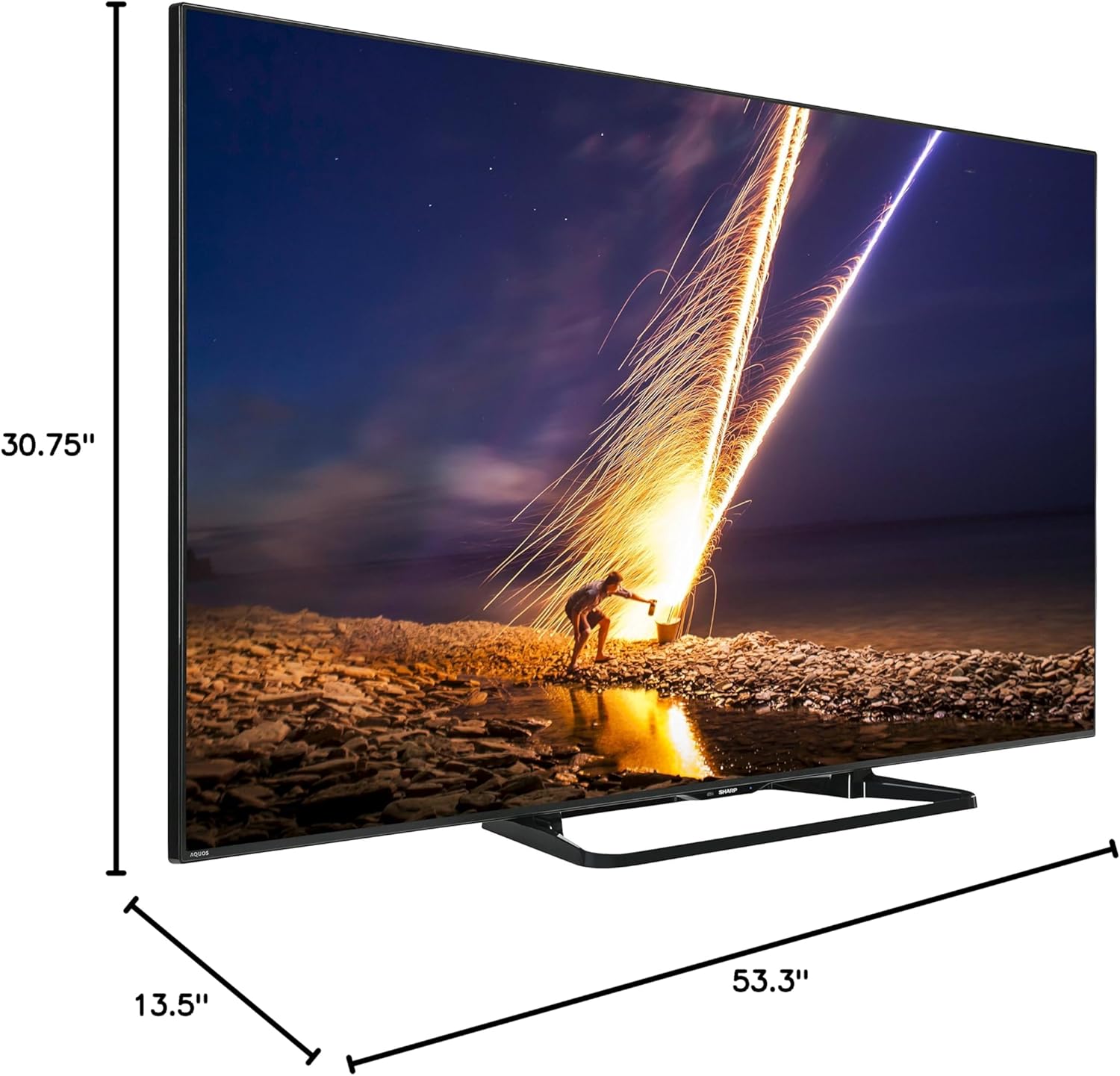
Figure 2: Dimensions of the Sharp LC-60LE660 TV with stand. Width: 53.3 inches, Height: 30.75 inches, Depth: 13.5 inches.
Ensure the TV is placed on a sturdy surface or mounted securely. Leave sufficient space around the TV for heat dissipation.
4.2. Tilslutning af eksterne enheder
The Sharp LC-60LE660 TV offers various ports for connecting external devices such as Blu-ray players, gaming consoles, and sound systems. Refer to the diagram below for port locations.
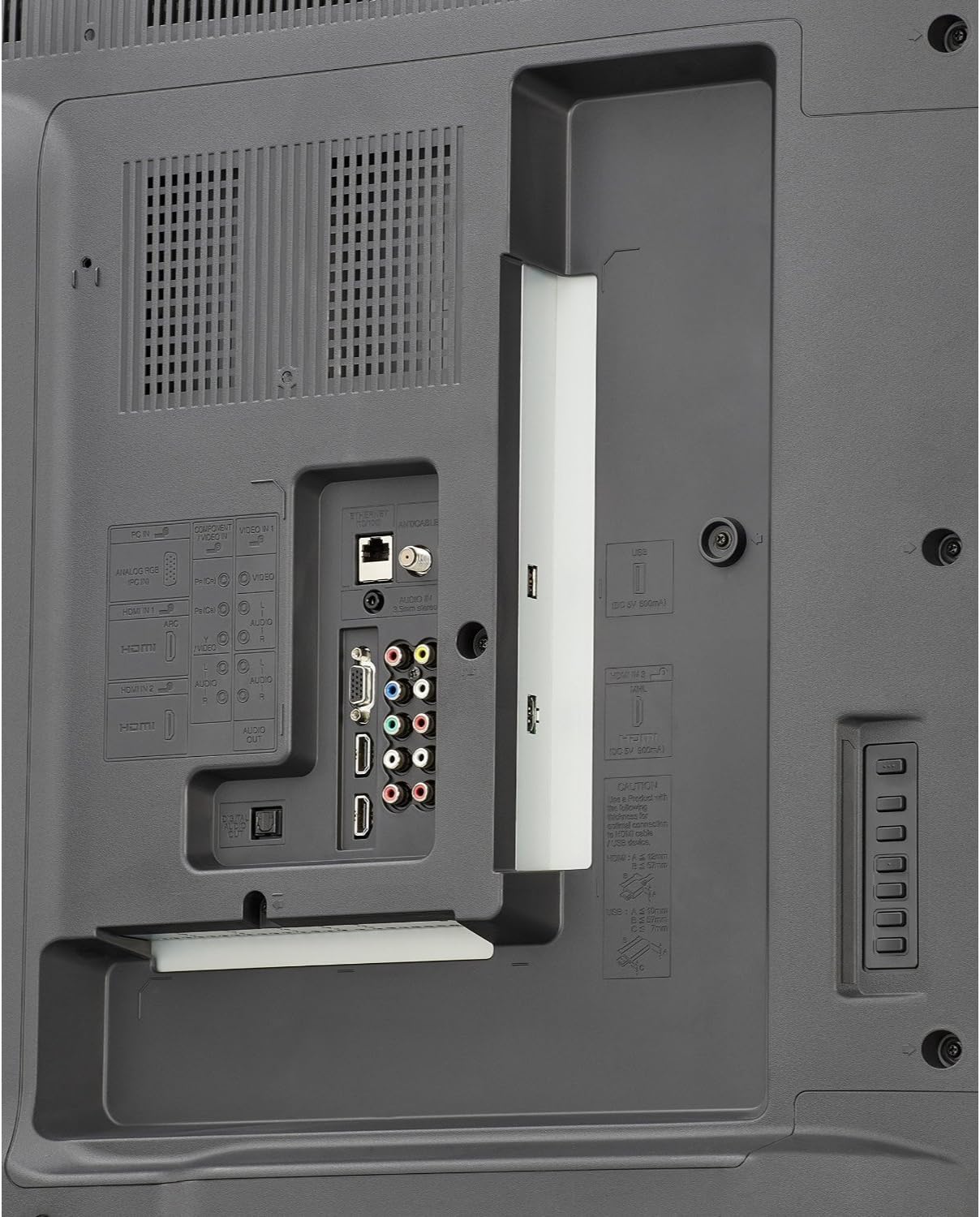
Figure 3: Rear panel connections. Includes multiple HDMI inputs, USB ports, component video input, composite video input, and audio output options.
- HDMI: Connect high-definition devices using HDMI cables. This model features multiple HDMI ports.
- USB: Use USB ports for media playback from USB storage devices or for firmware updates.
- Component/Composite: For older devices, use the component or composite video inputs.
- Lydudgang: Connect to external audio systems via optical digital audio out or analog audio out.
- Ethernet/Wi-Fi: Connect to your home network via an Ethernet cable or the built-in Wi-Fi for Smart TV features.
4.3. Første opstart og netværksopsætning
- Sæt netledningen i tv'et og derefter i en stikkontakt.
- Tryk på tænd/sluk-knappen på fjernbetjeningen eller tv'et.
- Follow the on-screen instructions to select your language, country, and perform an initial channel scan.
- For Smart TV features, connect to your home network. Select your Wi-Fi network from the list and enter the password, or connect an Ethernet cable.
5. Betjeningsvejledning
5.1. Grundlæggende tv-funktioner
- Tænd/sluk: Brug tænd/sluk-knappen på fjernbetjeningen eller tv'et.
- Kanalvalg: Brug CH+/- knapperne eller det numeriske tastatur på fjernbetjeningen.
- Lydstyrkekontrol: Brug VOL+/- knapperne på fjernbetjeningen.
- Valg af input: Press the INPUT button on the remote to switch between connected devices (HDMI, Component, etc.).
5.2. Smart Central Apps
Your Sharp LC-60LE660 TV features Smart Central Apps, providing quick access to popular streaming services and applications via built-in Wi-Fi.

Figure 4: Smart Central Apps interface with icons for Netflix, YouTube, Pandora, and other services.
To access Smart Central Apps:
- Sørg for, at dit tv er forbundet til internettet.
- Press the "Smart Central" button on your remote control.
- Navigate through the available applications using the arrow keys and select your desired app (e.g., Netflix, YouTube, Pandora, Flickr, Picasa, Facebook).
5.3. Billed- og lydindstillinger
- Billedtilstande: Access the picture settings menu to adjust brightness, contrast, color, sharpness, and select preset picture modes (e.g., Standard, Movie, Game).
- AquoMotion240: This technology enhances clarity during fast-motion scenes. Adjust its settings in the picture menu to suit your preference.
- Lydtilstande: Adjust audio settings, including bass, treble, and select sound modes (e.g., Standard, Music, Cinema).
5.4. Wallpaper Mode
The Wallpaper mode allows the TV to display art, photos, or a clock when powered off, integrating the television seamlessly into your living space.
- Access the Wallpaper mode settings through the TV's main menu.
- Select your preferred display option (e.g., pre-loaded art, personal photos via USB, or a clock).
6. Vedligeholdelse
- Rengøring af skærm: Tør forsigtigt skærmen af med en blød, fnugfri klud. Ved genstridige mærker, tør let afampen the cloth with water or a specialized screen cleaner, then wipe dry immediately. Do not apply pressure.
- Skabsrengøring: Tør tv-kabinettet af med en blød, tør klud. Undgå at bruge slibende rengøringsmidler eller opløsningsmidler.
- Ventilation: Periodically check that the ventilation slots on the back of the TV are not obstructed by dust or debris.
7. Fejlfinding
If you encounter issues with your Sharp LC-60LE660 TV, refer to the following common solutions:
| Problem | Mulig årsag/løsning |
|---|---|
| Ingen strøm / TV'et tænder ikke | Sørg for, at netledningen er korrekt tilsluttet både tv'et og en fungerende stikkontakt. Prøv en anden stikkontakt. |
| Intet billede, men der er lyd | Kontrollér inputkilden. Sørg for, at eksterne enheder er tændt og tilsluttet korrekt. Juster lysstyrke-/kontrastindstillingerne. |
| Ingen lyd, men der er billede | Kontrollér lydstyrkeniveau og mute-status. Sørg for, at eksterne lydsystemer er tilsluttet og konfigureret korrekt. |
| Billedet er forvrænget eller uklart | Check cable connections. Adjust picture settings. If using an antenna, check signal strength. |
| TV freezes or reboots unexpectedly | This can sometimes be resolved by a firmware update. Check Sharp's support website for the latest firmware for model LC-60LE660U and follow update instructions. A hard reset (unplugging the TV for a few minutes and plugging it back in) may also resolve temporary issues. |
| Smart features not working / No internet connection | Verify your Wi-Fi or Ethernet connection. Restart your router. Check network settings on the TV. |
Hvis problemet fortsætter efter at have prøvet disse løsninger, bedes du kontakte Sharps kundesupport.
8. Specifikationer
| Feature | Detalje |
|---|---|
| Mærke | Skarp |
| Modelnummer | LC-60LE660U |
| Skærmstørrelse | 60 Inches (60 3/32" diagonal) |
| Displayteknologi | LED |
| Opløsning | 1080p (Full HD) |
| Opdateringshastighed | 120 Hz (AquoMotion240) |
| Dynamisk kontrastforhold | 4 million : 1 |
| Smart TV-funktioner | Smart Central Apps (Netflix, YouTube, Pandora, Flickr, Picasa, Facebook), Built-in Wi-Fi, Browser |
| Forbindelse | Wi-Fi, Multiple HDMI, USB, Component, Composite, Ethernet |
| Højttaler type | Indbygget |
| Produktmål (med stativ) | 53.3 cm B x 30.75 cm H x 13.5 cm D |
| Varens vægt | 54.2 pund |
| Energieffektivitet | Energy Star-certificeret |
9. Garanti og support
For warranty information and technical assistance, please refer to the documentation included with your television or visit the official Sharp support webwebsted. Du kan også besøge Sharp Store på Amazon for yderligere produktinformation og kundesupportmuligheder.

Figure 5: Customer Support information is available for assistance.