
1. Introduktion
The Maclean MCE28 LED Cabinet Light is a versatile, battery-operated lighting solution designed for various indoor applications. Its compact size, 5 bright LEDs, and 360-degree rotation feature make it ideal for illuminating dark spaces such as cabinets, closets, hallways, or utility areas where traditional power sources are unavailable. This manual provides essential information for the safe and efficient use of your MCE28 LED light.
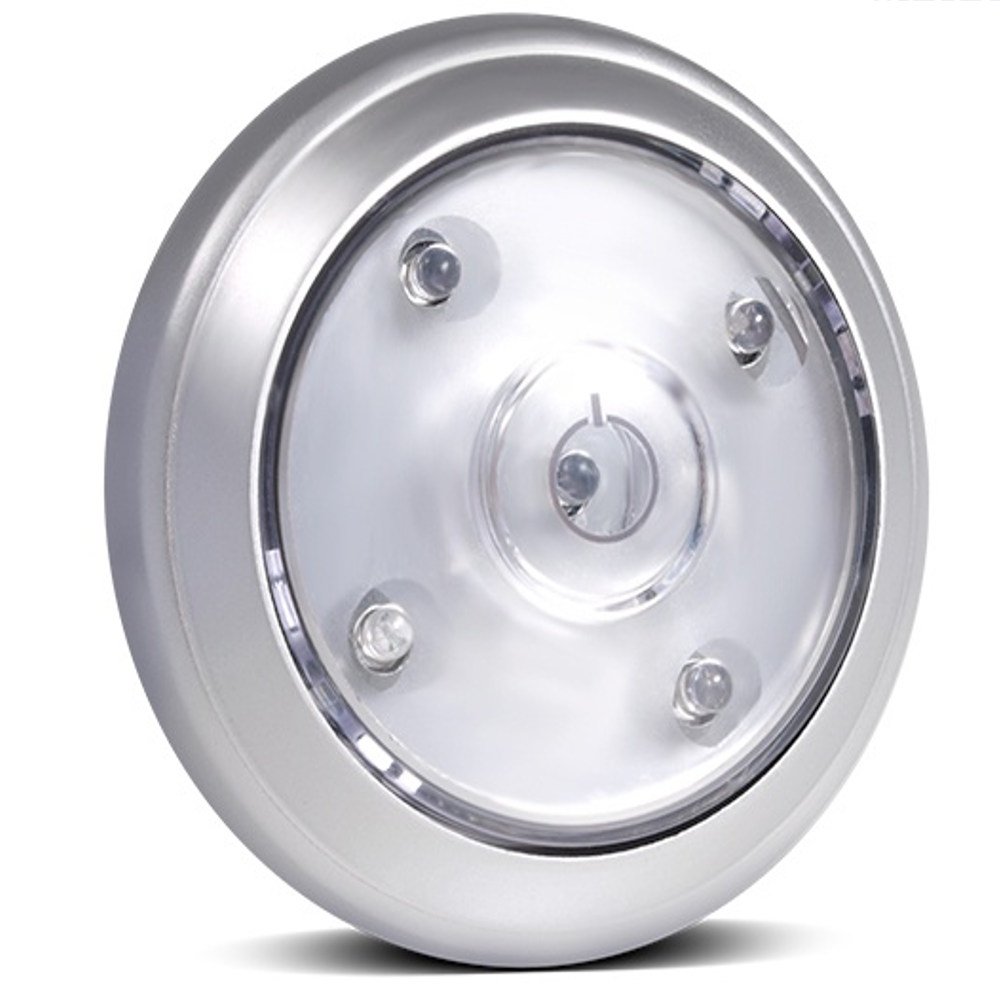
Figur 1: Forside view of the Maclean MCE28 LED Cabinet Light.
2. Produktfunktioner
- Trådløs drift: No cables or electrical outlets required.
- 5 lyse lysdioder: Giver ample belysning til små til mellemstore rum.
- 360-graders rotation: Allows for adjustable light direction.
- Nem montering: Equipped with adhesive tape for quick installation.
- Energibesparende: Lavt strømforbrug for forlænget batterilevetid.
- Batteridrevet: Operates on 3 x AAA 1.5V batteries (not included).
- Multifunktionsknap: Features a 3-position switch for different lighting modes.
3. Pakkens indhold
- 1 x Maclean MCE28 LED Cabinet Light
4. Sikkerhedsoplysninger
- Bland ikke gamle og nye batterier.
- Bland ikke alkaliske, standard (kul-zink) eller genopladelige (nikkel-cadmium) batterier.
- Sørg for, at batterierne er isat med korrekt polaritet (+ og -).
- Fjern batterierne, hvis enheden ikke skal bruges i en længere periode.
- Opbevares utilgængeligt for børn.
- Udsæt ikke enheden for ekstreme temperaturer eller fugt.
5. Opsætning
5.1 Batteriinstallation
- Gently twist the top cover of the light counter-clockwise to open the battery compartment.
- Insert 3 x AAA 1.5V batteries into the compartment, ensuring correct polarity as indicated inside.
- Replace the top cover by aligning it and twisting clockwise until secure.

Figur 2: View of the open battery compartment for AAA batteries.
5.2 Montering af lyset
- Clean the surface where you intend to mount the light, ensuring it is dry and free of dust or grease.
- Peel off the protective film from the adhesive pad located on the back of the light.
- Press the light firmly onto the desired surface for at least 30 seconds to ensure a strong bond.

Figur 3: Bagside view showing the adhesive pad for mounting.
6. Betjeningsvejledning
6.1 Tænd/sluk og lystilstande
The Maclean MCE28 features a 3-position button on the top for controlling the light. Press the button to cycle through the following modes:
- Første tryk: Activates a single LED (low light mode).
- Andet tryk: Activates all 5 LEDs (full brightness mode).
- Tredje tryk: Slukker lyset.

Figure 4: Comparison of the light output in different modes.
6.2 Justering af lysretning
The light head can be rotated 360 degrees. Gently turn the top section of the light to direct the illumination precisely where needed.

Figure 5: The light head can be rotated to adjust the beam direction.
7. Vedligeholdelse
7.1 Rengøring
To clean the light, wipe it with a soft, dry cloth. Do not use abrasive cleaners or immerse the device in water.
7.2 Udskiftning af batteri
When the light appears dim or stops functioning, it is time to replace the batteries. Follow the steps outlined in Section 5.1 for battery installation.
8. Fejlfinding
| Problem | Mulig årsag | Løsning |
|---|---|---|
| Lyset tændes ikke. | Batterierne er forkert installeret eller afladet. | Kontroller batteripolariteten, eller udskift med nye AAA-batterier. |
| Lyset er svagt. | Batterierne er lave. | Udskift alle 3 AAA-batterier med nye. |
| Light falls off mounting surface. | Surface was not clean or adhesive has lost its strength. | Clean the surface thoroughly and re-mount using a new adhesive pad if necessary. |
9. Specifikationer
- Model: MCE28
- Mærke: Maclean
- Dimensioner (L x B x H): 17 x 13 x 4 cm (ca. 6.7 x 5.1 x 1.6 tommer)
- Vægt: 100 gram (ca. 3.5 ounces)
- Strømkilde: 3 x AAA 1.5V batterier (medfølger ikke)
- Antal lysdioder: 5
- Voltage: 4.5 volt DC
- Materiale: Metal
- Særlige funktioner: Energy-saving, 360° rotation, adhesive mounting, 3-position button, 2 lighting functions.
10. Garanti og support
For warranty information and customer support, please refer to the documentation provided with your purchase or visit the official Maclean webwebsted. Gem din købsbevis i tilfælde af garantikrav.