
1. Introduktion
Denne manual indeholder vigtige oplysninger om korrekt installation, betjening og vedligeholdelse af din AMD FX-8370 Black Edition 8-core CPU-processor. AMD FX-8370 er en ulåst 8-core processor designet til AM3+ platformen og tilbyder høj ydeevne til computeropgaver. Læs venligst denne manual grundigt, før du fortsætter installationen.
2. Pakkens indhold
Bekræft, at alle nedenstående varer er til stede i din produktpakke:
- AMD FX-8370 8-kernet CPU-processor
- Køleplade og ventilator (standardkøler) med forudpåført termisk pasta
- FX-kantklistermærke
- Ægthedsbevis
- Installationsvejledning
- 3 års garantioplysninger
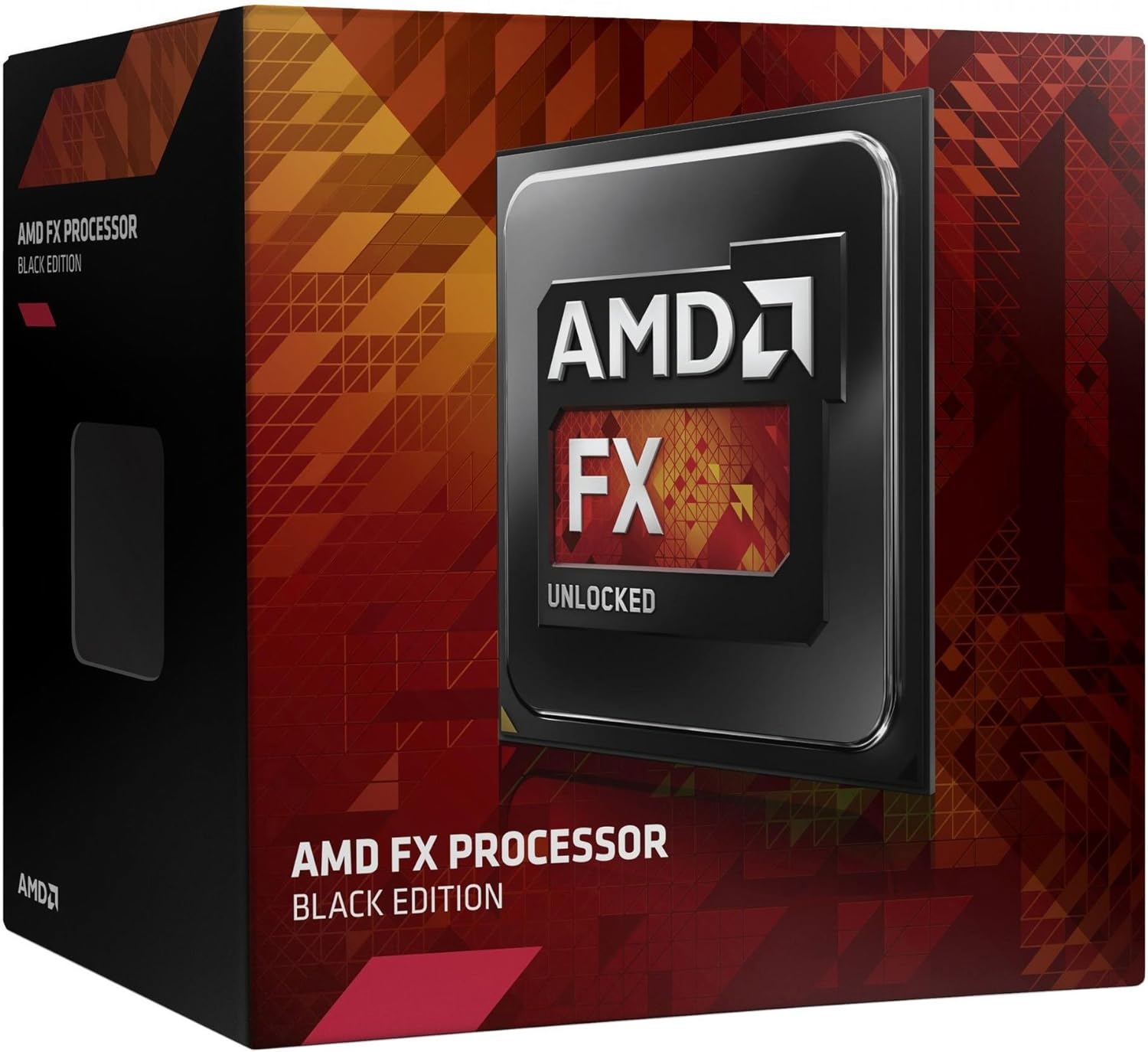
Billede 1: AMD FX-8370 Black Edition-processorens detailboks. Dette billede viser emballagen til AMD FX-8370-processoren, som angiver dens status som 'Black Edition' og 'Ulåst'.
3. Produktet er slutview
AMD FX-8370-processoren er konstrueret til krævende applikationer og spil. Nøglefunktioner inkluderer:
- 8-kernearkitektur: Designet til multi-threaded ydeevne.
- 4.3 GHz maks. turbofrekvens: Leverer høje clockhastigheder til responsiv databehandling.
- AM3+ sokkelkompatibilitet: Sikrer bred kompatibilitet med eksisterende bundkort.
- 125W termisk designeffekt (TDP): Angiver strømforbrug og varmeafgivelse.
- 16 MB cache: Giver hurtig adgang til ofte anvendte data.
- Ulåst multiplikator: Tillader overclocking (kun for avancerede brugere).
4. Specifikationer
| Feature | Specifikation |
|---|---|
| Processorkerner | 8 |
| Basisurhastighed | 4.0 GHz |
| Max turbofrekvens | 4.3 GHz |
| Sokkeltype | AM3+ |
| Termisk designeffekt (TDP) | 125W |
| Samlet cache (L2+L3) | 16 MB |
| Understøttelse af hukommelsestyper | DDR3 SDRAM |
| Modelnummer | FD8370FRHKBOX |
| Produktdimensioner (kun CPU) | 1.57 x 1.57 tommer (40 x 40 mm) |
5. Opsætning og installation
Korrekt installation er afgørende for din CPU's ydeevne og levetid. Hold altid processoren i kanterne for at undgå at røre ved benene eller den integrerede varmefordeler (IHS).
5.1 Sikkerhedsforanstaltninger
- Sørg for, at dit system er slukket, og at stikket er taget ud af stikkontakten.
- Aflad statisk elektricitet ved at berøre en jordforbundet metalgenstand, før du håndterer komponenterne.
- Se manualen til dit bundkort for specifikke instruktioner til montering af CPU-sokkel og køler.
5.2 CPU-installationstrin
- Forbered bundkortet: Find AM3+ CPU-sokkelen på dit bundkort. Løft det lille metalhåndtag på siden af soklen for at åbne den.
- Installer CPU'en: Juster forsigtigt den trekantede pil på hjørnet af AMD FX-8370-processoren med den tilsvarende pil på CPU-sokkelen. Sænk forsigtigt processoren lige ned i soklen. Tving den ikke; hvis den ikke sidder let, skal du kontrollere justeringen igen.
- Sikr CPU'en: Når CPU'en er helt på plads, skal du skubbe metalhåndtaget ned igen for at låse processoren på plads.

Billede 2: AMD FX-8370 Black Edition-processor. Dette billede viser et nærbillede af AMD FX-8370 CPU'en, der fremhæver dens design og brandingen 'AMD FX Unlocked'.
5.3 Kølerinstallationstrin
Den medfølgende standardkøler har påført termisk pasta. Hvis du bruger en eftermarkedskøler, skal du følge dens specifikke instruktioner for påføring af termisk pasta.
- Placering af køleren: Placer kølepladen og blæserenheden på CPU'en, og sørg for, at monteringsklemmerne er justeret med fastholdelsesbeslagene på bundkortet.
- Fastgør køleren: Fastgør kølerens klips til bundkortets fastgørelsesbeslag. Tryk jævnt, og fastgør begge klips. Nogle kølere skal muligvis skrues fast.
- Tilslut ventilatorstrøm: Tilslut kølerens 4-bens blæserkabel til CPU_FAN-stikkontakten på dit bundkort. Se den nøjagtige placering i bundkortets manual.
6. Betjeningsvejledning
Når CPU'en og køleren er installeret, skal du samle computeren igen og tilslutte alle eksterne enheder. Ved første opstart skal du få adgang til dit bundkorts BIOS/UEFI-indstillinger for at sikre, at CPU'en genkendes korrekt, og at blæserhastighederne er indstillet korrekt. Installer de nyeste chipsetdrivere fra din bundkortproducents. website for optimal ydeevne.
6.1 BIOS/UEFI-konfiguration
- Kontroller, at CPU-temperaturaflæsningerne er inden for acceptable grænser.
- Sørg for, at RAM-frekvens og timings er korrekt konfigureret.
- For avancerede brugere giver den ulåste multiplikator mulighed for overclocking. Fortsæt med forsigtighed og tilstrækkelig køling.
7. Vedligeholdelse
Regelmæssig vedligeholdelse er med til at sikre stabil ydeevne og forlænger levetiden for din CPU og dit kølesystem.
- Fjernelse af støv: Rengør CPU-kølerens blæser og kølepladeribber med jævne mellemrum for at forhindre støvophobning, som kan hæmme luftstrømmen og føre til overophedning. Brug trykluft til denne opgave.
- Termisk pasta: Med tiden kan termopasta tørre ud. Hvis du bemærker konstant høje temperaturer, bør du overveje at påføre frisk termopasta. Dette kræver, at du fjerner køleren, rengør den gamle pasta fra både CPU'en og kølerens base og påfører et nyt tyndt, jævnt lag.
- Systemluftstrøm: Sørg for god luftgennemstrømning i computerkabinettet ved at håndtere kabler og holde indsugnings-/udstødningsventilerne rene.
8. Fejlfinding
Hvis du støder på problemer efter installationen, skal du se følgende almindelige fejlfindingstrin:
- Systemet starter ikke op:
- Kontrollér alle strømforbindelser, især 4/8-bens CPU-strømstikket på bundkortet.
- Sørg for, at CPU'en er korrekt placeret i sin sokkel, og at håndtaget er låst.
- Kontroller, at CPU-køleren er korrekt installeret, og at dens blæser drejer.
- Nulstil CMOS (se manualen til bundkortet).
- Overophedning/høje temperaturer:
- Sørg for, at CPU-køleren er monteret korrekt og har god kontakt med CPU'en.
- Kontroller, om CPU-blæseren er tilsluttet den korrekte header (CPU_FAN) og drejer.
- Sørg for, at termopastaen blev påført korrekt (eller stadig er effektiv, hvis den er påført på forhånd).
- Fjern støv fra køleribberne.
- Systemustabilitet/nedbrud:
- Sørg for, at dit bundkorts BIOS/UEFI er opdateret til den nyeste version.
- Kontroller RAM-stabilitet og kompatibilitet.
- Hvis du overclocker, skal du vende tilbage til standard CPU-indstillingerne for at teste stabiliteten.
9. Garanti og support
9.1 Garantioplysninger
AMD FX-8370 Black Edition CPU-processoren leveres med en 3 års begrænset garanti fra købsdatoen. Denne garanti dækker defekter i materialer og udførelse under normal brug. For de fulde vilkår og betingelser henvises til garantidokumentationen, der følger med din pakke, eller besøg den officielle AMD-side. webwebsted.
9.2 Teknisk support
For teknisk assistance, download af drivere eller yderligere produktinformation, besøg venligst den officielle AMD-support. webwebsted:
Du kan også kontakte AMD's kundeservice via de kanaler, der er angivet på deres hjemmeside. webwebsted.