
1. Introduktion
Thank you for choosing the Xanlite PR10WR Rechargeable Outdoor LED Floodlight. This manual provides essential information for the safe and efficient use of your device. The PR10WR is a versatile and durable LED floodlight designed for outdoor use, featuring IP54 water resistance, USB charging capability, 1000 lumens output, 9W power consumption, and 6000 Kelvin cool white light.
Please read this manual thoroughly before operating the floodlight and retain it for future reference.
2. Sikkerhedsinstruktioner
- Se ikke direkte ind i LED-lyset, når det er tændt, da dette kan forårsage øjenskader.
- Hold enheden væk fra ekstreme temperaturer, direkte sollys og ætsende væsker.
- Ensure the USB charging port cover is securely closed when not charging to maintain IP54 water resistance.
- Forsøg ikke at skille projektøren ad eller ændre den. Dette vil ugyldiggøre garantien og kan forårsage skade eller personskade.
- Use only the specified charging method (USB) and appropriate power sources.
- Bortskaf produktet og dets batteri på en ansvarlig måde i henhold til lokale regler.
3. Produktet er slutview
The Xanlite PR10WR is designed for portability and durability, featuring a robust metal and plastic construction with a convenient handle and adjustable stand.

Image 3.1: Xanlite PR10WR LED Floodlight showcasing its key features: IP54 water resistance, 6 hours of battery life, 1000 lumens of powerful illumination, and USB rechargeability.

Billede 3.2: Forside view of the floodlight, illustrating its design optimized for easy storage and transport.
Komponenter:
- LED lyspanel
- Adjustable Stand/Handle
- Power knap
- USB-opladningsport
- Batteriindikatorlys
4. Opsætning
4.1 Indledende opladning
Before first use, fully charge the floodlight. The device is equipped with a Lithium-polymer battery.
- Locate the USB charging port on the back of the floodlight.
- Open the protective cover of the USB port.
- Connect a standard USB charging cable (not always included) to the floodlight's USB port and to a suitable USB power adapter (e.g., 5V/1A) or computer USB port.
- The battery indicator lights will illuminate to show charging progress. Once all indicators are solid, the floodlight is fully charged.
- After charging, securely close the protective cover of the USB port to maintain water resistance.

Billede 4.1: Bagside view of the floodlight's control panel, featuring the USB charging port, power button, and battery level indicators.
5. Betjeningsvejledning
5.1 Tænd/sluk
Press the power button located on the back panel to turn the floodlight on or off. Multiple presses may cycle through different brightness modes if available (refer to product packaging for specific mode details).
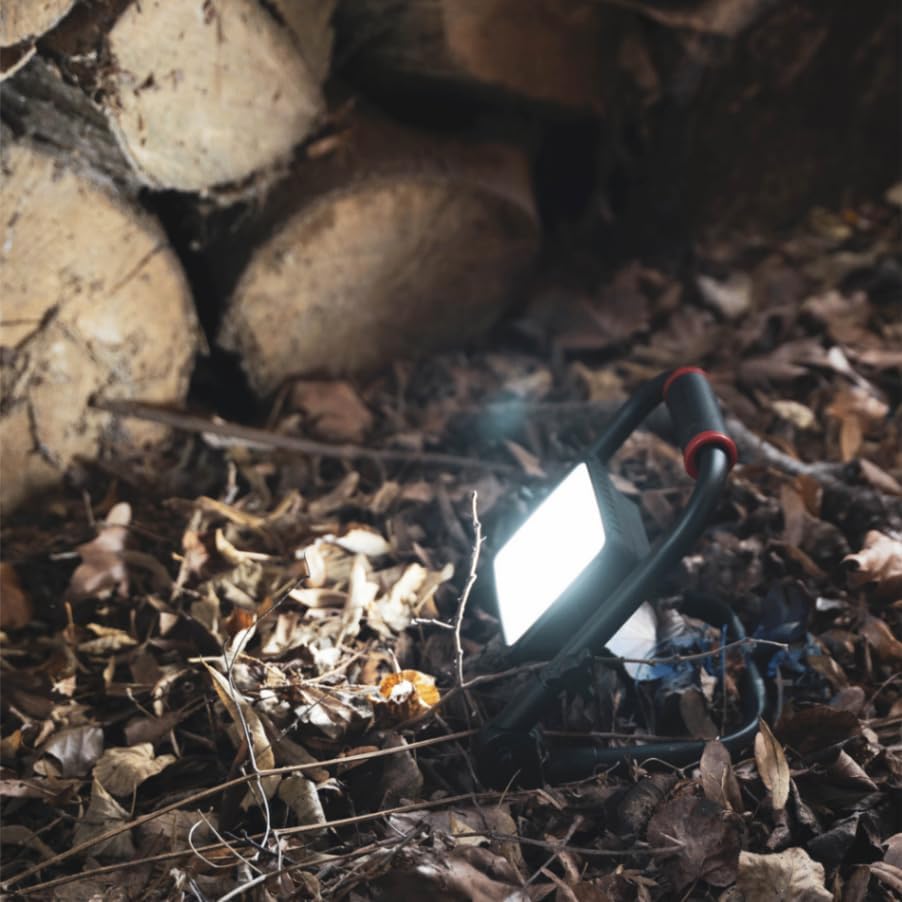
Image 5.1: The floodlight in operation, providing illumination in a natural environment.
5.2 Justering af lysvinklen
The floodlight features a rotatable head that can be adjusted 180 degrees. Loosen the adjustment knobs on either side of the light panel, position the light to your desired angle, and then tighten the knobs to secure it.

Image 5.2: Detail of the floodlight's adjustable pivot, allowing for 180-degree rotation of the light head.
5.3 Batteriindikator
The battery indicator lights on the back panel show the remaining charge. Recharge the floodlight when the battery level is low to ensure continuous operation.
6. Vedligeholdelse
6.1 Rengøring
Wipe the floodlight with a soft, damp cloth. Do not use abrasive cleaners or solvents, as these may damage the finish or electronic components. Ensure the USB port cover is closed during cleaning.
6.2 Opbevaring
Store the floodlight in a cool, dry place when not in use. For long-term storage, it is recommended to charge the battery every 3-6 months to maintain battery health.
7. Fejlfinding
- Lyset tænder ikke: Ensure the battery is charged. If fully charged, try pressing the power button firmly.
- Light dim or flickering: The battery may be low. Recharge the floodlight.
- Opladningsproblem: Check the USB cable and power adapter. Ensure the cable is securely connected to both the floodlight and the power source.
- Vandindtrængning: If water enters the device despite its IP54 rating, ensure the USB port cover was properly sealed. Discontinue use and contact support.
8. Specifikationer
| Modelnummer | PR10WR |
| Mærke | Xanlite |
| Lyskildetype | LED (Light Emitting Diode) |
| Wattage | 10 watt |
| Maximum Light Output | 1000 lumen |
| Farvetemperatur | 6000 Kelvin (Cool White) |
| Vandmodstandsniveau | IP54 (Vandtæt) |
| Strømkilde | Rechargeable Lithium-polymer Battery |
| Batterilevetid (ca.) | 6 timer |
| Opladning | USB |
| Materiale | Metal, Plast |
| Farve | Rød/sort |
| Produktdimensioner | 20 x 18 x 19.5 cm |
| Varens vægt | 600 g |
| Monteringstype | Freestanding / Floor |
| GTIN | 03700619406503 |

Image 8.1: Dimensional drawing of the Xanlite PR10WR floodlight.
9. Garanti og support
9.1 Garantioplysninger
This Xanlite PR10WR LED Floodlight is covered by a manufacturer's warranty. Please refer to the warranty card included with your purchase or contact Xanlite customer service for specific terms and conditions.
9.2 Kundesupport
For technical assistance, troubleshooting, or warranty claims, please contact Xanlite customer support through their official webwebstedet eller de kontaktoplysninger, der følger med din produktemballage.