
Vigtige sikkerhedsoplysninger
Please read these instructions carefully before using the shredder. Keep this manual for future reference.
- Hold børn og kæledyr væk fra makuleringsmaskinen.
- Keep loose clothing, jewelry, hair, and other foreign objects away from the shredder opening.
- Do not insert fingers or hands into the shredder opening.
- Unplug the shredder when not in use or before cleaning.
- Do not shred metal objects, large paper clips, or hard plastic (except credit cards as specified).
- Do not use aerosol products, petroleum-based lubricants, or other flammable products on or near the shredder.
- Brug ikke makulatoren, hvis netledningen er beskadiget.
- The shredder is equipped with overheat protection. If it overheats, it will automatically shut off. Allow it to cool down before resuming operation.
Pakkens indhold
Sørg for, at alle varer er til stede:
- Amazon Basics AS665C Paper Shredder Unit
- Affaldsbeholder
- Instruktionsmanual (dette dokument)
Opsætning
- Pak makulatoren ud: Fjern forsigtigt alle komponenter fra emballagen.
-
Position the Waste Bin: Place the shredder head securely on top of the provided waste bin. Ensure it is properly seated.
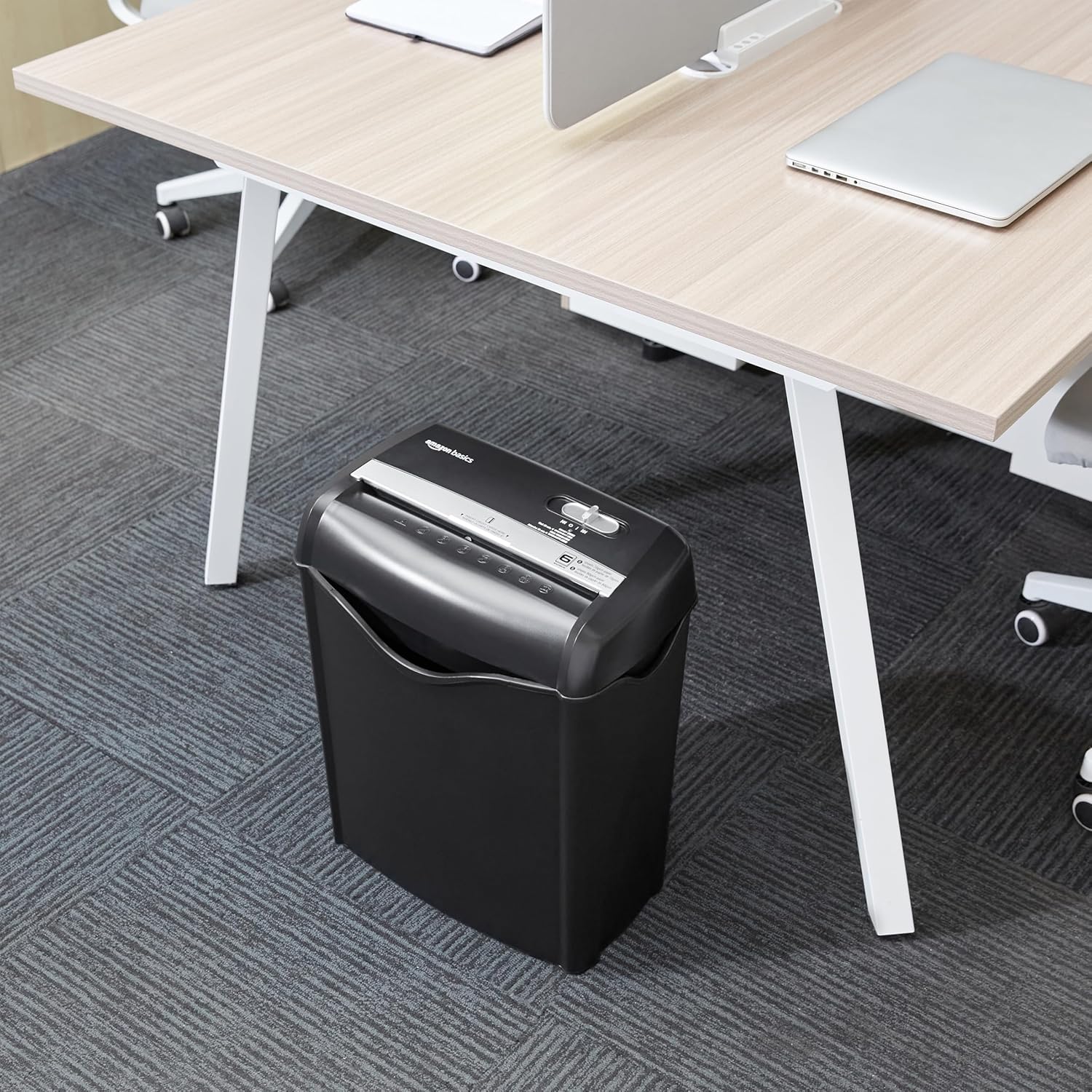
Image: The Amazon Basics AS665C Paper Shredder positioned under a desk, demonstrating its compact size and ease of placement in an office or home environment.
- Tilslut strøm: Sæt netledningen i en almindelig stikkontakt.
Betjeningsvejledning
Kontrolkontakt
The shredder features a slide switch with three positions:
- AUTO (I): The shredder will automatically start when paper is inserted and stop when shredding is complete.
- FRA (O): Makulatoren er slukket.
- REV (<<): Activates the reverse function to clear paper jams.

Billede: En detaljeret view of the shredder's control switch, showing the "AUTO", "OFF", and "REV" settings, along with the "READY" (green) and "OVERHEAT" (red) indicator lights.
Makulering af dokumenter
- Vælg tilstand: Indstil kontrolkontakten til AUTO (I) position. The "READY" indicator light (green) will illuminate.
-
Indsæt papir: Insert up to 6 sheets of 70gsm paper (or 5 sheets of 80gsm paper) straight into the paper entry slot. The shredder will automatically start and stop.
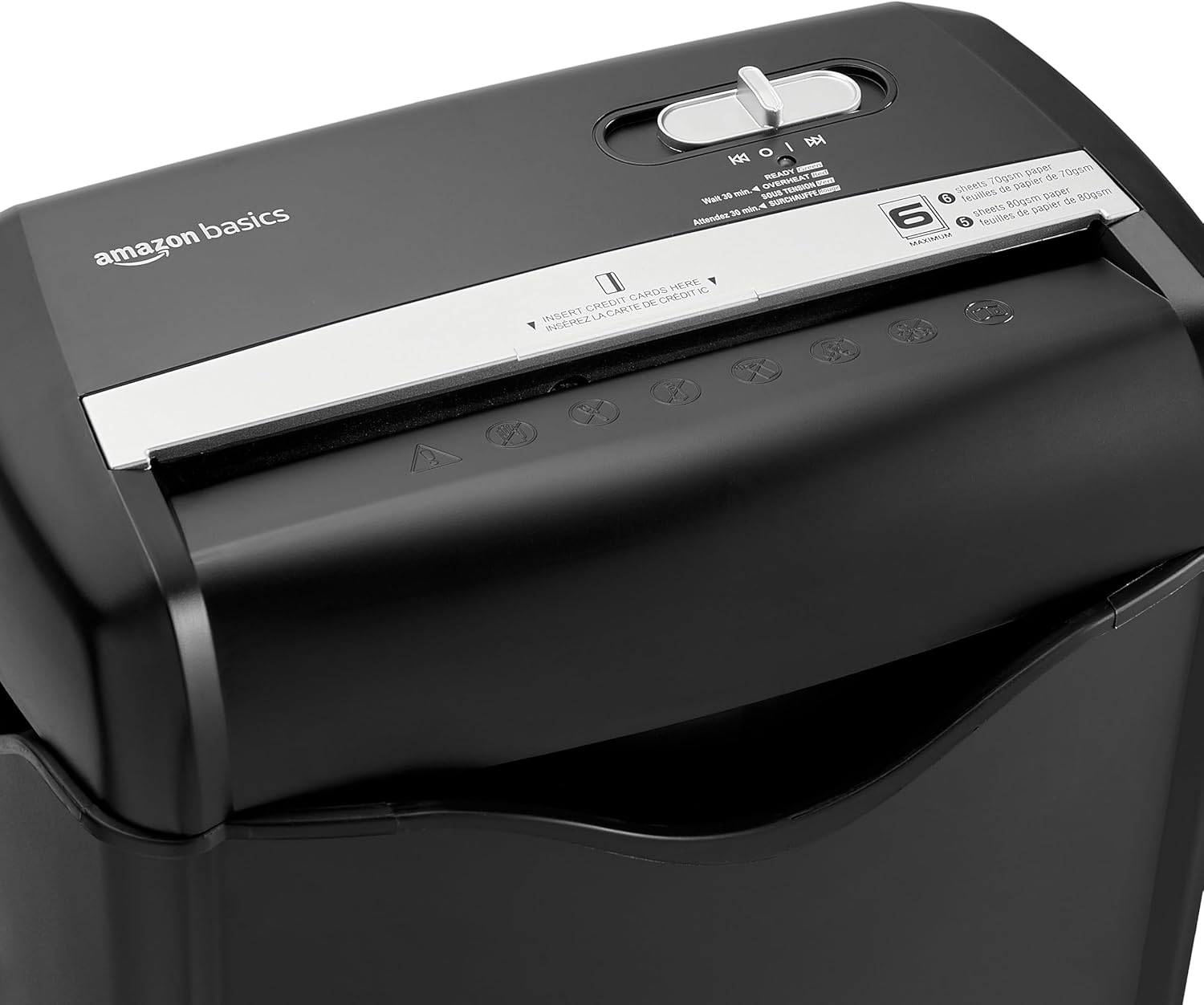
Billede: Top view of the shredder, highlighting the paper entry slot, the control switch, and the "MAXIMUM" sheet capacity label.

Image: A close-up of the shredder's label indicating the maximum sheet capacity: 6 sheets of 70gsm paper or 5 sheets of 80gsm paper.
-
Makulering af kreditkort: Insert one credit card at a time into the dedicated credit card slot.

Billede: Et nærbillede view of the shredder's dedicated slot for inserting credit cards, clearly labeled "INSERT CREDIT CARDS HERE".
- Overophedningsbeskyttelse: The shredder will automatically shut off if it runs continuously for too long or if the motor overheats. The "OVERHEAT" indicator light (red) will illuminate. Allow the shredder to cool down for approximately 30 minutes before resuming operation.

Image: A pile of cross-cut shredded paper, demonstrating the small particle size for enhanced security. A quarter coin is placed next to it for scale.
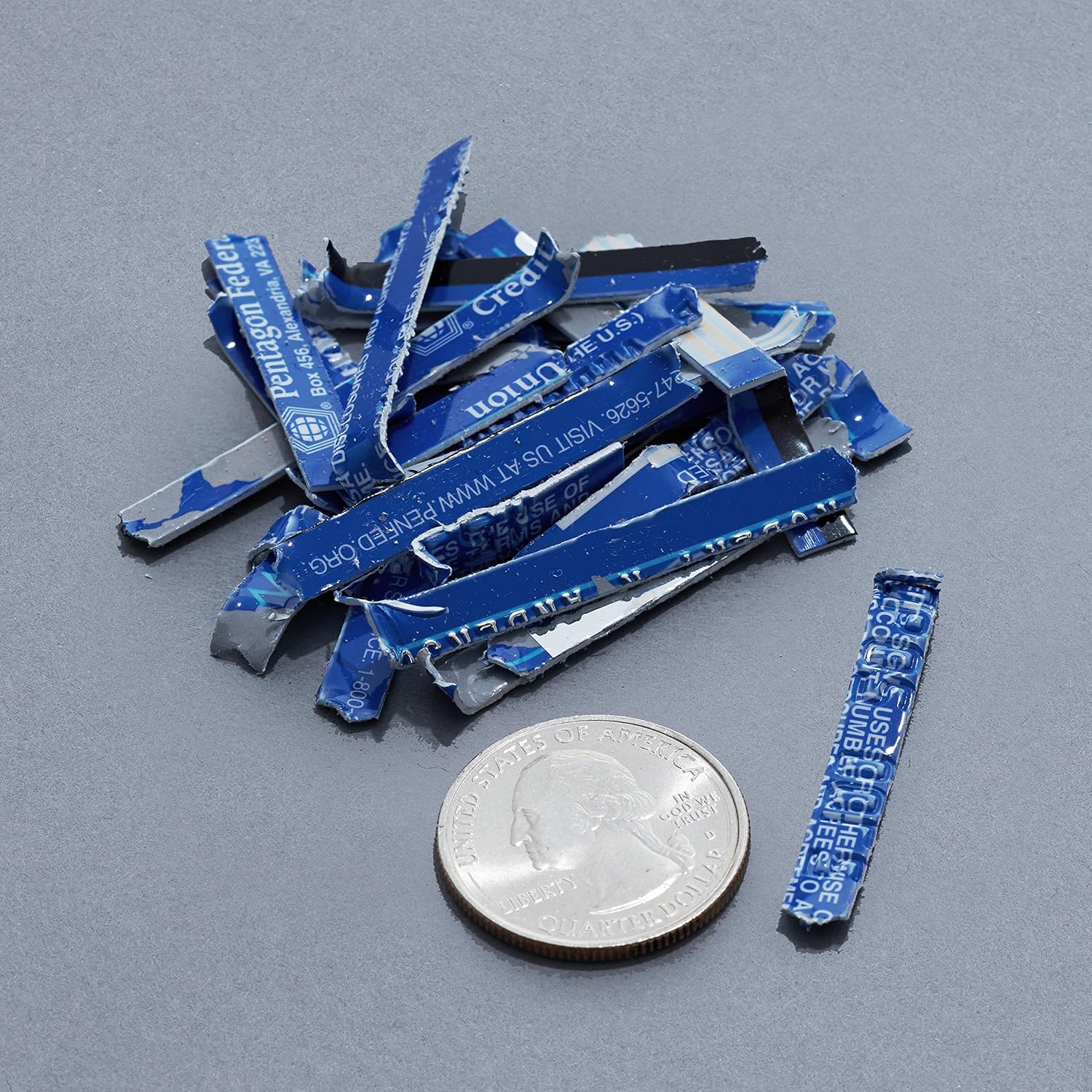
Image: A collection of shredded credit card pieces, illustrating the secure destruction of plastic cards. A quarter coin is included for size reference.
Opretholdelse
Tømning af affaldsbeholderen
Regularly empty the waste bin to prevent paper jams and ensure optimal performance. Unplug the shredder before removing the head to empty the bin.
Rensning
- Unplug the shredder before cleaning.
- Wipe the exterior of the shredder with a soft, dry cloth.
- Brug ikke slibende rengøringsmidler eller opløsningsmidler.
- For optimal performance, periodically oil the shredder blades with shredder oil sheets or liquid shredder oil. Follow the oil product's instructions.
Fejlfinding
| Problem | Mulig årsag | Løsning |
|---|---|---|
| Makulatoren starter ikke. |
|
|
| Papirstop. |
|
|
| Makulatoren stopper under drift. |
|
|
Specifikationer
| Feature | Detalje |
|---|---|
| Mærke | Grundlæggende om Amazon |
| Modelnummer | AS665C (Manufacturer Model: AS662C-EU) |
| Makuleringstype | Tværskåret |
| Arkkapacitet | 6 sheets (70gsm paper) / 5 sheets (80gsm paper) |
| Makulerer | Papir, kreditkort |
| Strømkilde | Elektrisk med ledning |
| Særlige funktioner | Portable, Overheat Protection, Manual Reverse |
| Produktmål (L x B x H) | 30.7 x 19.6 x 38.1 cm (12.1 x 7.7 x 15 tommer) |
| Produktets vægt | 3.72 kg (8.2 lbs) |
| Materiale | Plast og metal |
Garanti og support
For warranty information and customer support, please refer to the Amazon Basics webwebstedet eller kontakt Amazons kundeservice direkte. Gem din købskvittering til garantikrav.