
1. Introduktion
The Aduro Bluetooth Audio Receiver allows you to wirelessly stream audio from your Bluetooth-enabled devices to any audio system with a 3.5mm auxiliary input. This device converts traditional audio systems into Bluetooth-compatible systems, enabling seamless music playback from smartphones, tablets, and other Bluetooth audio sources.
Nøglefunktioner omfatter:
- Makes any media device with a 3.5mm jack Bluetooth-capable.
- Receives music from Bluetooth sources such as smartphones and tablets.
- Compatible with playback devices like headphones, speakers, and car stereos.
- Bluetooth 2.1 with Advanced Audio Distribution Profile (A2DP) for enhanced audio quality.
- Trådløs rækkevidde på op til 9 meter.
- One-touch pairing control for easy connection.
- Plugs directly into any standard 3.5mm audio jack.
- Provides up to 12 hours of audio playback on a full charge.
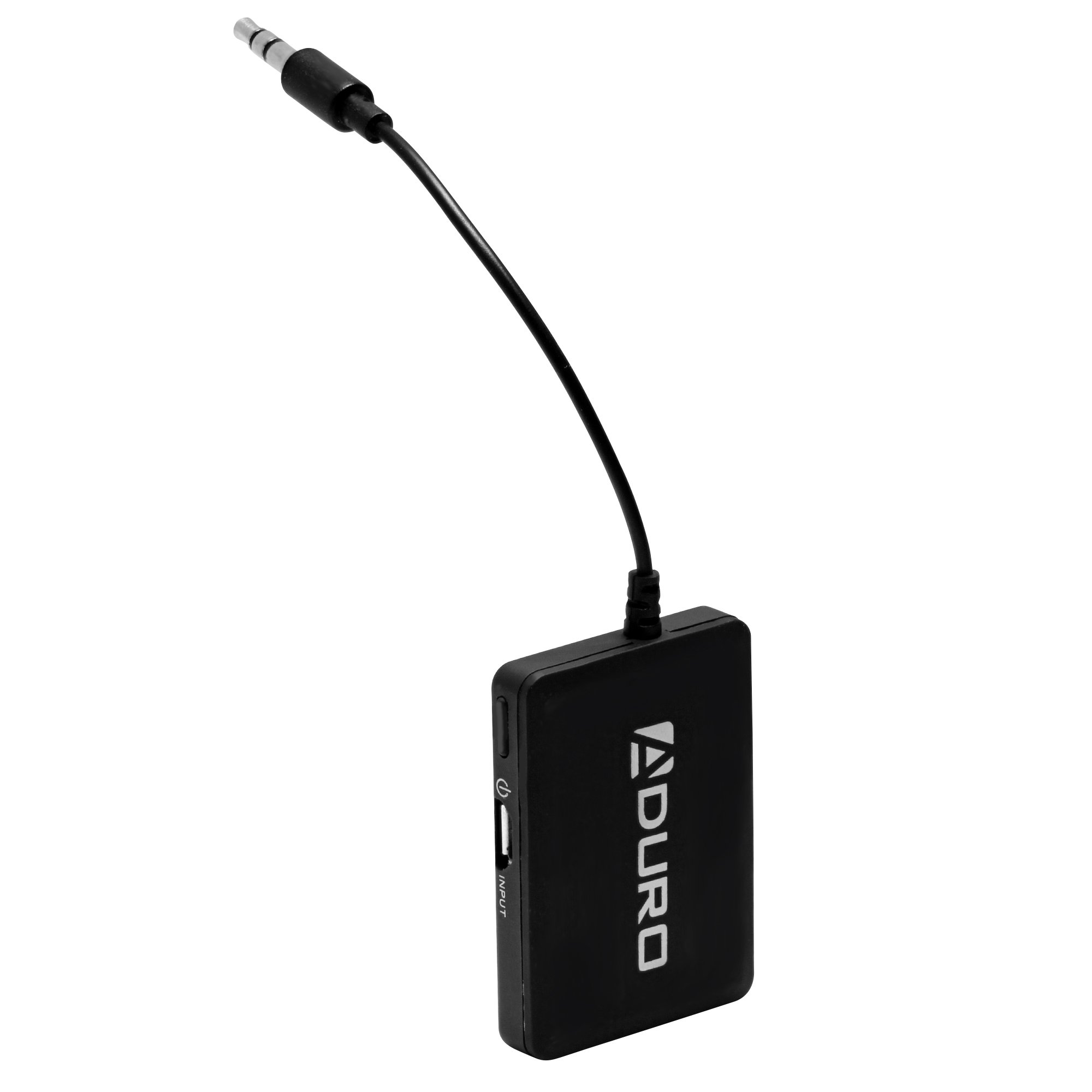
Image 1.1: Aduro Bluetooth Audio Receiver connected via 3.5mm jack.
2. Pakkens indhold
Tjek venligst pakken for følgende varer:
- Aduro Bluetooth Audio Receiver
- USB opladningskabel

Image 2.1: Contents of the Aduro Bluetooth Audio Receiver package.
3. Opsætning
3.1 Opladning af modtageren
Before initial use, fully charge the Aduro Bluetooth Audio Receiver. A full charge provides up to 12 hours of audio playback.
- Connect the small end of the provided USB charging cable to the micro-USB port on the receiver.
- Tilslut standard-USB-enden af kablet til en USB-strømkilde (f.eks. en computers USB-port eller en USB-vægadapter).
- The indicator light on the receiver will illuminate during charging and turn off when fully charged.
3.2 Tilslutning til et lydsystem
The receiver connects to your audio system via a standard 3.5mm auxiliary input.
- Locate the 3.5mm auxiliary input jack on your desired audio system (e.g., car stereo, home speaker, headphones).
- Plug the integrated 3.5mm audio jack of the Aduro Bluetooth Audio Receiver directly into the auxiliary input.
- Ensure the audio system is set to the auxiliary input source.
4. Betjeningsvejledning
4.1 Tænd/sluk
- For at tænde: Press and hold the power button (often marked with a power symbol) on the receiver until the indicator light flashes.
- For at slukke: Tryk på tænd/sluk-knappen igen, og hold den nede, indtil indikatorlampen slukker.
4.2 Parring med en Bluetooth-enhed
The Aduro Bluetooth Audio Receiver uses one-touch pairing for easy connection to your smartphone, tablet, or other Bluetooth audio source.
- Ensure the receiver is powered on and within 30 feet (9 meters) of your Bluetooth audio source.
- The indicator light will typically flash rapidly, indicating it is in pairing mode.
- On your Bluetooth audio source (e.g., smartphone), go to the Bluetooth settings menu.
- Scan for available devices. The receiver should appear as "Aduro Bluetooth Receiver" or similar.
- Select the receiver from the list to initiate pairing.
- Once successfully paired, the indicator light on the receiver will typically change to a slow flash or solid blue, depending on the model.
- Hvis du bliver bedt om en adgangskode, skal du indtaste "0000" (fire nuller).
Note: The receiver will attempt to reconnect to the last paired device automatically when powered on.

Billede 4.1: Eks.ample of the Aduro Bluetooth Audio Receiver in use with a car stereo and smartphone.
4.3 Afspilning af lyd
After successful pairing, you can begin streaming audio:
- Ensure your audio system is set to the correct auxiliary input.
- Start playing audio from your paired Bluetooth device.
- Adjust the volume on both your Bluetooth device and the connected audio system for optimal sound.
5. Vedligeholdelse
- Rensning: Use a soft, dry cloth to clean the surface of the receiver. Do not use liquid cleaners or aerosols.
- Opbevaring: Opbevar enheden på et køligt, tørt sted, når det ikke er i brug.
- Batteripleje: To prolong battery life, avoid fully discharging the battery frequently. Recharge the device when the low battery indicator appears.
6. Fejlfinding
| Problem | Mulig årsag | Løsning |
|---|---|---|
| Enheden tænder ikke. | Batteriet er afladet. | Charge the receiver using the provided USB cable. |
| Kan ikke parre med Bluetooth-enhed. | Receiver is not in pairing mode. Bluetooth på kildeenheden er slået fra. Receiver is too far from source device. Interferens fra andre trådløse enheder. | Ensure receiver is powered on and indicator light is flashing rapidly. Aktiver Bluetooth på din kildeenhed. Move receiver closer to the source device (within 30 feet). Flyt dig væk fra andre trådløse enheder. |
| No audio or poor audio quality (stuttering). | Forkert lydindgang valgt på stereo. Lydstyrken er for lav. Svagt Bluetooth-signal. Interferens. Source device issues (e.g., WiFi interference on older devices). | Verify your audio system is set to the correct auxiliary input. Increase volume on both the receiver and the source device. Ensure receiver is within range and unobstructed. Minimize interference from other electronics. Try disabling WiFi on the source device if experiencing stuttering. |
| Only sound from one speaker. | Løs 3.5 mm forbindelse. Issue with the audio system's input. | Ensure the 3.5mm jack is fully inserted into the audio system. Test with a different audio system or cable if possible. |
7. Specifikationer
| Mærke | Aduro |
| Modelnavn | Bluetooth lydmodtager |
| Forbindelsesteknologi | Bluetooth |
| Bluetooth version | 2.1 |
| Understøttet Profiles | A2DP (Advanced Audio Distribution Profile) |
| Wireless Range | Op til 30 fod (9 meter) |
| Strømkilde | Batteridrevet (genopladeligt) |
| Batterilevetid | Op til 12 timer (lydafspilning) |
| Lydindgang | 3.5 mm AUX |
| Lydudgangstilstand | Stereoanlæg |
| Kompatible enheder | Smartphones, MP3 players, headphones, speakers, television, car stereo system |
| Farve | Sort |
| Kontrolmetode | Touch (One-touch pairing) |
| UPC | 849813002500 |
| ASIN | B00KME1I32 |
8. Sikkerhedsoplysninger
Læs og følg disse sikkerhedsretningslinjer for at sikre korrekt drift og forhindre skader:
- Do not expose the device to excessive heat or moisture.
- Keep the device away from other wireless devices to avoid interference.
- Charge the device only with the provided charger or a compatible USB power source.
- Do not attempt to replace the battery yourself. Contact qualified service personnel if battery replacement is needed.
- Undgå at tabe eller udsætte enheden for kraftige stød.