
1. Introduktion
This manual provides essential instructions for the installation, operation, maintenance, and troubleshooting of your Antec TruePower Classic TP-750C 750W 80 PLUS GOLD Certified Power Supply. Please read this manual thoroughly before installation and retain it for future reference. This power supply is designed to provide stable and efficient power to your personal computer system.
2. Sikkerhedsoplysninger
- Sørg for, at strømforsyningen er afbrudt fra stikkontakten inden installation eller håndtering.
- Åbn ikke strømforsyningen casing. Høj volumentagKomponenterne indeni udgør en risiko for elektrisk stød.
- Installer strømforsyningen i et godt ventileret område for at forhindre overophedning.
- Brug kun de kabler, der følger med strømforsyningen.
- Undgå at udsætte strømforsyningen for fugt eller ekstreme temperaturer.
- Dette produkt er kun beregnet til brug i personlige computersystemer.
3. Pakkens indhold
Kontroller, at alle dele er til stede i pakken, før du fortsætter installationen.
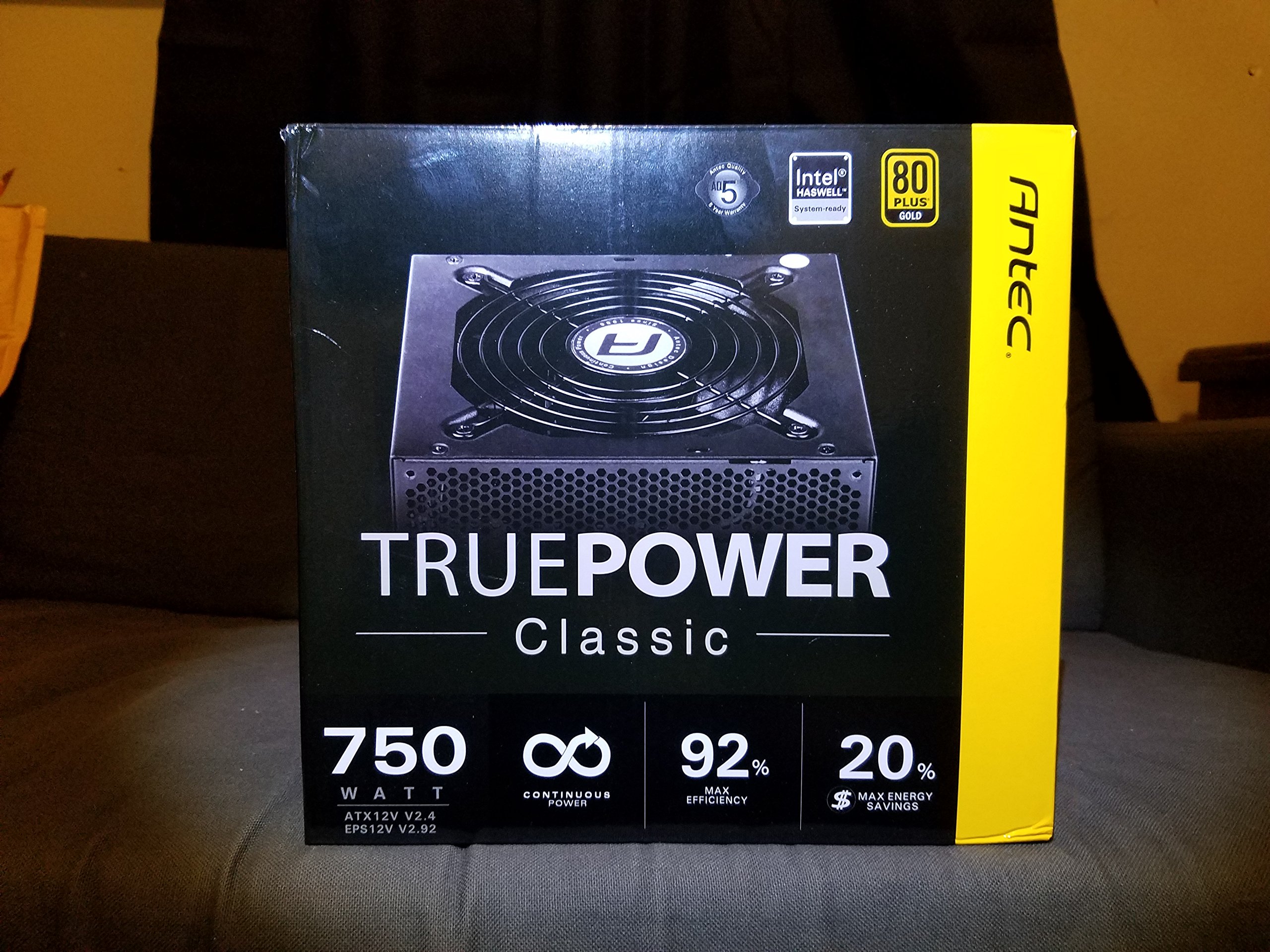
Image 1: Contents of the Antec TruePower Classic TP-750C package. The image displays the power supply unit, various power cables (including a main AC power cable), and user documentation neatly packed within a cardboard box.
- Antec TruePower Classic TP-750C Power Supply Unit
- Modular Cable Set (PCI-E, SATA, Molex, etc.)
- AC strømledning
- Monteringsskruer
- Brugermanual / Dokumentation
4. Opsætning og installation
Follow these steps to properly install your power supply into your computer chassis.
- Forbered chassiset: Ensure your computer chassis is powered off and disconnected from all power sources. Open the side panel of your computer case.
- Monter strømforsyningen: Carefully slide the Antec TP-750C power supply into the designated power supply bay in your chassis. Align the screw holes on the power supply with those on the chassis. Secure the power supply using the provided mounting screws.
- Tilslut strøm til bundkortet: Connect the 24-pin ATX main power connector from the power supply to the corresponding port on your motherboard. Ensure it clicks into place.
- Tilslut CPU-strøm: Connect the 4+4-pin (or 8-pin) EPS12V CPU power connector to the CPU power socket on your motherboard.
- Connect Graphics Card Power (PCI-E): If your graphics card requires external power, connect the appropriate 6+2-pin PCI-E power cables from the power supply to your graphics card.
- Connect Peripheral Power (SATA/Molex): Connect SATA power cables to your storage drives (SSDs, HDDs) and optical drives. Use Molex connectors for other peripherals as needed.
- Kabelstyring: Route cables neatly to improve airflow and aesthetics within your chassis.
- Afsluttende kontrol: Double-check all connections to ensure they are secure. Close the chassis side panel.
- Tilslut vekselstrøm: Connect the AC power cord to the power supply and then to a wall outlet or surge protector.
5. Betjeningsvejledning
The Antec TP-750C power supply operates automatically once correctly installed and connected to an AC power source. It provides stable DC power to all connected components.
- Tænd: After connecting the AC power cord, flip the power switch on the back of the power supply to the "ON" (I) position.
- Systemstart: Press the power button on your computer chassis to start your system.
- Sluk: Shut down your computer through the operating system. For complete power disconnection, flip the power switch on the power supply to the "OFF" (O) position and unplug the AC power cord.
6. Vedligeholdelse
Korrekt vedligeholdelse sikrer strømforsyningens levetid og optimale ydeevne.
- Støvrensning: Periodically clean dust from the power supply's fan and ventilation grilles using compressed air. Ensure the power supply is disconnected from AC power before cleaning.
- Ventilation: Ensure adequate airflow around the power supply. Do not block the intake or exhaust vents.
- Kabelintegritet: Regularly check power cables for any signs of damage or fraying. Replace damaged cables immediately.
- Driftsmiljø: Brug strømforsyningen inden for de anbefalede temperatur- og luftfugtighedsområder.
7. Fejlfinding
If you encounter issues with your power supply, refer to the following common problems and solutions.
| Problem | Mulig årsag | Løsning |
|---|---|---|
| Systemet tænder ikke. | AC power cord not connected, power switch off, loose internal connections, faulty components. |
|
| Systemet tænder, men lukker ned med det samme. | Overload, overheating, short circuit, faulty component. |
|
| Unusual noise from the power supply. | Fan obstruction, faulty fan bearing, coil whine. |
|
If troubleshooting steps do not resolve the issue, contact Antec customer support for further assistance.
8. Specifikationer
| Modelnavn | TruePower Classic TP-750C |
| Mærke | Antec |
| Wattage | 750 watt |
| 80 PLUS certificering | Guld |
| Formfaktor | ATX |
| Connector Type | ATX |
| Minimum input voltage | 100 volt |
| Kompatible enheder | Personlig computer |
| Varens vægt | 6.24 pund (2.83 kg) |
| Pakkedimensioner | 9.7 x 9 x 5.5 tommer (24.6 x 22.9 x 14 cm) |
| ASIN | B00JOFALL0 |
| UPC | 132018316306 |
9. Garanti og support
The Antec TruePower Classic TP-750C Power Supply comes with a 3 års producentgaranti. Denne garanti dækker fejl i materialer og udførelse ved normal brug.
For technical support, warranty claims, or further inquiries, please visit the official Antec webwebstedet eller kontakt deres kundeserviceafdeling. Gem din købsbevis for at validere garantien.
Please note: Opening the power supply casing vil ugyldiggøre garantien.