
Vigtige sikkerhedsoplysninger
ADVARSEL: This product contains chemicals known to the State of California to cause cancer and reproductive harm. For more information, please visit www.P65Warnings.ca.gov. It is the responsibility of the seller to provide this information to any online or other retailer, and to require them to provide the internet warning as set forth above.
Produkt overview
The QFX PBX-61120BT is a portable Bluetooth speaker designed for versatile audio playback. It features a 12-inch woofer, multiple input options, and a rechargeable battery for extended use.
Nøglefunktioner:
- FM radio, USB/SD player, and remote control for diverse playback options.
- 12-inch woofer with two 1/4 inch TRS Microphone inputs for vocal or instrument connection.
- Integrated 36mm pole mount socket for stand mounting (requires a large footprint tripod stand).
- Durable metal grill-covered speaker, handlebar, and wheels for easy transport.
- Rechargeable battery providing approximately 6 hours of playback at half volume.
Højttalerkomponenter:
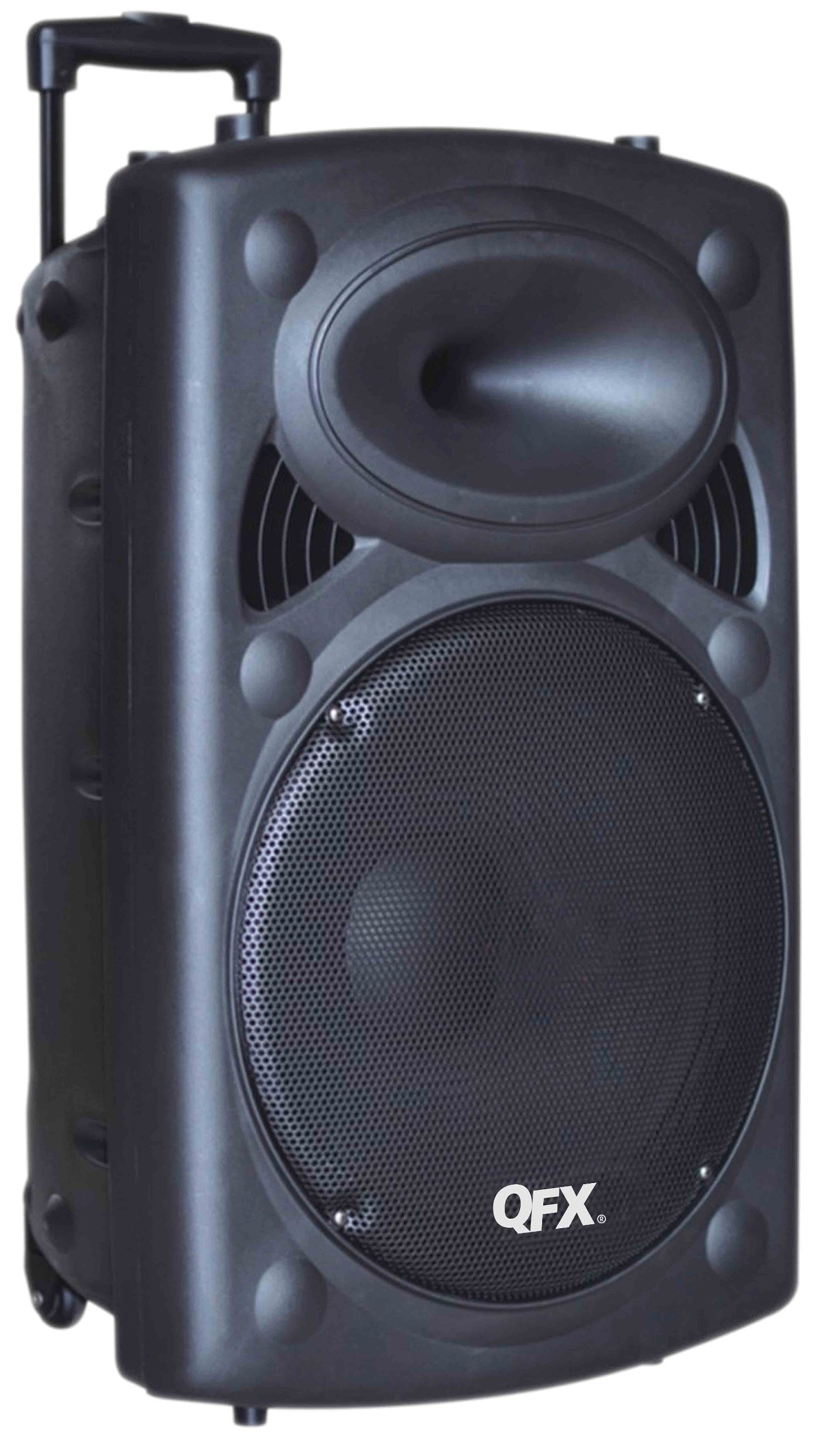
Billede 1: Front view of the QFX PBX-61120BT Portable Bluetooth Speaker. This image displays the main 12-inch woofer behind a protective metal grill, the control panel typically located on the top or side, and the integrated wheels and extendable handle for portability.
The speaker unit includes a main control panel, typically located on the top or rear, which houses buttons for power, mode selection, volume control, and input ports. The rear or side features an extendable handle and wheels for convenient transportation.
Opsætning
- Udpakning: Tag forsigtigt højttaleren ud af emballagen. Gem al emballage til senere transport eller opbevaring.
- Indledende opladning: Before first use, fully charge the speaker's internal battery. Connect the provided AC power cable to the speaker's power input and then to a standard electrical outlet. The charging indicator light (if present) will typically change color or turn off when fully charged.
- Placering: Place the speaker on a stable, flat surface. For optimal sound projection, ensure no obstructions are directly in front of the speaker. If using a pole mount, ensure the tripod stand is rated for the speaker's weight (approximately 27 pounds) and has a sufficiently large footprint for stability.
- Tænd: Press and hold the Power button (usually located on the control panel) to turn on the speaker.
Betjeningsvejledning
1. Bluetooth-forbindelse
- Enable Bluetooth Mode: Turn on the speaker. Press the "Mode" button on the control panel until "Bluetooth" or "BT" appears on the display (if available), or a voice prompt indicates Bluetooth mode. The speaker will enter pairing mode, indicated by a flashing Bluetooth indicator light.
- Par med enhed: On your mobile device (smartphone, tablet, etc.), go to the Bluetooth settings and enable Bluetooth. Søg efter available devices. You should see "PBX-61120BT" or a similar name in the list. Select it to pair.
- Bekræftelse: Once successfully paired, the speaker will usually emit a confirmation sound, and the Bluetooth indicator light will stop flashing and remain solid.
- Afspilning: Start playing audio from your device. Adjust volume using both your device's volume controls and the speaker's master volume knob.
Note: A faint hissing sound may be audible when Bluetooth is connected but no music is playing. This is normal and typically disappears once audio playback begins.
2. USB/SD-kortafspilning
- Indsæt medie: Indsæt et USB-flashdrev eller SD-kort (med kompatibel lyd) files) into the respective port on the speaker's control panel.
- Vælg tilstand: Press the "Mode" button until "USB" or "SD" is selected. The speaker should automatically begin playing audio files fra det indsatte medie.
- Kontrolelementer: Use the playback controls (Play/Pause, Next/Previous Track) on the speaker or the remote control to manage your music.
3. Betjening af FM-radio
- Vælg FM-tilstand: Press the "Mode" button until "FM" is selected.
- Automatisk scanning: Press and hold the Play/Pause button to initiate an automatic scan for available FM radio stations. The speaker will scan and save stations with strong signals.
- Indstil stationer: Use the Next/Previous Track buttons to navigate through the saved FM stations.
Note: FM tuning can sometimes be challenging. Ensure the speaker is in an area with good signal reception for best results.
4. Mikrofonindgange
- Tilslut mikrofon: Plug a 1/4 inch TRS microphone into one of the two microphone input jacks on the control panel.
- Juster lydstyrken: Use the dedicated microphone volume knob (if available) to adjust the microphone's output level. Ensure the master volume is also set appropriately.
Opretholdelse
- Rensning: Use a soft, dry cloth to clean the exterior of the speaker. Do not use abrasive cleaners, waxes, or solvents. Avoid getting moisture into any openings.
- Batteripleje: To prolong battery life, avoid fully discharging the battery frequently. Recharge the speaker regularly, especially if it will be stored for an extended period. Store in a cool, dry place.
- Opbevaring: When not in use, store the speaker in a dry environment, away from extreme temperatures and direct sunlight.
- Transportere: Utilize the integrated handlebar and wheels for moving the speaker to prevent damage.
Fejlfinding
| Problem | Mulig årsag | Løsning |
|---|---|---|
| Ingen strøm | Battery discharged; AC cable not connected or faulty. | Connect to AC power and charge the battery. Check AC cable connection. |
| Ingen lyd | Volume too low; incorrect input mode selected; device not paired (Bluetooth); media not recognized (USB/SD). | Increase master volume and device volume. Select correct input mode. Re-pair Bluetooth device. Ensure USB/SD media is formatted correctly and contains compatible files. |
| Bluetooth forbinder ikke | Speaker not in pairing mode; device Bluetooth off; too far from speaker; interference. | Ensure speaker is in Bluetooth pairing mode. Turn device Bluetooth off/on. Move device closer to speaker. Avoid sources of interference. |
| Dårlig FM-radiomodtagelse | Svagt signal; miljøforstyrrelser. | Relocate the speaker to an area with better signal reception. Perform an auto-scan again. |
| Intermitterende lyd eller lys | Loose internal connection or faulty component. | Hvis problemerne fortsætter efter grundlæggende fejlfinding, skal du kontakte kundesupport. |
Specifikationer
| Feature | Detalje |
|---|---|
| Mærke | QFX |
| Modelnummer | PBX-61120BT |
| Forbindelsesteknologi | Bluetooth, USB |
| Kompatible enheder | All devices that connect with Bluetooth or AUX in / USB |
| Monteringstype | Freestanding, Pole Mount |
| Strømkilde | AC, Battery (Rechargeable) |
| Impedans | 3 Ohm |
| Output Wattage | 150 watt |
| Varedimensioner (L x B x H) | 15.5 x 14.8 x 24.4 tommer |
| Varens vægt | 27 pund |
| Indkapslingsmateriale | Metal (Grill), Plastic (Cabinet) |
| Batterilevetid (ca.) | 6 timer ved halv volumen |
Garanti og support
For garantioplysninger og kundesupport henvises til den dokumentation, der fulgte med dit køb, eller besøg den officielle QFX webwebsted. Gem din købskvittering som købsbevis i tilfælde af garantikrav.
If you experience issues not covered in the troubleshooting section, please contact QFX customer service for assistance.