
1. Introduktion
The Delta Dore Tybox 157 is a wireless programmable thermostat designed to optimize your home's heating system. Featuring an elegant design and a large backlit screen, it offers precise temperature control and customizable programming to enhance comfort and energy efficiency. This manual provides detailed instructions for installation, operation, and maintenance of your Tybox 157 thermostat.
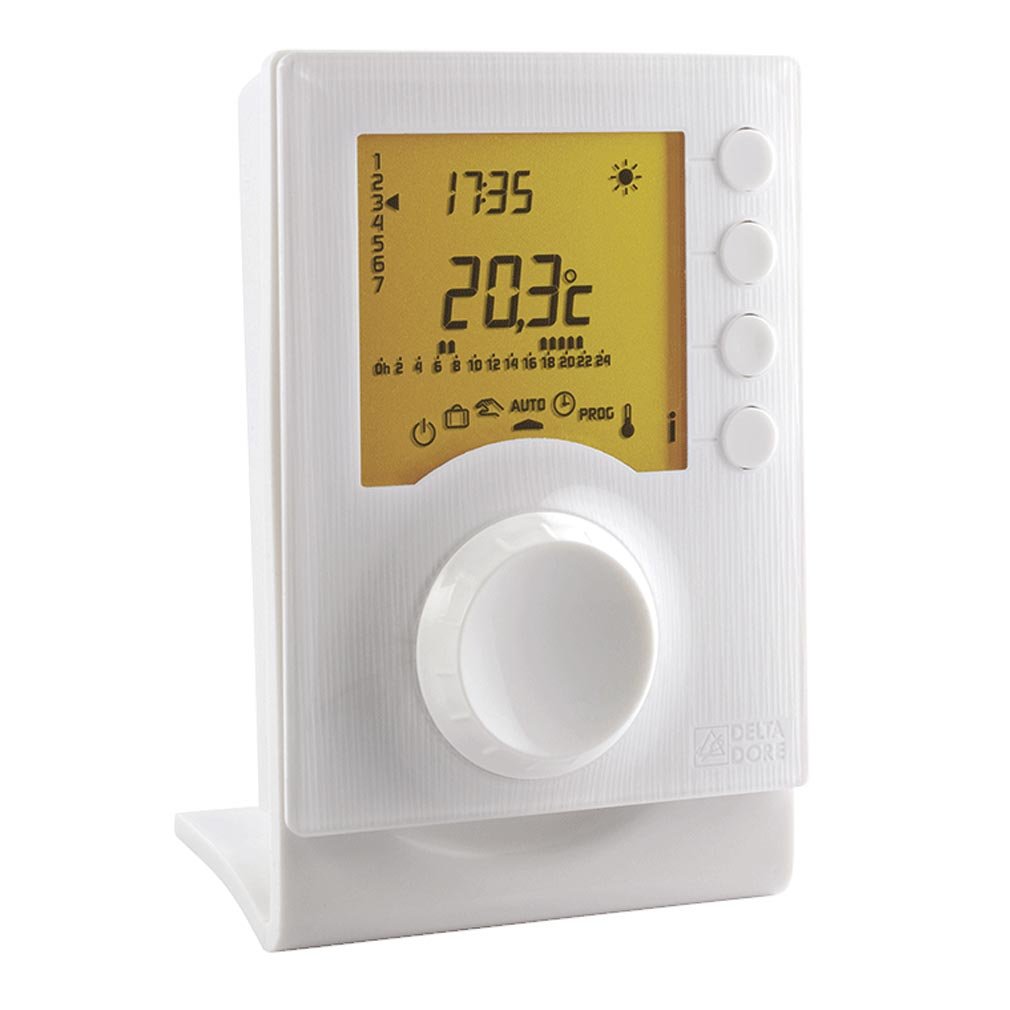
Figur 1: Delta Dore Tybox 157 Programmable Thermostat. This image shows the front view of the thermostat with its large backlit display and control dial.
2. Nøglefunktioner
- Elegant design: Modern aesthetic with a large, easy-to-read backlit display.
- Program Lock Function: Prevents unintended changes to programs and settings.
- Precise Programming: Customizable daily or weekly programming with intervals as fine as 15 minutes.
- Dobbelte temperaturindstillinger: Choose between two adjustable temperatures (Comfort and Reduced) ranging from 5°C to 30°C.
- Quick Mode Selection: Easy selection of operating modes (On/Off/Auto, Holiday) via a rotary dial.
- Integrated Holiday Program: Manage heating efficiently during extended absences.
- Automatisk tidsændring: Adjusts automatically for Summer/Winter time.
- Temperature Probe Calibration: Ensures accurate temperature readings.
- Batteridrevet: The room unit operates on 2 LR03 batteries.
3. Opsætning
3.1. Batteriinstallation
- Carefully open the battery compartment cover on the back of the thermostat unit.
- Insert 2 new LR03 (AAA) alkaline batteries, ensuring correct polarity (+/-).
- Close the battery compartment cover securely. The display should illuminate, indicating power.
3.2. Montering af termostaten
The Tybox 157 can be mounted on a wall or placed on a flat surface using its stand. For optimal performance, choose a location away from direct sunlight, drafts, and heat sources. Ensure it is at an appropriate height (typically 1.5 meters from the floor) for accurate temperature sensing.
3.3. Pairing with Receiver (if applicable)
If your Tybox 157 is part of a wireless system, it may need to be paired with its receiver unit (sold separately or as part of a kit). Refer to the receiver's specific instructions for the pairing procedure. Generally, this involves pressing a pairing button on both the receiver and the thermostat within a short timeframe.
4. Betjeningsvejledning
4.1. Display overview
The large backlit display shows the current temperature, active mode, time, and programming schedule. Icons indicate heating status, battery level, and other relevant information.
4.2. Valg af tilstand
Use the rotary dial to quickly select one of the following operating modes:
- PÅ: Continuous heating to the Comfort temperature.
- OFF: Heating is disabled (often maintains a frost-protection temperature).
- BIL: Follows the programmed schedule.
- FERIE: Activates the integrated holiday program, maintaining a set temperature for a specified duration.
4.3. Indstilling af temperatur
In ON mode or during a manual override, you can adjust the target temperature using the +/- buttons or the rotary dial. The thermostat allows setting two primary temperatures: Komfort (for occupied periods) and Reduceret (for unoccupied periods or overnight). These can be set between 5°C and 30°C.
4.4. Programming Schedule
The Tybox 157 supports customizable daily or weekly programming. Access the programming menu via the thermostat's interface (refer to the specific button layout on your device). You can define time slots for Comfort and Reduced temperatures throughout the day and week. Programming intervals can be set in 15-minute increments.
4.5. Automatic Time Change
The thermostat is equipped with an automatic time change function for Summer/Winter time adjustments. Ensure this feature is enabled in the settings menu for seamless transitions.
4.6. Program Lock Function
To prevent accidental changes to your programmed schedule, activate the program lock function through the settings menu. This will require a specific sequence or code to unlock and modify settings.
5. Vedligeholdelse
5.1. Udskiftning af batteri
When the low battery indicator appears on the display, replace the 2 LR03 (AAA) batteries promptly. Refer to section 3.1 for battery installation instructions. It is recommended to replace batteries annually to ensure reliable operation.
5.2. Rensning
Clean the thermostat's exterior with a soft, dry cloth. Do not use abrasive cleaners, solvents, or spray directly onto the unit, as this can damage the display or internal components.
5.3. Annual Service Reminder
The thermostat may feature an annual maintenance service reminder. Consult your heating system's service provider for recommended maintenance schedules.
6. Fejlfinding
- Ingen visning: Check if batteries are correctly inserted and charged. Replace if necessary.
- Forkert temperaturaflæsning: Ensure the thermostat is not exposed to direct sunlight, drafts, or heat sources. Calibrate the temperature probe if the discrepancy persists (refer to advanced settings in your device's menu).
- Varme reagerer ikke: Verify the operating mode is set to ON or AUTO. Check battery level. Ensure the receiver unit (if applicable) is powered and paired correctly. Consult your heating system's manual.
- Program Not Following Schedule: Ensure the thermostat is in AUTO mode. Check if the program lock function is active. Review your programmed schedule for errors.
If issues persist after attempting these steps, contact customer support or a qualified technician.
7. Specifikationer
| Modelnummer | Tybox 157 |
| Producentens produkt-ID | 6053021 |
| Strømkilde | 2 x LR03 (AAA) batterier |
| Temperaturjusteringsområde | 5°C til 30°C |
| Programmeringsintervaller | Adjustable from 15 minutes to 1 hour |
| Vise | Baggrundsbelyst LCD |
| Kontrolmetode | Fjernbetjening (trådløs) |
| Vægt | 260 g |
| GTIN (UPC) | 03513140530216 |
8. Garantioplysninger
For detailed warranty information regarding your Delta Dore Tybox 157 thermostat, please refer to the warranty card included with your product or visit the official Delta Dore webGarantibetingelserne kan variere afhængigt af region og forhandler.
9. Support
Should you require technical assistance, have questions about installation, or need further operational guidance, please contact Delta Dore customer support. Contact details can typically be found on the manufacturer's webwebsted eller i produktemballagen.
Online ressourcer: Besøg den officielle Delta Dore website for FAQs, additional manuals, and support contact information.