
1. Introduktion
This document provides instructions for using the 1984 Ford E-Series Van Factory Repair & Service Manual on CD-ROM. This digital manual is a comprehensive resource for maintaining and repairing your 1984 Ford Econoline Van, including E-150, E-250, and E-350 models, as well as Club Wagon, Cargo Van, Window Van, and Display Van variants. It consolidates information from multiple original shop manuals into a convenient digital format.
The CD-ROM contains detailed information covering various aspects of your vehicle, including body, chassis, electrical systems, engine, and emissions diagnosis. It is designed for technicians and enthusiasts seeking in-depth technical data and repair procedures.
2. Opsætning og installation
To access the manual, insert the CD-ROM into your computer's optical drive. The manual typically runs directly from the CD and does not require a complex installation process. Ensure your computer has a compatible operating system and a PDF reader installed, as the manual content is often presented in PDF format.
- Indsæt CD: Place the CD-ROM into your computer's CD/DVD drive.
- Auto-run: If an auto-run feature is enabled, the manual's interface or main document may open automatically.
- Manuel adgang: If auto-run does not initiate, navigate to "My Computer" or "This PC," locate your CD/DVD drive, and open the drive to view its contents. Look for an executable file (f.eks. setup.exe, start.exe) or a main PDF document (e.g., manual.pdf, index.pdf).
- Softwarekrav: A PDF reader (such as Adobe Acrobat Reader) is recommended for optimal viewing of the manual's content.
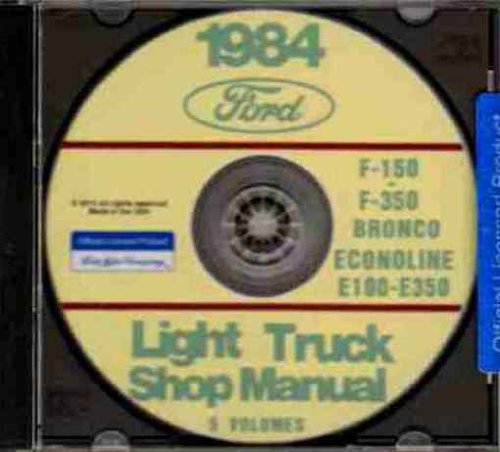
Figur 1: Image of the 1984 Ford Van Repair Manual CD. This CD contains comprehensive repair and service information for various 1984 Ford truck and van models, including the E-Series Econoline vans.
3. Operating and Navigation
Once the manual is open, navigation typically involves using the built-in features of your PDF reader or the manual's custom interface. The content is organized into sections corresponding to different vehicle systems.
- Indholdsfortegnelse: Most digital manuals include an interactive table of contents or bookmarks within the PDF viewer for quick access to specific chapters or topics.
- Søgefunktion: Utilize the search function (usually Ctrl+F or Cmd+F) within your PDF reader to find specific keywords, part numbers, or procedures. This is crucial for efficiently locating information within the extensive document.
- Zoom og panorer: Use the zoom features to enlarge diagrams, wiring schematics, and detailed illustrations. Pan across pages to view large images or tables.
- Trykning: Individual pages or entire sections can typically be printed for reference during repair work.
The manual covers a wide range of topics, including:
- Electrical & Vacuum Trouble Shooting
- Body, Chassis & Electrical Systems
- Engine / Emissions Diagnosis
- Pre-delivery, Maintenance & Lubrication
- Detailed Engine Repair Procedures
4. Maintenance Information Contained in the Manual
This manual is a primary resource for performing maintenance on your 1984 Ford E-Series Van. It provides detailed schedules, procedures, and specifications for routine service tasks.
- Serviceplaner: Refer to the "Pre-delivery, Maintenance & Lubrication" section for recommended service intervals and checks.
- Væskespecifikationer: Find information on correct fluid types, capacities, and checking procedures for engine oil, transmission fluid, coolant, brake fluid, and power steering fluid.
- Udskiftning af komponenter: Detailed steps for replacing wear items suchs as filters, spark plugs, belts, and hoses are included.
- Justeringsprocedurer: Instructions for adjusting various systems, including brakes, steering, and engine components.
Always consult the manual before performing any maintenance or repair work to ensure correct procedures and specifications are followed.
5. Troubleshooting Access and Viewproblemer
Hvis du har problemer med at få adgang til eller viewing the manual content, consider the following troubleshooting steps:
- CD læser ikke: Ensure the CD is clean and free of scratches. Try inserting it into another CD/DVD drive if available.
- Auto-run Failure: Manually browse the CD content via "My Computer" or "This PC" and look for the main executable or PDF file.
- PDF Viewer Issues: If PDF files do not open, ensure you have a current PDF reader installed. Update your PDF reader software if necessary.
- Kompatibilitet: While most CDs are designed for broad compatibility, older discs might have issues with very new operating systems. Try running in compatibility mode if available on your OS.
- Missing Search Function: Some older CD manuals may lack an integrated search function. In such cases, rely on the PDF reader's search (Ctrl+F) or manual navigation through the table of contents.
6. Manuelle specifikationer
| Feature | Detalje |
|---|---|
| Produkttype | Digital Repair & Service Manual (CD-ROM) |
| Køretøjsdækning | 1984 Ford E-150, E-250, E-350 Econoline Van (including Club Wagon, Cargo Van, Window Van, Display Van) |
| Content Scope | Body, Chassis, Electrical, Engine, Emissions Diagnosis, Maintenance, Lubrication |
| Total Pages (Equivalent) | Approximately 3239 pages (across multiple original manuals) |
| Sprog | engelsk |
| Forlægger | FORD MOTORS TRUCK PICKUP VAN |
| Udgivelsesdato | January 1, 2015 (CD release) |
7. Garanti og support
This product is a digital information manual provided on a CD-ROM. For issues related to the physical CD (e.g., damaged or unreadable disc upon arrival), please contact the seller directly for assistance or replacement within their specified return period. Information regarding the content's accuracy or specific repair procedures should be cross-referenced with official Ford service information if discrepancies are suspected.
As this is a historical service manual, ongoing technical support for the vehicle's repair procedures is not provided by the manual's publisher. For software or access issues with the CD itself, refer to the troubleshooting section or contact the vendor from whom the CD was purchased.