
1. Introduktion
The Donner Blues Drive Overdrive Guitar Pedal is designed to provide a versatile overdrive effect for electric guitars. It features two distinct overdrive modes, Warm and Hot, allowing for a range of tonal options from classic vintage tube overdrive to a more powerful, tightened sound. The pedal incorporates true bypass circuitry to maintain signal integrity when disengaged and is housed in a durable aluminum alloy chassis.
2. Produktfunktioner
- Two Overdrive Modes:
- Varm: Replicates the classic TS overdrive sound.
- Hot: Provides a more powerful, louder, and tightened sound.
- Wide Tonal Range: Capable of producing sounds from smooth whispers to searing leads.
- Flexible Controls: Features LEVEL, TONE, and GAIN knobs for precise sound shaping.
- Ægte bypass: Ensures transparent tone when the effect is off.
- Holdbar konstruktion: Enduring aluminum alloy chassis for reliability.
3. Hvad er der i æsken
- 1 x Donner Blues Drive Guitar Effect Pedal
- 1 x Brugermanual
4. Betjeningselementer og funktioner
4.1. Pedal Overview

Image: The Donner Blues Drive pedal, highlighting its TS-style overdrive capability.
The Donner Blues Drive pedal is designed to deliver a classic TS-style overdrive sound, combining vintage tube overdrive characteristics with a wide dynamic range.
4.2. Kontrolknapper

Billede: Detaljeret view of the three control knobs: Level, Gain, and Tone.
- LEVEL knap: Styrer effektens samlede udgangsvolumen. Drej med uret for at øge lydstyrken, mod uret for at sænke den.
- TONE knap: Adjusts the brightness or darkness of the overdrive sound. Turn clockwise for brighter tones, counter-clockwise for warmer tones.
- GAIN knap: Determines the amount of overdrive or distortion. Turn clockwise for more gain, counter-clockwise for less.
4.3. 2-Way Tone Switch (Hot/Warm)

Image: The 2-way toggle switch for selecting between Hot and Warm modes.
- HOT-tilstand: Engages a more powerful, louder sound with increased edge and bottom-end.
- WARM Mode: Recreates the iconic warm tube overdrive sound, ideal for classic blues and rock tones.
4.4. True Bypass Footswitch
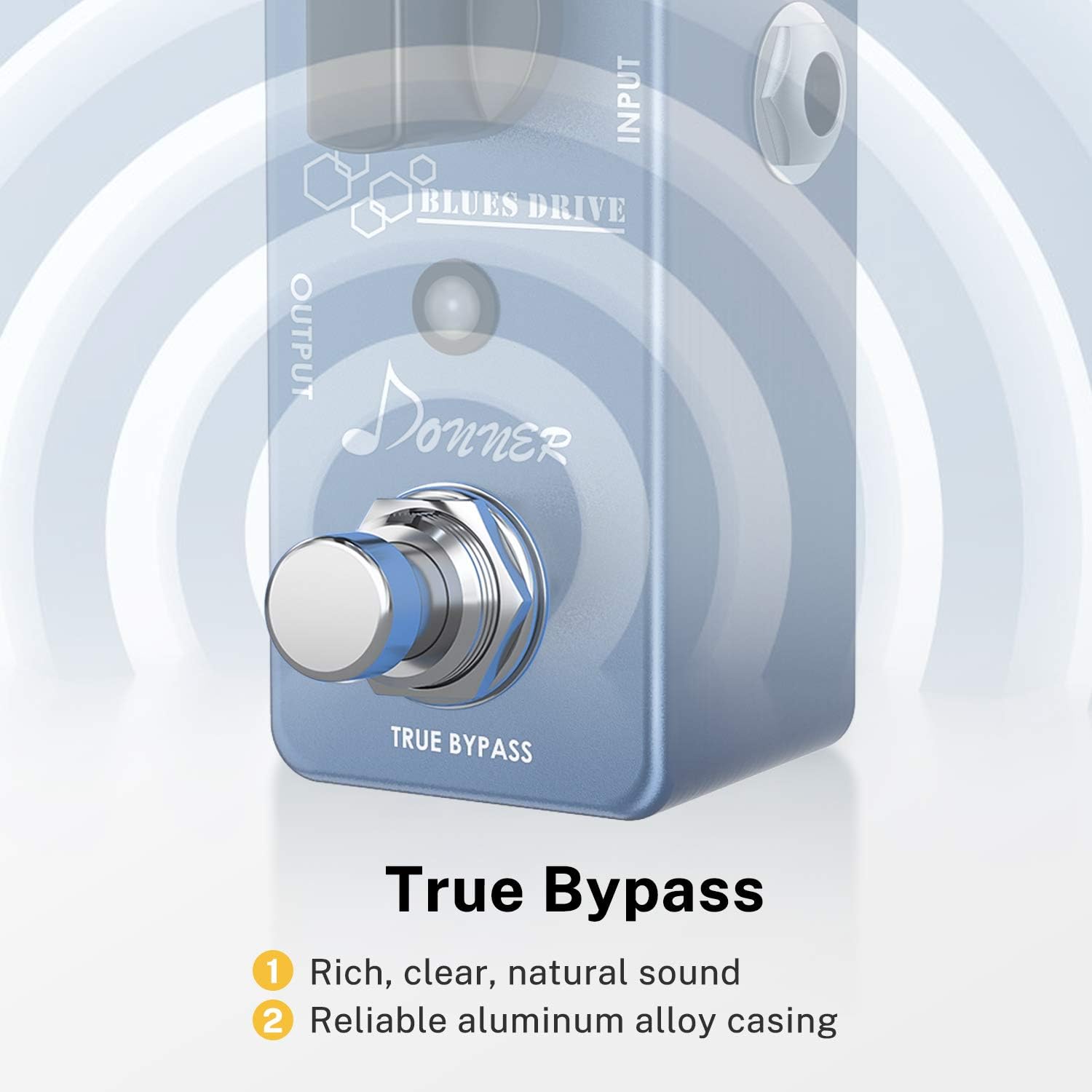
Image: The footswitch with 'True Bypass' indication.
The footswitch activates or deactivates the overdrive effect. When the effect is off, the true bypass circuitry ensures that your guitar's signal passes through the pedal without any tonal coloration or loss.
4.5. Optimal Circuit Design

Image: Representation of the pedal's internal circuit design, emphasizing high-quality components.
The pedal features high-quality electronic components and an optimized circuit design to ensure your tone remains clear and pure, whether the effect is engaged or bypassed.
5. Opsætning
- Strømtilslutning: Connect a DC 9V power adapter (center negative, 500mA current, not included) to the DC 9V input jack on the top of the pedal. Ensure the power supply meets these specifications to prevent damage.
- Indgangsforbindelse: Tilslut din guitar til INPUT-stikket på højre side af pedalen med et standard 6,5 mm instrumentkabel.
- Udgangsforbindelse: Tilslut OUTPUT-stikket på venstre side af pedalen til din amplifer eller den næste pedal i din signalkæde ved hjælp af et standard 6,5 mm instrumentkabel.
- Placering: Placer pedalen på en stabil overflade, eller integrer den i dit pedalboard.
6. Betjening af pedalen
- Engagerer effekten: Press the footswitch to activate the overdrive effect. The LED indicator will illuminate when the effect is active.
- Disengaging the Effect: Press the footswitch again to bypass the effect. The LED indicator will turn off.
- Adjusting Volume (LEVEL): Use the LEVEL knob to set the desired output volume. Start with the knob at a lower setting and gradually increase to avoid sudden volume spikes.
- Adjusting Tone (TONE): Use the TONE knob to fine-tune the frequency response. Experiment with different settings to find the desired brightness or warmth.
- Adjusting Overdrive (GAIN): Use the GAIN knob to control the amount of overdrive. Lower settings provide a subtle boost, while higher settings introduce more saturation and grit.
- Selecting Overdrive Mode (HOT/WARM Switch): Use the 2-way toggle switch to select between the 'Hot' and 'Warm' overdrive modes based on your desired sound character.
7. Brugseksempelamples
7.1. Donner Blues Drive Pedal Demo
Video: A demonstration of the Donner Blues Drive pedal, showcasing its sound and features.
7.2. Donner Overdrive Pedal Demo
Video: A comprehensive demo of the Donner Overdrive Pedal, exploring various settings and tones.
7.3. Donner Overdrive Guitar Pedal Demo
Video: Another demonstration focusing on the overdrive capabilities of the Donner guitar pedal.
7.4. Combined Use of Donner Effects
Video: A demonstration showing how the Donner Blues Drive pedal can be used in conjunction with other Donner effects pedals.
8. Specifikationer
| Feature | Specifikation |
|---|---|
| Mærke | Donner |
| Modelnavn | Blues Drive |
| Modelnummer | 612306258629 |
| Stil | Overdrive |
| Farve | Blue-Overdrive |
| Produktdimensioner | 4.7 cm L x 2.6 cm B x 6.6 cm H |
| Varens vægt | 0.02 kilo |
| Voltage | 9 volt |
| Ampslette | 8 mioamps |
| Lydudgangseffekter | Overdrive |
| Kontroltype | Knop |
| Strømkilde | Adapter |
| Hardware-interface | 1/4-tommer lyd |
| Signalformat | Analog |
| Sound Profile | Vintage Tube Overdrive |
| Indstil navn | Hot, Warm |
9. Vedligeholdelse
- Rensning: Brug en blød, tør klud til at rengøre pedalens yderside. Undgå at bruge slibende rengøringsmidler eller opløsningsmidler.
- Opbevaring: Store the pedal in a dry environment away from extreme temperatures and direct sunlight when not in use.
- Forbindelser: Kontrollér regelmæssigt alle kabelforbindelser for slitage. Sørg for, at stikkene er fri for støv og snavs.
10. Fejlfinding
| Problem | Mulig årsag | Løsning |
|---|---|---|
| Ingen lyd når pedalen er trådt i. | Incorrect power supply, faulty cables, incorrect connections. | Verify power supply (DC 9V, center negative, 500mA). Check all instrument cables. Ensure input/output connections are correct. |
| Svag eller forvrænget lyd. | Low power, incorrect knob settings. | Ensure adequate power. Adjust GAIN, TONE, and LEVEL knobs. Check guitar's output. |
| Overdreven støj eller brummen. | Ground loop, interference, faulty power supply. | Use a high-quality, isolated power supply. Ensure all equipment is properly grounded. Try different cables. |
| LED'en lyser ikke. | Ingen strøm, pedal ikke aktiveret. | Check power connection. Press the footswitch to engage the effect. |
11. Garanti og support
This product comes with a 2-year manufacturer's warranty. For technical support, warranty claims, or service inquiries, please contact Donner customer service through their official webwebstedet eller forhandleren, hvor produktet blev købt. Gem venligst din købsbevis for at validere garantien.
12. Vigtige sikkerhedsoplysninger
MEDDELELSE ⚠

Image: Important power supply notice for the pedal.
- Strømforsyningen er IKKE inkluderet.
- Please power your pedal with a power adapter with 9V DC center negativ, og 500mA strøm.
- Improper power supply may cause pedals not to work or even damage your pedals.
- Dette produkt gør ikke come with a battery compartment.