
1. Introduktion
Thank you for choosing the Rabbit Air BioGS 2.0 Air Purifier. This advanced system is designed to significantly improve your indoor air quality by effectively removing allergens, pollutants, odors, and harmful particles. Featuring a 4-stage filtration and deodorization process, including a BioGS HEPA filter and activated carbon filter, the SPA-550A is engineered for quiet operation and long-lasting performance. Please read this manual thoroughly to ensure proper setup, operation, and maintenance of your air purifier.

Figur 1: Forside view of the Rabbit Air BioGS 2.0 Air Purifier.
2. Vigtige sikkerhedsinstruktioner
For at mindske risikoen for brand, elektrisk stød eller personskade skal du altid følge disse grundlæggende sikkerhedsforanstaltninger:
- Læs alle instruktioner, inden du betjener apparatet.
- Tag altid stikket ud af luftrenseren, inden du flytter, rengør eller udfører vedligeholdelse.
- Do not operate any appliance with a damaged cord or plug. If the cord or plug is damaged, contact customer support.
- Hold netledningen væk fra opvarmede overflader.
- Brug ikke luftrenseren udendørs eller på våde overflader.
- Bloker ikke luftåbninger, og placer ikke enheden på en blød overflade, hvor åbninger kan blive blokeret.
- Do not insert foreign objects into any ventilation or exhaust opening.
- Dette apparat har et polariseret stik (det ene blad er bredere end det andet). For at reducere risikoen for elektrisk stød er dette stik beregnet til kun at passe i en polariseret stikkontakt på én måde. Hvis stikket ikke passer helt i stikkontakten, skal du vende stikket om. Hvis det stadig ikke passer, skal du kontakte en kvalificeret elektriker. Forsøg ikke at omgå denne sikkerhedsfunktion.
3. Produktet er slutview
The BioGS 2.0 Air Purifier features an intuitive design with easy-to-access controls and indicators. Familiarize yourself with the main components and functions:

Figure 2: Top control panel and indicators.
Komponenter:
- Luftudtag: Hvor renset luft frigives.
- Fjernbetjeningsholder: Convenient storage for the remote control.
- Kontrolknap: Main power and mode selection.
- Luftkvalitetsindikator: LED lights indicating current air quality.
- Blæserhastighedsindikatorer: Displays the current fan speed setting (1-5).
- Timer Indicators: Shows active timer settings.
- Negative Ion On/Off: Indicator for the negative ionizer function.
- Luftindtag: Located on both sides and bottom for efficient air circulation.
- Luftkvalitetssensor: Detects odors and particles in the air.
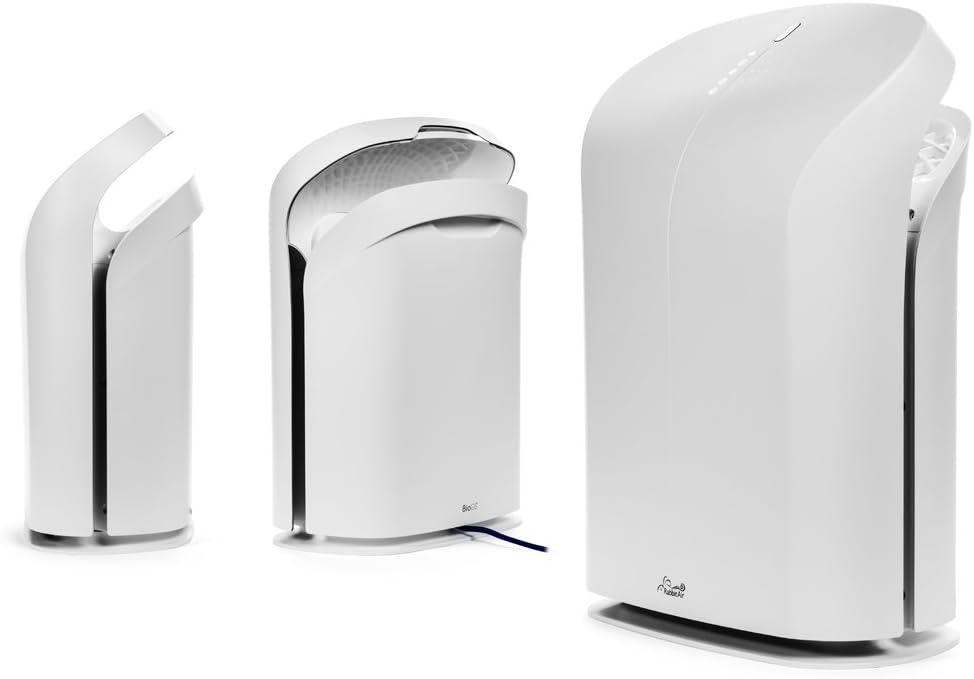
Figur 3: Diverse views of the BioGS 2.0 Air Purifier.
4. Indledende opsætning
Follow these steps to set up your BioGS 2.0 Air Purifier:
- Pak enheden ud: Tag forsigtigt luftrenseren ud af emballagen. Gem emballagen til senere transport eller opbevaring.
- Filterinstallation: The filters are typically pre-installed. However, ensure all protective plastic packaging is removed from the filters before first use. Refer to the 'Maintenance' section for filter access.
- Placering: Place the air purifier on a firm, level surface. Ensure there is adequate space around the unit (at least 6 inches from walls or furniture) for optimal air intake and output. Avoid placing it near heat sources or in direct sunlight.
- Strømtilslutning: Sæt netledningen i en almindelig stikkontakt.

Figure 4: Recommended placement in a living room setting.
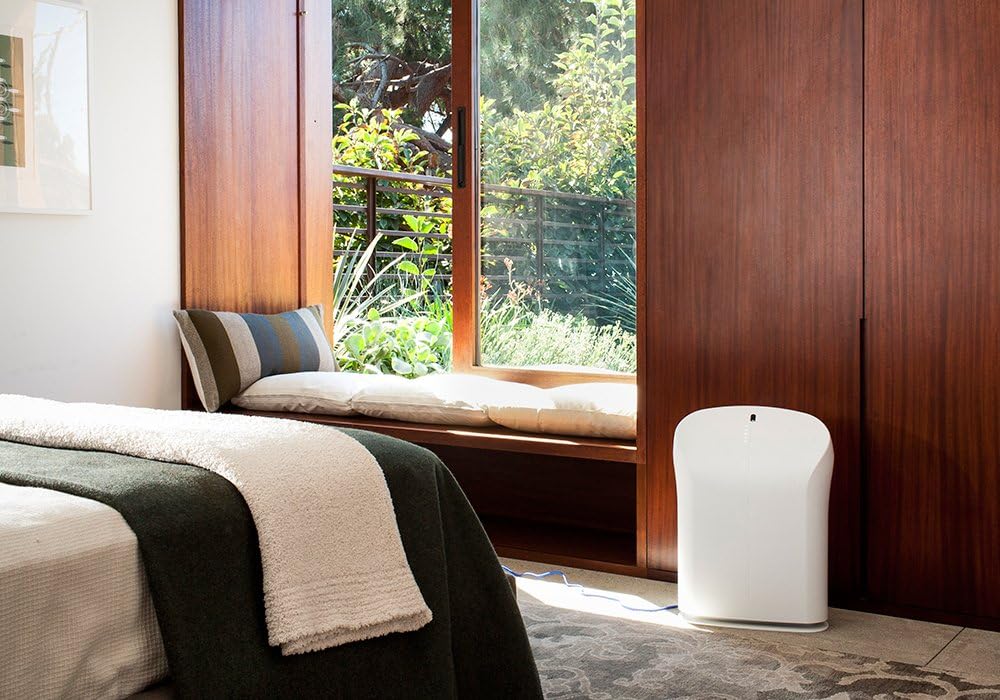
Figure 5: Recommended placement in a bedroom setting.
5. Betjeningsvejledning
The BioGS 2.0 can be operated using the control panel on the unit or the included remote control.

Figure 6: Remote control for the BioGS 2.0 Air Purifier.
5.1. Tænd/sluk
Press the power button (usually indicated by a circle with a vertical line) on the control panel or remote to turn the unit on or off.
5.2. Justering af blæserhastighed
The unit has five adjustable fan speeds. Press the fan speed button (often depicted as a gear or fan icon) repeatedly to cycle through the speeds. The corresponding LED indicators will illuminate.
5.3. Auto-tilstand
Activate Auto Mode by pressing the dedicated button (often an 'A' or circular arrow icon). In this mode, the air purifier automatically adjusts the fan speed based on the detected air quality, optimizing performance and energy consumption.
5.4. Timer funktion
Use the timer button (clock icon) to set the operating duration. You can typically set the unit to run for a specific number of hours before automatically turning off.
5.5. Negative Ion Function
The negative ionizer can be turned on or off by pressing its respective button (often a smiling face or wave icon). This function helps to freshen the air by releasing negative ioner.
5.6. Luftkvalitetsindikator
The LED lights on the control panel provide a visual indication of the current air quality, allowing you to monitor your environment at a glance.
6. Vedligeholdelse og pleje
Regelmæssig vedligeholdelse sikrer optimal ydeevne og forlænger levetiden for din luftrenser.
6.1. Rengøring af forfilter
The washable pre-filter captures larger particles. It should be cleaned regularly, typically once a month or as needed. To clean:
- Tag stikket ud af stikkontakten.
- Remove the front panel and carefully detach the pre-filter.
- Vacuum the pre-filter with a brush attachment or rinse it under cool running water.
- Allow the pre-filter to air dry completely before reinstalling.
6.2. HEPA and Activated Carbon Filter Replacement
The BioGS HEPA and Charcoal-Based Activated Carbon Filters are designed to last up to three years with 12-hour daily use. Filter life may vary based on usage and air quality. Replace filters when the filter indicator light illuminates or when you notice a decrease in performance or an increase in odors.
- Tag stikket ud af stikkontakten.
- Remove the front panel and old filters.
- Install new genuine Rabbit Air replacement filters, ensuring they are correctly seated.
- Reset the filter life indicator according to the instructions provided with the replacement filters or in the full user manual.
6.3. Generel rengøring
Tør enhedens yderside af med en blød, tør klud. Brug ikke slibende rengøringsmidler eller opløsningsmidler. Sørg for, at enheden er frakoblet, inden rengøring.
7. Fejlfindingsvejledning
Se denne tabel for almindelige problemer og deres løsninger:
| Problem | Mulig årsag | Løsning |
|---|---|---|
| Enheden tænder ikke. | No power, power cord loose, unit not plugged in. | Kontroller strømtilslutningen, sørg for at stikkontakten fungerer. |
| Svag luftstrøm. | Clogged pre-filter, dirty HEPA/Carbon filters. | Clean pre-filter, replace HEPA/Carbon filters. |
| Usædvanlig støj. | Foreign object in fan, unit not on a level surface. | Unplug and check for obstructions. Place on a stable surface. |
| Lugten vedvarer. | Activated carbon filter saturated, source of odor too strong. | Replace activated carbon filter. Identify and remove odor source. |
8. Tekniske specifikationer
| Feature | Specifikation |
|---|---|
| Modelnummer | SPA-550A |
| Produktmål (D x B x H) | 9.8 cm x 16.6 cm x 22.2 cm |
| Vægt | 16.8 pund |
| Anbefalet gulvareal | Op til 550 kvadratmeter |
| Støjniveau | 25 decibel (ved laveste indstilling) |
| Wattage | 39 watt |
| Filterets levetid | Up to 3 years (HEPA & Activated Carbon, 12-hour daily use) |
9. Garanti og kundesupport
Rabbit Air stands behind the quality of its products. The BioGS 2.0 Air Purifier comes with an industry-leading five-year warranty, covering defects in materials and workmanship under normal use.
For technical assistance, warranty claims, or general inquiries, Rabbit Air offers 24/7 lifetime technical support. Please visit the official Rabbit Air website or refer to the contact information provided in your product packaging for the most current support details.
Online ressourcer: For additional information, FAQs, and filter purchasing, please visit the Rabbit Air Store on Amazon.