
1. Produktet er slutview
The OREI UHD-402 is a high-performance 4x2 HDMI Matrix Switch designed to connect up to four HDMI source devices to two HDMI displays. It supports Ultra HD 4K@60Hz resolution, HDMI 2.0, and HDCP 2.2, ensuring compatibility with the latest video content. This versatile switch allows for flexible routing, enabling you to display any of the four input sources on either of the two output displays, or mirror a single source to both. Advanced audio support includes DTS-HD and Dolby TrueHD, providing an immersive audio experience. Additionally, it features an Audio Return Channel (ARC) function on Input 4 and Output A, allowing TV audio to be returned to a compatible audio system. The compact design and included IR remote control make it an ideal solution for various residential and commercial AV installations.
2. Pakkens indhold
Kontroller venligst, at alle varer er inkluderet i din pakke:
- 1 x OREI UHD-402 HDMI Matrix Switch
- 1 x 5V DC strømadapter
- 1 x IR fjernbetjening
- 1 x brugermanual

Image: Contents of the OREI UHD-402 package, showing the main switch unit, power adapter, IR remote control, and user manual.
3. Produktfunktioner
- 4x2 HDMI Matrix Switch: Connects up to four HDMI source devices and routes them independently to two TVs, monitors, or projectors.
- Ultra HD 4K Performance: Supports 4K@60Hz (3840x2160) with HDMI 2.0 and up to 600MHz pixel clock for sharp visuals.
- HDCP 2.2-overholdelse: Fully compliant with HDCP 2.2 protected content.
- Premium Audio Support: Supports high-quality audio formats including DTS-HD and Dolby TrueHD.
- ARC Functionality: Audio Return Channel (ARC) support on Input 4 and Output A allows TV audio return to compatible audio systems.
- IR fjernbetjening: Includes an IR remote for convenient source switching and output control.
- Kompakt og holdbart design: Stylish housing engineered for stable signal transmission and reduced interference.
4. Produktet er slutview (Front & Rear Panel)
Frontpanel
The front panel features an HDMI Input 1 port for quick access, along with LED indicators for active inputs (1-4) and active outputs (A and B). Dedicated 'SELECT A' and 'SELECT B' buttons allow manual switching of sources for each output.
Bagpanel
The rear panel includes HDMI Inputs 2, 3, and 4, as well as HDMI Outputs A and B. A Micro USB port is provided for power input. Input 4 and Output A are ARC-enabled for audio return functionality.
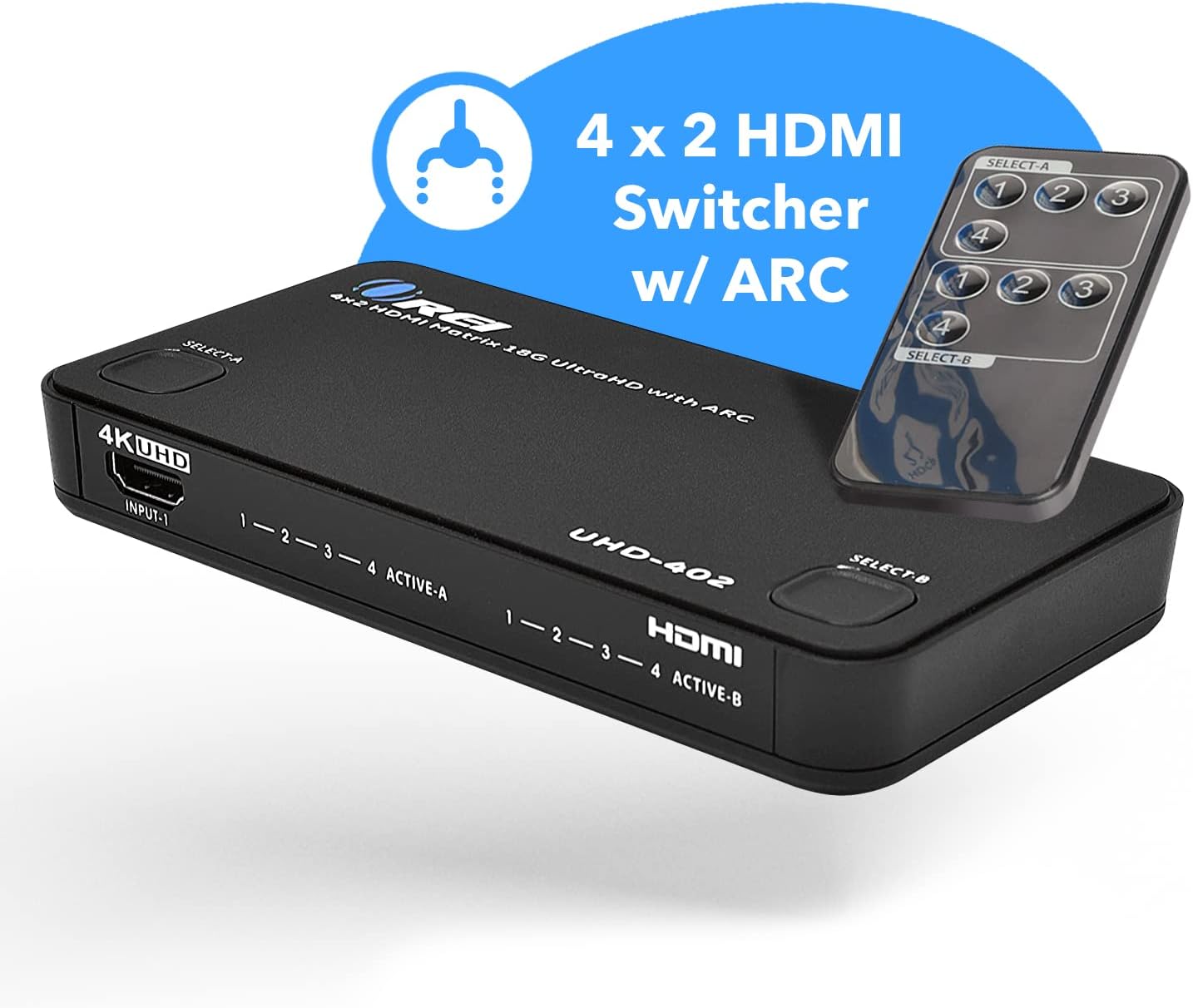
Image: Front and rear panels of the OREI UHD-402, highlighting HDMI input/output ports, power input, and control buttons.
5. Opsætning og tilslutning
Follow these steps to connect your OREI UHD-402 HDMI Matrix Switch:
- Connect your HDMI source devices (e.g., DVD player, game console, streaming box, laptop) to the HDMI Input ports (1-4) on the UHD-402.
- Connect your HDMI display devices (e.g., TV, monitor, projector) to the HDMI Output ports (A and B) on the UHD-402.
- For ARC functionality, connect an ARC-enabled TV to Output A and an ARC-enabled soundbar or audio receiver to Input 4.
- Connect the provided 5V DC power adapter to the Micro USB power port on the UHD-402 and then plug it into a power outlet.
- Tænd for alle tilsluttede enheder.

Image: Diagram illustrating how to connect various HDMI sources to the UHD-402 and route them to two displays in either splitter or matrix mode.

Image: ARC Audio Extraction setup, detailing the connection between an ARC-enabled TV, soundbar, and the UHD-402.
Video: En overview of the OREI UHD-402 HDMI Matrix, demonstrating its features and connection capabilities. This video provides a visual guide to setting up the device with various HDMI sources and displays.
6. Betjeningsvejledning
The OREI UHD-402 offers flexible control options for switching between inputs and managing outputs:
Frontpanel kontrol
- Press the 'SELECT A' button to cycle through HDMI Inputs 1-4 for Output A.
- Press the 'SELECT B' button to cycle through HDMI Inputs 1-4 for Output B.
- LED indicators will illuminate to show the currently active input for each output.
IR fjernbetjening
Use the included IR remote control for convenient switching from a distance:
- The remote has dedicated buttons for each input (1-4) and each output (A and B).
- To select an input for Output A, press the corresponding input number button under 'SELECT A'.
- To select an input for Output B, press the corresponding input number button under 'SELECT B'.

Image: The UHD-402 unit shown with its IR remote control, demonstrating the ease of switching between splitter and matrix modes.
7. Supported Media & Devices
The OREI UHD-402 is compatible with a wide range of HDMI sources and supports various media standards:
- Understøttede enheder: Laptops/PCs, Home Surveillance Systems, Streaming Devices (Roku, Apple TV, Fire Stick, Chromecast), Video Game Consoles (Xbox, PlayStation), DVD/Blu-Ray Players, Satellite Receivers, Projectors, and more.
- Videostandarder: Full UHD 4K@60Hz, 2K@60Hz.
- HDMI -overholdelse: HDMI 2.0.
- HDCP-overholdelse: HDCP 2.2 certified.
- Lydstøtte: Dolby TrueHD, DTS-HD Master Audio, PCM.
- ARC Support: Full ARC support included for compatible devices.

Image: Compatible HDMI sources that can be connected to the UHD-402 HDMI Matrix Switch.
8. Tekniske specifikationer
| Model | UHD-402 |
| Farve | Sort |
| Connector Type | HDMI |
| Antal havne | 4 indgange, 2 udgange |
| Opløsningsstøtte | Op til 4K@60Hz (3840x2160) |
| HDMI version | HDMI 2.0 |
| HDCP-version | HDCP 2.2 |
| Lydformater | DTS-HD, Dolby TrueHD, PCM |
| ARC support | Yes (Input 4 & Output A) |
| Kontrolmetode | Front Panel Buttons, IR Remote |
| Varedimensioner (D x B x H) | 3.09" D x 5.91" B x 0.81" H |
| Varens vægt | 8.71 ounce |

Image: Visual representation of the UHD-402's compact size and weight, along with key technical specifications.
9. Fejlfinding
If you encounter issues with your OREI UHD-402, please refer to the following common troubleshooting steps:
- Ingen video/lyd: Ensure all HDMI cables are securely connected. Verify that the correct input source is selected on the matrix switch and the correct input is selected on your display. Check the power connection to the UHD-402.
- Intermitterende signal: Try using shorter, high-quality HDMI cables, especially for 4K resolutions. Ensure all devices are powered on and functioning correctly.
- ARC Not Working: Confirm that both your TV and soundbar/receiver are ARC-enabled and connected to the designated ARC ports (Input 4 and Output A) on the UHD-402. Check your TV's audio settings to ensure ARC is enabled and outputting to the external audio system.
- Problemer med fjernbetjening: Ensure the remote has working batteries and there are no obstructions between the remote and the matrix switch's IR receiver.
10. Garanti og support
The OREI UHD-402 4K HDMI Matrix Switch comes with a 1 års producentgarantiKontakt venligst OREI kundesupport for teknisk assistance eller garantikrav.
- Fabrikantens kontaktoplysninger: info@orei.com
- Packer Contact Information: info@fayzelectronics.com , 99250 12671

Image: OREI's commitment to quality, highlighting over 10 years of experience and a 1-year limited warranty with lifetime local support.