
1. Introduktion
Thank you for choosing the Energizer Dual USB Car Charger DC2UCMC2. This manual provides essential information for the safe and efficient use of your car charger. Please read these instructions carefully before use and retain them for future reference.
2. Sikkerhedsoplysninger
- Opladeren må ikke skilles ad, ændres eller repareres.
- Undgå udsættelse for ekstreme temperaturer, direkte sollys eller fugt.
- Opbevares utilgængeligt for børn.
- Ensure the car's power outlet (cigarette lighter socket) is clean and free of debris before inserting the charger.
- Brug ikke opladeren, hvis den er blevet beskadiget på nogen måde.
- Brug kun med kompatible enheder og kabler.
3. Produktet er slutview
The Energizer Dual USB Car Charger DC2UCMC2 is designed to charge two USB-powered devices simultaneously in your vehicle. It features two USB-A output ports.
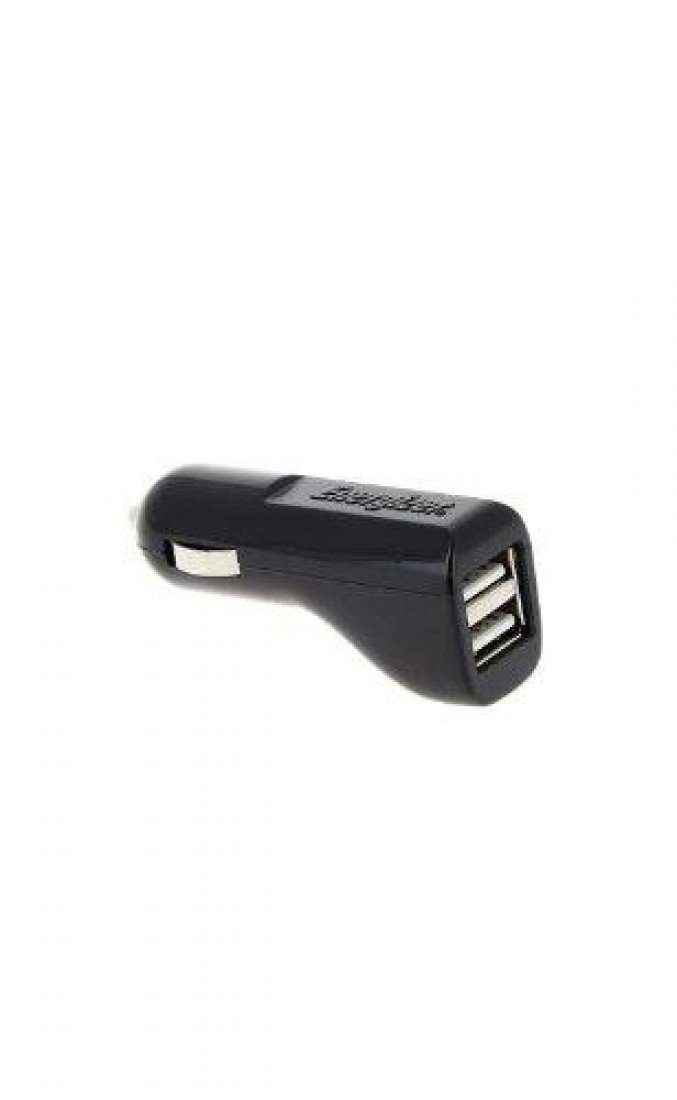
Billede 1: Forside view of the Energizer Dual USB Car Charger DC2UCMC2, showing the two USB ports and the main body designed to fit into a car's power outlet.
4. Opsætning
- Find 12V DC-strømudtaget (cigaretlighter) i dit køretøj.
- Insert the Energizer Dual USB Car Charger firmly into the 12V DC power outlet until it is securely seated.
- Opladeren er nu klar til brug.
5. Betjeningsvejledning
- After inserting the charger into the car's power outlet, connect your device's USB charging cable to one of the USB ports on the charger.
- Connect the other end of the USB cable to your mobile phone, tablet, or other compatible USB-powered device.
- Your device should begin charging automatically. The charger provides a total output of 1 Amp, shared between the two ports.
- To stop charging, simply disconnect the USB cable from your device or remove the charger from the car's power outlet.
6. Vedligeholdelse
- Rensning: Tag opladeren ud af stikkontakten før rengøring. Tør ydersiden af med en blød, tør klud. Brug ikke flydende rengøringsmidler eller opløsningsmidler.
- Opbevaring: When not in use, store the charger in a cool, dry place, away from direct sunlight and moisture.
- Inspektion: Periodically inspect the charger for any signs of damage, such as cracks or loose connections. If damage is found, discontinue use.
7. Fejlfinding
- Enheden oplader ikke:
- Ensure the car charger is fully inserted into the 12V DC power outlet.
- Check if the car's power outlet is functioning (e.g., by testing with another device).
- Verify that the USB cable is securely connected to both the charger and your device.
- Try using a different USB cable or a different device to rule out cable or device issues.
- Langsom opladning:
- Sørg for, at din enhed ikke kører strømkrævende applikationer under opladning.
- Note that the charger provides a total of 1 Amp output. Charging two devices simultaneously will split this output, potentially resulting in slower charging for each device.
- Some devices require higher amperage for faster charging; this charger is designed for standard charging speeds.
8. Specifikationer
| Mærke | Energigiver |
| Modelnummer | DC2UCMC2 |
| Connector Type | USB-A |
| Samlet USB-porte | 2 |
| Input bindtage | 12V DC (Vehicle Power Outlet) |
| Udgang Voltage | 5V DC |
| Samlet udgangsstrøm | 1 Amp (delt) |
| Kompatible enheder | Cellular Phones and other USB-powered devices |
| Vægt | 0.06 kilo |
9. Garantioplysninger
Energizer products are manufactured to high-quality standards. For specific warranty details, please refer to the warranty card included with your purchase or visit the official Energizer webwebsted. Gem din købsbevis til garantikrav.
10. Kundesupport
If you have any questions or require assistance with your Energizer Dual USB Car Charger, please contact Energizer customer support. Contact information can typically be found on the product packaging or the official Energizer webwebsted.