
Indledning
The Adesso AKB-132UB Multimedia Desktop Keyboard is designed to enhance your computing experience with its 104-key layout and integrated multimedia and internet hotkeys. This keyboard features quiet membrane key switches for a comfortable and responsive typing experience. It connects to your computer via a USB interface.
Pakkens indhold
Kontroller venligst, at alle varer er til stede i din pakke:
- Adesso AKB-132UB Multimedia Desktop Keyboard
- Hurtig startvejledning
Opsætning
- Sluk din computer: For optimal installation, it is recommended to power off your computer before connecting the keyboard.
- Tilslut USB-kablet: Locate an available USB port on your computer. Plug the USB connector of the Adesso AKB-132UB keyboard firmly into the USB port. Note: Some USB keyboards may be sensitive to the specific port used. If the keyboard does not function, try a different USB port, preferably one directly on the computer's motherboard (e.g., at the back of a desktop PC) rather than a USB hub.
- Tænd din computer: Turn on your computer. The operating system should automatically detect and install the necessary drivers for the keyboard.
- Bekræft funktionalitet: Once the drivers are installed, test the keyboard by typing in a text editor or navigating your system. The Num Lock, Caps Lock, and Scroll Lock indicator lights should function correctly.
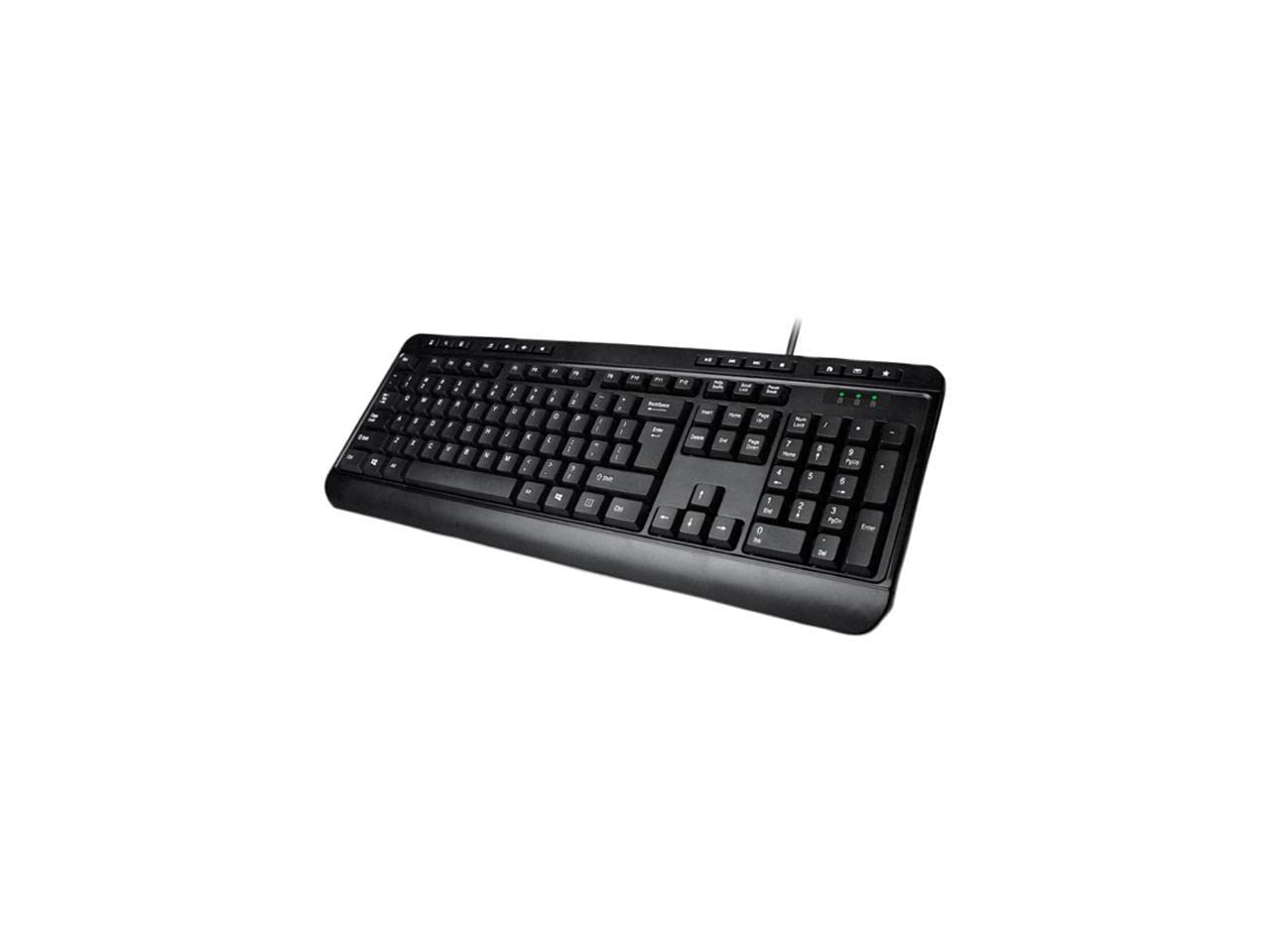
Image: Adesso AKB-132UB Multimedia Desktop Keyboard. This image shows the full keyboard with its standard 104-key layout and the attached USB cable for connection.
Betjeningsvejledning
Standard tastaturfunktioner
The Adesso AKB-132UB features a standard 104-key US layout. Keys operate as labeled. The keyboard utilizes membrane switches, providing a quiet and tactile typing experience.
- Indikatorlys: Located above the numeric keypad, these lights indicate the status of Num Lock, Caps Lock, and Scroll Lock.
- Justerbar hældning: The keyboard includes foldable feet on the underside to adjust the typing angle for comfort.
Multimedia genvejstaster
The keyboard includes 8 dedicated multimedia hotkeys for quick access to media player controls:
- Medieafspiller: Opens your default media player application.
- Skrue ned for lyden: Reducerer systemets lydstyrke.
- Lydstyrke op: Øger systemets lydstyrke.
- Stum: Toggles the system sound on or off.
- Afspil/pause: Afspiller eller sætter medieafspilning på pause.
- Forrige nummer: Skips to the previous track in your media player.
- Næste nummer: Skips to the next track in your media player.
- Stop: Stopper medieafspilning.
Windows & Internet Hotkeys
The keyboard also features 6 hotkeys for common Windows and Internet functions:
- Min computer: Opens the "This PC" or "My Computer" window.
- Søge: Opens the system search utility.
- Lommeregner: Launches the Windows Calculator application.
- Post: Opens your default email client.
- Hjem: Åbner din standard web browser to its home page.
- Favoritter: Åbner din web browser's favorites/bookmarks.
Specifikationer
| Feature | Detalje |
|---|---|
| Mærke | Adesso |
| Modelnummer | AKB-132UB |
| Forbindelsesteknologi | Kablet (USB) |
| Tastaturlayout | 104-Key US Layout (QWERTY) |
| Nøgletype | Membranafbrydere |
| Multimedia genvejstaster | 8 (Media Player, Volume Down, Volume Up, Mute, Play/Pause, Previous Track, Next Track, Stop) |
| Windows & Internet Hotkeys | 6 (My Computer, Search, Calculator, Mail, Home, Favorites) |
| Indikatorer | Num Lock, Caps Lock, Scroll Lock |
| Livscyklus | 5 millioner tastetryk |
| Farve | Sort |
| Materiale | Plast |
| Varens vægt | 1.5 pund |
Fejlfinding
- Tastaturet reagerer ikke:
- Sørg for, at USB-kablet er korrekt tilsluttet en fungerende USB-port på din computer.
- Try plugging the keyboard into a different USB port, especially a direct port on the computer's rear, bypassing any USB hubs.
- Restart your computer to allow the operating system to re-detect the device.
- Test tastaturet på en anden computer for at afgøre, om problemet skyldes tastaturet eller computerens opsætning.
- Keys Not Functioning Correctly or Unexpected Characters:
- Kontroller, at det korrekte tastaturlayout er valgt i dine operativsystemindstillinger.
- Sørg for, at der ikke sidder fremmedlegemer under tasterne.
- For specific keys like the 'Enter' key, be aware that some keyboard layouts may place the backslash key adjacent to it. Familiarization with the physical layout is key.
- Wobbly Keyboard:
- Ensure the keyboard is placed on a flat, stable surface.
- Check if the adjustable tilt feet are fully extended or retracted evenly.
Opretholdelse
To maintain the performance and longevity of your Adesso AKB-132UB keyboard:
- Rensning: Brug en blød, let damp cloth to wipe the surface of the keyboard. Avoid using harsh chemicals or abrasive cleaners. For cleaning between keys, use compressed air to remove dust and debris.
- Undgå spild: Hold væsker væk fra tastaturet for at forhindre beskadigelse af interne komponenter.
- Opbevaring: When not in use for extended periods, store the keyboard in a clean, dry environment.
Garanti og support
The Adesso AKB-132UB Multimedia Desktop Keyboard comes with a 1 års begrænset garanti fra købsdatoen. Denne garanti dækker fejl i materialer og udførelse ved normal brug.
For technical support, warranty claims, or further assistance, please contact Adesso customer service. Refer to the official Adesso webhjemmeside for de seneste kontaktoplysninger.
Note: This product contains chemicals known to the State of California to cause cancer and birth defects or other reproductive harm.