
Indledning
This manual provides instructions for the proper setup, operation, and maintenance of your Black Box USB to Serial Cable, model IC199A-R3. This cable is designed to facilitate communication between devices with a DB9 serial port and computers equipped with a USB Type-A port. Please read this manual thoroughly before using the product to ensure optimal performance and longevity.
Produkt overview
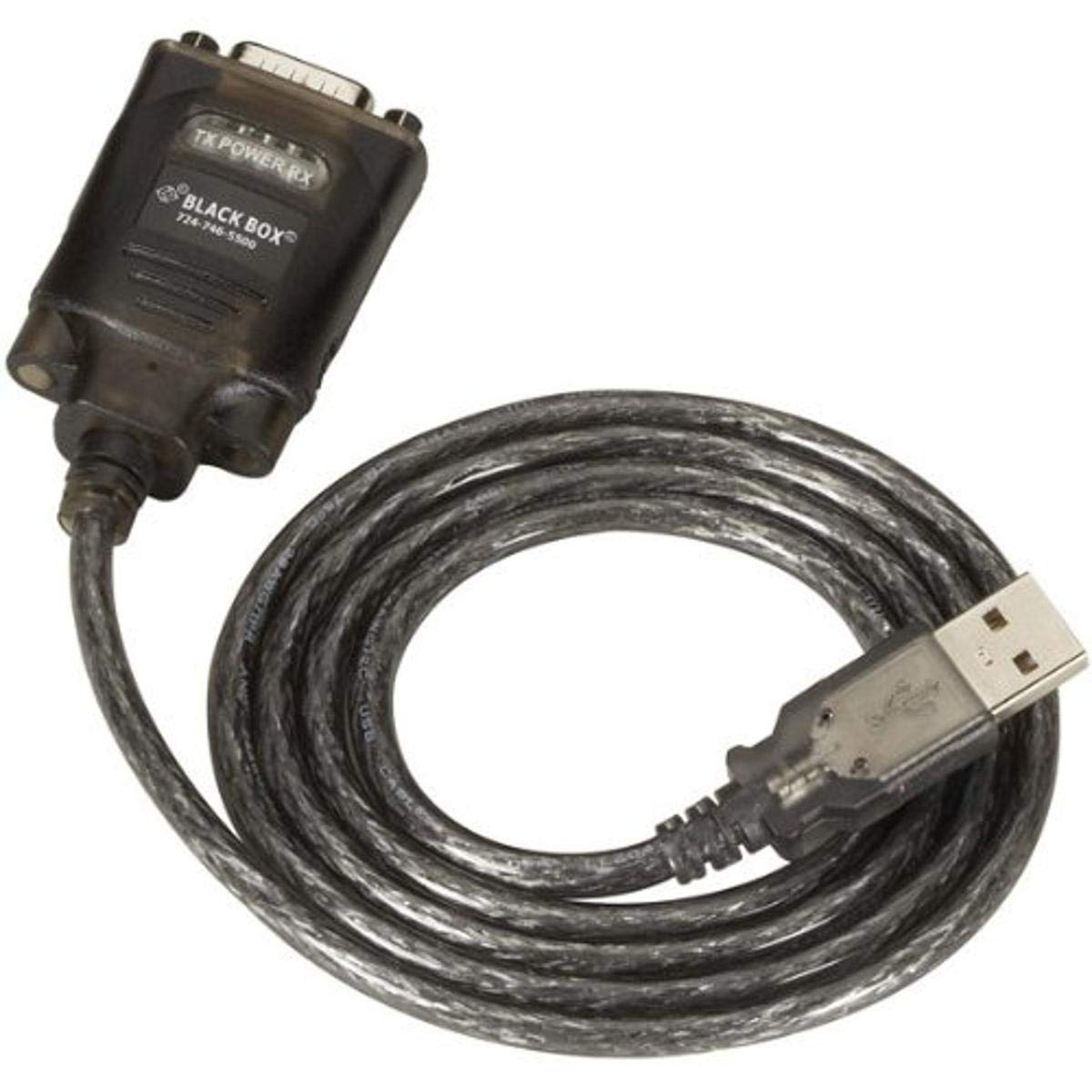
Figure 1: Black Box USB to DB9 Serial Cable (IC199A-R3)
This image displays the Black Box USB to DB9 Serial Cable, featuring a USB Type-A male connector on one end and a DB9 male serial connector on the other. The cable is black and designed for connecting serial devices to a computer's USB port.
The Black Box IC199A-R3 is a reliable solution for connecting legacy serial devices, such as modems, to modern computers that typically lack dedicated serial ports. Its robust design ensures stable data transmission.
Opsætningsinstruktioner
- Identificer forbindelser: Locate the USB Type-A male connector and the DB9 male serial connector on the cable.
- Tilslut til computer: Insert the USB Type-A male connector into an available USB port on your computer.
- Connect to Serial Device: Connect the DB9 male serial connector to the DB9 female port on your serial device (e.g., modem). Ensure a secure connection.
- Driver installation: In most modern operating systems (Windows 10/11, macOS, Linux), the necessary drivers should install automatically upon connection. If the device is not recognized, you may need to manually install drivers. Refer to your operating system's documentation or the Black Box support website for driver downloads if required.
- Bekræft forbindelsen: After connecting, check your computer's Device Manager (Windows) or System Information (macOS/Linux) to confirm that the USB to Serial adapter is recognized and functioning correctly. It typically appears as a "USB Serial Port" or similar entry.
Betjeningsvejledning
Once the Black Box IC199A-R3 cable is properly installed and recognized by your computer, it functions as a standard serial port.
- Softwarekonfiguration: Open the serial communication software or application you intend to use (e.g., HyperTerminal, PuTTY, minicom, or specific device configuration software).
- Vælg COM-port: Within your software, select the virtual COM port assigned to the USB to Serial adapter. This port number can usually be found in your computer's Device Manager (under "Ports (COM & LPT)").
- Konfigurer serielle indstillinger: Set the appropriate serial communication parameters (baud rate, data bits, parity, stop bits, flow control) to match the requirements of your connected serial device. Refer to the documentation of your serial device for these settings.
- Initiate Communication: Once configured, you can initiate data transfer or communication with your serial device through the software.
Opretholdelse
To ensure the longevity and reliable performance of your Black Box USB to Serial Cable, follow these simple maintenance guidelines:
- Opbevaring: Store the cable in a cool, dry place away from direct sunlight and extreme temperatures when not in use.
- Håndtering: Undgå at bøje eller knække kablet skarpt, især i nærheden af stikkene, da dette kan beskadige de indvendige ledninger.
- Rensning: Tør om nødvendigt forsigtigt kablet og stikkene af med en blød, tør og fnugfri klud. Brug ikke flydende rengøringsmidler eller opløsningsmidler.
- Tilslutning/afbrydelse: Tag altid fat i stikket, når du sætter kablet i eller fra, i stedet for at trække i selve kablet.
Fejlfinding
If you encounter issues with your Black Box USB to Serial Cable, consider the following troubleshooting steps:
- Kabel ikke genkendt:
- Sørg for, at USB-stikket er sat helt i computerens USB-port.
- Prøv en anden USB-port på din computer.
- Genstart din computer.
- Check Device Manager (Windows) or System Information (macOS/Linux) for any error messages or unrecognized devices. Reinstall drivers if necessary.
- Ingen kommunikation med seriel enhed:
- Verify that the DB9 connector is securely attached to your serial device.
- Confirm that the correct COM port is selected in your serial communication software.
- Double-check that the serial communication parameters (baud rate, data bits, parity, stop bits, flow control) in your software match those of your serial device.
- Ensure the serial device itself is powered on and functioning correctly.
- Try using a different serial communication software to rule out software-specific issues.
- Intermitterende forbindelse:
- Inspect the cable for any visible damage or frayed wires.
- Sørg for, at alle forbindelser er faste og ikke løse.
- Undgå at placere kablet i nærheden af kilder til stærk elektromagnetisk interferens.
Specifikationer
| Mærke | Black Box |
| Modelnummer | IC199A-R3 |
| Stiktype (computer) | USB Type A han |
| Connector Type (Device) | DB9 Male Serial |
| Kabeltype | USB til seriel |
| Kompatible enheder | Modem |
| Speciel funktion | Tangle Fri |
| Farve | Sort |
| Antal pins | 9 (on DB9 connector) |
| Varens vægt | 0.24 pund (ca. 3.84 ounces) |
| Produktdimensioner (emballage) | 6.75 x 1.5 x 4 tommer |
| Fabrikant | BLACK BOX CORPORATION |
Garanti og support
For information regarding warranty coverage, technical support, or to download the latest drivers, please visit the official Black Box webwebstedet eller kontakt deres kundeservice. Gem din købskvittering til garantikrav.