
Indledning
This manual provides detailed instructions for the installation, operation, and maintenance of your ICM Controls SC1600L Simple Comfort Non-Programmable Heat Only Thermostat. This thermostat is designed for use with single-stage heating systems and features a backlit display for easy readability. Please read this manual thoroughly before installation and operation to ensure proper use and to prevent damage to the unit or your heating system.
Sikkerhedsoplysninger
- Sluk altid for strømmen til varmesystemet ved hovedsikringen eller afbryderpanelet, før du installerer eller servicerer termostaten.
- This thermostat is designed for 24 VAC heating systems only. Do not use it with line voltage systems (120/240 VAC).
- Installationen bør udføres af en kvalificeret tekniker, hvis du er usikker på nogle trin.
- Kortslut ikke batteripolerne.
- Bortskaf batterier i henhold til lokale regler.
Pakkens indhold
- ICM Controls SC1600L Thermostat Control Unit
- Monteringsudstyr (skruer og vægankre)
- Brugermanual
Opsætning og installation
1. Valg af placering
Install the thermostat approximately 5 feet (1.5 meters) above the floor in an area with good air circulation. Avoid locations near heat sources (lamps, sunlight, fireplaces), cold drafts (windows, doors), or areas with poor air circulation.
2. Strømafbrydelse
Before beginning installation, ensure the power to your heating system is completely turned off at the circuit breaker or fuse box.
3. Afmontering af den gamle termostat
- Fjern forsigtigt dækslet på din gamle termostat.
- Note the wire connections. This thermostat is designed for 2-wire heat-only systems. Typically, these wires are connected to terminals labeled 'R' and 'W'. Take a picture or label the wires for reference.
- Disconnect the wires and remove the old thermostat's mounting plate from the wall.
4. Montering af den nye termostat
- Separate the front cover from the backplate of the SC1600L thermostat.
- Position the backplate against the wall, feeding the wires through the opening. Mark the mounting holes.
- Drill pilot holes if necessary and secure the backplate to the wall using the provided screws.
5. Ledninger
Connect the two heating system wires to the terminals on the SC1600L backplate. This thermostat typically uses two wires: one for power (often labeled 'R' or 'Rh') and one for the heating call (often labeled 'W'). Ensure connections are secure.
6. Batteriinstallation
This thermostat is battery-powered. Insert the required batteries (typically 2 AA batteries, not included) into the battery compartment on the back of the front cover, observing the correct polarity (+/-). The display should illuminate.
7. Attaching the Front Cover
Carefully align the front cover with the mounted backplate and snap it into place.
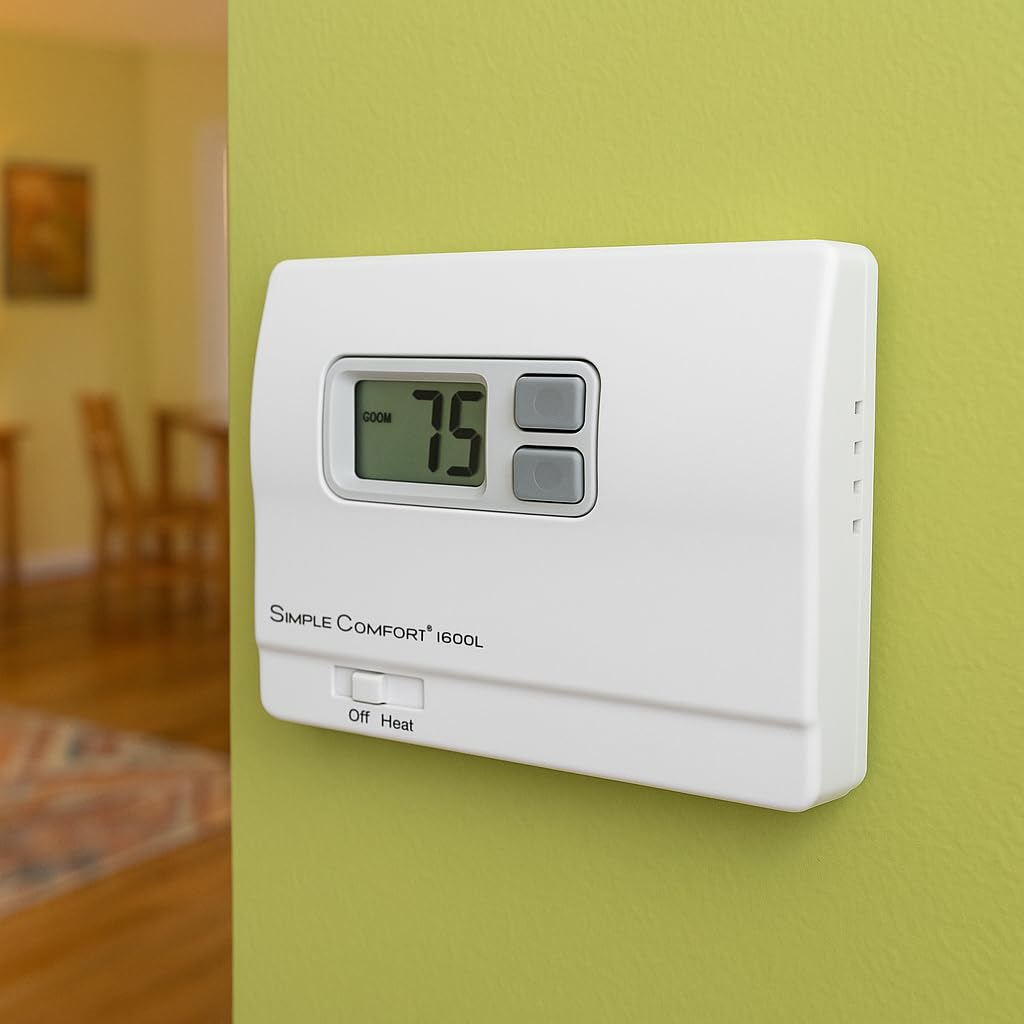
Image: The ICM Controls SC1600L thermostat installed on a wall, showing its digital display and control buttons.
8. Strømgenoprettelse
Genopret strømmen til dit varmesystem ved hovedsikringen eller afbryderpanelet.
Betjeningsvejledning
1. Display overview
The large digital display shows the current room temperature. When adjusting the setpoint, the desired temperature will be displayed temporarily.
2. Indstilling af temperaturen
- Brug UP (▲) og NED (▼) arrow buttons located next to the display to adjust the desired temperature (setpoint).
- Each press of the button will change the setpoint by one degree Fahrenheit.
- The thermostat will automatically maintain the set temperature.
3. System Mode Switch (Off/Heat)
Locate the slide switch at the bottom of the thermostat. This switch controls the system mode:
- OFF: The heating system is turned off. The thermostat will not call for heat.
- VARME: The thermostat will operate the heating system to maintain the set temperature.
4. Baggrundsbelysning
The display backlight will activate when any button is pressed, providing improved visibility in low-light conditions. The backlight will automatically turn off after a short period of inactivity.

Billede: En detaljeret view of the SC1600L thermostat's controls and display.
Opretholdelse
1. Udskiftning af batteri
The thermostat is battery-powered. When the battery icon appears on the display, it indicates that the batteries are low and need to be replaced. To replace batteries:
- Gently pull the front cover of the thermostat away from the wall plate.
- Fjern de gamle batterier, og isæt nye, og sørg for at polariteten vender korrekt.
- Snap the front cover back onto the wall plate.
Note: Replacing batteries typically does not affect the set temperature, but it is good practice to verify the setting after replacement.
2. Rensning
Rengør termostatens yderside med en blød, tør klud.amp klud. Brug ikke slibende rengøringsmidler eller opløsningsmidler. Undgå at sprøjte væsker direkte på termostaten.
Fejlfinding
| Problem | Mulig årsag | Løsning |
|---|---|---|
| Intet display eller svagt display | Døde eller lave batterier | Udskift batterierne med nye. |
| Varmesystemet tænder ikke | System switch in OFF position; Incorrect wiring; Blown fuse/tripped breaker; Heating system malfunction | Ensure switch is in HEAT position. Check wiring connections. Check heating system's power supply. Consult a qualified HVAC technician. |
| Thermostat not holding set temperature | Thermostat location near drafts or heat sources; Thermostat malfunction | Relocate thermostat if possible. Ensure no direct drafts or heat sources affect the thermostat. If problem persists, contact support. |
Specifikationer
- Model: SC1600L
- Mærke: ICM-kontroller
- Kontroltype: Ikke-programmerbar
- Temperaturkontroltype: Opvarmning
- Strømkilde: Batteridrevet
- Voltage: 24 volt
- Skærmtype: LCD med baggrundsbelysning
- Kontrolmetode: Knap kontrol
- Materiale Type: Plast
- Monteringstype: Panelmontering
Garantioplysninger
ICM Controls products are manufactured to high standards and are backed by a limited warranty. For specific warranty details, including duration and coverage, please refer to the warranty card included with your product or visit the official ICM Controls webwebsted. Gem din købsbevis til garantikrav.
Støtte
If you have any questions or require technical assistance with your ICM Controls SC1600L thermostat, please contact ICM Controls customer support. Contact information can typically be found on the product packaging or the official ICM Controls webwebsted.