
Indledning
This manual provides detailed instructions for the installation, operation, and maintenance of your VTech VTCS6619 DECT 6.0 Expandable Speakerphone with Caller ID. Please read this manual thoroughly before using your new telephone system to ensure proper functionality and to take full advantage af dens funktioner.
Pakkens indhold
Bekræft, at din pakke indeholder følgende varer:
- Cordless Phone with Caller ID/Call Waiting
- Telefonbaseenhed
- AC strømadapter
- Telefonledning
- Rechargeable Battery for Handset
- Handset Cover
Opsætning
Follow these steps to set up your VTech VTCS6619 telephone system.
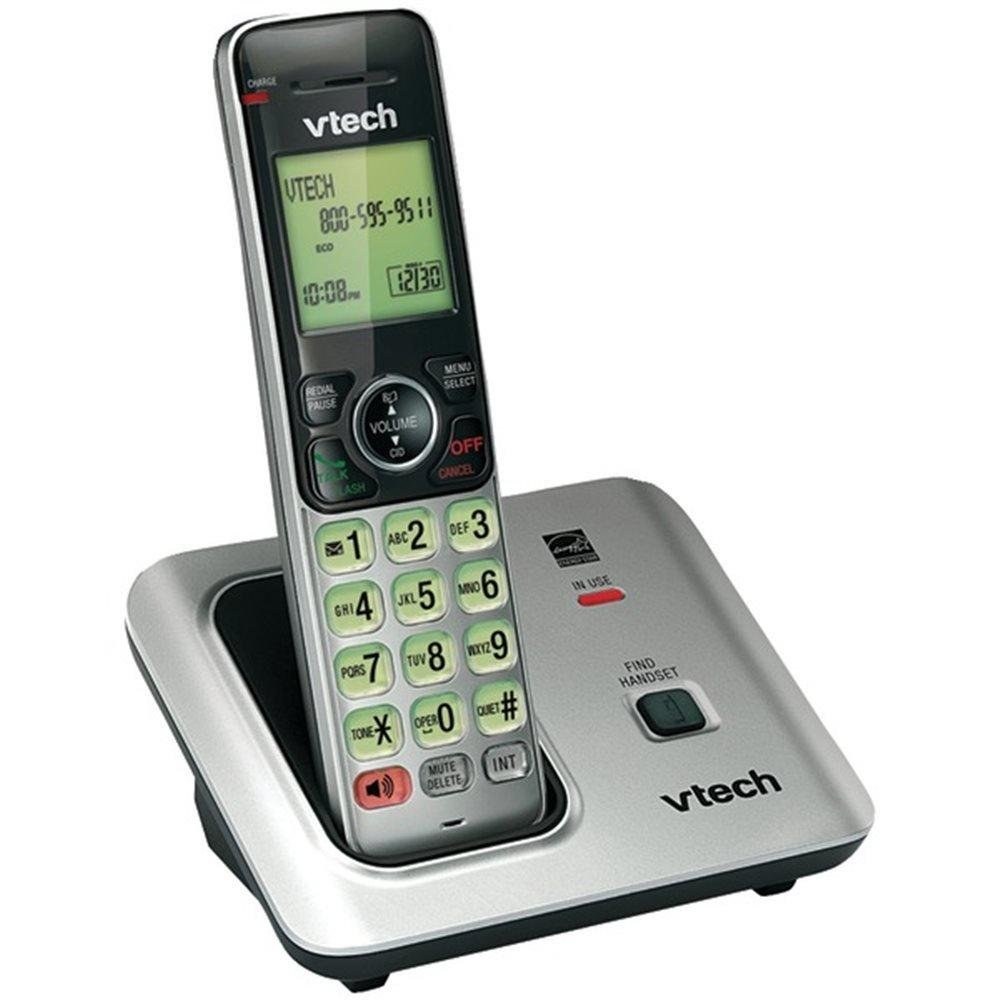
Image: The VTech VTCS6619 DECT 6.0 Cordless Speakerphone with Caller ID, showing the black handset and base unit.
1. Batteriinstallation
- Åbn batterirummets dæksel på bagsiden af håndsættet.
- Sæt batteripakkens stik sikkert i stikket inde i batterirummet.
- Placer batteripakken med mærkaten OPAD, og læg ledningerne pænt ind i rummet.
- Luk batterirummets dæksel.
2. Tilslutning af basisenhed
- Sæt den lille ende af strømadapteren i strømstikket på bagsiden af telefonbasen.
- Sæt den store ende af strømadapteren i en stikkontakt, der ikke styres af en vægafbryder.
- Sæt den ene ende af telefonledningen i TEL LINE-stikket på bagsiden af telefonbasen.
- Sæt den anden ende af telefonledningen i et telefonstik i væggen.
3. Handset Charging
Once the battery is installed and the base unit is connected, place the handset on the telephone base. The CHARGE light on the handset will illuminate, indicating that the battery is charging. Allow the handset to charge for at least 10 hours before initial use.
Betjeningsvejledning
This section details the basic functions and features of your VTech VTCS6619 phone.
Foretage og modtage opkald
- Sådan foretager du et opkald: Trykke TALK / FLASH or HØJTTALER, og ring derefter op til telefonnummeret.
- For at besvare et opkald: Når telefonen ringer, skal du trykke på TALK / FLASH or HØJTTALER.
- Sådan afslutter du et opkald: Trykke FRA/RYD eller placer håndsættet tilbage på telefonbasen.
Højttalertelefon funktion
For at aktivere højttalertelefonen under et opkald skal du trykke på HØJTTALER knap. Tryk på den igen for at skifte tilbage til håndsættets ørestykke.
Vis nummer og opkald venter
The phone displays the caller's name and number (if available) before you answer. If you subscribe to Call Waiting service, the phone will alert you to an incoming call while you are on another call. Press BLITZ for at skifte mellem opkald.
Konferenceopkald
The VTech VTCS6619 supports 3-way conference calls. While on a call, you can add a third party by pressing the BLITZ button, dialing the new number, and then pressing BLITZ again to connect all parties.
Digital telefonsvarer
The integrated digital answering system records incoming messages when you are unavailable. Access messages by pressing the SPIL/STOP button on the base or through the handset menu. Refer to the full user guide for detailed instructions on setting up your outgoing message and managing messages.
Opretholdelse
Proper care ensures the longevity of your telephone system.
Rensning
Rengør telefonen og baseenheden med en blød, tør klud.amp cloth. Do not use cleaning sprays or liquid cleaners, as they may damage the finish or electrical components.
Batteripleje
To maintain optimal battery performance, avoid exposing the handset to extreme temperatures. If the phone will not be used for an extended period, remove the battery to prevent leakage.
Fejlfinding
If you experience any issues with your phone, refer to the following common problems and solutions:
| Problem | Løsning |
|---|---|
| Ingen klartone | Sørg for, at telefonledningen er korrekt tilsluttet både baseenheden og vægstikket. Kontroller, om strømadapteren er korrekt tilsluttet. |
| Dårlig lydkvalitet | Move the handset closer to the base unit. Check for interference from other electronic devices. Ensure the battery is fully charged. |
| Håndsættet oplades ikke | Verify the handset is correctly placed on the base unit. Clean the charging contacts on both the handset and base with a dry cloth. Check the power connection to the base unit. |
| Opkalds-ID vises ikke | Ensure you have subscribed to Caller ID service from your telephone service provider. The feature may not work if the caller has blocked their number. |
Specifikationer
- Mærke: VTech
- Model: VTCS6619
- Telefontype: Trådløs
- Farve: Sort
- Antal batterier: 1 AAA-batterier påkrævet (medfølger)
- Materiale: Plast
- Strømkilde: Batteridrevet
- Opkaldstype: Tone
- Emnemål (L x B x H): 6.9 x 5.2 x 6.7 tommer
- Type svarsystem: Digital
- Varens vægt: 1 pund
- Kompatible enheder: VTech CS6619 handsets, basic answering machines
- Mulighed for konferenceopkald: 3-vejs
- Multiline drift: Enkeltlinjedrift
- Telefonens standbytid: 7200 minutter
- Opkalds-id: Ja
Garanti og support
Your VTech VTCS6619 telephone system is covered by a 1 års begrænset garanti from the date of purchase. This warranty covers defects in material and workmanship under normal use. For warranty service or technical support, please refer to the contact information provided in your product packaging or visit the official VTech webhjemmeside for kundeserviceoplysninger.
Gem venligst din købskvittering som købsbevis i tilfælde af garantikrav.