
Indledning
Tak for købetasing the Orion 24" SLED2468W LED LCD HDTV. This manual provides essential information for the safe and efficient operation of your television. Please read it thoroughly before using the product and retain it for future reference.
Sikkerhedsoplysninger
For at sikre sikker drift og forhindre skader skal følgende forholdsregler overholdes:
- Udsæt ikke TV'et for regn eller fugt.
- Bloker ikke ventilationsåbninger.
- Placer tv'et på en stabil, plan overflade.
- Brug kun den strømledning, der følger med enheden.
- Tag stikket ud af tv'et under tordenvejr eller når det ikke bruges i længere perioder.
- Overlad al service til kvalificeret servicepersonale.
Hvad er der i æsken
Pak forsigtigt kassen ud, og sørg for, at alle dele er til stede:
- Orion 24" SLED2468W LED LCD HDTV
- TV Stand
- Fjernbetjening (batterier medfølger ikke, kræver 2 AAA-batterier)
- Strømledning
- Brugervejledning (dette dokument)
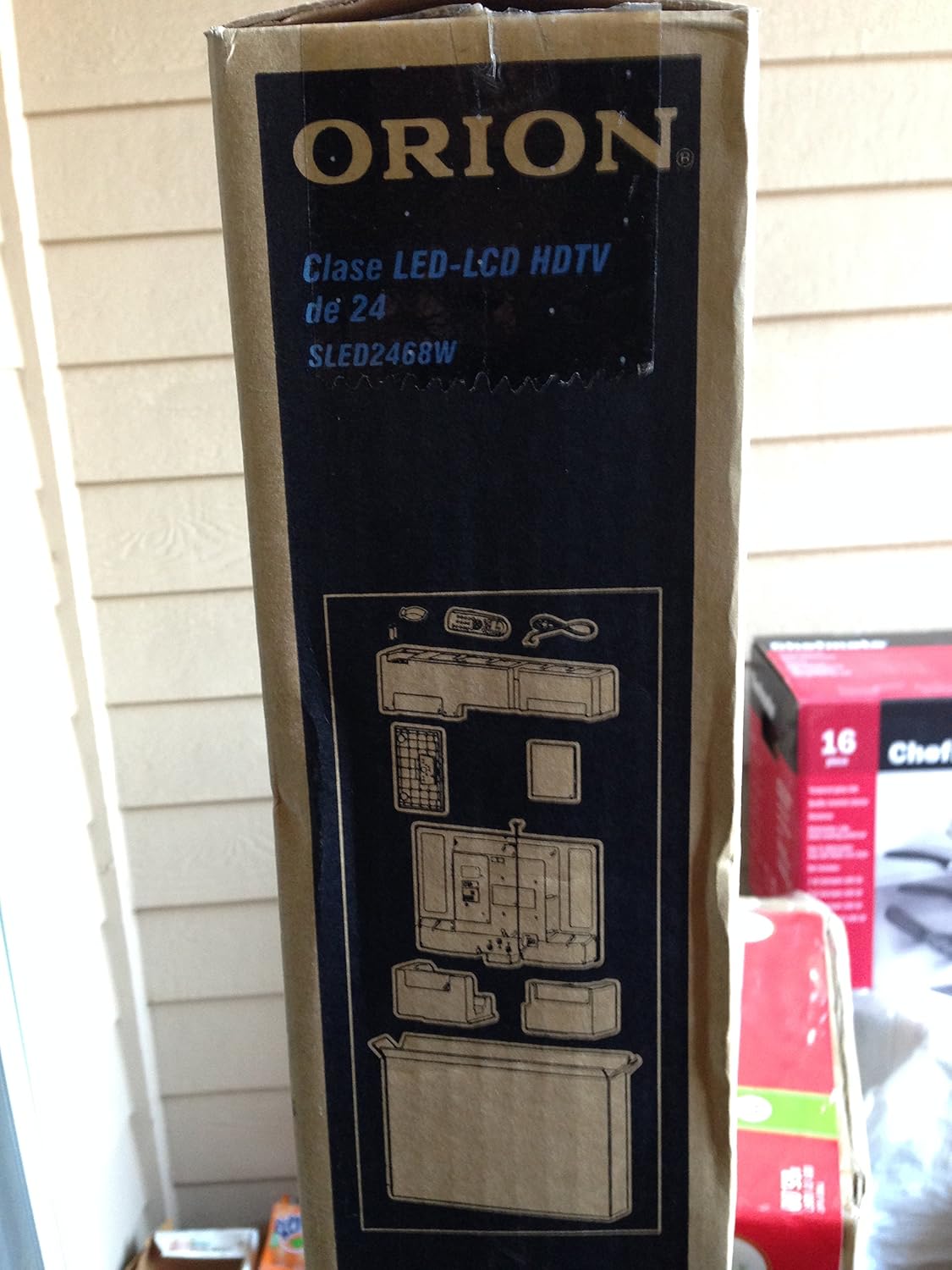
Image: The side of the Orion TV box illustrating the TV and stand components packed inside.
Opsætning
1. Udpakning
Remove the TV and all accessories from the packaging. Retain the packaging for future transport or storage.

Image: The front of the Orion 24" LED-LCD HDTV box, displaying the model number SLED2468W and key features such as Integrated Digital Tuner, USB Time Shift, HDMI, and Headphone/Digital Audio Output.
2. Montering af stativet
Place the TV screen-down on a soft, clean surface. Align the TV stand with the mounting holes on the bottom of the TV. Secure the stand using the provided screws.
3. Tilslutning af strøm
Connect the power cord to the TV's power input and then to a standard 110 VAC, 60 Hz electrical outlet.
4. Tilslutning af eksterne enheder
Dit tv understøtter forskellige tilslutninger til eksterne enheder:
- HDMI: Til HD-lyd og -video fra enheder som Blu-ray-afspillere, spillekonsoller eller kabel-/satellitbokse.
- USB: For media playback or USB Time Shift functionality.
- Antenne/kabel: For receiving broadcast television signals via the integrated ATSC tuner.
- PC-indgang: For connecting a computer monitor.
- Headphone/Digital Audio Output (Coaxial): Til tilslutning af eksterne lydsystemer.

Image: A diagram illustrating various connection ports on the TV, including headphone, audio, PC monitor, and coaxial outputs. Also shown are the unit dimensions and weight.
5. Initial Setup Wizard
Upon first power-on, the TV will guide you through an initial setup process, including language selection, channel scanning, and time zone settings.
Drift
Grundlæggende fjernbetjeningsfunktioner
The remote control allows you to access all TV functions. Ensure batteries are correctly inserted.
- Magt: Tænder eller slukker for tv'et.
- Kanal op/ned: Skifter tv-kanaler.
- Lydstyrke op/ned: Justerer lydniveauet.
- Input/kilde: Selects the input source (HDMI, TV, USB, etc.).
- Menu: Giver adgang til hovedmenuen for justering af indstillinger.
- Navigationsknapper (Op/Ned/Venstre/Højre/OK): Bruges til at navigere i menuer og bekræfte valg.
USB Time Shift
The TV features a USB Time Shift function. Connect a USB storage device to pause, rewind, or fast-forward live TV broadcasts. Refer to the on-screen menu for detailed instructions on activating and using this feature.
Internet browser
This TV includes a basic internet browser. Connect the TV to your network (if applicable) to access web content. Performance may vary depending on network speed and website complexity.
Opretholdelse
Rengøring af skærmen
Tør forsigtigt skærmen af med en blød, fnugfri klud. Tør forsigtigt genstridige mærker afampRengør kluden med vand eller en specialiseret skærmrens. Sprøjt aldrig væske direkte på skærmen.
Almen pleje
Keep the TV free from dust by regularly wiping the cabinet with a dry, soft cloth. Ensure adequate ventilation around the TV to prevent overheating.
Fejlfinding
If you encounter issues with your TV, consult the following table before contacting support:
| Problem | Mulig løsning |
|---|---|
| Ingen strøm | Check if the power cord is securely connected to both the TV and the outlet. Ensure the outlet is functional. |
| Intet billede, men der er lyd | Bekræft, at den korrekte inputkilde er valgt. Kontroller forbindelserne til eksterne enheder. |
| Ingen lyd, men der er billede | Check volume level and mute settings. Ensure external audio connections are secure. |
| Fjernbetjening virker ikke | Udskift batterierne. Sørg for, at der ikke er nogen forhindringer mellem fjernbetjeningen og tv'ets IR-sensor. |
| Dårlig billedkvalitet | Check antenna connection. Adjust picture settings in the TV menu. |
Specifikationer
Technical specifications for the Orion 24" SLED2468W LED LCD HDTV:
| Feature | Specifikation |
|---|---|
| Modelnummer | SLED2468W |
| Skærmstørrelse | 24 tommer |
| Displayteknologi | LED-LCD |
| Opløsning | 720p |
| Opdateringshastighed | 60 Hz |
| Aspektforhold | 16:9 |
| Forbindelsesteknologi | HDMI, USB |
| Tuner type | ATSC |
| Understøttede internettjenester | Browser |
| Line Voltage | 110 VAC 60 Hz |
| On Mode Power Consumption | 37W (as per box image) |
| Enhedsdimensioner (BxDxH) | 21.65" x 5.39" x 14.21" (550 x 136.9 x 361 mm) (as per box image) |
| Enhedsvægt | 3.6 kg (8.0 lbs) (as per box image) |
| Fabrikant | Sansui |
| UPC | 755805020776 |
Garanti og support
For warranty information and technical support, please refer to the documentation included with your purchase or visit the official Orion product support webwebsted. Gem din købsbevis til garantikrav.