
Indledning
This manual provides essential information for the safe and efficient use of your LG 42LM3400 42-inch 3D 1080p LED LCD TV. Please read it thoroughly before operating the television and retain it for future reference.
The LG 42LM3400 features a 42-inch Full HD 1080p LED display, offering a resolution of 1920 x 1080 pixels. It incorporates Direct LED backlighting and the Triple XD Engine for enhanced picture quality. This model also supports 3D viewing and includes a Resolution Upscaler.
Vigtige sikkerhedsinstruktioner
- Strømkilde: Connect the TV only to an AC power source as indicated on the label. Ensure the power cord is securely plugged into the outlet and the TV.
- Ventilation: Bloker ikke ventilationsåbningerne. Sørg for tilstrækkelig plads omkring tv'et til korrekt luftgennemstrømning for at forhindre overophedning.
- Vand og fugt: Udsæt ikke tv'et for regn eller fugt. Placer ikke genstande fyldt med væsker, såsom vaser, på eller i nærheden af tv'et.
- Rensning: Tag stikket til tv'et ud af stikkontakten, inden du rengør det. Brug en blød, tør klud til rengøring. Brug ikke flydende rengøringsmidler eller sprayrengøringsmidler.
- Placering: Placer tv'et på en stabil, plan overflade. Undgå at placere det i direkte sollys eller i nærheden af varmekilder.
- Service: Forsøg ikke selv at servicere dette produkt. Overlad al service til kvalificeret servicepersonale.
Pakkens indhold
Bekræft at alle varer er til stede i pakken:
- LG 42LM3400 42-inch LED LCD TV
- TV Stand
- Fjernbetjening
- Strømledning
- Brugervejledning (dette dokument)
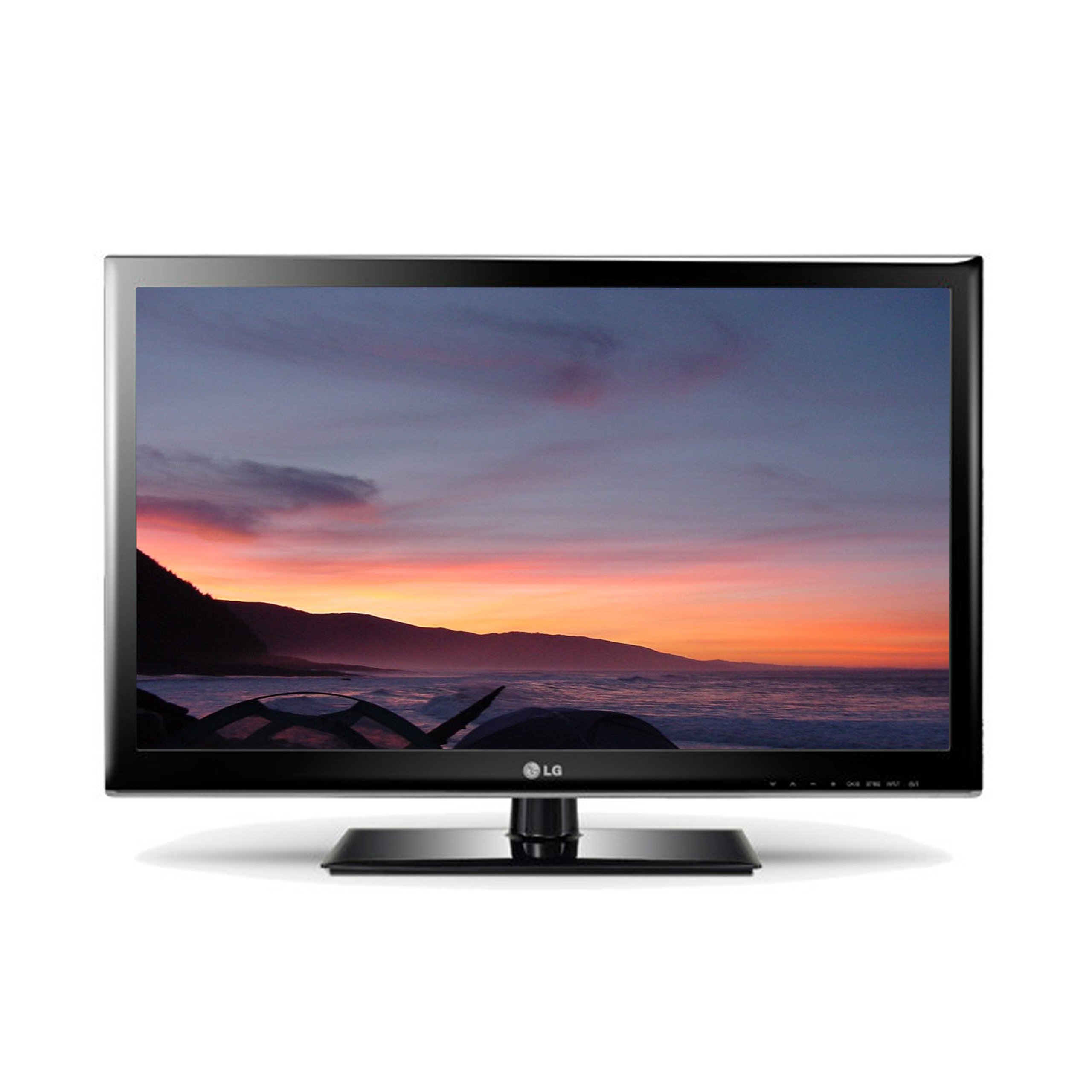
Image: The LG 42LM3400 TV shown with its included stand.
Opsætningsvejledning
Montering af stativet
- Carefully place the TV screen-down on a soft, flat surface (e.g., a blanket or foam) to prevent damage.
- Juster stativets base med monteringshullerne i bunden af tv'et.
- Fastgør stativet til tv'et med de medfølgende skruer. Sørg for, at alle skruer er spændt godt fast.
- Løft forsigtigt tv'et op, og placer det på en stabil, plan overflade.
Vægmontering (valgfrit)
If you choose to wall mount your TV, ensure you use a VESA-compliant wall mount kit appropriate for the TV's size and weight. Follow the instructions provided with your wall mount kit. Remove the stand before wall mounting.
Tilslutning af eksterne enheder
The LG 42LM3400 offers various connection ports for external devices:
- HDMI-porte: Connect Blu-ray players, game consoles, cable/satellite boxes, or other HDMI-enabled devices using HDMI cables.
- Antenne-/kabelindgang: Connect an antenna or cable TV signal to the RF input port.
- Optisk digital lydudgang: For connecting to a soundbar or home theater system with an optical audio input.
- USB-porte: Til tilslutning af USB-lagerenheder til view billeder, videoer eller lyt til musik.
Betjening af dit tv
Grundlæggende funktioner
- Tænd/sluk: Press the Power button on the remote control or the TV to turn the TV on or off.
- Kanalvalg: Use the CH ▲/▼ buttons to change channels or enter channel numbers directly using the numeric buttons.
- Lydstyrkekontrol: Use the VOL +/- buttons to adjust the volume level.
- Valg af input: Press the INPUT button to cycle through available input sources (HDMI, AV, Component, TV).
Brug af fjernbetjeningen
The remote control allows you to access all TV functions. Point the remote control directly at the TV's remote sensor. Ensure there are no obstructions between the remote control and the TV.
Using 3D Features
Your LG 42LM3400 TV supports 3D viewing. To experience 3D content:
- Ensure you are watching 3D-compatible content (e.g., a 3D Blu-ray movie).
- Wear the passive 3D glasses provided or compatible LG passive 3D glasses.
- The TV should automatically detect 3D content. If not, you may need to manually activate 3D mode through the TV's picture settings menu.
Smart TV and Internet Services
The LG 42LM3400 provides access to various internet services. Connect your TV to your home network via an Ethernet cable or a compatible Wi-Fi adapter (sold separately) to access features such as:
- Web Browser
- Streaming applications like Hulu and Netflix
Navigate these services using your remote control. An on-screen keyboard will appear for text input.
Pleje og vedligeholdelse
- Rengøring af skærm: Tør forsigtigt skærmen af med en blød, fnugfri klud. Tør forsigtigt genstridige mærker afampen the cloth with water or a specialized screen cleaner, then wipe dry immediately. Do not spray liquid directly onto the screen.
- Skabsrengøring: Tør tv-kabinettet af med en blød, tør klud. Undgå at bruge slibende rengøringsmidler eller opløsningsmidler.
- Støvning: Støv regelmæssigt ventilationsåbningerne for at forhindre støvophobning, hvilket kan påvirke ydeevnen.
- Opbevaring: Hvis du opbevarer tv'et i længere tid, skal du tage stikket ud af stikkontakten og dække det til for at beskytte det mod støv. Opbevar det et køligt og tørt sted.
Fejlfinding Guide
Før du kontakter kundesupport, skal du se følgende tabel for almindelige problemer og løsninger:
| Problem | Mulig årsag/løsning |
|---|---|
| Ingen strøm | Sørg for, at netledningen er korrekt tilsluttet tv'et og stikkontakten. Kontroller, om stikkontakten fungerer. |
| Intet billede, men der er lyd | Check the input source. Ensure the external device (e.g., cable box) is powered on and connected correctly. |
| Ingen lyd, men billedet er til stede | Check the volume level. Ensure Mute is not activated. Verify audio cable connections for external devices. |
| Fjernbetjeningen virker ikke | Udskift batterierne. Sørg for, at der ikke er nogen forhindringer mellem fjernbetjeningen og tv'ets sensor. |
| 3D Effect Not Visible | Ensure you are watching 3D content and wearing compatible 3D glasses. Check 3D settings in the TV menu. |
Tekniske specifikationer
| Feature | Specifikation |
|---|---|
| Modelnavn | 42LM3400 |
| Skærmstørrelse | 42 tommer |
| Displayteknologi | LED |
| Opløsning | 1080p (1920 x 1080) |
| Opdateringshastighed | 60 Hz |
| Display Type | Direkte LED |
| Speciel funktion | Flat Screen, 3D Capable |
| Understøttede internettjenester | Browser, Hulu, Netflix |
| Forbindelsesteknologi | Yes (Internet connectivity) |
| Kontrolmetode | Fjernbetjening |
| Tuner type | ATSC |
| Varens vægt | 40 pund |
| Fabrikant | LG |
Garantioplysninger og kundesupport
For specific warranty details regarding your LG 42LM3400 TV, please refer to the warranty card included with your product or visit the official LG webGarantibetingelserne kan variere afhængigt af region og forhandler.
If you encounter issues that cannot be resolved using the troubleshooting guide, or require further assistance, please contact LG Customer Support. Contact information can typically be found on the LG official webwebstedet eller i din produktdokumentation.