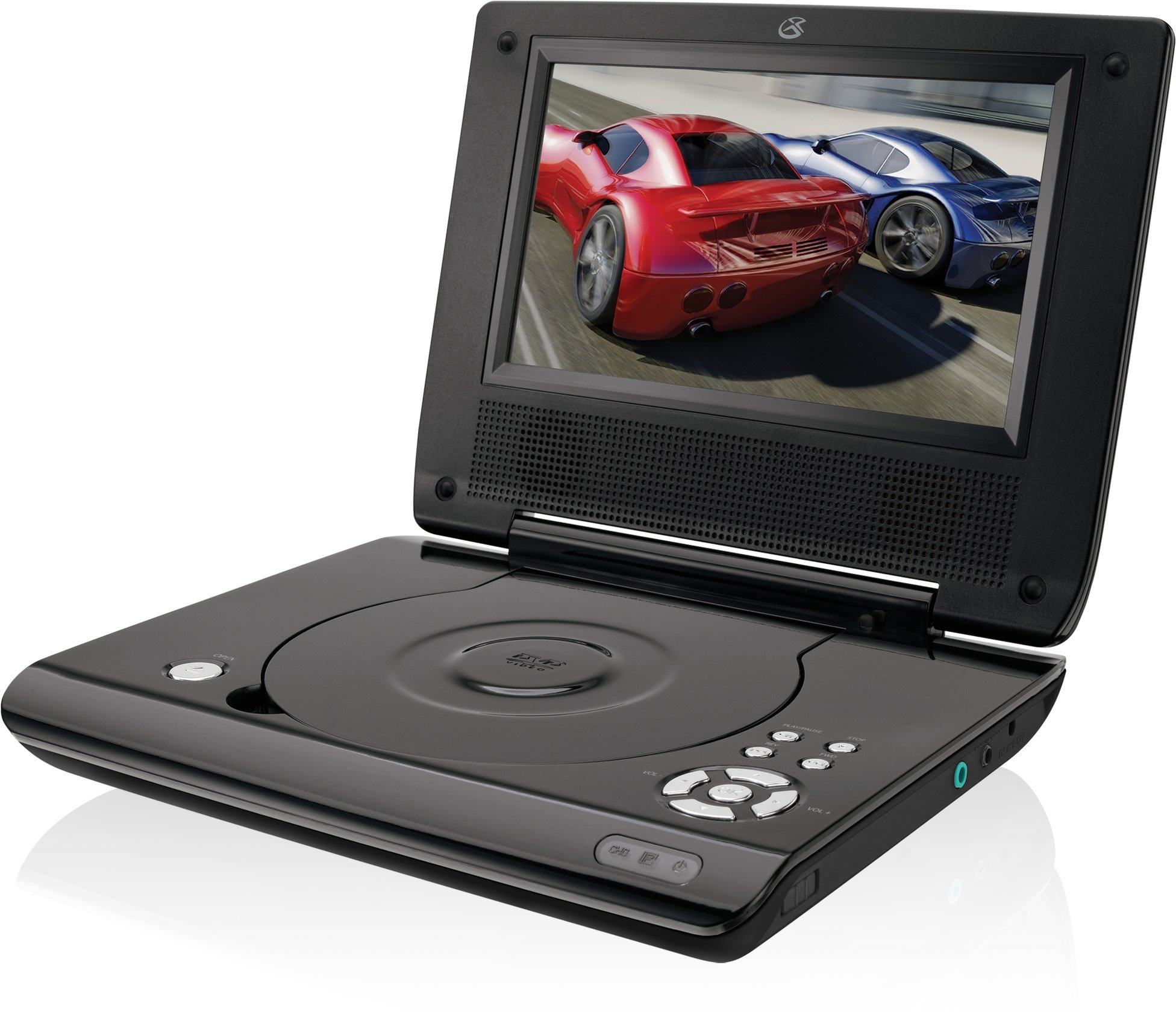
This manual provides essential instructions for the safe and efficient operation of your GPX PD730B 7-inch Portable DVD Player. Please read this manual thoroughly before using the device and retain it for future reference. The GPX PD730B is designed for portable entertainment, allowing you to enjoy DVDs, CDs, and JPEG files on its 7-inch TFT LCD screen.
Pakkens indhold
Bekræft, at alle nedenstående varer er inkluderet i din pakke:
GPX PD730B Portable DVD Player
AC/DC strømadapter
DC Car Adapter (12V)
Stereo-ørepropper
Fjernbetjening (med 2 AAA-batterier)
Brugervejledning (dette dokument)
Produkt overview
Figure 1: GPX PD730B Portable DVD Player (Closed)
This image shows the GPX PD730B portable DVD player in its closed position, highlighting its compact and sleek design. The top surface is smooth and black, with control buttons visible on the right edge.
Styringer og forbindelser
Familiarize yourself with the various controls and connection ports on your portable DVD player.
Power knap: Tænder eller slukker for enheden.
Afspil/pause knap: Starter eller sætter afspilning på pause.
Stop-knap: Stopper afspilning.
Spring over/søg-knapper: Navigates tracks or chapters, or fast-forwards/rewinds.
Lydstyrkekontrol: Justerer lydudgangsniveauet.
Hovedtelefonstik: For private listening with stereo earbuds or headphones.
DC-indgangsport: Connects to the AC/DC or car power adapter for charging and power.
Opsætning
1. Opladning af batteriet
Before initial use, fully charge the built-in rechargeable battery. A full charge provides approximately 2 hours of playback time.
Connect the AC/DC power adapter to the DC In port on the DVD player.
Sæt AC/DC-strømadapteren i en almindelig stikkontakt.
The charging indicator light (if present) will illuminate. Charging is complete when the light changes color or turns off (refer to device for specific indicator behavior).
Alternatively, use the 12V DC car adapter to charge the player in a vehicle.
2. Tænd/sluk
Tryk og hold på Magt button on the unit to turn the player on or off. The screen will illuminate when powered on.
Betjeningsvejledning
1. Isætning og udtagning af diske
Gently open the disc compartment lid.
Place a DVD or CD onto the spindle with the label side facing up. Press down gently on the center of the disc until it clicks into place.
Close the disc compartment lid firmly.
To remove a disc, open the lid, gently press the spindle button (if present) or lift the disc from the edges, avoiding touching the data surface.
2. Grundlæggende afspilning
Efter at have ilagt en disk, vil afspilleren typisk begynde afspilningen automatisk.
Brug Afspil/pause knappen for at pause eller genoptage afspilning.
Tryk på Stop for at stoppe afspilning.
Brug Springe buttons (usually labeled with arrows) to navigate between chapters or tracks.
Brug Søg buttons (often combined with Skip) to fast-forward or rewind.
3. Brug af fjernbetjeningen
The included remote control provides convenient access to all player functions from a distance. Ensure the 2 AAA batteries are correctly installed. Point the remote control directly at the player's remote sensor.
4. Tilslutning af hovedtelefoner
For private listening, plug the stereo earbuds (or your own headphones) into the Hovedtelefonstik on the side of the player. The built-in speakers will automatically mute when headphones are connected.
Figure 2: Portable DVD Player in use (Bedroom)
This image illustrates the portable DVD player being used by a girl in a bedroom setting, demonstrating its suitability for personal entertainment at home.
Figure 3: Portable DVD Player in use (Vehicle)
This image shows a boy watching the portable DVD player in the back seat of a car, highlighting its utility for entertainment during travel.
Figure 4: Portable DVD Player in use (Airplane)
This image depicts a woman using the portable DVD player with headphones on an airplane, showcasing its versatility for quiet, personal entertainment during flights.
Opretholdelse
Cleaning the Player
Disconnect the player from all power sources before cleaning.
Brug en blød, tør klud til at tørre de udvendige overflader af. Brug ikke slibende rengøringsmidler, voks eller opløsningsmidler.
For the screen, use a soft, lint-free cloth specifically designed for LCD screens. Avoid excessive pressure.
Hold diskrummet fri for støv og snavs.
Batteripleje
For at forlænge batteriets levetid bør du undgå at aflade batteriet helt ofte.
If the player will not be used for an extended period, charge the battery to about 50% before storing.
Store the player in a cool, dry place.
Fejlfinding
If you encounter issues with your GPX PD730B, refer to the following common problems and solutions:
Problem
Mulig årsag
Løsning
Afspilleren tænder ikke.
Battery is discharged; Power adapter not connected properly.
Charge the battery; Ensure power adapter is securely connected to both the player and power source.
Ingen diskafspilning.
Disc inserted incorrectly; Disc is dirty or scratched; Incorrect disc format.
Reinsert disc correctly (label side up); Clean disc with a soft cloth; Ensure disc is DVD, CD, or JPEG CD format.
Ingen lyd fra højttalere/hovedtelefoner.
Volume too low; Headphones not fully plugged in; Mute function active.
Increase volume; Ensure headphones are fully inserted; Check if mute is active on remote or player.
Fjernbetjening virker ikke.
Batterierne er døde eller isat forkert; Blokering mellem fjernbetjening og afspiller.
Replace remote batteries; Ensure correct polarity; Remove any obstructions and point remote directly at sensor.
Specifikationer
Modelnummer
PD730B
Skærmstørrelse
7 tommer
Display Type
TFT LCD
Indfødt opløsning
480x234
Aspektforhold
16:9
Kompatible medier
DVD, DVD+R/RW, CD, CD-R/RW, JPEG CD
Batterilevetid (gennemsnitlig)
2 timer
Strømindgang
AC/DC Adapter, 12V DC Car Adapter
Forbindelse
Hjælpestik (hovedtelefonstik)
Varens vægt
1.72 pund
UPC
047323007309
Garanti og support
For warranty information, technical support, or service inquiries, please refer to the warranty card included with your product or visit the official GPX webwebsted. Behold din købskvittering som købsbevis i tilfælde af garantikrav.
Ask about setup, troubleshooting, compatibility, parts, safety, or missing instructions. Manuals+ will review the question and use this page’s manual context to help answer it.