
MEAN WELL DR-60-24
Mean Well DR-60-24 DIN-Rail Power Supply User Manual
Model: DR-60-24
1. Introduktion
This manual provides essential information for the safe and efficient operation of your Mean Well DR-60-24 DIN-Rail Power Supply. The DR-60-24 is a 24 Volt, 2.5 Amp, 60 Watt power supply designed for DIN-Rail mounting. It features an input voltage range of 85 to 264 VAC and is suitable for various industrial applications.
Læs venligst denne manual grundigt inden installation og ibrugtagning, og gem den til senere brug.
2. Sikkerhedsoplysninger
ADVARSEL: Risk of electric shock. Do not open the unit. Refer all servicing to qualified personnel.
- Denne enhed er kun designet til indendørs brug.
- Install the unit in a protected environment only, free from excessive moisture, dust, and extreme temperatures.
- Sørg for korrekt jording for at forhindre elektriske farer.
- Afbryd strømmen, før du udfører installation, vedligeholdelse eller fejlfinding.
- Overskrid ikke den specificerede indgangsvolumentage and output current ratings.
- Sørg for tilstrækkelig ventilation omkring strømforsyningen for at forhindre overophedning.
3. Produktet er slutview
The Mean Well DR-60-24 is a compact DIN-Rail mountable power supply. It provides a stable 24V DC output from an AC input. Key features include:
- Universal AC input range (85-264 VAC)
- Høj effektivitet
- Protections: Short circuit, overload, over voltage
- DIN-Rail mountable
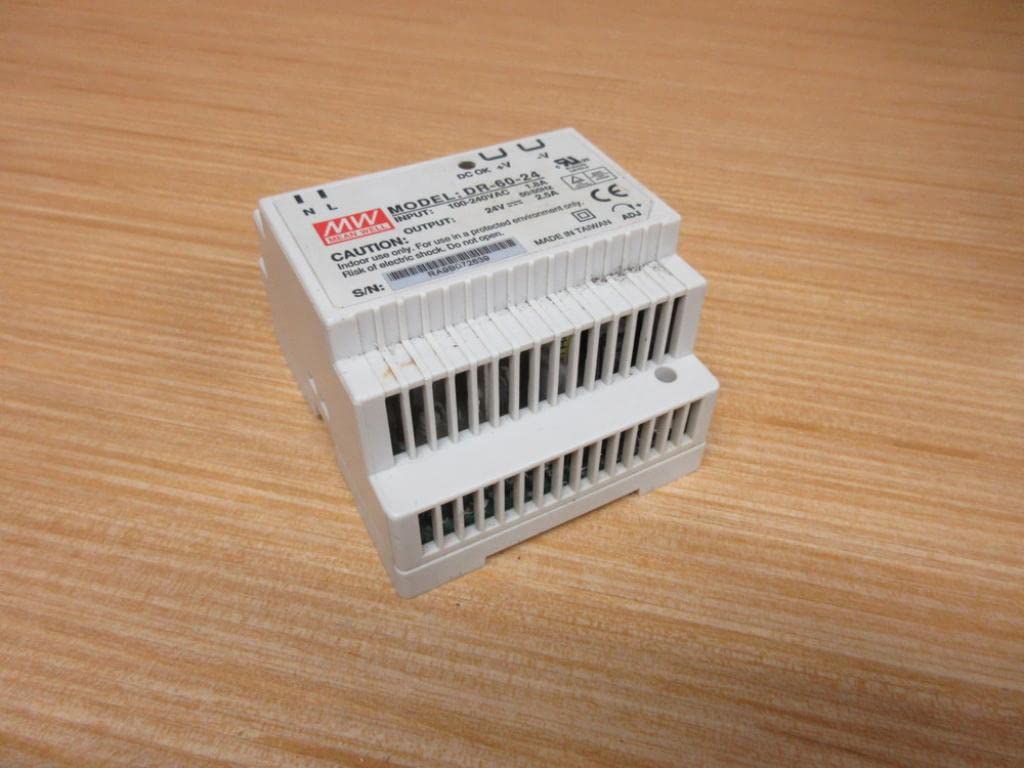
Figur 3.1: Forside view of the Mean Well DR-60-24 power supply, showing the input/output terminals and model label.
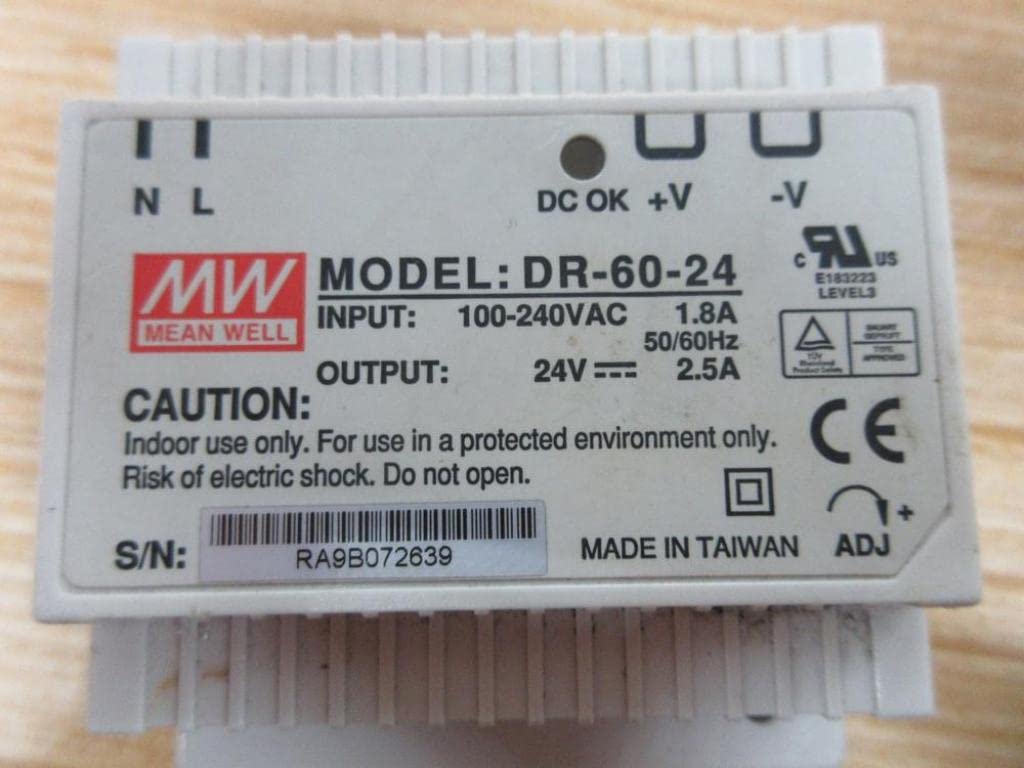
Figur 3.2: Nærbillede view of the top label on the DR-60-24, detailing input (100-240VAC, 1.8A) and output (24V, 2.5A) specifications, along with safety warnings and serial number.
4. Opsætning og installation
4.1 Montering
The DR-60-24 is designed for mounting on a standard DIN-Rail (TS-35/7.5 or TS-35/15). Ensure the mounting surface is stable and capable of supporting the unit's weight.
- Align the power supply with the DIN-Rail.
- Push the unit onto the rail until it clicks securely into place.
- Verify that the unit is firmly attached and does not wobble.

Figur 4.1: Øverst view of the DR-60-24, showing the terminal block layout and overall compact design suitable for DIN-Rail mounting.
4.2 Ledningsforbindelser
Before making any connections, ensure the main power supply is OFF.
| Terminal | Beskrivelse |
|---|---|
| N | AC neutral indgang |
| L | AC linjeindgang |
| ⌂ | Jord (Jorden) |
| +V | DC Output Positive |
| -V | DC Output Negative |
Connect the AC input wires to the 'N' and 'L' terminals. Connect the ground wire to the ground terminal. Connect your load to the '+V' and '-V' terminals, ensuring correct polarity. Use appropriate wire gauges for the current requirements.
5. Betjeningsvejledning
Once properly installed and wired, the DR-60-24 power supply operates automatically upon receiving AC input power.
- Tænd: Apply AC power to the input terminals. The "DC OK" indicator LED (if present, typically green) should illuminate, indicating stable DC output.
- Udgang Voltage Justering: The DR-60-24 may have a small potentiometer (labeled "ADJ" or similar) for fine-tuning the output voltage. Use a small screwdriver to adjust if necessary, staying within the specified voltage rækkevidde.
- Overbelastningsbeskyttelse: If the output current exceeds the rated value (2.5A), the unit's overload protection will activate, potentially shutting down the output or limiting current. Remove the overload condition, and the unit should recover automatically.
6. Vedligeholdelse
The Mean Well DR-60-24 power supply is designed for long-term, reliable operation with minimal maintenance.
- Rensning: Periodically clean the exterior of the unit with a soft, dry cloth. Do not use liquid cleaners or solvents. Ensure power is disconnected before cleaning.
- Ventilation: Ensure that the ventilation openings are not obstructed by dust or debris. Proper airflow is crucial for heat dissipation.
- Forbindelser: Kontrollér regelmæssigt alle ledningsforbindelser for at sikre, at de er fastgjorte og fri for korrosion.
No user-serviceable parts are inside. Do not attempt to open or repair the unit.
7. Fejlfinding
| Problem | Mulig årsag | Løsning |
|---|---|---|
| Ingen output voltage / "DC OK" LED off | Ingen AC-indgangsstrøm Input fuse blown Overload/Short circuit on output | Kontroller vekselstrømskilden og tilslutningerne. Consult qualified electrician for fuse replacement. Disconnect load, check for short circuit, then reconnect. |
| Udgang voltage too low or unstable | Overbelastningstilstand Løse forbindelser Defekt enhed | Reducer belastningen. Kontroller og stram alle ledningsforbindelser. Kontakt kundesupport, hvis problemet fortsætter. |
| Unit is hot to the touch | Utilstrækkelig ventilation Omgivelsestemperaturen er for høj Overbelaste | Sørg for korrekt luftstrøm rundt om enheden. Operate within specified temperature range. Reducer belastningen. |
If you encounter issues not listed here or if the problem persists after attempting the solutions, please contact Mean Well customer support or a qualified technician.
8. Specifikationer
| Parameter | Værdi |
|---|---|
| Modelnummer | DR-60-24 |
| Input bindtagRækkevidde | 85 til 264 VAC |
| Udgang Voltage | 24 VDC |
| Udgangsstrøm | 2.5 Amp |
| Udgangseffekt | 60 watt |
| Dimensioner (L x B x H) | 78.7 mm x 94 mm x 55.9 mm (ca. 3.1 mm x 3.7 mm x 2.2 mm) |
| Produktdimensioner | 2.2 x 3.07 x 3.66 tommer; 10.07 ounce |
| Fabrikant | mener godt |
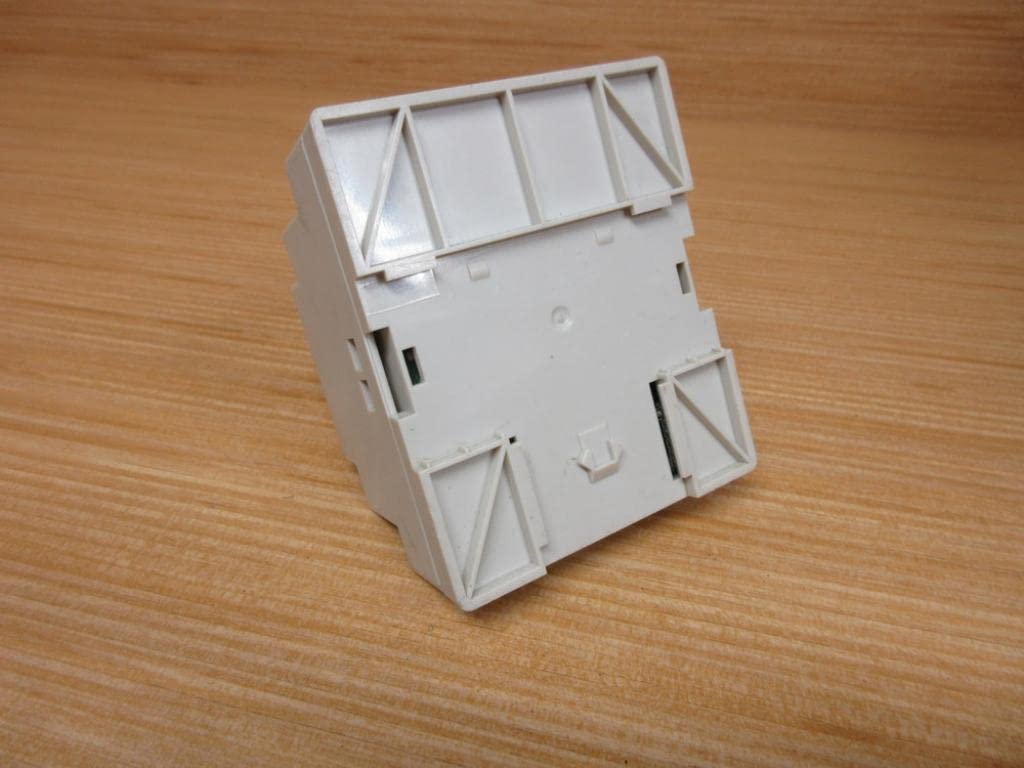
Figur 8.1: Nederst view of the DR-60-24, showing the DIN-Rail mounting mechanism and structural details.
9. Garanti og support
For warranty information and technical support, please refer to the official Mean Well website or contact your authorized distributor. Keep your purchase receipt as proof of purchase.
For yderligere hjælp, besøg venligst Mean Well official webwebsted.
Ask a question about this manual
Ask about setup, troubleshooting, compatibility, parts, safety, or missing instructions. Manuals+ will review the question and use this page’s manual context to help answer it.