
InFocus IN124
InFocus IN124 DLP projektor
Brugermanual
1. Introduktion
This manual provides comprehensive instructions for the setup, operation, and maintenance of your InFocus IN124 DLP Projector. Please read this manual thoroughly before using the projector to ensure proper functionality and to maximize its lifespan.
The InFocus IN124 is designed to deliver clear and bright projections, suitable for various environments including home cinema and business presentations. Its compact design and robust features make it a versatile display solution.
2. Produktkomponenter
Upon unboxing your InFocus IN124 DLP Projector, please verify that all the following components are included:
- InFocus IN124 DLP Projector Unit
- Fjernbetjening
- Strømkabel
- VGA Cable (may vary by region/package)
- User Manual (this document, typically on CD or downloadable)
If any items are missing or damaged, please contact InFocus customer support immediately.
3. Opsætning
3.1 Fysisk placering
Position the projector on a stable, flat surface or mount it securely to a ceiling. Ensure adequate ventilation around the unit to prevent overheating. Maintain a clear path between the projector lens and the projection surface (screen or wall).
3.2 Tilslutning af enheder
The InFocus IN124 supports various input sources. Connect your source device (e.g., laptop, DVD player, gaming console) to the projector using the appropriate cable.
- HDMI: For high-definition digital video and audio. Connect an HDMI cable from your source device to the HDMI port on the projector.
- VGA: For analog video input, commonly used with computers. Connect a VGA cable from your computer's VGA output to the VGA input on the projector.
- Sammensat video: For standard definition video. Connect a composite video cable (yellow RCA) to the corresponding port.
- Lyd ind/ud: Connect external audio devices if needed.
3.3 Tænd
Efter tilslutning af alle nødvendige kabler:
- Tilslut strømkablet til projektoren og derefter til en stikkontakt.
- Press the power button on the projector's control panel or the remote control. The power indicator light will change, and the projector lamp vil lyse.
- Giv projektoren et par øjeblikke til at varme op og vise billedet.
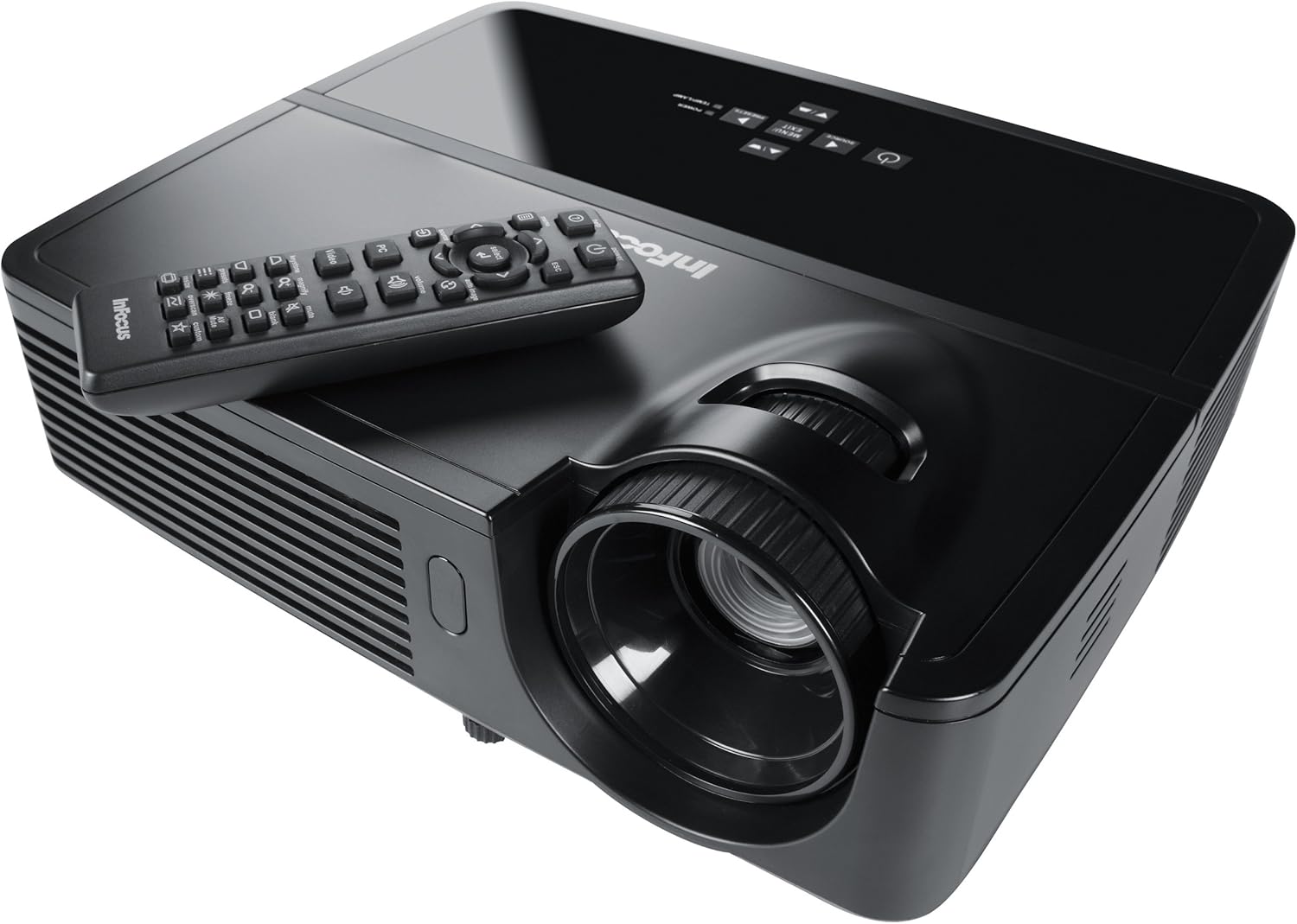
Figure 1: InFocus IN124 DLP Projector with its remote control. The image shows the top-down view of the black projector unit, highlighting the lens, ventilation grilles, and the control panel. The remote control is placed on top of the projector.
4. Betjening af projektoren
4.1 Grundlæggende kontroller
The projector can be operated using the control panel on the unit or the included remote control.
- Power knap: Tænder eller slukker for projektoren.
- Kildeknap: Cycles through available input sources (HDMI, VGA, Video).
- Menu-knap: Accesses the on-screen display (OSD) menu for settings adjustments.
- Pileknapper: Naviger gennem menupunkter og juster værdier.
- Enter/Vælg-knap: Bekræfter valg i menuen.
- Lydstyrkeknapper: Justerer lydudgangsniveauet.
- Keystone-korrektion: Adjusts the image shape to correct trapezoidal distortion.
- Fokusring: Manually adjust the lens to sharpen the image.
4.2 Menunavigation og indstillinger
Press the "Menu" button to open the On-Screen Display (OSD). Use the arrow keys to navigate through categories such as "Picture," "Display," "Setup," and "Advanced." Press "Enter" to select a category or option. Adjust settings like brightness, contrast, color temperature, aspect ratio, and resolution to optimize your viewoplevelse.
4.3 3D-funktionalitet
The InFocus IN124 is 3D-ready. To experience 3D content, you will need compatible 3D source material, a 3D-capable player, and active DLP Link 3D glasses (sold separately). Refer to your 3D source device's manual for specific setup instructions.
5. Vedligeholdelse
Regelmæssig vedligeholdelse sikrer optimal ydeevne og forlænger projektorens levetid.
5.1 Rengøring af linsen
Use a soft, lint-free cloth specifically designed for optical lenses. Gently wipe the lens surface to remove dust or smudges. Avoid using abrasive cleaners or excessive force, which can scratch the lens.
5.2 Rengøring af luftfiltre
The projector has air filters to prevent dust from entering the internal components. Locate the filter cover (refer to the diagram in the full manual if available) and remove it. Clean the filter using a small brush or a vacuum cleaner with a brush attachment. Replace the filter securely.
5.3 Lamp Udskiftning
Projektoren lamp har en begrænset levetid. Når lamp indikatorlampen lyser, eller billedet bliver svagt, er det tid til at udskifteampLad altid projektoren køle helt af, før du forsøger atamp replacement. Consult the full service manual or a qualified technician for detailed lamp replacement procedures specific to the IN124 model.
6. Fejlfinding
Dette afsnit omhandler almindelige problemer, du kan støde på med din projektor.
| Problem | Mulig årsag | Løsning |
|---|---|---|
| Intet billede vises | Incorrect input source selected; Loose cable connection; Projector not powered on. | Press the "Source" button to cycle inputs; Check all cable connections; Ensure projector is powered on and lamp er tændt. |
| Billedet er sløret | Out of focus; Incorrect resolution setting. | Adjust the focus ring on the lens; Adjust the resolution setting in the OSD menu or on your source device. |
| Billedet er trapezformet | Projektoren er ikke vinkelret på skærmen. | Use the keystone correction feature (digital or manual) to square the image. Reposition the projector if possible. |
| Ingen lyd | Volume too low; Incorrect audio input selected; Muted. | Increase volume; Check audio cable connections; Ensure projector or source device is not muted. |
| Projektoren overopheder og slukker | Blocked ventilation; Dirty air filter. | Ensure clear space around vents; Clean air filter as per maintenance section. |
For issues not listed here, please refer to the comprehensive online support resources or contact InFocus customer service.
7. Specifikationer
Below are the key technical specifications for the InFocus IN124 DLP Projector:
| Feature | Detalje |
|---|---|
| Modelnummer | IN124 |
| Displayteknologi | DLP |
| Indfødt opløsning | 1280x720 (HD) |
| Lysstyrke | Op til 3200 Lumens |
| Kontrastforhold | 3000:1 |
| Forbindelse | HDMI, VGA, Composite Video |
| Særlige funktioner | 3D-klar |
| Produktmål (L x B x H) | 12.99 x 12.99 x 5.9 tommer |
| Varens vægt | 4.78 pund (2.17 kg) |
| Strømforsyning | 100-240 Volts at 50-60 Hz |
| Anbefalet brug | Hjemmebiograf |
8. Garanti og support
InFocus provides a limited warranty for the IN124 DLP Projector. For detailed warranty terms and conditions, please refer to the warranty card included with your product or visit the official InFocus webwebsted. Behold din købskvittering som købsbevis i tilfælde af garantikrav.
For technical support, troubleshooting assistance beyond this manual, or service requests, please contact InFocus customer support through their official website or the contact information provided in your product documentation. Online resources, including FAQs and driver downloads, may also be available.
Ask a question about this manual
Ask about setup, troubleshooting, compatibility, parts, safety, or missing instructions. Manuals+ will review the question and use this page’s manual context to help answer it.