
Indledning
This manual provides instructions for the setup, operation, and maintenance of your Emerson EM60 Large Display Talking Caller ID Box. Please read these instructions carefully before using the device to ensure proper functionality and longevity.
Pakkens indhold
Bekræft at alle varer er til stede i pakken:
- Emerson EM60 Talking Caller ID Box
- AC strømadapter
- Telefonledning
- Brugervejledning (dette dokument)
Opsætning
1. Strømtilslutning
Connect the supplied AC power adapter to the DC IN jack on the back of the EM60 unit and then plug the adapter into a standard electrical outlet. For battery backup, insert 4 AAA batteries (not included) into the battery compartment, observing correct polarity. The batteries provide power during outages, preserving caller ID memory.
2. Telephone Line Connection
Connect one end of the telephone line cord to the LINE jack on the back of the EM60 unit. Connect the other end of the telephone line cord to your wall telephone jack. If you are connecting a telephone to the EM60, connect it to the PHONE jack on the back of the unit.
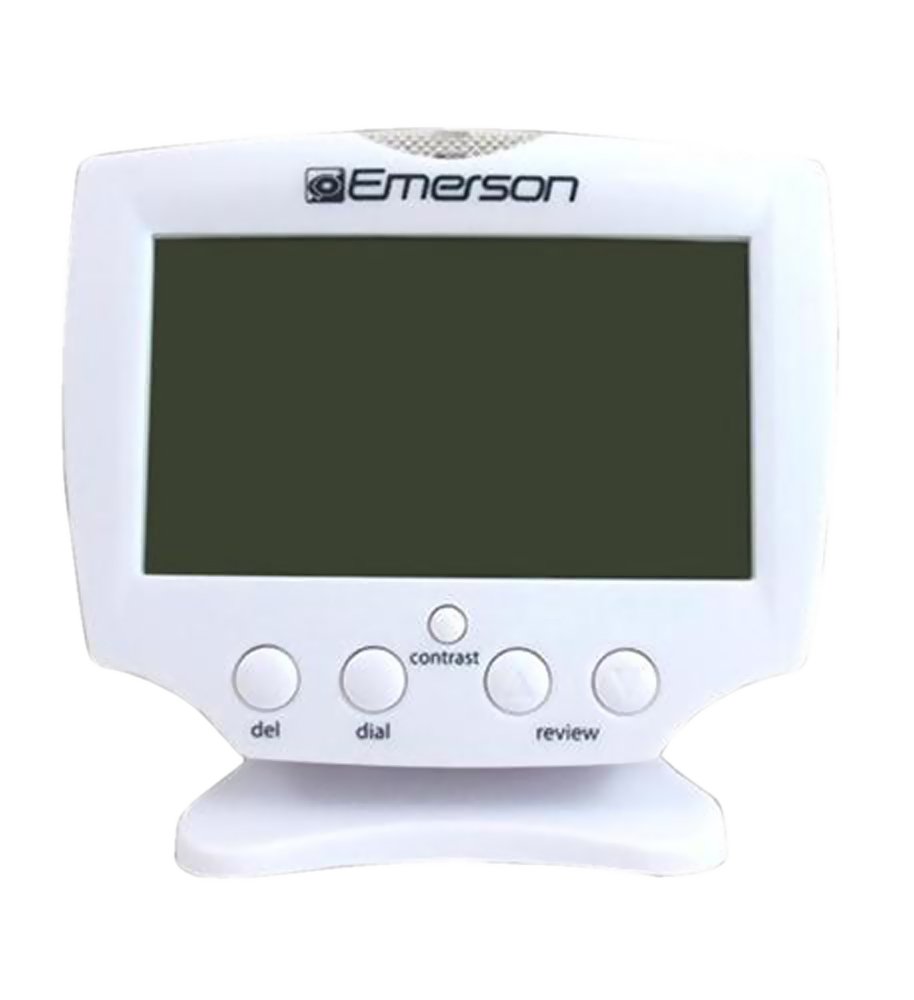
Figure 1: Emerson EM60 Talking Caller ID Box. This image displays the front of the device with its large, backlit display and control buttons.
Betjeningsvejledning
Vis nummervisning
When an incoming call is received, the EM60 will display the caller's name and number on its large, backlit screen. The display will illuminate to enhance visibility.
Number Announce Feature
The Talking Caller ID feature audibly announces the incoming caller's number. This feature can be enabled or disabled via the unit's settings (refer to the on-screen menu for specific steps).
Memory Function (60 Numbers)
The EM60 stores up to 60 incoming caller ID records. Use the navigation buttons (typically UP og NED arrows) to scroll through the stored call history. Press the VIEW or VÆLGE knap til view details of a specific call record.
Indstilling af tid og dato
The unit automatically sets the time and date upon receiving the first caller ID signal. Manual adjustment options are available through the menu settings if required.
Opretholdelse
Rensning
To clean the EM60, use a soft, dry cloth. Do not use liquid cleaners or aerosol sprays, as these may damage the unit. Ensure the device is unplugged from the power source before cleaning.
Udskiftning af batteri
If the display becomes dim or the memory function is inconsistent during power outages, replace the 4 AAA batteries in the battery compartment. Always replace all batteries at the same time with new ones of the same type.
Fejlfinding
| Problem | Mulig årsag | Løsning |
|---|---|---|
| Intet display eller svagt display | Ingen strøm eller lave batterier. | Ensure AC adapter is securely plugged in. Replace AAA batteries if installed. |
| No Caller ID information displayed | Caller ID service not activated or incorrect phone line connection. | Contact your telephone service provider to confirm Caller ID service is active. Check telephone line cord connection to the wall jack and EM60 unit. |
| Number Announce not working | Feature disabled or volume too low. | Check the unit's settings to ensure Number Announce is enabled. Adjust volume settings. |
| Forkert tidspunkt/dato | First Caller ID signal not received or manual setting required. | Wait for an incoming call with Caller ID. If issue persists, manually set time/date via menu. |
Specifikationer
- Model: EM60
- Mærke: Emerson
- Telefontype: ledning
- Strømkilde: Ledningsbaseret elektrisk (AC-adapter)
- Batteri-sikkerhedskopi: 4 x AAA batterier (medfølger ikke)
- Type svarsystem: Digital
- Kompatible enheder: PSTN, Standard Landline Networks
- Multiline drift: Enkeltlinjedrift
- Opkalds-id: Ja
- Hukommelseskapacitet: 60 numre
- Emnedimensioner: 17.3 x 9.7 x 10.2 centimeter
- Varens vægt: Cirka 0.9 pund
- Fabrikant: Emerson
- UPC/GTIN: 803982995391, 680079560416, 777782631769, 069060016970
Garanti og support
Oplysninger om produktgaranti og kundesupport findes typisk på produktemballagen eller på producentens officielle hjemmeside. website. Please refer to the documentation included with your purchase or visit the Emerson webwebstedet for detaljerede garantivilkår og kontaktoplysninger til support.