
1. Introduktion
This manual provides detailed instructions for the installation, operation, and maintenance of your AZZA Solano 1000R CSAZ-1000R Full Tower Computer Case. Please read this manual thoroughly before beginning installation to ensure proper setup and to maximize the performance and longevity of your system components.
2. Produktfunktioner
- Optimized Thermal Management: Features multiple fans for superior cooling, including a 230mm top fan, a 230mm side fan, two 140mm front fans, and a 120mm rear fan.
- Bottom-Mounted Power Supply: Designed for improved thermal separation and stability, allowing installation facing up or down.
- Avanceret kabelhåndtering: Pre-drilled motherboard tray and ample space behind for organized cable routing, enhancing airflow and aesthetics.
- Tool-Less Design: Thumb screws for easy installation of optical drives and hard disk drives.
- Praktisk front-I/O: USB and audio ports, along with an eSATA port, located on the top panel for easy access.
- Rummeligt interiør: Full tower design accommodates large components, including extended graphics cards and tall CPU coolers.
- Æstetisk design: Black exterior with a vibrant red painted interior and red LED fans.
3. Pakkens indhold
Kontroller venligst, at alle varer er til stede i din pakke:
- AZZA Solano 1000R CSAZ-1000R Full Tower Case
- Tilbehørsæske (indeholder skruer, afstandsstykker, kabelbindere osv.)
- Brugervejledning (dette dokument)
4. Komponent overview
4.1 Ekstern Views
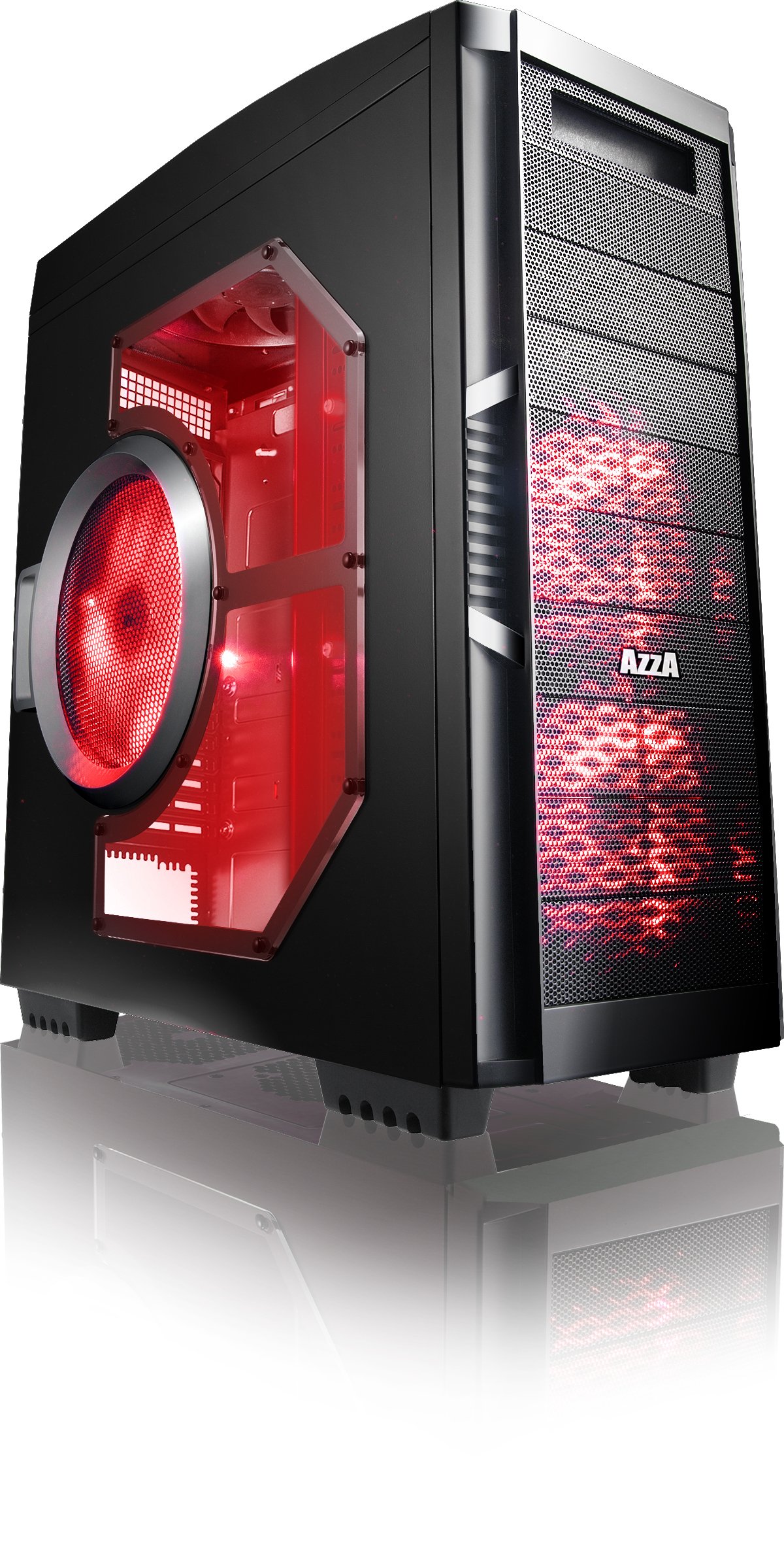
Figur 4.1: Forside view of the AZZA Solano 1000R case, showcasing the red LED fans on the front and side panel.

Figur 4.2: Forside view of the AZZA Solano 1000R case, highlighting the two 140mm red LED intake fans behind the mesh panel.

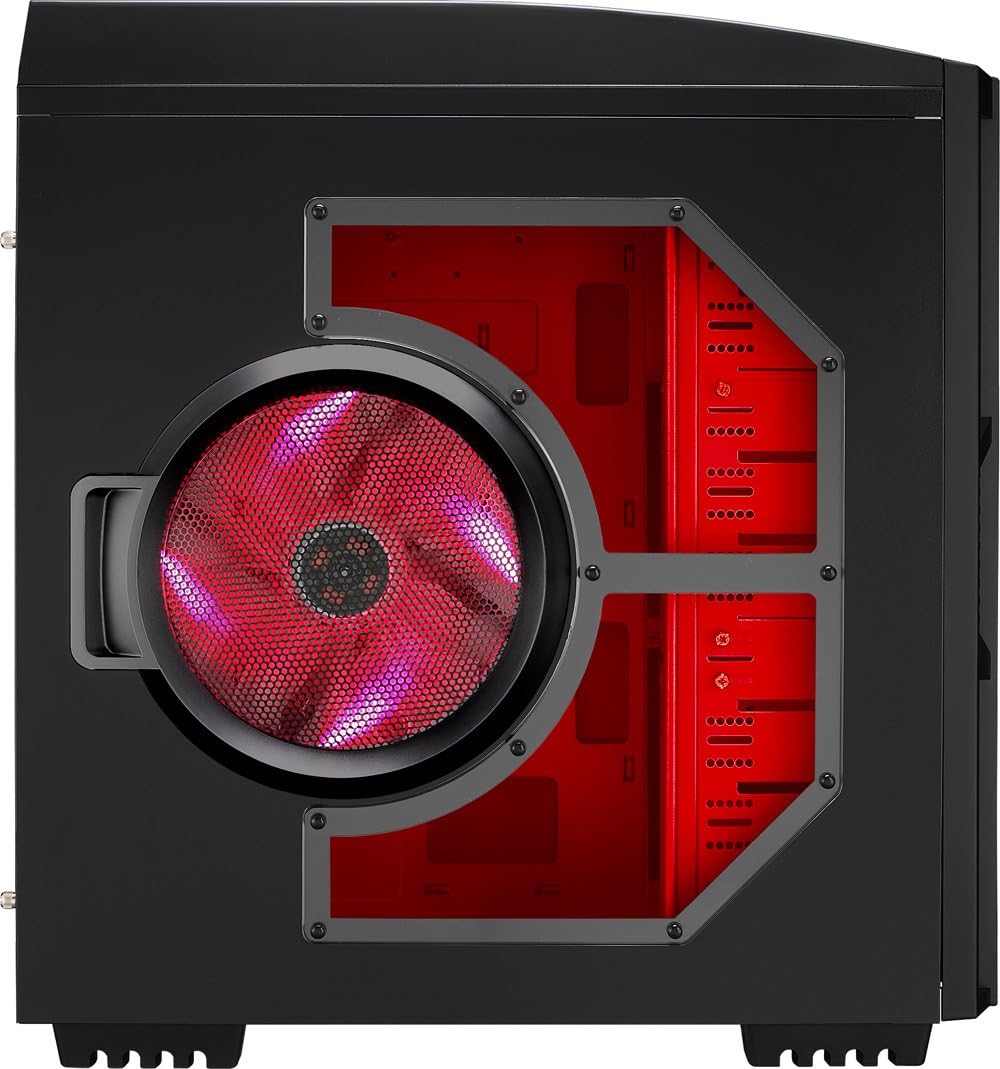
Figur 4.3: Side view of the AZZA Solano 1000R case, showing the large 230mm red LED side panel fan and the transparent window.

Figur 4.4: Vinklet foroven-forfra view of the AZZA Solano 1000R case, showing the top ventilation grille, front I/O panel with USB and audio ports, and power button.
Figur 4.5: Bagside view of the AZZA Solano 1000R case, displaying the red interior, rear exhaust fan, and expansion slots.
4.2 Internt Views

Figur 4.6: Interiør view of the AZZA Solano 1000R case with the left side panel removed, revealing the red painted motherboard tray, drive bays, and cable routing cutouts.

Figure 4.7: Angled interior view of the AZZA Solano 1000R case, focusing on the multiple 5.25" and 3.5" drive bays.

Figure 4.8: Angled interior view of the AZZA Solano 1000R case, showing the rear 120mm exhaust fan, expansion slots, and the extensive drive bay structure.

Figur 4.9: Interiør view of the AZZA Solano 1000R case with the right side panel removed, showing the space behind the motherboard tray for cable management.
5. Installationsvejledning
Før installationen påbegyndes, skal du sørge for, at dit arbejdsområde er rent og fri for statisk elektricitet. Det anbefales at bære en antistatisk håndledsrem.
5.1 Forberedelse af sagen
- Placer etuiet på en flad, stabil overflade.
- Fjern sidepanelerne ved at skrue fingerskruerne på bagsiden af kabinettet ud og skubbe panelerne bagud.
5.2 Installation af bundkort
- Installer I/O-skjoldet, der følger med dit bundkort, i åbningen bag på kabinettet.
- Align the motherboard with the pre-installed standoffs. If necessary, install additional standoffs according to your motherboard's form factor.
- Carefully place the motherboard onto the standoffs, ensuring the I/O ports align with the shield.
- Fastgør bundkortet med de passende skruer fra tilbehørsæsken.
5.3 Installation af strømforsyning
- Position the power supply unit (PSU) in the bottom-rear compartment of the case. You can orient it with the fan facing up or down, depending on your cooling preference and PSU design.
- Fastgør strømforsyningen til kabinettet med de skruer, der fulgte med din strømforsyning.
5.4 Installation af lagerdrev (HDD/SSD)
- For 3.5" HDDs, slide the drive into an available drive bay until it clicks into place. Use the provided thumb screws for additional security if desired.
- For 2.5" SSDs, an adapter bracket (not included) may be required to fit into the 3.5" bays. Secure the SSD to the adapter, then install the adapter into a 3.5" bay.
- Connect the SATA data and power cables to your installed drives.
5.5 Optical Drive Installation
- Remove the desired 5.25" front bay cover from the case.
- Slide the optical drive into the bay from the front until it aligns with the screw holes.
- Secure the optical drive using the provided thumb screws.
- Connect the SATA data and power cables to the optical drive.
5.6 Installation af udvidelseskort
- Fjern de nødvendige dæksler til udvidelsespladserne på bagsiden af kabinettet.
- Insert your graphics card or other expansion card into the appropriate PCIe/PCI slot on your motherboard.
- Secure the card with the provided screw or tool-less latch mechanism.
5.7 Kabelstyring
Utilize the cutouts and space behind the motherboard tray to route and organize your cables. This improves airflow and gives your build a cleaner appearance. Use cable ties from the accessory box to bundle cables.
5.8 Tilslutning af frontpanelets I/O
Connect the front panel cables (USB, Audio, Power Switch, Reset Switch, Power LED, HDD LED) to the corresponding headers on your motherboard. Refer to your motherboard manual for exact header locations.
6. Betjening
6.1 Tænd/sluk
Press the power button located on the top panel to turn your system on or off. A power LED will illuminate when the system is active.
6.2 Ventilatorstyring
The case features a fan speed control switch (L/M/H) at the rear, primarily for the top, side, and rear fans. Adjust this switch to balance cooling performance and noise levels according to your preference.
7. Vedligeholdelse
7.1 Rengøring
Regular cleaning helps maintain optimal airflow and component longevity.
- Ydre: Tør de udvendige overflader af med en blød, damp klæde. Undgå slibende rengøringsmidler.
- Støvfiltre: The case includes mesh filters at the bottom. Periodically remove and clean these filters to prevent dust buildup.
- Indre: Use compressed air to remove dust from inside the case, especially from fans and heatsinks. Ensure the system is powered off and unplugged before cleaning the interior.
8. Fejlfinding
- Systemet tænder ikke: Sørg for, at alle strømkabler (24-bens ATX, 8-bens CPU, GPU-strøm) er korrekt tilsluttet. Kontroller, at strømforsyningskontakten er i 'ON'-positionen. Kontroller frontpanelets forbindelse til bundkortet.
- Ventilatorer der ikke drejer: Check fan power connections to the motherboard or fan controller. Ensure the fan speed switch is not set to 'Off' or 'Low' if fans are not spinning at all.
- Side Panel Not Closing: If a large CPU cooler or tall components prevent the side panel from closing, especially due to the side fan, consider relocating the side fan to the exterior of the panel if possible, or ensure your cooler fits within the case's clearance specifications.
- Cable Management Difficulty: If the rear panel bulges due to thick cables, try rerouting cables more efficiently or using flatter cables where possible.
9. Specifikationer
| Feature | Detalje |
|---|---|
| Modelnummer | CSAZ-1000R |
| Sagstype | Fuldtårn |
| Farve | Sort/rød |
| Produktmål (L x B x H) | 19.7 x 8.1 x 21.5 tommer (500 x 206 x 546 mm) |
| Varens vægt | 24 pund (10.89 kg) |
| Afkølingsmetode | Luft |
| Strømforsyningsmonteringstype | Bundmontering |
| Samlet USB-porte | 2 (USB 2.0) + 1 (eSATA) |
| Hard Disk Form Factor Support | 3.5 tommer |
| Inkluderet fans | 2x 230mm (Top, Side), 2x 140mm (Front), 1x 120mm (Rear) |
10. Garanti og support
For garantioplysninger og teknisk support henvises til den officielle AZZA-side. webwebstedet eller kontakt din lokale forhandler. Gem din købsbevis til garantikrav.