
Dorman 7-942
Dorman 7-942 12-Volt Oscillating Fan User Manual
Universal Fit Cabin Fan
Indledning
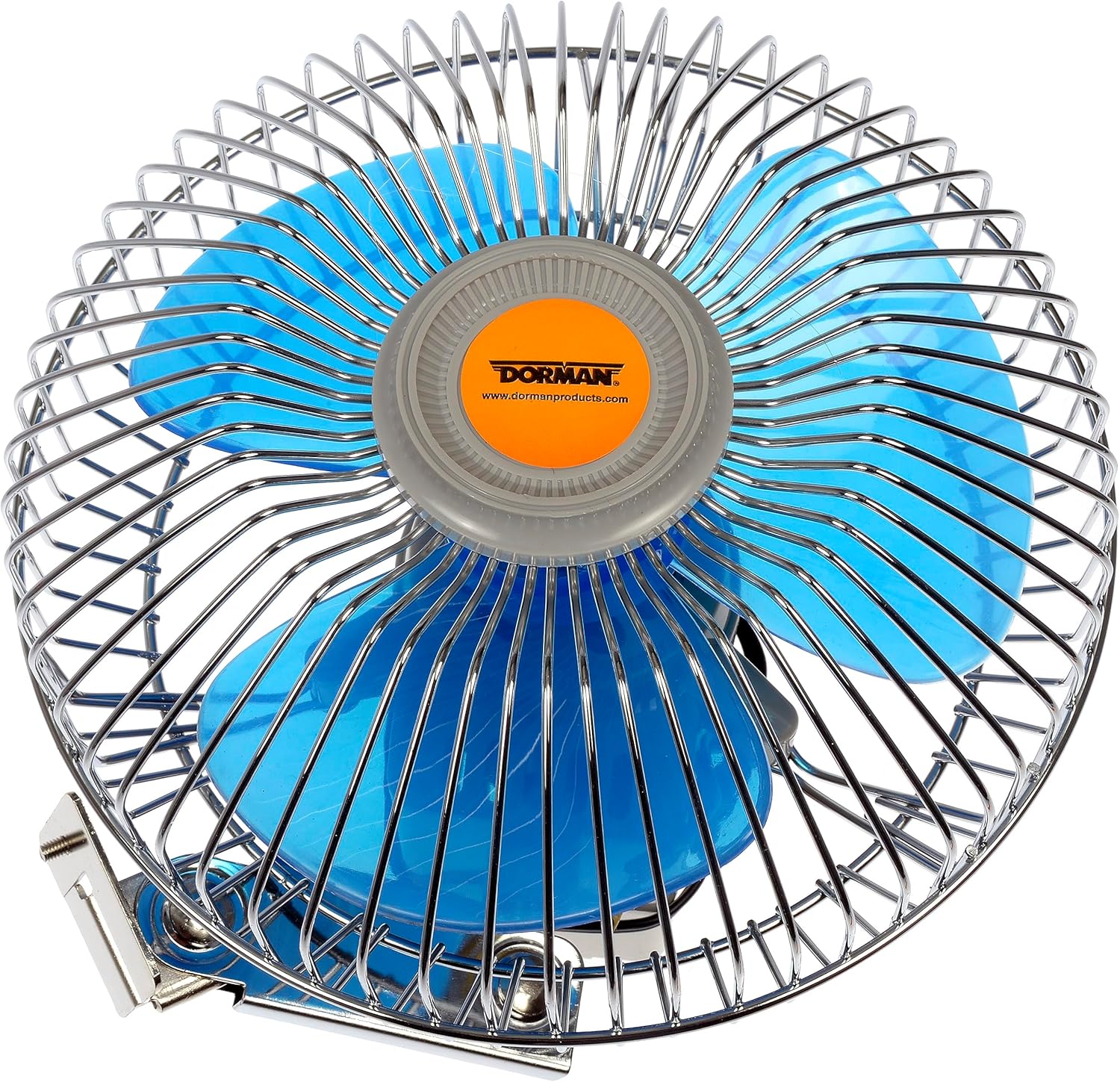
This manual provides essential information for the safe and effective use of your Dorman 7-942 12-Volt Oscillating Fan. This rugged cabin fan is designed to improve interior comfort by moving air in various automotive, household, industrial, or commercial applications. Please read this manual thoroughly before installation and operation.
Sikkerhedsoplysninger
Overhold altid følgende sikkerhedsforanstaltninger for at mindske risikoen for personskade eller beskadigelse:
- Sørg for, at strømkilden er 12 volt DC. Connecting to an incorrect voltage may damage the fan or vehicle's electrical system.
- Afbryd strømmen før installation eller vedligeholdelse.
- Mount the fan securely to prevent movement during operation.
- Keep fingers and other objects away from the fan blades when in operation.
- Do not operate the fan in wet conditions or near flammable materials.
- Dette produkt indeholder kemikalier, der af staten Californien vides at forårsage kræft og fødselsdefekter eller anden reproduktionsskade.
Hvad er der i æsken
Kontroller, at alle komponenter er til stede, før installationen påbegyndes:
- 1 x Dorman 12-Volt Oscillating Fan
- 1 x Mounting Gasket with Thumb Screw
- 3 x monteringsskruer
- 1 x Push-pull Switch with Mounting Bracket
- Hook Up Wire with Terminals

Opsætning og installation
The Dorman 7-942 fan is designed for easy installation without special tools. It can be mounted to a dash panel, side panel, or other appropriate, secure surface.
- Vælg et monteringssted: Select a flat, secure surface that allows for optimal airflow and does not obstruct the driver's view or vehicle controls. Ensure there is enough clearance for the fan to oscillate if desired.
- Forbered overfladen: Clean the mounting surface to ensure a strong attachment.
- Monter blæseren:
- Position the fan's mounting bracket on the chosen surface.
- Mark the locations for the three mounting screws.
- Drill pilot holes if necessary, ensuring they are appropriate for the provided screws.
- Secure the fan to the surface using the three mounting screws.
- Installer kontakten:
- Determine a convenient location for the push-pull switch.
- Mount the switch using its bracket and appropriate fasteners (not explicitly listed as included for switch mounting, but implied).
- Tilslut blæseren:
- Connect the provided hook-up wire with terminals to the fan and the push-pull switch.
- Connect the fan's wiring to a 12-Volt DC power source in your vehicle. It is recommended to connect to a switched power source (e.g., accessory circuit) to prevent battery drain when the vehicle is off. Consult a professional if you are unsure about electrical connections.
- Sørg for, at alle forbindelser er sikre og isolerede for at forhindre kortslutninger.


Betjeningsvejledning
The Dorman 7-942 fan features a simple push-pull switch for operation.
- Tænd/sluk: Locate the push-pull switch.
- At tænde ventilatoren ON, pull the switch knob outwards.
- At tænde ventilatoren SLUKKET, push the switch knob inwards.
- Oscilleringsfunktion: The fan is designed to oscillate, sweeping air across a wider area. This function is automatic when the fan is on.
- Adjusting Fan Direction: The fan head can be manually tilted up or down to direct airflow as needed. Gently adjust the fan head to the desired angle.


Opretholdelse
Regelmæssig vedligeholdelse sikrer optimal ydeevne og levetid for din ventilator.
- Rensning: Periodically wipe the fan's exterior and blades with a soft, dry cloth. Do not use abrasive cleaners or immerse the fan in water.
- Inspektion: Check mounting screws and electrical connections regularly to ensure they remain secure.
- Opbevaring: If storing the fan for an extended period, ensure it is clean and dry.
Fejlfinding
| Problem | Mulig årsag | Løsning |
|---|---|---|
| Ventilatoren tænder ikke. | Ingen strøm, løs forbindelse, defekt afbryder. | Check power source (12V DC). Ensure all wiring connections are secure. Verify the push-pull switch is fully pulled out. |
| Fan runs slowly or weakly. | Utilstrækkelig voltage, obstruction, dirty blades. | Verify 12V DC power supply. Clear any obstructions around the fan. Clean fan blades. |
| Blæseren larmer. | Loose mounting, foreign object, worn motor. | Ensure fan is securely mounted. Check for any debris caught in the fan blades or housing. If noise persists, contact Dorman support. |
| Oscillation stops or is erratic. | Problem med den interne mekanisme. | Ensure the fan is mounted correctly and not obstructed. If the issue persists, the internal oscillating gears may be damaged. Contact Dorman support. |
Specifikationer
| Mærke | Dorman |
| Modelnavn | Dorman 7-942: 12-Volt Oscillating Fan |
| Varemodelnummer | 7-942 |
| Voltage | 12 volt |
| Wattage | 12 watt |
| Strømkilde | Wired to Vehicle |
| Speciel funktion | oscillerende |
| Antal blade | 3 |
| Bladmateriale | Plast |
| Farve | Sølv |
| Varens vægt | 2.05 pund |
| Produktdimensioner | 24"D x 24"W x 76"H (Note: These dimensions seem unusually large for a fan of this type, likely a data entry error in the source. User should refer to actual product for precise dimensions.) |
| Indendørs/Udendørs brug | Indendørs |
| Switch Type | Push-pull Switch |
| UPC | 725716111085 |
Garanti og support
Every Dorman part is backed by Dorman's technical support team. For warranty information or technical assistance, please visit the official Dorman webhjemmeside eller kontakt deres kundeservice direkte.
Official Dorman Webwebsted: www.dormanproducts.com
Ask a question about this manual
Ask about setup, troubleshooting, compatibility, parts, safety, or missing instructions. Manuals+ will review the question and use this page’s manual context to help answer it.