
1. Introduktion
This manual provides detailed instructions for the installation, operation, and maintenance of your ROLINE 4-Channel Network Video Recorder (NVR), Model 21197310. Please read this manual thoroughly before using the product to ensure proper setup and functionality. Keep this manual for future reference.
1.1. Pakkens indhold
Bekræft, at alle nedenstående varer er inkluderet i din pakke. Hvis der mangler eller er beskadigede varer, bedes du kontakte din forhandler.
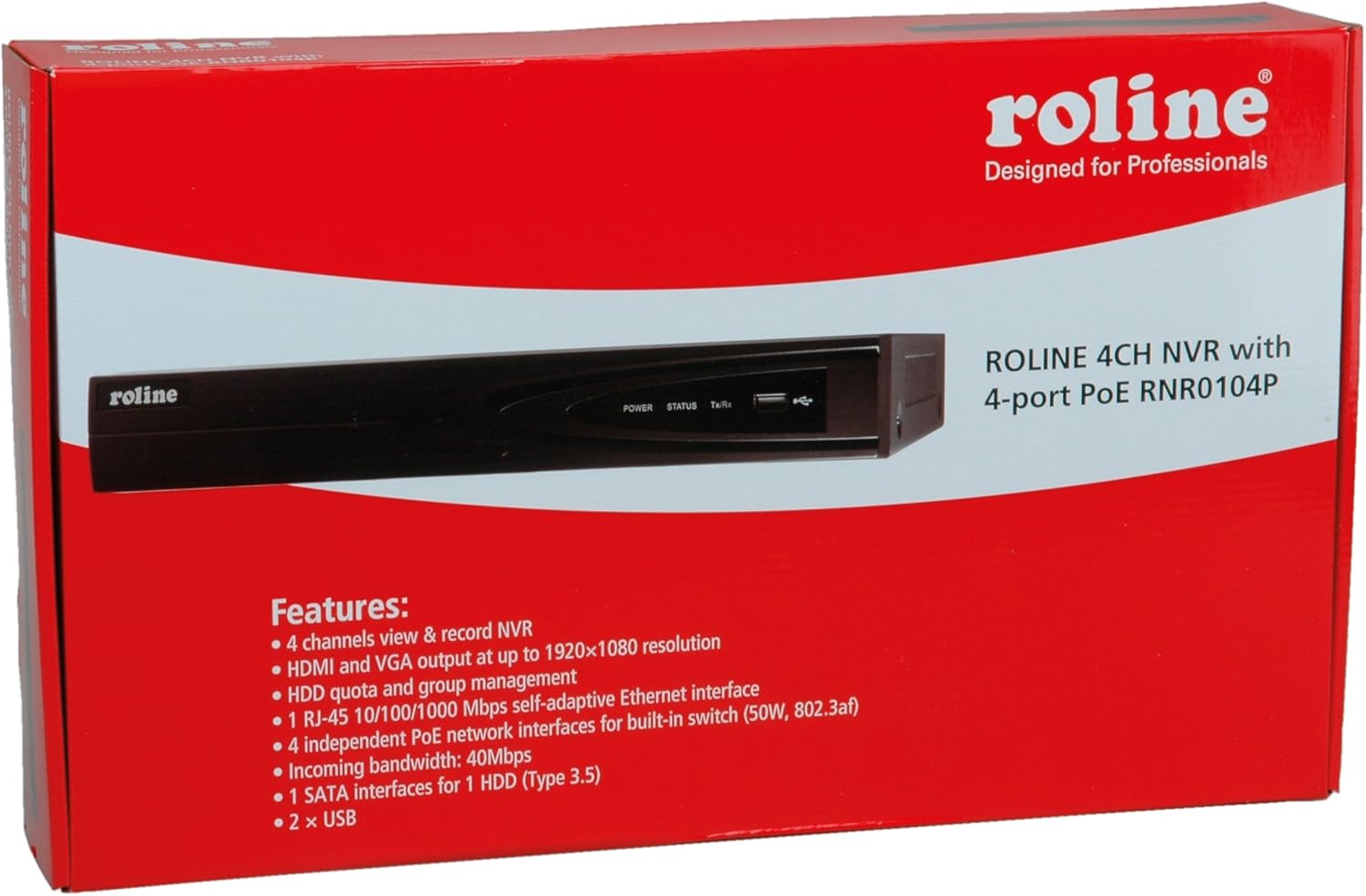
Figure 1: ROLINE NVR 21197310 and included accessories. This image shows the NVR unit, power adapter, power cable, USB mouse, Ethernet cable, SATA data and power cables, mounting screws, and a software CD.
- ROLINE 4-Channel NVR Unit (Model 21197310)
- Strømadapter og kabel
- USB-mus
- Ethernet kabel
- SATA Data and Power Cables (for HDD installation)
- Monteringsskruer (til installation af harddisk)
- Software CD (may include utility tools and documentation)
2. Produktet er slutview
The ROLINE 21197310 NVR is a Linux-based network video recorder designed to manage up to 4 network cameras. It features an integrated 4-port Power over Ethernet (PoE) switch, allowing direct power supply to PoE-compatible cameras. With HDMI and VGA outputs, you can connect a local display for direct operation and configuration using a mouse, eliminating the need for an additional PC for video playback.
2.1. Nøglefunktioner
- 4-channel network video recording capability
- HDMI and VGA video output with resolutions up to 1920 x 1080
- 1x RJ-45 10/100/1000 Mbps adaptive Ethernet interface
- 4 independent PoE network interfaces with integrated switch (50W total, 802.3af/at compliant)
- Support for locking and unlocking recorded data
- 1 SATA interface for 1 HDD (Type 3.5")
- 2x USB-porte
2.2. Frontpanel

Figure 2: Front Panel of ROLINE NVR 21197310. This image displays the Roline branding, LED indicators for power, status, and data transmission/reception, and a convenient front-facing USB port.
- ROLINE Logo: Mærkeidentifikation.
- STRØM-LED: Indikerer strømstatus.
- STATUS LED: Angiver systemets driftsstatus.
- Tx/Rx LED: Angiver netværksaktivitet.
- USB-port: For connecting a USB mouse or external storage devices.
2.3. Bagpanel

Figure 3: Rear Panel of ROLINE NVR 21197310. This image highlights the various connectivity options including four PoE ports for cameras, audio input and output jacks, VGA and HDMI video outputs, a main LAN port, a USB port, the DC power input, and the main power switch.
- PoE-porte (1-4): RJ-45 ports for connecting IP cameras and providing power via PoE.
- LYDINDGANG (RCA): For connecting an external audio input device.
- LYDUDGANG (RCA): For connecting to an external speaker or audio system.
- VGA port: For connecting a VGA monitor.
- HDMI-port: For connecting an HDMI monitor or TV.
- LAN-port: RJ-45 port for connecting the NVR to your local network/router.
- USB-port: For connecting a USB mouse or external storage devices.
- 48V DC strømindgang: Tilslut den medfølgende strømadapter her.
- Afbryderen: Main power on/off switch for the NVR.
- Jordforbindelse Terminal: Til valgfri jordforbindelse.
3. Opsætning
3.1. Installation af harddisk
The NVR requires a 3.5-inch SATA hard drive (not included) for recording video. Follow these steps to install it:
- Skru topdækslet på NVR-chassiset af og fjern det.
- Connect the SATA data cable and power cable (provided) to the hard drive.
- Align the hard drive with the mounting holes inside the NVR and secure it with the provided screws.
- Connect the other end of the SATA data cable to the SATA port on the NVR's motherboard.
- Connect the other end of the SATA power cable to the power connector on the NVR's motherboard.
- Carefully replace the top cover and secure it with screws.
Note: Ensure the NVR is powered off and unplugged before performing any internal installations.
3.2. Tilslutning af eksterne enheder
- Vise: Tilslut en skærm til NVR'ens HDMI- eller VGA-port.
- Mus: Connect the USB mouse to any available USB port (front or rear).
- Netværk: Connect an Ethernet cable from your router/network switch to the NVR's LAN port.
- Kameraer: Connect your IP cameras to the NVR's PoE ports (1-4) using Ethernet cables. The NVR will provide power to PoE-compatible cameras.
3.3. Tænder
- Connect the power adapter to the NVR's 48V DC Power Input.
- Sæt strømadapteren i en passende stikkontakt.
- Drej POWER-knappen på bagpanelet til 'ON'-positionen.
- The NVR will boot up, and you should see the ROLINE logo on the connected display.
4. Betjeningsvejledning
4.1. Initial Setup Wizard
Upon first boot, the NVR may guide you through an initial setup wizard. Follow the on-screen prompts to configure basic settings such as language, date/time, network settings, and hard drive initialization. It is crucial to format the newly installed hard drive through this wizard or the system settings before recording can begin.
4.2. Brugergrænsefladenavigation
The NVR's interface is primarily controlled using the connected USB mouse. Right-click anywhere on the live view screen to access the main menu. Use the mouse to navigate through menus, select options, and input text.
4.3. Kamerastyring
To add and manage IP cameras:
- Fra hovedmenuen skal du navigere til Kamerastyring or IP kamera indstillinger.
- The NVR should automatically detect cameras connected to its PoE ports.
- If cameras are not detected, you may need to manually add them by entering their IP address, port, username, and password. Refer to your camera's manual for these details.
- Ensure cameras are enabled and configured for recording.
4.4. Recording Configuration
To set up recording schedules and modes:
- Få adgang til Optagelsesindstillinger or Skema menu from the main interface.
- Configure recording modes (e.g., continuous, motion detection, alarm-triggered) for each camera.
- Set recording schedules based on your requirements.
- Ensure the hard drive is formatted and has sufficient space.
4.5. Videoafspilning
Til review optaget footage:
- Fra hovedmenuen skal du vælge Afspilning.
- Vælg det/de kamera(er) og dato-/tidsinterval, du ønsker at genoptageview.
- Brug afspilningsknapperne (afspil, pause, spol frem, spol tilbage) til at navigere gennem fodsporenetage.
- The NVR supports locking and unlocking recorded data to prevent accidental deletion of important events. This option is typically found within the playback or file ledelsesgrænseflade.
5. Vedligeholdelse
5.1. Harddiskstyring
Regularly check the status of your hard drive through the NVR's system settings. If the hard drive is full, the NVR will typically overwrite the oldest recordings (circular recording). You can also manually format the hard drive if needed, which will erase all recorded data.
5.2. Firmwareopdateringer
Periodically check the ROLINE official website for firmware updates. Firmware updates can improve performance, add new features, or fix bugs. Follow the instructions provided with the firmware update package carefully to avoid damaging the device.
5.3. Rensning
Keep the NVR unit clean and free from dust. Use a soft, dry cloth to wipe the exterior. Ensure ventilation openings are not blocked to prevent overheating. Do not use liquid cleaners or aerosols directly on the unit.
6. Fejlfinding
6.1. Ingen strøm
- Ensure the power adapter is securely connected to both the NVR and a working power outlet.
- Check if the power switch on the rear panel is in the 'ON' position.
- Test stikkontakten med en anden enhed for at bekræfte, at den fungerer.
6.2. No Video Output on Display
- Kontroller, at HDMI- eller VGA-kablet er korrekt tilsluttet til både NVR'en og skærmen.
- Sørg for, at skærmen er tændt og indstillet til den korrekte inputkilde (HDMI/VGA).
- Prøv at tilslutte til en anden skærm eller bruge et andet kabel.
6.3. Cameras Not Displaying/Recording
- Check if the cameras are properly connected to the NVR's PoE ports.
- Ensure the Ethernet cables are functional.
- Verify that the cameras are powered on (if not using PoE, ensure external power is supplied).
- In the NVR's Camera Management settings, ensure the cameras are detected, enabled, and configured correctly.
- Confirm that the hard drive is installed, formatted, and has available space for recording.
6.4. Problemer med netværksforbindelse
- Ensure the Ethernet cable is securely connected to the NVR's LAN port and your router/switch.
- Check the network settings in the NVR's interface to ensure correct IP address configuration (DHCP or static IP).
- Verify that your router/network is functioning correctly.
7. Specifikationer
| Feature | Detalje |
|---|---|
| Modelnummer | 21197310 |
| Fabrikant | ROLINE |
| Antal kanaler | 4 |
| Video output | 1x HDMI, 1x VGA (up to 1920x1080 resolution) |
| Ethernet-grænseflade | 1x RJ-45 10/100/1000 Mbps Adaptive Ethernet |
| PoE-porte | 4 independent PoE interfaces with integrated switch (50W, 802.3af/at) |
| USB-porte | 2x USB |
| Audio input/output | 1x Audio In (RCA), 1x Audio Out (RCA) |
| HDD interface | 1x SATA for 3.5" HDD |
| Strømforsyning | AC/DC Adapter (48V DC input) |
| Dimensioner | 21.6 x 15.2 x 4.2 cm |
| Vægt | 60 g (NVR unit only, without HDD) |
| Operativsystem | Linux-baseret |
8. Garanti og support
ROLINE products are designed for reliability and performance. This product comes with a standard manufacturer's warranty. For specific warranty terms and conditions, please refer to the warranty card included with your product or visit the official ROLINE webwebsted.
For technical support, troubleshooting assistance, or service inquiries, please contact your local ROLINE distributor or visit the ROLINE support portal online. Please have your product model number (21197310) and purchase information ready when seeking support.
ROLINE is a registered trademark. All rights reserved. Specifications are subject to change without notice.