
1. Introduktion
This manual provides essential information for the safe and efficient operation of your Sharp Aquos LC42D64U 42-Inch 1080p LCD HDTV. Please read these instructions thoroughly before using your television and retain them for future reference. The Sharp Aquos D64 series offers a slim design, Full HD 1080p resolution, and advanced features for an enhanced viewoplevelse.
2. Vigtige sikkerhedsoplysninger
Følg altid grundlæggende sikkerhedsforanstaltninger, når du bruger dette fjernsyn, for at mindske risikoen for brand, elektrisk stød og personskade.
- Strømkilde: Tilslut kun tv'et til den strømforsyning, der er angivet på etiketten.
- Ventilation: Sørg for tilstrækkelig ventilation. Bloker ikke ventilationsåbningerne.
- Vand og fugt: Udsæt ikke tv'et for regn eller fugt. Placer ikke genstande fyldt med væsker oven på tv'et.
- Rensning: Tag stikket til tv'et ud af stikkontakten, inden du rengør det. Brug en blød, tør klud.
- Service: Forsøg ikke selv at servicere dette produkt. Overlad al service til kvalificeret servicepersonale.
- Montering: If wall-mounting, ensure the mount is compatible and installed by qualified personnel.
- Børn: Hold opsyn med børn for at forhindre dem i at klatre op på eller lege med tv'et.
3. Hvad er der i æsken
Bekræft, at alle komponenter er til stede, før du fortsætter med opsætningen.
- Sharp Aquos LC42D64U 42-Inch LCD HDTV
- Fjernbetjening
- Bordstativ
- Strømledning
- Brugervejledning (dette dokument)
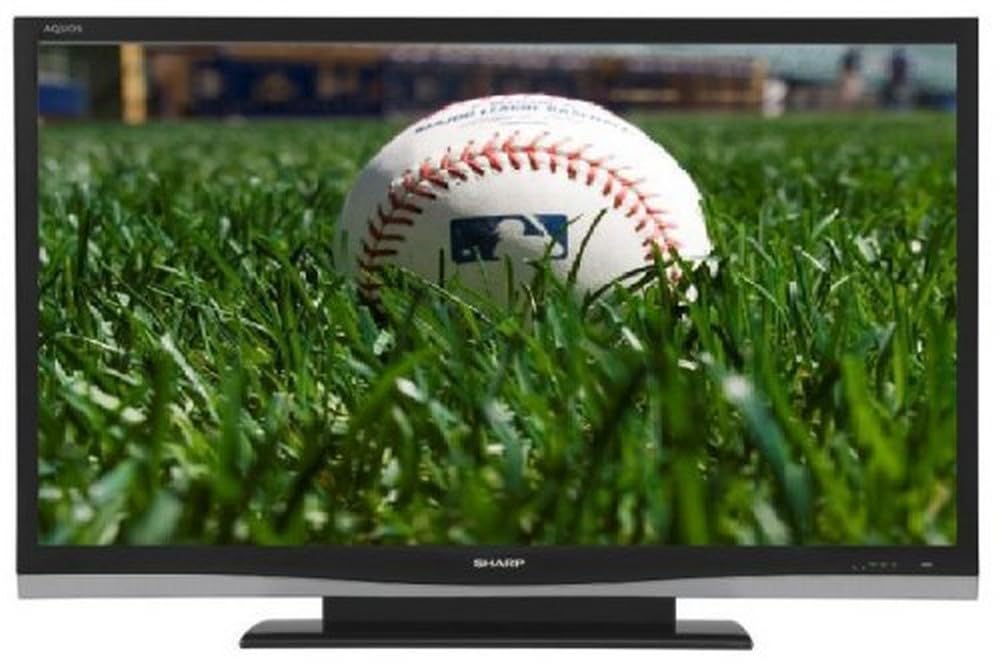
Billede: Forside view of the Sharp Aquos LC42D64U 42-Inch LCD HDTV with its included table stand.
4. Opsætning
4.1 Montering af bordstativet
If you are not wall-mounting the television, attach the included table stand. Refer to the separate assembly guide for detailed instructions on securing the stand to the TV. Ensure all screws are tightened securely.
4.2 Tilslutning af eksterne enheder
Connect your external devices (e.g., cable box, Blu-ray player, game console) to the appropriate input terminals on the rear or side of the TV.
- HDMI: For high-definition digital video and audio. The TV features three HDMI 1.3 inputs (two rear, one side).
- Component Video (Y, Pb, Pr): For high-definition analog video. Two inputs are available.
- Composite Video (A/V): For standard-definition analog video and audio. One side and one rear input.
- S-video: For standard-definition video. One side and one rear input.
- PC Input (D-Sub 15-pin): Tilslut en computer til brug som skærm.
- RF Antenna Inputs: Two inputs for connecting an antenna or cable TV.
- Ethernet-port: For network connectivity (DLNA).
4.3 Strømtilslutning
After connecting all desired devices, plug the power cord into the TV's power inlet and then into a wall outlet. The TV will enter standby mode.
5. Betjeningsvejledning
5.1 Første opstart og kanalindstilling
- Tryk på MAGT button on the remote control or the TV to turn it on.
- The first time you power on, the TV will guide you through the initial setup process, including language selection and channel scanning.
- Select your preferred language (English, Spanish, or French).
- Perform an "Easy Setup" or "Channel Setup" scan to detect available digital (ATSC, QAM) and analog (NTSC) channels.
5.2 Grundlæggende fjernbetjeningsfunktioner
- MAGT: Turns the TV on or off (standby).
- INPUT: Cycles through available input sources (HDMI, Component, PC, etc.).
- CH +/-: Skifter kanaler.
- VOL +/-: Justerer lydstyrken.
- MENU: Åbner skærmmenuen for justering af indstillinger.
- PILKNAPPER: Naviger gennem menuindstillinger.
- GÅ IND: Bekræfter valg.
- EXIT/RETURN: Afslutter menuer eller vender tilbage til forrige skærm.
5.3 Menunavigation og indstillinger
Tryk på MENU button to access various settings categories:
- Billede: Adjust brightness, contrast, color, tint, sharpness, and backlight. The OPC function automatically adjusts brightness based on room conditions.
- Lyd: Control volume, bass, treble, balance, and select audio modes.
- Kanal: Rescan channels, add/delete channels, and set up favorite channels.
- Opsætning: General settings like language, time, sleep timer, and parental controls (V-Chip).
- Avancerede funktioner: Access settings for DLNA, Picture-in-Picture, and AQUOS LINK.
6. Avancerede funktioner
6.1 AQUOS LINK (HDMI-CEC)
AQUOS LINK allows convenient control of compatible Sharp devices connected via HDMI using just your AQUOS TV remote. Ensure connected devices also support HDMI-CEC (Consumer Electronics Control) and are enabled in their respective settings.
6.2 DLNA Compatibility
The TV is DLNA-compatible, enabling interoperability with other DLNA-certified electronics, computers, and mobile devices. Connect the TV to your home network via the Ethernet port to access and share digital content (photos, videos, music) from compatible devices on your network.
6.3 Billede-i-billede (PIP)
The Picture-in-Picture function allows simultaneous viewing of a TV program and a video or PC source. Consult the on-screen menu for PIP activation and source selection.
6.4 V-Chip System
The V-Chip system allows you to block TV and movie programs based on their rating, providing parental control over objectionable content. Access V-Chip settings through the TV's setup menu.
7. Vedligeholdelse
7.1 Rengøring af skærmen
Tør forsigtigt skærmen af med en blød, fnugfri klud. Tør forsigtigt genstridige mærker afampRengør kluden med vand eller en specialiseret skærmrens. Gør ikke Brug skrappe kemikalier, slibende rengøringsmidler eller sprøjt væsker direkte på skærmen.
7.2 Rengøring af kabinettet
Wipe the TV cabinet with a soft, dry cloth. Avoid using solvents or abrasive materials.
7.3 Generel pleje
- Tag stikket ud af tv'et under tordenvejr eller når det ikke bruges i længere perioder.
- Hold tv'et væk fra direkte sollys, varmekilder og for meget støv.
- Ensure adequate space around the TV for proper ventilation.
8. Fejlfinding
Før du kontakter kundesupport, kan du prøve følgende løsninger på almindelige problemer:
| Problem | Mulig løsning |
|---|---|
| Ingen strøm | Check if the power cord is securely plugged into the TV and the wall outlet. Ensure the outlet has power. |
| Intet billede, men der er lyd | Bekræft, at den korrekte inputkilde er valgt. Kontroller kabelforbindelser til eksterne enheder. |
| Ingen lyd, men der er billede | Check the volume level and mute setting. Ensure audio cables are correctly connected. |
| Fjernbetjening virker ikke | Udskift batterierne. Sørg for, at der ikke er nogen forhindringer mellem fjernbetjeningen og tv'ets IR-sensor. |
| "Hotel Mode" issue (as per customer review) | If the TV is stuck in a limited functionality mode, contact Sharp customer support for assistance in disabling "Hotel Mode." This typically requires a specific service menu sequence. |
9. Specifikationer
| Feature | Detalje |
|---|---|
| Modelnummer | LC42D64U |
| Skærmstørrelse | 42 tommer |
| Displayteknologi | LCD |
| Opløsning | 1080p (Full HD) |
| Kontrastforhold | 10,000:1 Dynamic |
| Svartid | 4 millisekunder |
| HDMI porte | 3 (2 bagpå, 1 side) |
| Komponentvideoindgange | 2 |
| Sammensatte videoindgange | 3 (1 sider, 2 bag) |
| S-Video Inputs | 2 (1 sider, 1 bag) |
| PC-indgang | 1 (D-Sub 15-pin) |
| Ethernet-port | Ja |
| Tuner type | ATSC, QAM, NTSC |
| Forældrekontrol | V-chip |
| Vægt | 70.2 pund (ca.) |
| Model årgang | 2008 |
10. Garanti og support
10.1 Begrænset garanti
This Sharp Aquos LC42D64U television comes with a 1 Year Parts and 1 Year Labor Warranty from the date of original purchase. This warranty covers manufacturing defects in materials and workmanship under normal use. It does not cover damage caused by misuse, accident, modification, or unauthorized repair.
Gem venligst dit købsbevis for garantikrav.
10.2 Kundesupport
For technical assistance, troubleshooting beyond this manual, or warranty service, please contact Sharp Customer Support. Refer to the contact information provided with your product documentation or visit the official Sharp webwebstedet for de seneste supportoplysninger.
When contacting support, please have your model number (LC42D64U) and serial number ready.