
1. Introduktion
This manual provides essential information for setting up, operating, and maintaining your LEGO Star Wars II: The Original Trilogy game for the Nintendo GameCube console. This game allows players to experience the events of the original Star Wars trilogy (Episodes IV-VI) in a LEGO-themed environment, featuring character customization, vehicle building, and cooperative gameplay.
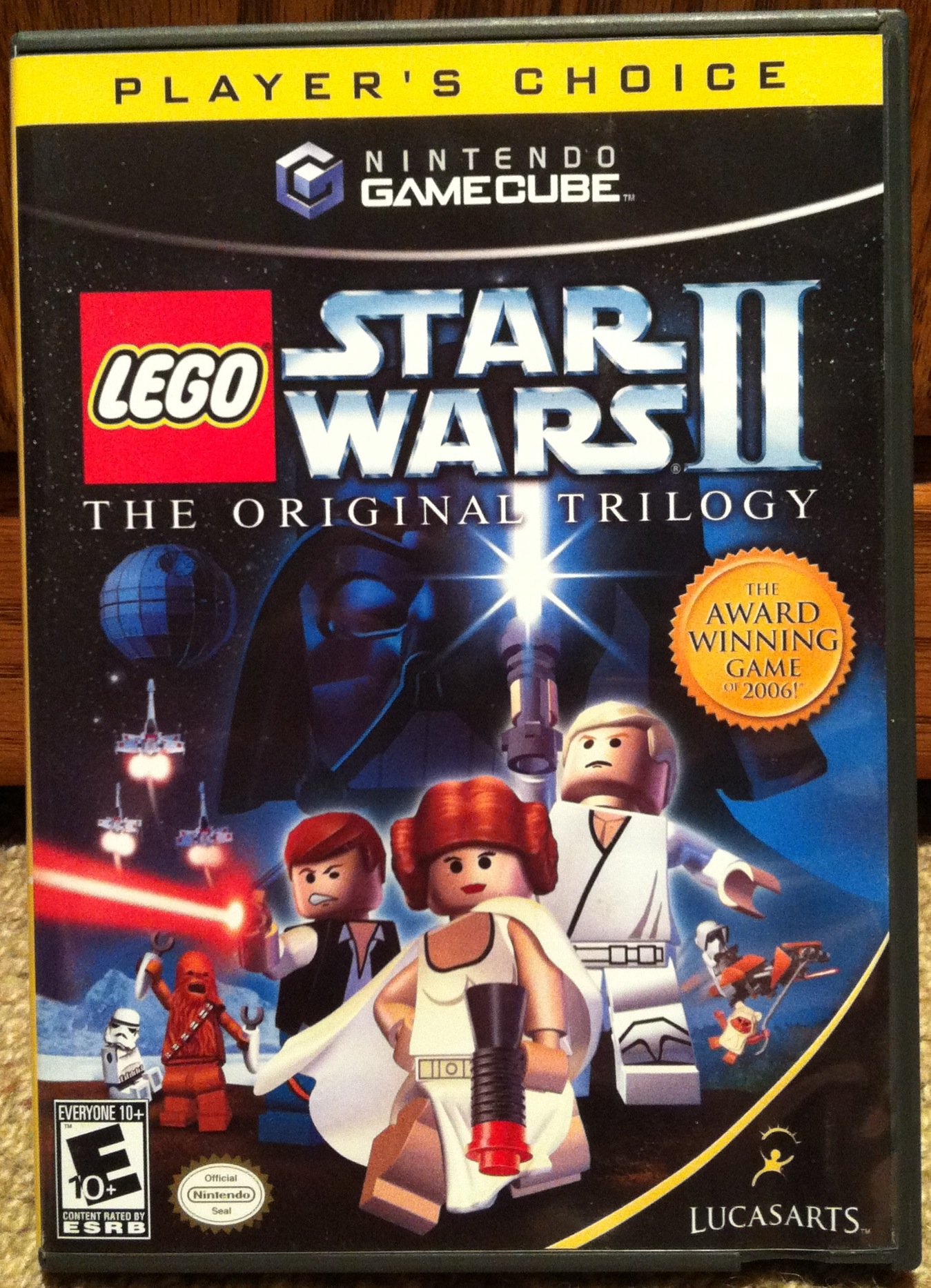
Image 1.1: Front cover of LEGO Star Wars II: The Original Trilogy for GameCube. The cover features iconic Star Wars characters in LEGO form, including Darth Vader, Luke Skywalker, Princess Leia, and Han Solo, set against a backdrop of space and a Death Star-like structure.
2. Opsætning
Follow these steps to prepare your game for play:
- Konsolforbindelse: Ensure your Nintendo GameCube console is properly connected to your television and power supply according to the GameCube's instruction manual.
- Controllerforbindelse: Connect one or more Nintendo GameCube controllers to the controller ports on the front of the console.
- Indsæt spildisk: Open the GameCube disc tray, place the LEGO Star Wars II game disc with the label side facing up, and close the tray securely.
- Tænd: Turn on your television and the Nintendo GameCube console. The game should load automatically.

Image 2.1: The inside of the LEGO Star Wars II GameCube game case. It displays the game disc on the right, secured in its tray, and the instruction booklet on the left panel, featuring game art.
3. Betjeningsvejledning
3.1 Start af spillet
After powering on the GameCube, the game will load to the title screen. Press the START button on your controller to proceed to the main menu.
3.2 Hovedmenunavigation
Use the control stick to navigate menu options and the A button to select. Options typically include:
- Nyt spil: Start a new adventure from the beginning.
- Indlæs spil: Fortsæt et tidligere gemt spil.
- Valgmuligheder: Adjust game settings such as sound volume, screen display, and controller configuration.
3.3 Grundlæggende spil
The game involves controlling LEGO characters through various levels, solving puzzles, battling enemies, and collecting LEGO studs. Refer to the in-game tutorial for specific control schemes and actions.
3.4 Lagring af status
Game progress is typically saved automatically at designated checkpoints or at the end of each level. Ensure a GameCube Memory Card is inserted into the console for saving game data.
4. Spilfunktioner
LEGO Star Wars II: The Original Trilogy offers several unique gameplay elements:
- Family-Friendly Action: Engage in action-adventure gameplay suitable for a wide audience.
- Building with LEGO Blocks: Utilize LEGO blocks within the game environment for various objectives.
- Improved 2-Player Camera: Experience cooperative play with an enhanced camera system for two players.
- Power Brick Items: Discover and collect special Power Brick items throughout the game.
- New Free Play Mode: Customize vehicles for new ship designs and freely play with over 100 characters by mixing and matching body parts.
- Character-Specific Attacks: Utilize unique attacks and maneuvers for different characters.
- Playable Mini-Kit Vehicles: Access and control various mini-kit vehicles.
- Drop-in/Drop-out Co-Op: A second player can join or leave the game at any time without interrupting gameplay.

Image 4.1: The back cover of the LEGO Star Wars II GameCube game case. It highlights key features such as building and battling, customizing characters and vehicles, and cooperative play, with screenshots illustrating these elements.
5. Vedligeholdelse
Proper care of your game disc and console will ensure optimal performance and longevity.
5.1 Pleje af disken
- Always hold the disc by its edges to avoid fingerprints.
- Store the disc in its original case when not in use to prevent scratches.
- Hvis disken bliver snavset, skal du forsigtigt tørre den af med en blød, fnugfri klud fra midten og udad. Brug ikke slibende rengøringsmidler eller opløsningsmidler.
5.2 Pleje af konsol
Keep your Nintendo GameCube console in a clean, dust-free environment. Ensure proper ventilation to prevent overheating.
6. Fejlfinding
Hvis du støder på problemer, kan du prøve følgende løsninger:
- Spillet indlæses ikke: Ensure the disc is clean and correctly inserted into the GameCube. Check that the console is powered on and connected to the TV.
- Fejl ved disklæsning: Clean the game disc as described in Section 5.1. If the problem persists, try another GameCube disc to determine if the issue is with the console's disc drive.
- Controller reagerer ikke: Verify that the controller is securely plugged into the GameCube. Try a different controller port or another controller to isolate the problem.
- Ingen lyd/billede: Check all audio/video cables connecting the GameCube to your television. Ensure the TV input is set to the correct source.
7. Specifikationer
| Feature | Detalje |
|---|---|
| Platform | Nintendo GameCube |
| Forlægger | LucasArts |
| Modelnummer | 32958 |
| UPC/GTIN | 023272329587 |
| Genre | Action/Adventure |
| ESRB-vurdering | E10+ (Everyone 10+) |
| Varens vægt | 0.35 pund |
| Emnedimensioner | 7.76 x 5.75 x 0.51 tommer |
8. Garantioplysninger
For information regarding product warranties, please refer to the documentation included with your Nintendo GameCube console or contact LucasArts directly. Specific warranty details for video game software may vary by region and retailer.
9. Support
For technical assistance or gameplay questions, please visit the official LucasArts website or the Nintendo support website. Contact information may also be found on the game packaging or within the in-game menus.
- LucasArts Support: www.lucasarts.com/support (Note: Link may be historical and subject to change)
- Nintendo-support: www.nintendo.com/consumer/index.jsp