
Indledning
Final Fantasy: Crystal Chronicles is an action role-playing game developed by Square Enix for the Nintendo GameCube. This manual provides essential information for setting up, playing, maintaining, and troubleshooting the game. It supports both single-player and multiplayer modes, with multiplayer requiring Game Boy Advance systems as controllers.

Image: Front cover of the Final Fantasy: Crystal Chronicles game case, displaying the title and main characters.
Opsætning
Systemkrav
- Nintendo GameCube console
- One GameCube controller (for single-player)
- Up to four Game Boy Advance (GBA) systems and GBA-GameCube link cables (for multiplayer)
- Memory Card (for saving game progress)
Inserting the Game Disc
- Ensure your GameCube console is powered off.
- Open the disc tray cover on the GameCube.
- Carefully place the Final Fantasy: Crystal Chronicles game disc onto the spindle, label side up. Press gently until it clicks into place.
- Luk dækslet til diskskuffen.

Image: The Final Fantasy: Crystal Chronicles game disc, showing its design and placement within the game case.
Connecting Game Boy Advance for Multiplayer
For multiplayer gameplay, each player requires a Game Boy Advance system and a GBA-GameCube link cable. Connect one end of the link cable to the GBA and the other end to a controller port on the GameCube. The GBA will function as a personal screen for menus and inventory, while the GameCube displays the main action.
Drift
Grundlæggende kontrol
Controls are primarily handled via the GameCube controller in single-player mode. In multiplayer, the Game Boy Advance provides additional input and a personal display. Refer to the in-game tutorial for specific button mappings and actions.
Single-player tilstand
In single-player mode, you control one character and are accompanied by a Moogle companion who assists in carrying the Crystal Chalice, which protects you from the Miasma. The Moogle can also be directed to cast spells or perform other actions.
Multiplayer-tilstand
Up to four players can join a Crystal Caravan. Each player controls a unique character using a Game Boy Advance. Communication and teamwork are essential for survival, especially when moving the Crystal Chalice to protect the party from the Miasma and during combat encounters.
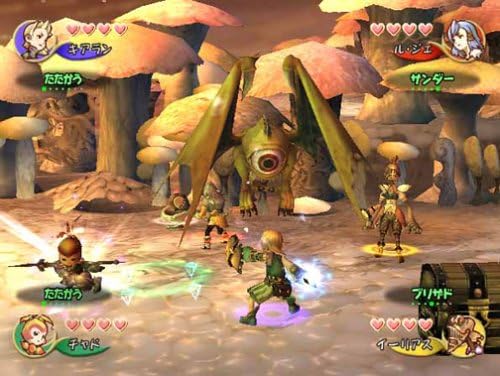
Image: An in-game battle scene showing multiple characters engaging a large, one-eyed monster in a mushroom forest environment.
Saving Progress
Game progress is saved to a GameCube Memory Card. The game features specific save points or automatic saving at certain intervals. Ensure a Memory Card is inserted and has sufficient free space.
Spilmekanik
- Crystal Caravan: Players travel through a world covered in Miasma, a poisonous mist. A Crystal Chalice must be carried to create a safe zone.
- Real-time Combat: Engage enemies in real-time action. Characters can use physical attacks, magic, and special abilities.
- Magic System: Spells are cast by collecting and combining magicite. In multiplayer, players can combine their magicite to create more powerful spells.
- Samarbejde: Essential for navigating environments, solving puzzles, and defeating powerful enemies.
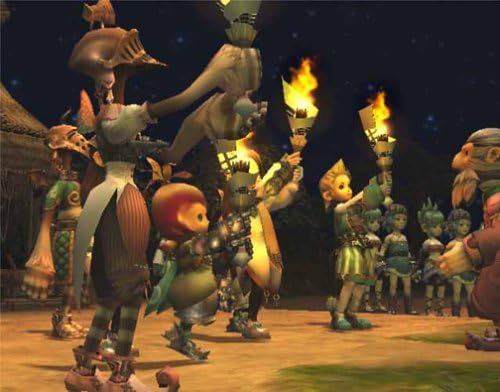
Image: Several in-game characters, including different races, gathered together and holding torches in a dark environment.
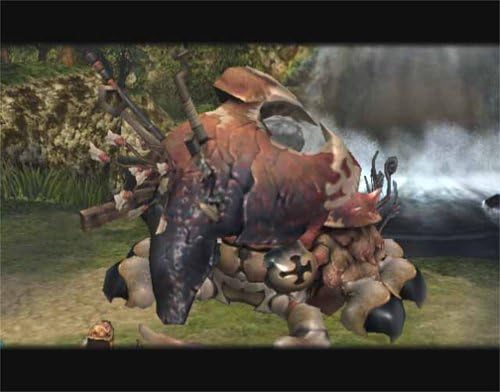
Image: A large, heavily armored monster with multiple limbs and a shell-like back, standing in a natural environment near a waterfall.
Opretholdelse
Diskpleje
- Always handle the disc by its edges to avoid fingerprints and scratches.
- Opbevar disken i dens originale æske, når den ikke er i brug.
- Hvis disken bliver snavset, skal du forsigtigt tørre den af med en blød, fnugfri klud fra midten og udad. Brug ikke slibende rengøringsmidler.
Konsolpleje
Keep your Nintendo GameCube console and Game Boy Advance systems clean and free from dust. Ensure proper ventilation for the GameCube to prevent overheating.
Fejlfinding
Disklæsefejl
- If the console displays a disc read error, ensure the disc is clean and free of scratches.
- Verify the disc is correctly seated in the disc tray.
- If issues persist, try another GameCube game to determine if the problem is with the console or the game disc.
Game Boy Advance Connection Issues
- Ensure GBA systems are powered on and link cables are securely connected to both the GBA and GameCube.
- Check that the GBA-GameCube link cables are not damaged.
- Confirm that the GameCube controller ports are functioning correctly.
Specifikationer
| Feature | Detalje |
|---|---|
| Varemodelnummer | 45496961275 |
| ASIN | B00009WAUH |
| UPC | 045496961275, 719546192611 |
| GTIN | 045496961275, 719546192611 |
| Compatible Console Models | Nintendo GameCube, Nintendo Game Boy Advance SP (for multiplayer) |
| Udgivelsesdato | 10. februar 2004 |
| Fabrikant | Square Enix |
| Produktdimensioner | 7.75 x 5.5 x 0.75 tommer |
| Varens vægt | 1.23 ounce |
| Bedømt | Teenager |
Garanti og support
For information regarding product warranty or technical support, please refer to the official documentation included with your game purchase or visit the official Square Enix website. Support options may vary based on region and purchase date.