
Indledning
The Mad Catz Force Pack is an accessory designed to enhance your Nintendo 64 gaming experience by providing tactile feedback, commonly known as "rumble" or "force feedback." This device inserts into the expansion port of a compatible Nintendo 64 controller, allowing you to feel in-game actions such as explosions, impacts, and other effects. This manual provides instructions for the proper setup, operation, and maintenance of your Force Pack.
Pakkens indhold
- Mad Catz Force Pack unit
- 2 x AAA Batteries (may be included depending on specific product version)
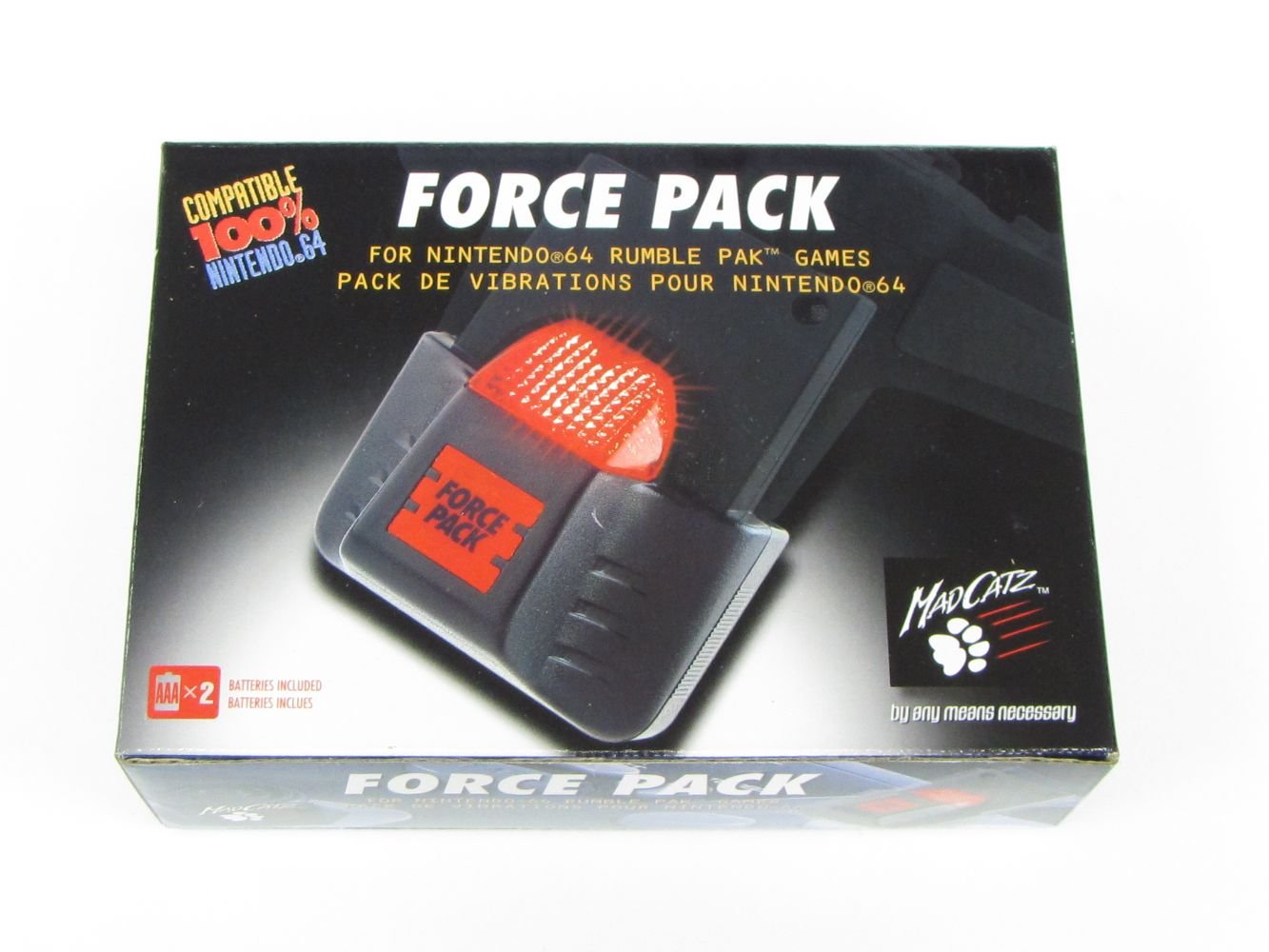
This image displays the Mad Catz Force Pack in its original packaging. The packaging highlights compatibility with Nintendo 64 and indicates that AAA x 2 batteries are included. The device itself, a gray rumble pak with a red translucent top, is visible through the packaging.
Opsætning
- Indsæt batterier: Locate the battery compartment on the Mad Catz Force Pack. Insert two (2) AAA batteries, ensuring correct polarity (+/-) as indicated inside the compartment. Close the battery compartment securely.
- Locate Controller Expansion Port: Identify the expansion port on the underside of your Nintendo 64 controller. This port is typically a rectangular slot.
- Insert Force Pack: Align the Mad Catz Force Pack with the controller's expansion port. Gently but firmly push the Force Pack into the port until it is fully seated and secure. Ensure it clicks into place if applicable.
- Bekræft forbindelsen: Once inserted, the Force Pack should sit flush with the controller's body.
Note: Some Force Packs may draw power directly from the N64 console via the controller and may not require batteries. However, the manufacturer specifies AAA batteries for this model.
Betjeningsvejledning
Once the Mad Catz Force Pack is correctly installed in your Nintendo 64 controller, it will automatically activate when playing games that support the Rumble Pak feature. The vibration effects are controlled by the game software itself.
- Spilkompatibilitet: Ensure the game you are playing supports the Nintendo 64 Rumble Pak. Most games released after the Rumble Pak's introduction include this feature.
- Experience Feedback: During gameplay, the Force Pack will vibrate in response to in-game events, providing tactile feedback.
Opretholdelse
- Rensning: Use a soft, dry cloth to clean the exterior of the Force Pack. Do not use liquid cleaners or solvents.
- Opbevaring: When not in use for extended periods, remove the AAA batteries from the Force Pack to prevent potential leakage and damage. Store the Force Pack in a cool, dry place.
- Udskiftning af batteri: Replace batteries when vibration effects become weak or cease entirely.
Fejlfinding
| Problem | Mulig årsag | Løsning |
|---|---|---|
| Ingen vibrationsfeedback. |
|
|
| Svag vibration. | Lav batteristrøm. | Udskift AAA-batterier. |
| Force Pack does not fit. | Incompatible controller or incorrect orientation. | Ensure you are using a standard Nintendo 64 controller and inserting the Force Pack in the correct orientation. |
Specifikationer
- Model: Mad Catz Force Pack
- Kompatibilitet: Nintendo 64 controllers
- Strømkilde: 2 x AAA-batterier (påkrævet)
- Dimensioner: Cirka 3.2 x 2.4 x 0.7 tommer
- Vægt: Cirka 3.2 ounce (uden batterier)
- Fabrikant: Gal Catz
Garantioplysninger
Mad Catz products are designed for quality and reliability. For specific warranty details, please refer to the warranty card included with your product or visit the official Mad Catz webwebsted. Gem din købskvittering som købsbevis i tilfælde af garantikrav.
Kundesupport
For further assistance or technical support, please visit the official Mad Catz support website or contact their customer service department. Contact information can typically be found on the product packaging or the official Mad Catz webwebsted.